Travel connectivity guide
Odesa eSIM: Mobile Internet for Travel in Ukraine
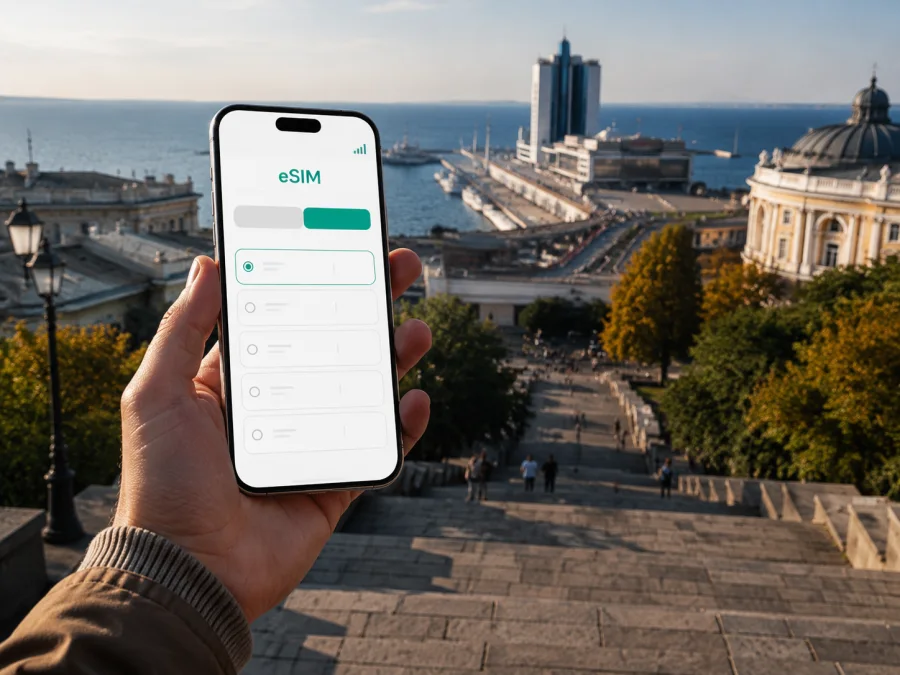
Odesa eSIM for Mobile Connection and Internet on Your Ukraine Trip
Odesa is a city where one day can include a railway arrival, a walk through the historic centre, a trip toward the coast and an evening meeting across town. That variety makes mobile internet useful from the first hour. You may need a map outside the station, a message to your host, a taxi when you have luggage, or a translation app in an unfamiliar street.
An eSIM, or digital SIM, lets you prepare a mobile-data option without removing the physical SIM in your phone. For Odesa, the practical goal is to choose a suitable prepaid eSIM tariff for Ukraine, install it on a compatible device and use data for navigation, messages and travel tasks. Kaspersky eSIM Store is an app and website that helps you choose, arrange and activate an eSIM tariff for an international trip. Check the selected offer’s data allowance, validity period and activation terms before you travel.
Why mobile internet helps in Odesa
The central area is walkable, but most visits involve more than one street or district. A traveller may stay near the railway station, explore Deribasivska Street, continue toward Primorskyi Boulevard and the Potemkin Stairs, then go to the seafront or a business meeting. Mobile data gives you a practical way to handle those transitions without searching for public Wi-Fi every time you need a map or message.
Common travel tasks include:
- opening a map and saving the next address before leaving the hotel;
- comparing a walking route with public transport or a taxi;
- confirming check-in details and sharing a location with a companion;
- translating a message, menu or sign;
- accessing a ticket, reservation or boarding message in an account;
- joining a work call from a hotel or café;
- checking a route before a trip outside Odesa.
Save important addresses and booking details before setting out, then use live data for the parts that may change.
Plan your arrival in advance
Routes and travel conditions can change, so confirm transport close to departure while keeping the connectivity setup simple.
Arriving by train
Odesa-Holovna railway station is a key orientation point for visitors arriving by rail. Keep your accommodation address and booking details accessible offline; after arrival, mobile data can help you compare walking with a taxi, find the entrance and message a host. Agree on a precise meeting point, preferably a written address plus a map pin.
Reaching Odesa through another city
You may travel through another Ukrainian city or across a nearby border before the final leg. An eSIM tariff selected for Ukraine can support route planning and messages if its conditions cover the route. Check destination scope and validity; a short Odesa stopover and a multi-city work trip do not need the same allowance.
Keep the plan adaptable
Keep railway, road and accommodation information together, leave battery for maps and messages, and download essential addresses before travelling. If the route changes, data helps with the next step, while offline notes remain a fallback.
Odesa areas and daily data needs
The best connection plan follows the rhythm of your visit. Central streets, seaside areas and residential addresses create different days even when they are part of one Odesa itinerary.
| Area or zone | What you may do there | Useful mobile-data tasks |
|---|---|---|
| Historic centre | Walk between landmarks, cafés and restaurants | Navigation, translation, messages and reservations |
| Prymorskyi district | Combine central streets, the seafront and meetings | Route changes, ride booking and work communication |
| Railway-station area | Arrive, collect luggage and continue to a hotel | Directions, tickets, taxi details and messages |
| Arcadia and the coast | Make a longer ride for a seaside walk or evening | Maps, transport comparison and location sharing |
| Residential districts | Visit friends, an apartment or an office | Door-to-door navigation and entrance details |
These categories help with planning; they are not a guarantee about performance at one address. Crowded places, buildings and local conditions can affect any mobile connection. If a task is important, save the address, reservation code or meeting details before you leave a stable connection.
Historic centre, seafront and outer addresses
The centre suits a flexible walking plan: you may begin around Deribasivska Street, continue toward Primorskyi Boulevard and the Potemkin Stairs, then change direction for a café, museum or appointment. A map helps with entrances, courtyards and one-way streets. Prymorskyi is useful for combining central streets with the coast, while Arcadia may mean a longer ride from central accommodation. Check the return route before leaving, and use a precise pin or street name for meetings near the seafront.
For residential addresses, ask for the street, building, entrance and floor details. Keep the phone charged when using navigation and photos.
Prepare your Odesa eSIM
The easiest time to organize mobile data is before departure, while you have stable Wi-Fi, a charged phone and time to read the conditions. Kaspersky eSIM Store helps you select a direction and suitable eSIM tariff, complete the arrangement and follow the activation flow through the app or website. It is a travel-preparation tool, not a mobile network operator.
Use this sequence:
- Note your arrival, departure and possible extra days in Ukraine.
- Estimate your use: maps and messages, social media and photos, or work calls and files.
- Check the tariff’s destination, data volume, validity period and activation rules.
- Confirm that your phone supports eSIM and is not operator-locked. Check your device compatibility before purchase.
- Arrange the eSIM while connected to reliable Wi-Fi and keep the confirmation accessible.
- Install it using the device instructions, without removing your everyday SIM if you still need its number.
- Label the lines clearly, such as “Home” and “Ukraine data”.
After planning the Odesa part of your route, you can choose an eSIM tariff for a trip to Ukraine. Review the offer shown for your dates and select a data allowance that fits your itinerary rather than choosing on price alone.
Installation and activation checklist
Installation depends on the phone model and operating-system version. Keep the phone on Wi-Fi, have the activation details nearby and follow the wording on screen. For a device-specific walkthrough, see the Android installation instructions or the iOS installation instructions.
Before installation:
- charge the phone and keep the activation details on another screen or in a secure message;
- confirm that the tariff covers Ukraine or the region of your route;
- check that the phone can add a mobile plan;
- install in a calm place with a stable connection, not while crossing the city;
- keep the physical SIM available if you need your regular number.
After installation, the eSIM may appear as a secondary mobile plan. Give it a clear label, select it for mobile data when you are ready, and review data-roaming settings if the tariff instructions require them. Turning off automatic data switching can help prevent the phone from using the wrong line unexpectedly.
Activation may take several minutes and depends on the device, tariff and local network. If data does not start, check the selected data line, mobile-data settings and the tariff instructions. Avoid deleting the eSIM profile while troubleshooting unless the instructions or support team specifically tell you to do so.
Estimate data for your itinerary
There is no universal allowance. A visitor who walks, sends messages and checks a map occasionally uses data differently from a remote worker who holds meetings and uploads files. Estimate by activities, include a reserve for arrival days and confirm that the validity period covers the whole visit.
To make the allowance last longer, disable automatic photo backup over mobile data, limit video autoplay and download maps or documents on Wi-Fi. The goal is not to avoid normal phone use, but to prevent background activity from consuming data while you move between Odesa addresses.
Getting around Odesa
Odesa combines walking with trams, trolleybuses, buses, taxis and private cars. Choose according to luggage, weather, time and the exact destination. Walking is often practical in the historic centre; public transport can help with longer distances or a return from the coast; a taxi may be easier with luggage or a fixed appointment. Check routes shortly before departure and leave a buffer before a train or meeting.
Use three layers of orientation: the written address, the map pin and a visible landmark. Verify a taxi pickup point and vehicle details, and screenshot key stop names when a journey includes a transfer. If your battery is low, use a lower-power mode and keep the written route in your notes.
Hotels, cafés and business days
When choosing accommodation, check the exact address, route from your arrival point, check-in window and entrance details. A data-only travel eSIM does not replace a normal phone number; voice calls and SMS are not included unless the specific tariff conditions say so. Messaging and calling apps can work over data, but tell important contacts which channel you will use.
Hotel-arrival checklist:
- confirm the address and entrance;
- save the booking or host message for offline access;
- ask about Wi-Fi without assuming it will cover every need;
- select the Ukraine eSIM as the data line when ready;
- review the settings for your home line and its roaming conditions;
- note the route to the next appointment before leaving the room.
For a workday, estimate email, authentication, cloud documents and calls separately from leisure use. Use trusted Wi-Fi for large transfers when suitable and keep mobile data available for travel continuity.
Odesa for a short stopover
A stopover needs a compact plan. Group activities by area, keep the arrival and departure points in mind, and leave a time cushion for returning to the station or confirmed transfer point.
- Save arrival, departure and accommodation details.
- Choose one central walking zone and one nearby backup plan.
- Keep the luggage-storage or hotel address in text and map form.
- Check the return route before starting the walk.
- Use mobile data for live changes while keeping the core plan offline.
Start with maps, messages and transport, then add other uses as the itinerary requires.
Trips from Odesa
If Odesa is a base for an excursion or onward journey, check the route, accommodation address and return ticket before leaving. Confirm that the eSIM tariff covers the complete journey, especially when a route crosses a border or enters another region. Keep destination names, booking details, departure times, important contacts, a charged power bank and eSIM support information accessible offline. Know when tariff validity begins and review the balance before an extended trip.
If mobile data does not work
Check the basics in order and do not delete the eSIM profile immediately:
- Confirm that the eSIM line is switched on.
- Check that it is selected for mobile data.
- Review data roaming and other required settings.
- Toggle airplane mode briefly, then wait for reconnection.
- Move outdoors or to another position if the issue may be local conditions.
- Check tariff status, remaining data and validity in the app or profile.
- Contact support with the device model, steps tried, time and place.
The quickest first check is usually the selected data line and its settings; support can help with installation and activation questions.
Odesa eSIM questions
Is an eSIM useful for a weekend in Odesa?
It can be useful for maps, messages, reservations and transport. Match validity and data volume to the visit and read the activation conditions before purchase.
Can I keep my regular SIM?
On a compatible dual-SIM device, an eSIM can often be used alongside a physical SIM. Exact options depend on the model and operating system, so select the intended data line and review the settings for your regular line.
Does a travel eSIM give me a Ukrainian phone number?
Not necessarily. Travel eSIM tariffs are commonly intended for mobile data, and a normal number, voice calls or SMS are not included unless the conditions state otherwise. Internet messaging and calling apps may be used over data.
Should I install it before Odesa?
Installing before departure can be convenient because you have Wi-Fi and time to follow the instructions. Installation and the start of validity are not always the same event, so read the selected offer’s terms.
How do I choose for Odesa and another Ukrainian city?
Compare destination scope, data allowance, validity and activation rules. A country option may be convenient for several Ukrainian destinations if its conditions cover the route.
Final preparation for Odesa
Before leaving, answer five questions: Which line is for mobile data? When does the tariff become active? How much data is included? Where is the hotel or first meeting? What will you do if the route changes? Check compatibility, read the terms, install over reliable Wi-Fi and save important addresses. That preparation leaves you free to concentrate on Odesa’s streets, coastline, cafés and conversations.
Get ready for your Odesa trip
Prepare your mobile data before departure, choose the eSIM tariff that matches your Odesa itinerary and keep the activation instructions close at hand. When you are ready, select an eSIM tariff for your trip to Ukraine through Kaspersky eSIM Store and follow the setup steps for your compatible device.


