Travel connectivity guide
Odido eSIM in the Netherlands: what to check
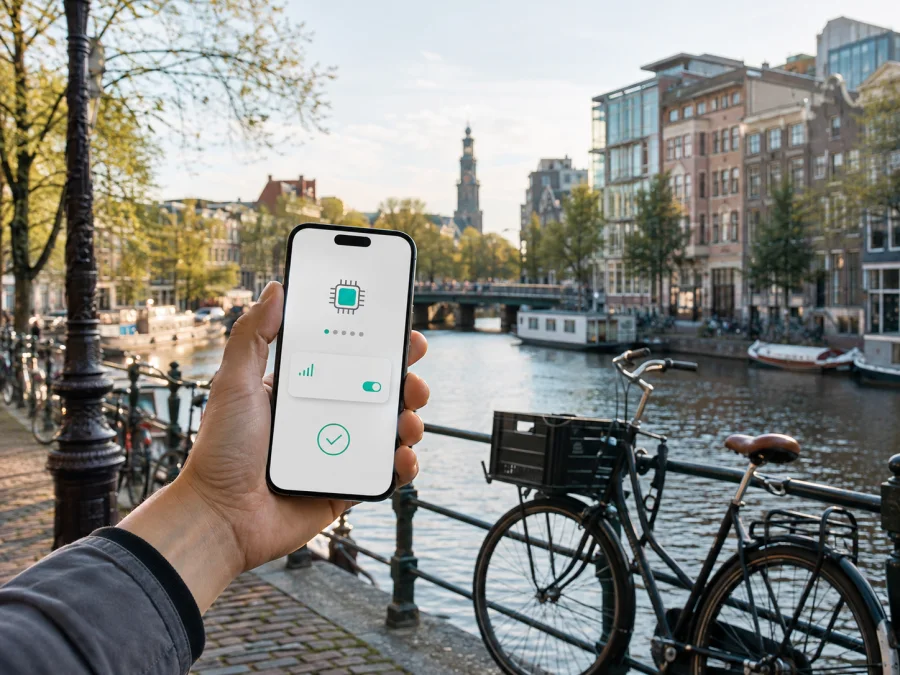
Odido eSIM in the Netherlands: what travelers should know
An eSIM can make the first hours of a trip to the Netherlands easier. It is a digital SIM profile downloaded to a compatible phone, so you do not need to handle a plastic card while leaving the airport, finding your accommodation or starting work. For someone searching for an Odido eSIM in the Netherlands, the practical questions are whether the profile is available for the intended service, how it is installed, which settings matter and when a separate travel eSIM may fit better.
This guide describes Odido as a mobile operator in the Netherlands and explains the choices a traveler may encounter. Information about Odido eSIM, prepaid access, activation and network technology was checked on 5 September 2026 against current public Odido pages. Conditions can change, so confirm the latest details in the Odido App or with Odido before traveling. This article is independent and is not affiliated with, sponsored by or endorsed by Odido.
Quick answer
Odido’s current eSIM help page says that customers can order an eSIM in the Odido App when their device supports the technology. Its FAQ distinguishes eligible mobile services from Odido Prepaid: the regular Odido eSIM route is not presented as available for Odido Prepaid. A visitor should therefore check the exact service instead of assuming that every Odido product can use the same eSIM process.
Odido also publishes a separate prepaid travel eSIM service for temporary data use in the Netherlands and abroad. The current public description says that a traveler can prepare the eSIM in an app, install it before departure and activate it at the destination. That is general confirmation of a travel-oriented route, not a promise that every device, destination or situation follows the same steps.
As a setup reference, distinguish three routes: an Odido eSIM for an eligible local mobile service, Odido’s separately described prepaid travel eSIM, and a travel eSIM from another service. For each one, verify eligibility, destination availability, device support, activation and the current instructions.
Odido in the Netherlands
Odido is a national mobile operator serving consumer and business customers in the Netherlands. Its public pages describe regular mobile services, prepaid services and eSIM as distinct routes. An Odido eSIM is managed under the relevant Odido service; a travel eSIM is a separate way to arrange mobile data. Both may be stored on a dual-SIM phone, but the selected data line determines which connection is used.
Odido’s eSIM page says that installation can involve the Odido App, phone settings, an email link or a QR code. An existing customer changing phones may see a replacement or transfer flow.
Is an Odido eSIM available?
Yes. Odido’s public FAQ, checked during this run, directly confirms that an eSIM can be ordered when the device is suitable. The operator’s eSIM guide says that the order can be made in the Odido App when starting a service or later in the app. This confirms Odido eSIM support for the eligible services described on those pages.
The same public material gives a useful limitation. It says that eSIM is available with eligible subscription and phone services, while Odido Prepaid and another fixed-internet route cannot be ordered as eSIM through the regular eSIM process. Do not interpret a general reference to prepaid as proof that the regular Odido process applies. Odido separately describes a prepaid travel eSIM service, so verify the app and conditions for that particular route.
Compatibility is also more than finding an eSIM setting in the phone menu. The exact model, regional version, software, operator lock and selected service can matter. Check the current Odido guidance and the manufacturer’s information before you start. If the phone is locked, a downloaded profile may not be usable as intended.
What to prepare before the trip
Complete these checks while you still have a reliable connection:
- Confirm eSIM support on the exact phone model and regional version.
- Check that the phone is not locked to another operator.
- Update the phone and relevant app; make sure you can sign in if the route uses an account.
- Keep the email, QR code or in-app instruction available.
- Decide which line should handle calls and messages and which should handle mobile data.
- Check whether data roaming must be enabled for the intended eSIM.
- Keep support information available offline.
Installation needs internet access, but the connection used to download a profile is not necessarily the one that carries mobile data later. After installation, registration can depend on location, settings and activation rules. A compatible dual-SIM phone can often keep the home line for calls and messages while the eSIM handles data; review automatic switching so the intended line is used.
How to activate an Odido eSIM
Odido’s public guide provides more than one installation path. The current screen labels depend on the phone, account and service, so use the live instructions rather than an old screenshot.
1. Prepare the phone
Connect to the internet, charge the phone and confirm eSIM compatibility. If you are moving an existing Odido service to a new phone, keep the old phone available if account verification is sent there. Do not remove the old SIM until the new profile and service are working.
2. Open the Odido App
Sign in and choose the relevant mobile service. Odido’s guide points to the area for the SIM, device and smartwatch, where the user can request an eSIM. Follow the path shown in the current app.
3. Use the supplied method
Odido may show an in-app action, an email link or a QR code. Open an email link on the phone that will receive the profile. If there is a QR code, display it on another screen or use a printed copy and scan it from the phone’s mobile-network settings. Keep the code private.
4. Add and select the profile
Choose the phone option for adding an eSIM or mobile plan, then follow the instruction. After the download, label the new line clearly. Select it for mobile data only when you are ready, and keep the home line selected for calls or messages if required.
5. Test the connection
If the service requires data roaming for its eSIM, enable it for that line. Turn off automatic data switching while testing, then open a simple webpage or messaging app. Registration may take several minutes. A restart or a manual network selection may help if the profile is installed but data does not work.
For account issues, contact Odido; for a separate travel profile, use that service’s support route. Do not mix instructions from two products.
Prepaid and tourist use
Travelers often search for a tourist eSIM when they want temporary data without changing their normal mobile arrangement. Odido’s current public SimWallet pages describe a prepaid eSIM service for temporary use in the Netherlands and other destinations. The page says that a user does not have to be an Odido customer and describes preparation through an app, installation before travel and activation at the destination.
This confirms a general prepaid travel-oriented route. Check destination availability, device support, activation behavior and current conditions. Do not assume that temporary data service provides a standard local telephone number or the same account features as a regular Odido mobile service. The public page also describes QR-code installation and hotspot use on compatible devices, but these are not guarantees for every phone or location.
Local Odido eSIM or travel eSIM?
An eligible local Odido eSIM can make sense when you already use Odido, need its regular mobile service or want to manage an account through the Odido App. A travel eSIM can be more suitable for temporary mobile internet on an unlocked, compatible phone. Verify destination availability, activation, support and whether you need voice calling; a travel eSIM may be focused on data rather than a local number.
Kaspersky eSIM Store is an option in this second category. It is an app and website that helps a user choose, order and activate an eSIM with a travel data plan. It is not a mobile operator, does not own Odido’s network and is not the provider of local radio coverage. Review the destination conditions shown in the store at selection.
If a separate travel-data profile fits your route, you can choose an eSIM plan for the Netherlands after checking your device. This is a Kaspersky eSIM Store destination link and does not imply affiliation with Odido.
Coverage and supported technologies
Odido’s public coverage page, checked on 5 September 2026, provides a coverage and outage map for the Netherlands. It says that Odido 5G is available across the country and that more than 98% of residents live in an area where it works. This population-coverage statement is not a guarantee of reception inside every building, on every route or at every moment.
The same page says that an Odido service abroad uses a local partner network and may use 2G, 3G or 4G; 5G roaming is available only in some countries with compatible service and equipment. Odido’s public 4G information also describes 4G and 4G+ and directs users to the Dutch map. Actual performance depends on location, indoor conditions, congestion, device bands, maintenance and geography. A travel eSIM may use a different local network arrangement, so check its own destination information.
Installing a travel eSIM
The Kaspersky eSIM Store homepage, Netherlands page and public iOS instructions were checked on 5 September 2026. They describe checking the device, selecting a destination, installing the profile and activating it; the iOS guide adds QR-code setup, data-line selection, required roaming and a wait of several minutes.
1. Check the device
Confirm eSIM support and unlock status. You can check eSIM device compatibility before selecting the Netherlands. Model and regional support can change.
2. Prepare and install
Choose the Netherlands in the relevant app or website, complete the order flow and keep the account access or QR code available. Use a stable internet connection. Open the phone’s eSIM settings, choose Add eSIM and follow the current on-screen instructions.
3. Set the intended line
Label the profile, keep the home line for calls or messages if needed and set the travel eSIM as the mobile-data line when ready. Disable automatic data switching while you test the connection.
4. Connect after arrival
Turn on the travel eSIM, enable its mobile data and apply the required roaming setting. Wait for registration. If it does not connect, restart the phone, confirm the selected line and check the service’s troubleshooting guidance. Do not delete the profile while diagnosing a problem unless support tells you to do so.
Restrictions and troubleshooting
An eSIM changes the form of a SIM profile, not the basic rules of mobile service. Keep these limits in mind:
- The phone must support eSIM and may need to be unlocked; model, market and software can affect support.
- Installation needs the correct QR code, link or app flow and internet access. An account-based Odido eSIM can also require the Odido App and account verification.
- Odido distinguishes its regular prepaid route from its separately described prepaid travel eSIM. A travel eSIM may be data-oriented rather than a standard Dutch number, and coverage depends on the location, service, device and local network arrangement.
If the profile is installed but offline, confirm that the intended eSIM is on and selected for data, check the required roaming setting, turn off automatic switching, check airplane mode, restart and wait briefly. Move location if needed, then check for an outage or destination restriction. Contact Odido for an account-based Odido eSIM or the relevant travel service for a separate profile. Keep the installation code private.
FAQ
Can I get an Odido eSIM in the Netherlands?
Odido’s current public FAQ says that customers can order an eSIM when they have a compatible device. Its eSIM page describes ordering through the Odido App. Eligibility still depends on the service, account situation and device.
Does Odido Prepaid support eSIM?
Odido’s eSIM FAQ says that eSIM cannot be ordered with Odido Prepaid through the regular route. Odido separately describes a prepaid travel eSIM service, so do not treat the two routes as interchangeable.
Is a travel eSIM the same as an Odido eSIM?
No. An Odido eSIM belongs to an eligible Odido service, while a travel eSIM is a separate travel-data arrangement. Kaspersky eSIM Store helps users choose, order and activate a travel eSIM; it is not Odido and does not provide or own Odido network coverage.
Final takeaways
Odido eSIM support in the Netherlands is publicly confirmed for eligible services, with ordering and installation handled through the Odido App or the route shown by the operator. Odido’s FAQ distinguishes that support from its regular prepaid service, while a separate prepaid travel eSIM route is described for temporary data use. Check the exact product and activation path before travel.
Before travel, confirm compatibility, unlock status, account access, installation method and mobile-data settings. Use Odido’s coverage map for a specific Dutch location and remember that connection depends on device and local conditions.
If a separate travel-data profile better matches your trip, Kaspersky eSIM Store can help you choose, order and activate an eSIM for the Netherlands through its app and website. It is a travel eSIM service, not a mobile operator or network owner. Choose an eSIM plan for your Netherlands trip after reviewing current destination conditions and checking your device.


