Travel connectivity guide
Ohrid eSIM: Mobile Internet for Your Trip
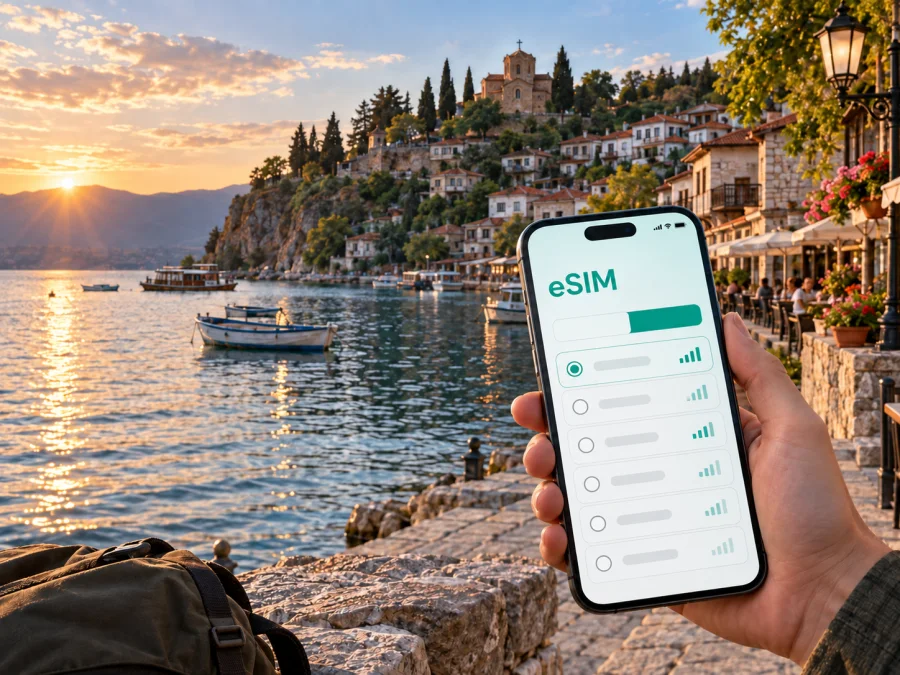
Ohrid eSIM for Mobile Connection and Internet on Your Trip
Ohrid is a city where a short walk can take you from a busy lakeside promenade to quiet historic streets, a hillside church, or a viewpoint above Lake Ohrid. That variety is part of its appeal, but it also means that mobile internet is useful from the first hour of a visit. You may need a map after arriving, a message to your accommodation, a translation, a taxi, a booking confirmation, or a route for a day trip. An eSIM, or digital SIM, can help you prepare that connection without changing the physical SIM card in your phone.
This guide focuses on using an eSIM for a stay in Ohrid, North Macedonia. It covers arrival, movement around the lakefront and Old Town, hotel and business scenarios, short stopovers, device checks, installation, and trips beyond the city. Kaspersky eSIM Store is an app and website where you can choose, arrange, and activate an eSIM with a suitable data plan for an international trip. The plan itself is intended for mobile data; its exact conditions depend on the selected offer.
Why mobile internet matters in Ohrid
Ohrid is compact in the areas most visitors explore, yet the experience changes quickly as the streets rise away from the lake. A reliable data connection can make small decisions easier:
- open a map while walking between the main square, the Old Town, Plaošnik, and Kaneo;
- confirm the address and check-in instructions for an apartment or hotel;
- contact a host, colleague, driver, or travelling companion through a messenger;
- compare a walking route with a taxi or bus option before setting off;
- keep a translation tool, ticket, reservation, or travel document available;
- check weather conditions before a lakeside walk or an excursion outside Ohrid;
- share a location when meeting someone near the port, promenade, or a less familiar street.
The practical value is not that every task needs a large amount of data. It is that you can use essential services when you need them instead of looking for public Wi‑Fi at each stop. You also keep your regular physical SIM in place, which can be useful for receiving messages or retaining your usual number, subject to your home operator’s roaming settings.
Arrival: the first hour after landing
Many visitors arrive through St. Paul the Apostle Airport, the airport serving Ohrid. The final transfer into the city is a separate part of the journey, so prepare for the possibility that you will need directions before reaching your accommodation. If you are arriving by road from another city, the same preparation helps: have the address, a map, and a way to contact the person meeting you before you leave a familiar network.
An eSIM can be installed before departure or after arrival, depending on the plan conditions and your device. Installing before the trip is often more comfortable because you can read the instructions calmly and check the profile while you still have a dependable internet connection. If you prefer to wait, keep the QR code or activation details available in your account and avoid deleting the email or profile information.
A useful arrival checklist
- Save the exact address of your accommodation in your phone.
- Keep the airport-to-city transfer details accessible offline as well as online.
- Check that your phone is charged before leaving the airport or bus station.
- Decide which SIM will handle mobile data after you arrive.
- Keep data roaming disabled on your home SIM if you do not want accidental roaming charges.
- Confirm that the eSIM profile is selected for data and that the plan is valid for North Macedonia.
- Test a map, a message, and one ordinary web page before setting off.
Moving between Ohrid’s main areas
The historic core, the central streets, and the waterfront each create a different navigation situation. The centre and lakeside promenade are convenient for orientation, restaurants, boat departures, and meeting points. The Old Town climbs toward Plaošnik and Samuil’s Fortress, with historic streets and uneven sections where a route that looks short on a map may take longer on foot. Near Kaneo, the lakeside setting is particularly memorable, but the terrain and paths deserve more attention than a flat city-centre walk.
For a first exploration, download or save the key places you plan to visit and keep their names in your notes. With mobile data available, you can adjust the route as you go, search for an alternative entrance, or send your location to someone waiting at a meeting point. A connection is especially useful when a group splits up: one person can continue along the waterfront while another takes a slower route through the Old Town.
Walking, taxis, and local transport
Walking is a natural way to experience the central lakefront and historic sights, but it is not the only option. Taxis can be helpful with luggage, late arrivals, or accommodation on a slope. Local buses and regional connections may be useful for longer movements, although routes, schedules, and availability can change. If you use a car, map data is helpful for checking the approach to a hotel and for planning around narrow or busy streets.
Use mobile internet as a decision-making tool rather than assuming that a route is fixed:
| Situation | What to check on your phone | Why it helps |
|---|---|---|
| Airport or road arrival | Accommodation address and meeting point | Reduces confusion during the transfer |
| Old Town walk | Walking route and terrain around the next sight | Helps you allow time for uphill sections |
| Lakeside evening | Return route and transport availability | Makes it easier to adjust plans after dark |
| Restaurant or hotel meeting | Shared location and messages | Keeps a group together without repeated calls |
| Day trip from Ohrid | Route, opening information, and return plan | Helps you avoid relying on a single connection |
Choosing a data plan for a city stay
The right eSIM tariff depends on what you will do in Ohrid, how long you will stay, and whether North Macedonia is one stop in a wider itinerary. A short city break focused on messages, maps, and occasional searches needs a different allowance from a working trip with video meetings or frequent hotspot use.
Start with four questions:
- How many days will the eSIM need to cover?
- Will you use it only in Ohrid, or also on routes through other parts of North Macedonia?
- Will your phone mainly handle maps and messaging, or will you upload photos, stream media, and join meetings?
- Does the selected plan allow the data use you expect, including tethering if you need a hotspot?
Then compare the conditions shown for the chosen destination. Look at the traffic allowance, validity period, supported country or region, activation rules, and any top-up or balance details. A larger allowance is not automatically better if most of your use is offline maps and messaging, while a small allowance can be inconvenient for remote work or frequent photo uploads.
When your trip includes Ohrid and another country, do not assume that a North Macedonia plan covers the whole route. Read the destination area carefully. If the journey stays within North Macedonia, a country plan may be the most direct match. If the itinerary crosses borders, compare it with an applicable regional option and make sure the cities on your route are included.
After reviewing the conditions, you can choose an eSIM plan for a trip to Ohrid. Kaspersky eSIM Store helps you select and activate an appropriate eSIM for the journey; the available traffic, validity, and price are determined by the offer you choose.
Hotel, apartment, and business-trip scenarios
Ohrid works for a relaxed lakeside stay, a cultural weekend, and a work trip with meetings in the city. Each scenario puts slightly different demands on mobile data.
Staying in a hotel or apartment
Use the connection for arrival messages, check-in details, map directions, and communication with reception or a host. Keep the name and exact address in your notes so you can show them to a driver or find your way back from the waterfront. If several people are travelling together, send the address to everyone rather than leaving it on one person’s phone.
Working from Ohrid
For remote work, estimate data use conservatively. Email, documents, and short calls are different from long video meetings or transferring large files. Check whether the selected plan allows hotspot use before relying on it for a laptop, and identify a backup workspace because mobile data cannot solve every issue with power or noise.
Meeting clients or colleagues
Keep the meeting address, contact details, and a map route together. The lakefront, central square, hotel, and business venue may all be described differently in messages, so a shared location can be clearer than a long written explanation. If the other person is arriving from outside Ohrid, agree on a recognisable meeting point and a backup plan before the meeting.
Installing an eSIM before or after arrival
Installation is a device action, not a city-specific setting. Before you begin, check that your phone supports eSIM, is not locked to another operator, has enough battery, and is connected to the internet during setup. Some models differ by region, so check your device compatibility before purchasing or installing a plan.
Before departure
- Choose the North Macedonia destination and review the plan’s data allowance, duration, and conditions.
- Complete the purchase through the Kaspersky eSIM Store website or app.
- Open the profile or message containing the activation information.
- Add the eSIM in your phone’s mobile-network settings, following the on-screen steps.
- Label the new line clearly, for example “North Macedonia data”.
- Leave your regular SIM available for calls and messages if you need it.
- Decide which line will be used for mobile data after landing.
For detailed operating-system steps, use the Android eSIM installation instructions or the iOS eSIM installation instructions. Menu names and the order of prompts may vary between models and software versions.
After arrival
If you install the profile in Ohrid, use a stable connection and keep the QR code or activation details open on another screen if the phone cannot scan from its own display. Add the profile first, then select it for mobile data. If the plan requires data roaming for the eSIM, enable it for that profile only and confirm that roaming remains disabled on the home SIM if that is your preference.
If data does not start immediately, wait a few minutes and review the selected line, mobile-data setting, and roaming setting. Avoid deleting the eSIM while troubleshooting. If the profile still does not activate, check the plan conditions and contact support with the device model, the selected line, and the exact message shown on screen.
Managing costs and traffic during the stay
Ohrid invites frequent photo-taking, and the lakefront is a natural place to share images. To keep your allowance predictable, use a few simple habits:
- let large photo and video backups wait for trusted Wi‑Fi when practical;
- disable automatic updates over mobile data if you want tighter control;
- use offline maps or save key addresses before a long walk;
- keep video quality moderate when a call does not require high resolution;
- use a hotspot only when the plan conditions allow it and you understand the extra traffic;
- check the balance or remaining allowance in the app or account when that information is available.
There is no single correct amount of data for every visitor. A couple travelling mainly on foot may use little beyond maps and messages. A family sharing directions and uploading photos may use more. A remote worker should plan around calls, attachments, and laptop use rather than a sightseeing day. The best choice is the one that matches your actual routine and the validity window of the trip.
Trips from Ohrid
Ohrid is also a base for exploring the surrounding area. You might spend one day in the city and another on a route along the lake, toward Struga, or to a cultural or natural site outside the centre. Before leaving, confirm the destination, transport arrangement, return time, and whether the selected eSIM plan applies to the full route within North Macedonia.
For a boat trip or a visit to a quieter lakeside area, save essential information in advance and tell someone where you are going. For a road journey, keep the accommodation address and the meeting point in one note so you can return without starting from an empty map.
If you cross an international border, review the destination coverage before departure. A country-specific eSIM tariff for North Macedonia should not be treated as a universal plan for neighbouring countries. Choose a regional option only when its stated coverage matches the complete itinerary.
Common questions about eSIM use in Ohrid
Does an eSIM replace my regular phone number?
Usually not. The eSIM scenario described here is for mobile data. It does not automatically include a separate phone number, ordinary voice calls, or SMS unless the conditions of the selected plan say otherwise. You can keep your usual SIM for number-based services and use internet messengers for communication, while checking your home operator’s roaming settings.
Can I use an eSIM only for a weekend in Ohrid?
Yes, if the selected plan’s validity and activation rules fit your visit. Compare the duration with your arrival and departure schedule, and check when the validity period begins.
Should I install the eSIM at home or in North Macedonia?
Either can be suitable when the plan and device support it. Installing before departure gives you time to resolve compatibility or setup questions. Installing after arrival may suit travellers who prefer to keep the profile inactive until the trip begins. In both cases, use a stable internet connection and follow the instructions for your phone.
What should I do if the eSIM does not connect?
Check the selected data line, the network settings, the plan’s destination, and whether data roaming is required for the eSIM. Confirm that the phone is not operator-locked and that the profile was added completely. If the issue remains, contact support and provide the message shown on the device rather than deleting the profile.
A compact Ohrid preparation checklist
Before leaving for the lakefront, confirm:
- your device supports eSIM and is not operator-locked;
- the chosen plan covers North Macedonia and lasts for your dates;
- the eSIM profile and installation instructions are accessible;
- your accommodation address, transfer details, and meeting points are saved;
- mobile data is assigned to the intended eSIM after arrival;
- roaming is disabled on your regular SIM if you want to avoid accidental charges;
- offline copies of essential addresses and reservations are available;
- hotspot use, balance checks, and top-ups are understood before you need them.
The result is a calmer arrival and more flexible time in Ohrid. You can concentrate on the lake, the Old Town, the promenade, and the people you came to see while keeping the practical travel tools close at hand.
Prepare your eSIM for Ohrid
Start by checking compatibility, then choose a North Macedonia eSIM tariff whose traffic allowance and validity match your route. Install the profile before departure or after arrival, select it for mobile data, and keep the conditions available for reference. Kaspersky eSIM Store helps you choose, arrange, and activate an eSIM for mobile internet during an international trip.
Choose an eSIM plan for your Ohrid trip and prepare your mobile connection before you set out for Lake Ohrid.


