Travel connectivity guide
Old Road Town eSIM: Mobile Internet & Connection
Old Road Town eSIM: Mobile Connection and Internet for Your Visit
Old Road Town is a small settlement on the west coast of Saint Kitts, beside Old Road Bay. It is a place to slow down, notice the shoreline and explore a compact cluster of historic sites rather than a large urban centre with a dense grid of streets. A mobile data connection is useful here for confirming a driver’s meeting point, following a route inland and checking opening details before you set out.
Prepare navigation and key details before leaving Basseterre, then use mobile internet for changes during the day. An eSIM can provide data without changing your physical SIM, if your device and plan support it. Coverage and speeds vary by location and plan, especially near hills or indoors.
Where Old Road Town fits into a Saint Kitts itinerary
Old Road Town is on Saint Kitts, one of the two islands in the Federation of Saint Kitts and Nevis. The settlement is associated with Old Road Bay and the island’s early colonial history. It is not the national capital: Basseterre is the capital and the main service centre. That distinction matters when planning transport, accommodation and an onward connection. Old Road Town is better treated as a west-coast stop or a base for nearby heritage and nature visits than as a self-contained city break.
The coast and the inland foothills shape how you move around. A short distance on a map can still involve a winding road, a steep approach or a change in road conditions. Save the location of your accommodation and the places you intend to visit. If you are meeting a taxi or tour guide, agree on a recognisable pickup point and share the pin while you have a reliable connection.
| Trip need | Useful preparation |
|---|---|
| Arrival on Saint Kitts | Keep your accommodation address and driver contact available offline |
| Exploring Old Road Bay | Save a map pin and ask locally about safe access to the shoreline |
| Visiting estate sites | Check current opening information and transport before departure |
| Going into the hills | Download maps in advance and carry water; mobile coverage may vary |
| Continuing to Nevis | Confirm your transfer to Basseterre and the ferry schedule independently |
Getting to the west coast and finding your bearings
Most international visitors arrive at Robert L. Bradshaw International Airport (SKB), near Basseterre. Arrange a taxi, rental car or transfer to your accommodation, and confirm the destination and fare currency before departure. A map app helps with the route, while local directions can clarify an unmarked entrance.
Old Road Town is reached by road from Basseterre along the island’s west side. Allow time for stops and road conditions. If renting a car, check parking with your host; if taking a taxi, arrange the return ride rather than assuming a car will be immediately available.
Before leaving the airport, save your lodging’s address and map pin, agree on a fare and its currency, and keep a screenshot of the route and pickup instructions.
What to see around Old Road Town
Old Road Bay anchors the settlement’s coastal setting and early colonial history; nearby petroglyphs also reflect Indigenous history. Visit respectfully: do not touch carvings or enter private property, and ask locally about safe access.
Inland, the Wingfield area and Romney Manor connect landscape, plantation history and craft. Romney Manor is home to Caribelle Batik, where visitors may see batik work and explore the grounds when the site is open. Opening days and hours can change seasonally, so verify them before making the drive. The Wingfield estate area also contains historic waterworks and remnants associated with the island’s sugar era. The walk from a vehicle to particular features can involve uneven paths, shade and exposed sections; choose footwear and timing accordingly.
For a half-day visit, keep the itinerary compact; travel between sites takes time. One possible sequence is:
- Start with a pre-arranged ride from Basseterre or your lodging.
- Spend time around Old Road Bay and the settlement, keeping to public access areas.
- Continue inland to Romney Manor or Wingfield, after checking access and hours.
- Add another west-coast stop only if your driver, guide or rental-car plan allows enough daylight.
- Confirm the return ride before you lose track of time or move away from the main road.
A phone helps with meeting points, messages and weather updates, but it is not a substitute for a guide on a difficult trail. Carry a power bank if you will navigate or take photographs throughout the day.
Choosing mobile internet for Old Road Town
For a short visit, think about the whole itinerary rather than the settlement alone. You may land at SKB, spend time in Basseterre, stay on the west coast, then travel to a beach or trail elsewhere on Saint Kitts. If Nevis is also on your route, check whether the selected package includes that island or whether a regional plan is needed. A destination name in a plan description is not enough by itself: read its coverage area, data allowance, validity period, activation rules and any restrictions on tethering.
Estimate data from your habits: maps and text messages usually use less than video calls, cloud photo uploads or streaming. Download maps over Wi-Fi, pause automatic updates and photo backup, and leave a little allowance for a changed route or longer stay.
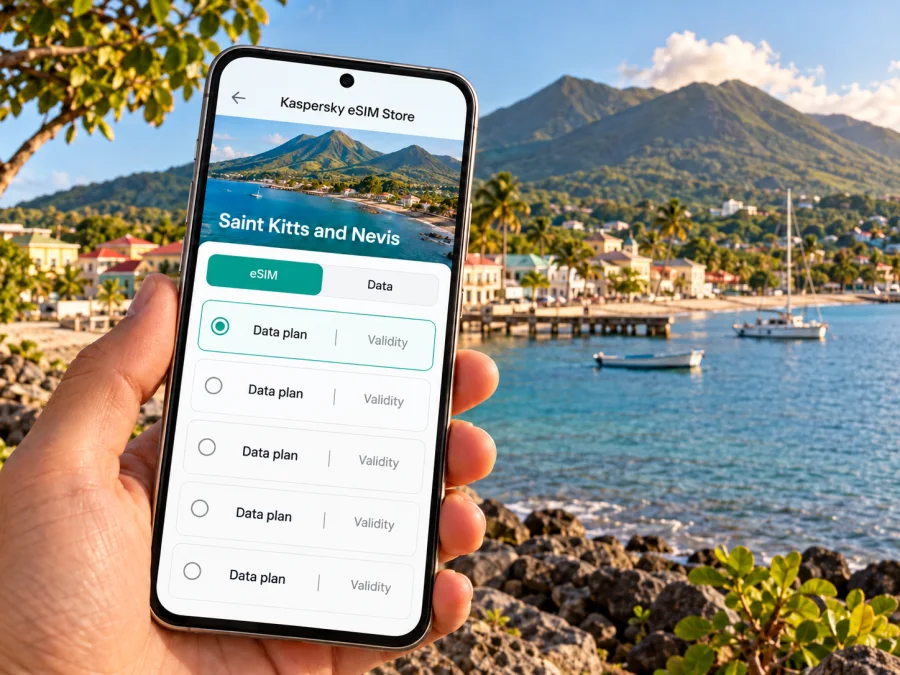
Kaspersky eSIM Store is an app and website where you can choose, purchase and activate an eSIM with a suitable plan for mobile internet while travelling abroad. Before checkout, review the destination and conditions shown for the specific plan. If you are preparing for a stay on Saint Kitts, explore eSIM plan options for Saint Kitts and Nevis and compare the included data and validity with your itinerary. This destination page is country-level; the plan’s own terms determine the supported service and coverage.
A simple data-use guide
| How you use your phone | Ways to manage data |
|---|---|
| Navigation between the airport, lodging and Old Road | Download an offline map; use live directions when needed |
| Messaging your host or driver | Send text and location pins; avoid sending large videos on mobile data |
| Photos and social updates | Pause automatic backup and upload over Wi-Fi later |
| Work calls | Prefer stable Wi-Fi for long video meetings; keep mobile data for messages and backup access |
| Exploring beyond the town | Check route and service conditions before leaving; save offline information |
Local carrier eSIM support and a travel eSIM are different things. Device and carrier information lists Digicel and FLOW as local carriers with eSIM support for certain compatible devices or activation methods. This does not mean every travel plan uses both networks, includes voice service or has the same availability in Old Road Town. Check the specific package for its partner network and conditions.
Check your phone before choosing a plan
Compatibility depends on the exact device model and, in some cases, the market or regional variant in which it was sold. A familiar model name alone is not conclusive. Confirm that your phone supports eSIM, is not locked to a different carrier, and can add another data line while preserving your regular number if that is important to you. You can check whether your device supports eSIM before purchase.
Check whether the plan is data-only or includes other services. Unless its terms say otherwise, do not assume it provides a local number, calls or SMS. Keep another way to contact your accommodation if data is unavailable.
Install and activate before you set out
Install the eSIM over dependable Wi-Fi and check when its validity begins: some plans start at installation, others at first connection to a supported network. Avoid deleting the profile during troubleshooting unless the instructions or support team tell you to.
A practical setup sequence:
- Connect to Wi-Fi and open the plan’s installation instructions.
- Install the eSIM with the supplied method and label it “Travel data.”
- Select it for mobile data when the plan is ready; keep your home line for calls if needed.
- Follow activation and roaming instructions for that plan, then test the connection before setting out.
Follow the guide for your phone: eSIM installation instructions for Android or eSIM installation instructions for iOS. Menu names vary by model and software version.
If the data line does not connect, confirm it is enabled and selected for data, and that the plan is active. Review APN or roaming instructions, then restart the phone if needed. If the issue continues, contact support over Wi-Fi with your device model and destination.
Moving around, staying reachable and protecting your battery
Old Road is not a place where every journey will be door-to-door on a frequent urban transit line. Plan the return as carefully as the outbound trip. Confirm a pickup time with a taxi driver, ask your host about local transport options and avoid relying on a single last-minute mobile search when you are away from the main road. If your day includes a guided walk, share your general plan with someone and agree on a check-in time.
Save pins for your accommodation, Old Road Bay, Romney Manor and pickup point. Keep a screenshot of directions into the foothills, and stop somewhere safe before checking the phone if a route changes.
Bright screens, camera use, location services and data can drain a battery. Lower brightness, close navigation between stops and carry a power bank; take care with the phone near water.
Staying near Old Road can shorten trips to local sites; Basseterre may simplify airport transfers and access to services. Confirm Wi-Fi, transport and pickup details with your host, including current road access.
Short stop or longer stay: plan differently
For a cruise or day excursion, agree on the route and return time in advance. Download a map, save contacts and prioritise one or two stops based on opening hours and travel time.
For a multi-day stay, allow for navigation and work calls if needed. Test video meetings at your lodging, keep flight and ferry details offline, and confirm schedules with the transport operator.
Nevis requires a ferry transfer. Plan the road journey from Old Road to Basseterre, check the current sailing timetable and confirm that your plan includes Nevis if you need data there.
Quick checklist for your trip
Before leaving home:
- Check your phone’s exact model, regional version, eSIM support and unlock status.
- Review the plan’s destination, data allowance, validity, network and activation terms.
- Save an offline map, accommodation details and setup instructions.
- Confirm your airport transfer and clarify the quoted fare currency.
Before leaving Basseterre:
- Save pins for Old Road Bay, planned sites and pickup.
- Check opening details, return transport and current road access.
- Carry water, sun protection and a charged phone.
Frequently asked questions
Is Old Road Town a city?
The name is commonly used for a town or settlement on Saint Kitts’s west coast. It is small and locally oriented, not a major urban centre. For trip planning, think of it as a coastal settlement and nearby heritage area within the wider island itinerary.
Will an eSIM work everywhere around Old Road Town?
No plan can be assumed to work everywhere. Service depends on the plan, its partner network, terrain, buildings and local conditions. Check the selected plan’s coverage information and keep offline maps and essential details available.
Does local eSIM support mean my travel eSIM uses Digicel or FLOW?
Not necessarily. Digicel and FLOW are local carriers that publish eSIM support for compatible devices and particular activation options. A travel eSIM is a different product arrangement; its network partner and coverage must be checked in the terms of the specific package.
Can I keep my regular number active?
Many phones allow more than one SIM line, but support varies by model and regional version. If your device supports dual SIM use, you may keep your regular line enabled for calls or messages while choosing the travel eSIM for data. Review your home carrier’s roaming charges and your phone’s line settings first.
Do I need mobile data to explore the area?
Not for every part of a visit. Offline maps, saved pins and downloaded travel documents cover many basic needs. Mobile data is useful for live directions, messaging, schedule changes and checking current information, but it should complement preparation rather than replace it.
How much data should I choose?
There is no single amount for every traveller. A visitor who downloads maps and mainly sends text messages will use less than someone who streams or uploads large files. Estimate your normal use, subtract tasks you can do over Wi-Fi, and compare the remaining need with the allowance and validity of each plan.
Prepare your connection for Old Road Town
A smooth visit starts with a saved route, confirmed transport and realistic expectations about connectivity beyond the larger centres. Choose a data allowance that matches your itinerary, check the conditions for Saint Kitts and Nevis, and install the eSIM on a compatible, unlocked device according to its instructions. When you are ready, choose an eSIM plan for your trip to Saint Kitts and Nevis through Kaspersky eSIM Store, then keep offline directions and key travel details close at hand.


