Travel connectivity guide
Olgii eSIM: Mobile Internet for Your Trip
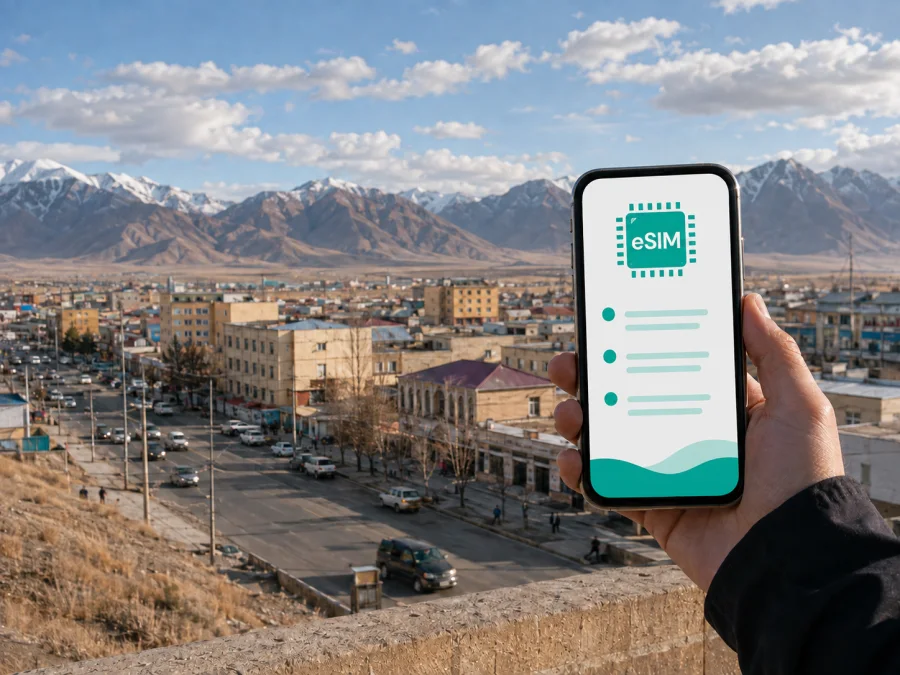
Olgii eSIM: Mobile Connection and Internet for a Trip to Western Mongolia
Olgii is a practical base for discovering western Mongolia, but it is not a place where you want to improvise your mobile connection after landing. The town is the administrative centre of Bayan-Ölgii Province, close to the Altai landscape and the traditions of Mongolia’s Kazakh community. A visit may combine a flight, a few days in town, a guided drive into the countryside and long stretches between services. A prepared eSIM can make the digital side of that itinerary easier to manage.
This guide covers arrival, local movement, navigation, accommodation, business trips and excursions beyond Olgii. It does not promise a particular signal in every valley. Instead, it shows how to choose a sensible data plan, install it correctly and keep essential travel information available.
Why mobile internet matters in Olgii
Your phone may be needed to confirm an arrival time, check a map, translate a short message, open a booking or communicate outside town. Olgii is smaller than Mongolia’s capital, and its edges and countryside routes require more preparation than a typical city break.
An eSIM, or digital SIM, lets you prepare a mobile data profile without removing the physical SIM card already in your phone. You can keep your usual number available for account messages while selecting the travel eSIM for data. The result depends on the plan, local network availability and phone settings, so treat an eSIM as a travel preparation tool rather than a universal coverage promise.
The right plan depends on your behaviour. Maps, messages and occasional bookings use data differently from video, work meetings or hotspot sharing. Compare the destination, data volume and validity period with your actual itinerary.
Arriving in Olgii
Most visitors who fly to the town arrive through Olgii Airport. Flights to western Mongolia can be seasonal or limited, so confirm the current schedule in your booking and leave room for changes. If someone is meeting you, share your flight details before departure and agree on a clear meeting point. Save the accommodation name, address, booking reference and transfer instructions offline; a live connection should not be your only backup.
Before leaving, use this preparation list:
- check that the phone supports eSIM and is not network-locked;
- confirm that the plan is intended for Mongolia and note its validity;
- install the eSIM while you have stable internet, if advance installation is allowed;
- label the profiles clearly, such as “Home” and “Mongolia travel”;
- download the map area you expect to use;
- pack a charging cable and a power bank for long days.
Installation and activation may be separate steps. The profile can be installed before departure, while mobile data is selected when you are ready to use the plan. Read the conditions carefully, especially the start of validity. If your itinerary connects through another city first, do not assume that a Mongolia plan covers every stop.
At the airport, keep your physical SIM until you know which functions you need. Select the travel eSIM for data and check the data-roaming setting required by that profile. Turn off automatic data switching so traffic does not unexpectedly move to your home line.
From the airport to your accommodation
Arrange the first transfer through your accommodation, tour organiser or a trusted local contact when possible. If you use a taxi, confirm the destination and expected price before leaving, and keep the address written in a form you can show to the driver. A map pin is helpful, but a saved written address is a better backup when the battery is low.
Once you reach a hotel, guesthouse or meeting point:
- Select the travel eSIM for mobile data.
- Turn off automatic data switching.
- Open a simple page or send a short message to test data.
- Tell your contact that you have arrived.
- Save the next morning’s route before leaving Wi-Fi.
If the profile does not connect immediately, check the selected data line, review the activation instructions and restart the phone if necessary. One weak location does not prove that the plan is defective. Move to an open place and contact support if the problem continues.
Getting around Olgii
For a first visit, think of Olgii as practical zones rather than a city with a complex transport map. The central area contains most administrative buildings, shops, cafés, accommodation and cultural stops. Residential edges and roads out of town are less convenient for spontaneous walking, especially in poor weather or fading daylight.
Walking is often the simplest option for short distances in the central area. Save the accommodation pin and a second landmark, take a screenshot of important routes and use low-power mode when navigation is not active. Confirm opening times locally instead of relying on an old listing. In cold or windy weather, protect the phone between checks because battery life can fall faster.
For the airport, outer areas, a market stop or a meeting outside the centre, a car arranged locally is often more practical than an unfamiliar transport app. Ask your accommodation or guide to help with a driver when timing matters. Send the destination in a message before departure so both sides have a written reference. Use mobile data on the road, but save the destination offline too: a route outside town may pass through an area with intermittent service.
| Situation | Prepare online | Keep offline |
|---|---|---|
| Airport arrival | Driver message and map pin | Written address and booking reference |
| Town walk | Live map and opening-time check | Screenshot and accommodation landmark |
| Day trip | Route updates and contact messages | Map area, itinerary and return plan |
| Business meeting | Messages and document access | Address, agenda and contact number |
The strongest navigation plan combines mobile data, an offline backup and a local person who knows the route.
Accommodation, culture and festivals
Olgii has hotels, guesthouses and tour-oriented accommodation. Ask about Wi-Fi, charging, late check-in and transport arrangements, and confirm the check-in process if you arrive after a flight. Mobile internet is useful for messaging a host, checking weather, sending a location pin or confirming a pickup.
In Bayan-Ölgii, you may encounter Kazakh and Mongolian cultural traditions. Ask before photographing people or private spaces, follow local guidance at religious sites and allow extra time when translation is needed. Olgii is associated with Kazakh heritage and eagle-hunting traditions; a town itinerary may include a museum, a mosque or a cultural programme.
The Golden Eagle Festival is a well-known reason to visit the province, but an event connected with Olgii may be outside the town centre. Confirm the venue, departure time, transport and return arrangements, and save the organiser’s message before leaving.
Excursions from Olgii into the Altai
Olgii is often used as a starting point for trips into the wider Bayan-Ölgii landscape, including routes connected with the Altai Tavan Bogd area. These can involve long road sections, changing weather, basic facilities and a guide or driver who understands local conditions. Check equipment, food, fuel, permits and communication arrangements in town.
For a multi-day excursion, keep a written trip card with guide and driver contacts, departure and return windows, the meeting point, the next overnight location and an emergency contact. Ask what the group does when there is no mobile data. Carry offline maps and a battery reserve.
| Travel pattern | Typical use | Planning focus |
|---|---|---|
| One or two days in town | Maps, messages and light browsing | A modest package may be enough |
| Festival weekend | Messages, maps and photo sharing | Allow extra data and limit uploads |
| Work trip | Email, documents and video calls | Check hotspot rules and battery needs |
| Multi-day route | Updates and occasional messages | Offline preparation matters equally |
Video and automatic photo backup can consume far more data than short messages, so restrict updates and cloud uploads.
Choose the Mongolia option for your itinerary
Once your dates, arrival plan and likely data use are clear, you can choose an eSIM plan for a trip to Mongolia. Kaspersky eSIM Store is an app and website that helps you select, arrange and activate an eSIM with a suitable plan for mobile internet during an international trip. Review the destination, data volume, validity and activation conditions before confirming.
You may keep your regular line available for calls or account messages while directing mobile data to the travel profile. A travel eSIM plan is generally intended for mobile internet; it does not automatically include a regular phone number, voice calls or SMS unless the specific conditions say otherwise. Messenger calls and messages can work over data when the relevant apps are available.
Installation and activation
Complete the technical steps before the most demanding part of the trip. Menu names differ by phone model.
Before installation
- Check eSIM compatibility and confirm that the device is not carrier-locked. You can check your device compatibility before committing to a plan.
- Charge the phone and connect it to stable Wi-Fi.
- Keep the QR code, activation details or in-app installation flow accessible.
- Decide which line handles calls and which line handles mobile data.
- Leave time to troubleshoot; do not begin while boarding is closing.
Installing the profile
Open cellular or mobile-network settings and choose the option to add an eSIM. Scan the QR code or follow the installation flow, then label the new line “Mongolia travel”. If the phone asks whether it should be used for calls, messages or data, select deliberately.
For device-specific steps, use the Android installation instructions or the iOS installation instructions. Keep the original instructions available until you have tested the profile.
Activating in Olgii
After arrival, select the Mongolia travel eSIM as the mobile-data line. If the plan requires data roaming for that profile, enable it only there and check that automatic switching is off. Wait for registration, then test a small action such as opening a page or sending a message.
Do not delete the profile after a failed first attempt. Note what appears on the screen, check the plan conditions and contact support. Some profiles have specific activation rules or cannot be transferred after activation, so do not remove or reinstall one unless the instructions say to do so.
Business trips and short stopovers
Olgii can be a working destination as well as a gateway to the countryside. Save meeting details and addresses offline, send your arrival window to the local contact, keep both lines clearly labelled, download important documents and carry a power bank. Reserve large uploads and video calls for a confirmed stable connection.
For a one-night stopover, use the eSIM for a pickup message, route confirmation, accommodation contact and the next travel document. If your home SIM remains active, check its roaming conditions; an eSIM does not cancel the terms of your home contract.
Olgii trip checklist
- [ ] The phone supports eSIM and is not carrier-locked.
- [ ] The plan destination is Mongolia and its validity covers the itinerary.
- [ ] The profile is installed, labelled and ready for data.
- [ ] The home line’s roaming behaviour is understood.
- [ ] Accommodation, transfer and guide contacts are saved offline.
- [ ] Maps, booking messages and key addresses work without data.
- [ ] A charger or power bank is packed.
- [ ] Remote communication arrangements are clear and automatic backups are restricted.
Frequently asked questions
Is an eSIM useful for a short visit to Olgii?
It can be useful for maps, messages and arrival coordination when you do not want to rely entirely on hotel Wi-Fi. Choose the data volume and validity around the actual stay, and keep an offline backup.
Can I use the eSIM for ordinary phone calls?
Not necessarily. A travel eSIM plan is commonly intended for mobile internet and may not include a phone number, voice calls or SMS. Check the selected plan’s conditions. Internet messengers can be used when data is available.
Will it work on a trip from Olgii into the mountains?
Service cannot be guaranteed at every point on a remote route. Availability depends on the local network, terrain, weather and route. For Altai-area excursions, treat the eSIM as one part of your communication plan and carry offline maps and contacts.
What if my phone shows no data after arrival?
Check that the travel eSIM is enabled and selected for data, confirm the required roaming setting, wait briefly and restart if needed. Test in an open location. If the problem remains, review the conditions and contact support instead of deleting the profile.
Stay prepared for the road ahead
Olgii rewards a measured travel style: arrange the arrival, save essentials offline, allow extra time for drives and keep the phone settings simple. Use mobile data for routes, contacts and changes of plan.
When your device is compatible and the plan matches your Mongolia itinerary, Kaspersky eSIM Store can help you prepare the eSIM through its app or website. Choose an eSIM plan for your Olgii trip after checking the data volume, validity and activation conditions, then install it before departure and activate it when your travel plan calls for it.


