Travel connectivity guide
Omdurman eSIM: Mobile Data for City Travel
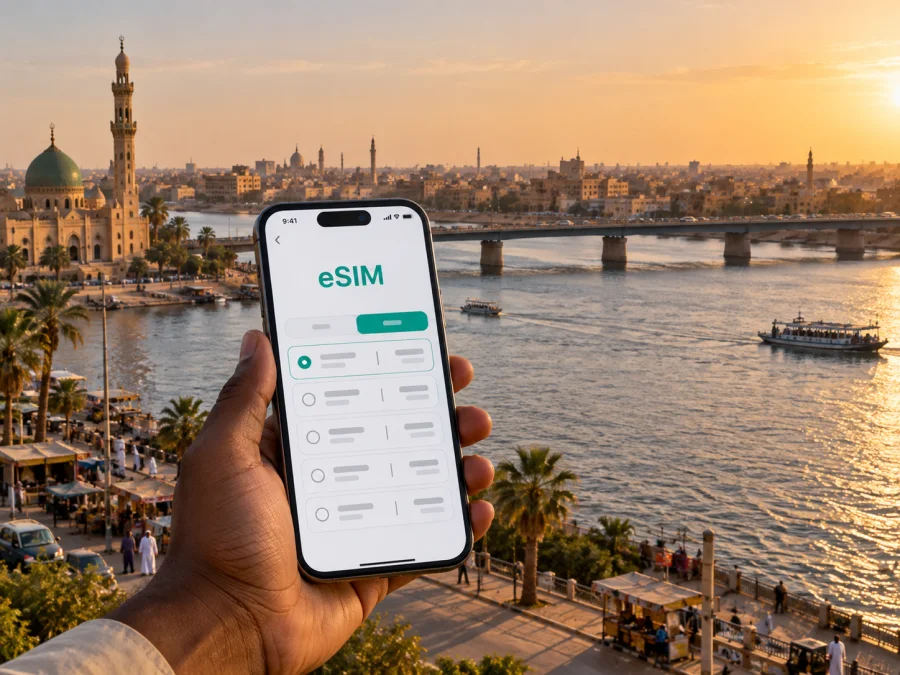
Omdurman eSIM: mobile connection and internet for your visit
Omdurman sits across the Nile from Khartoum and forms part of the wider capital area. For a visitor, that geography shapes nearly every practical decision: where to stay, which bridge or road a driver will use, how much time to leave for a cross-river trip, and when to rely on a saved map instead of a live route. Mobile internet can make those decisions easier, but it works best when it is planned alongside transport, accommodation and current local conditions.
An eSIM is a digital SIM profile for a compatible device. In Omdurman, it can support maps, messages, booking details and work tools, subject to the selected tariff. Kaspersky eSIM Store is an app and website for choosing, purchasing and activating an eSIM tariff for an international trip. Check its destination, data allowance, validity and activation rules.
Start with the journey, not the map pin
Omdurman is one of the three urban centers of the greater Khartoum area. The White Nile separates it from Khartoum, and bridges connect the cities. A route depends on your starting point, destination, road conditions and which crossings are usable at the time.
Plan around an address confirmed by your host or local contact. Save it in English and Arabic if possible, with a nearby landmark, entrance details and phone number. A pin alone may be imprecise, so keep the information offline as well.
Sudan’s security, transport and communications conditions can change quickly. Review current official travel advice and confirm plans with reliable local contacts. A map or older guide cannot confirm that a route, crossing or attraction is currently accessible.
What mobile internet is useful for in Omdurman
In a city connected across a river, mobile data is useful for checking a meeting point, updating a host, confirming a hotel entrance or sharing a changed arrival time. It can also support map checks, translation, reservation access and work tools, subject to the selected tariff and local service conditions.
Typical tasks include:
- checking a route before setting out;
- messaging a host or driver when plans change;
- keeping reservations and addresses available;
- coordinating travel between Omdurman and the other capital-area cities.
Treat navigation as one input, not proof that a road or crossing is open. Confirm the route with a local contact, save key details offline and check directions from a safe place.
Getting oriented: markets, river crossings and neighborhoods
Omdurman is often associated with its traditional market, historic sites and cultural life. Souq Omdurman is a useful reference point when discussing the older commercial center, while the area around the Khalifa House and the Mahdi’s Tomb carries historical significance. The Nile and the road crossings toward Khartoum provide another broad orientation line. These names can help you explain where you are going, but they should not be treated as proof that a site is open or accessible today.
For day-to-day movement, use the exact address rather than a broad label such as “central Omdurman.” Ask your host to confirm the district, entrance and landmark. Agree on a specific meeting place and fallback point.
| Trip purpose | Useful detail to confirm | How a phone connection helps |
|---|---|---|
| Reaching accommodation | Full address, entrance and host contact | Share your arrival time and confirm the final turn |
| Visiting a market or historic site | Current access, opening status and meeting point | Check messages and keep the agreed location handy |
| Crossing to Khartoum | Destination on the other bank and route advice | Coordinate changes without relying on a printed map alone |
| Going to a work appointment | Building name, entrance and host instructions | Receive last-minute updates and retrieve documents |
| Taking a short walk nearby | Route, return plan and local guidance | Keep a saved map and contact details accessible |
For a market visit, agree on a meeting point and save the return address. Note the route beforehand, keep your phone secure and check directions from a safe place.
Preparing for arrival
Before departure, put essential information in more than one place. A digital note is convenient, but it should not be the only copy of your accommodation address or local contact details. Save the information offline and keep a written version with your travel documents. Confirm the latest arrival arrangements directly with your host or organizer, especially if your itinerary includes a transfer across the metropolitan area.
Use this short checklist:
- Confirm the arrival point and whether the planned transfer is currently operating.
- Save the accommodation address, host’s number and a nearby landmark offline.
- Download a map area if your preferred map app supports offline access.
- Check that your phone is unlocked and supports eSIM before purchase.
- Review the tariff’s destination, data amount, validity and activation instructions.
- Carry a power bank if you expect to use maps and messaging during a long transfer.
- Agree on a fallback meeting point in case a route or connection changes.
If arriving outside Omdurman, confirm the arrival point, road situation and transfer details close to travel. Agree on how your pickup contact will identify you and what to do if plans change. Keep enough battery for messages and calls.
Choosing an eSIM tariff for a city stay
Start with the duration and shape of your visit. A short stay focused on one part of Omdurman may use less data than a work trip that involves frequent map checks, file downloads and video meetings. If your itinerary also includes Khartoum or other destinations in Sudan, confirm that the tariff covers the places you plan to visit. Do not infer coverage or validity from the city name in a search result; read the selected tariff’s details.
A simple way to estimate data needs is to list what you expect to do each day:
- Navigation: Will you check directions occasionally or keep a map open during several transfers?
- Messaging: Will you mostly send text, or share photos, voice notes and documents?
- Work: Do you need email and cloud files, or also video calls and large downloads?
- Accommodation: Is reliable Wi‑Fi available for heavier tasks, and have you confirmed that directly?
- Trip length: Does the tariff remain valid for the whole stay, including any arrival or departure delay?
Compare the tariff’s data allowance and validity with this list, and leave some margin for unexpected changes. If you plan to use video calls, cloud backups or large downloads, those activities can consume data quickly. Where possible, download work files and offline maps before leaving a trusted connection. Keep automatic photo backup and app updates under control while using mobile data.
For an Omdurman visit, you can review eSIM options for Sudan and compare the available tariff details with your itinerary. Kaspersky eSIM Store lets you choose and arrange an eSIM for an international trip through its app or website. Check the conditions shown for the option you select, including which network access is supported, the validity period and when data use begins.
Where to stay and how to coordinate a pickup
Choose accommodation around confirmed logistics, not just a map’s estimate of distance. A stay near one destination may still be inconvenient for an appointment elsewhere, particularly when a river crossing is involved. Ask the host about the route for your dates and the recommended pickup point; older reviews are not a guarantee of current conditions.
Before arrival, save the complete address, an Arabic spelling or nearby landmark, the entrance instructions and a contact number. At check-in, keep the exact return location available offline and confirm how to reach the next destination. Do not assume a driver can identify a property from its English name alone.
Moving between Omdurman and the wider capital area
Many itineraries combine Omdurman with Khartoum or Khartoum North. These places are connected by bridges and roads, but a cross-river journey is not simply a straight line between two map pins. Your route can depend on which bank your destination is on, the available crossing and current road conditions. Allow flexibility in the schedule, particularly when you have a fixed appointment or a transfer to arrange.
Before a cross-river trip, confirm the exact address and riverbank, agree on a route and pickup point with a local contact, save the details and share your estimated arrival. Reconfirm the return plan before leaving.
For trips beyond the metropolitan area, verify transport and communications in advance. Check whether the tariff covers the destination; rural service may differ from urban service. Keep addresses and reservations offline.
Install and activate before you need directions
You can prepare an eSIM before the trip or at a time that suits the tariff’s activation rules. Read those rules first: some tariffs may begin their validity when installed, while others may begin at first connection or activation. The exact trigger varies, so do not install early without checking. Use a stable internet connection during setup and follow the steps shown for your device.
A practical setup sequence is:
- Check device support and confirm that the phone is not restricted to another carrier.
- Choose the Sudan tariff that fits your dates and expected data use.
- Read the installation and activation conditions, including any data-roaming instruction.
- Install the eSIM while you have a reliable connection and follow the on-screen prompts.
- Label the line clearly so you can distinguish it from your usual SIM.
- Before relying on mobile data, select the intended data line and verify the settings described in the tariff instructions.
For device-specific steps, use the Android eSIM installation guide or the iOS eSIM installation guide. Keep your primary line’s settings in mind if you need it for calls or messages. If setup does not complete, check the device instructions and tariff conditions before deleting the eSIM profile; some profiles cannot be installed again after removal.
Compatibility, data and backup habits
Before purchase, confirm that your phone model and regional version support eSIM, that the device is carrier-unlocked, and that you can access the account or email needed for setup. Compatibility differs across models and markets. You can check whether your device supports eSIM before choosing a tariff.
Once installed, keep data use predictable. Turn off automatic updates over mobile data, use offline maps where available, and choose lower media quality for streaming or video calls. Monitor the remaining data and validity in the relevant app or account view. If the plan is limited, reserve mobile data for navigation, messaging and essential coordination, and use a confirmed Wi‑Fi connection for larger transfers.
A backup plan matters even when your eSIM is active. Keep important details offline, carry a charging option and agree on a rendezvous point with your host or colleagues. If mobile service is interrupted, avoid repeatedly changing network settings without understanding the tariff instructions. Move to a safe place, consult the saved information and contact your local counterpart through an available channel.
Frequently asked questions
Will an eSIM provide a local phone number?
A travel eSIM may be data-only. Check the tariff details before assuming it includes a number, voice calls or SMS. Internet calling and messaging apps depend on data and service availability.
Can I use one eSIM in Omdurman and Khartoum?
Check the destination and network terms of the selected tariff. The cities’ proximity does not by itself confirm coverage or service conditions.
Should I install the eSIM before travelling?
Review when validity begins and whether setup needs internet access. Many travelers install over reliable Wi‑Fi, but follow the specific tariff instructions.
Is live navigation enough to plan a route?
No. Confirm road and crossing conditions with a trusted local contact, and save addresses in case data is unavailable.
How much data should I choose?
Estimate use for navigation, messages, work and media, then compare the allowance and validity. Download larger files and offline maps in advance when possible.
A practical connection plan for Omdurman
The most reliable preparation combines three things: a confirmed local itinerary, offline copies of essential details and an eSIM tariff whose conditions match your device and travel dates. Omdurman’s position across the river from Khartoum makes route coordination especially important, while markets, historic landmarks, accommodation and work appointments each call for a specific address and current access information. Keep plans flexible, check conditions close to travel and use mobile data as a helpful tool for communication and navigation.
When your dates and route are clearer, choose an option that fits the trip and review its validity, data allowance and activation terms. You can choose an eSIM tariff for Sudan through Kaspersky eSIM Store, the app and website for arranging eSIMs for international travel. Install it according to the instructions, keep your key addresses available offline and confirm local travel arrangements before setting out.


