Travel connectivity guide
One eSIM in Bermuda: Visitor Setup Guide
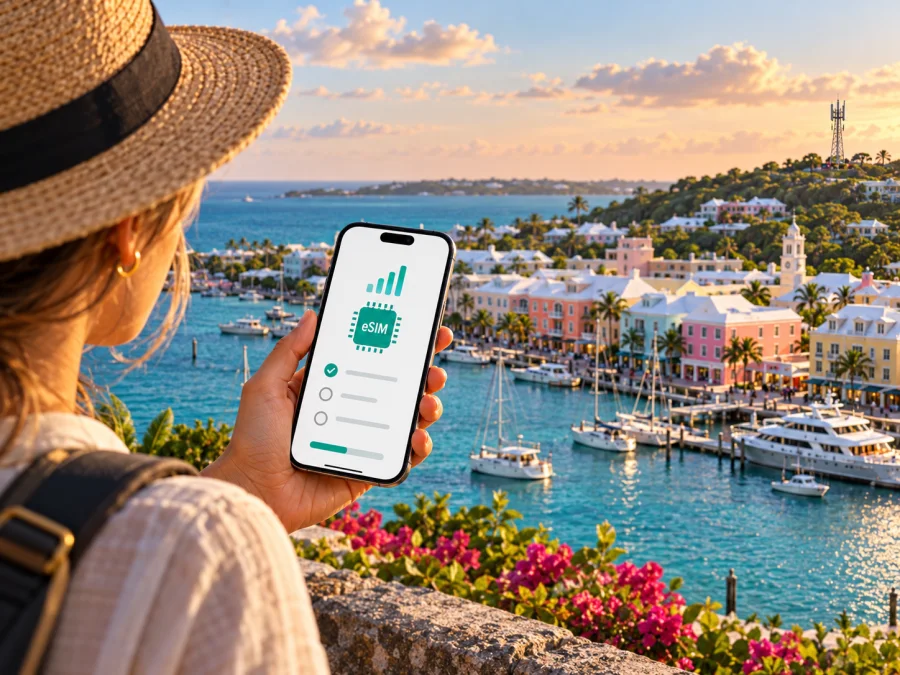
One eSIM in Bermuda: what travelers should know
If you are travelling to Bermuda and considering an eSIM from One, the practical questions are whether the device is unlocked, how to install the profile, and which line will carry your data after arrival. One Communications currently publishes a dedicated tourist eSIM offer for visitors. Its instructions describe online purchase, email delivery of activation details, installation on a compatible phone, and connection to the One network in Bermuda. The provider’s current page also says that Wi-Fi is needed during download and activation. (One Communications, “E-SIM” page, checked 18 October 2026.)
This guide explains the published process and the checks that matter before you travel. It does not list plan names or commercial terms, which may change. Review One’s own current information before purchase, especially if you need a local number, calls, texts, or a particular data arrangement. “One” here refers to One Communications in Bermuda; it is not a generic reference to another company with a similar name.
One Communications in Bermuda
One Communications is a Bermuda-based communications provider offering mobile service alongside fixed internet and television services. Its public site presents mobile service as part of its wider local communications business. The company describes its mobile network as including 5G, and the tourist eSIM page says that data can use LTE or 5G where available. These statements establish the technologies the provider advertises; they do not guarantee a particular connection type, speed, or signal at every address. (One Communications, “Mobile” homepage section and “E-SIM” page, checked 18 October 2026.)
Bermuda is an island territory in the North Atlantic. A local mobile service is designed around the island’s own network and service arrangements. For a visitor, the operator’s tourist eSIM is a local option with the possibility of using One’s network and, according to the current offer page, a local Bermuda number. Whether you need a local line depends on your trip: it may be useful for local contact or bookings, while a data-only travel eSIM can be enough if your main needs are maps, messaging, email, and web access.
The two options are not interchangeable in every respect. A local operator offer may be structured around local calling and messaging as well as mobile data. Travel eSIM products are often intended primarily for data, and the precise features depend on the selected product’s terms. Check what is included before relying on either option for ordinary calls, SMS verification, or a local contact number.
Is One eSIM available to visitors?
Yes. One Communications’ official “E-SIM” page explicitly describes a Tourist eSIM for people visiting Bermuda. The same page sets out an online sign-up and payment flow, delivery of an eSIM download link and activation details by email, and setup on the user’s device. It says the eSIM begins working when the phone connects to One’s network in Bermuda. This information was checked on 18 October 2026.
The offer is presented as a tourist service rather than a general promise that every One customer can convert any existing line to eSIM. If you are already a One customer, or want to replace a physical SIM on an existing account, contact the provider and confirm the options for your particular account. The visitor page should not be read as confirmation of postpaid conversion, number transfer, or support for every account type.
One’s current page says the phone must support eSIM and be unlocked. It also says Wi-Fi is needed to download and activate the profile. This means an eSIM-capable phone alone is not enough: a carrier-locked device may prevent installation or connection, and you should have a reliable internet connection available during setup. A hotel or airport network can be useful, but it is safer to complete installation before departure if the provider’s process allows it and you can follow its instructions.
The page’s procedure describes selecting the tourist option, completing checkout, receiving instructions by email, installing the profile, then choosing the One eSIM as the mobile-data line. One also indicates that the service activates when the installed eSIM connects to its Bermuda network. Follow the exact instructions sent for your purchase, since the screens and sequence can differ by phone operating system and may be updated by the operator.
What is confirmed and what still needs checking
The operator’s published page confirms the existence of its visitor eSIM, the basic online and email delivery process, and the requirements for an unlocked eSIM-compatible device and Wi-Fi during download and activation. It also describes local mobile service and says LTE/5G data is available where supported. Those are useful baseline facts, but they do not answer every traveler’s question.
Before buying, confirm directly with One whether your passport or other identity documentation is required at checkout or for service registration. The public visitor page reviewed for this article does not make a clear general statement about documents required in every case. Do not assume that online purchase removes any local identification rules. If a local number is important, verify when it is issued and whether it supports the services you need. The operator page describes a number as part of the visitor offer, but the precise handling and current terms should be checked in the purchase flow.
Also check payment methods, cancellation or refund rules, the point at which any validity period starts, and what happens if you install but do not connect. These conditions are specific to the current offer and can change. This article intentionally does not reproduce commercial plan details. Confirm the current terms from One before completing a purchase, and keep its confirmation email for setup and support.
| Check | Why it matters | Where to confirm |
|---|---|---|
| Device supports eSIM | A physical-SIM-only phone cannot install a digital profile | Phone settings, manufacturer information, or One’s compatibility guidance |
| Device is unlocked | A network lock can prevent another operator profile from working | Your home carrier or device settings |
| Wi-Fi is available | One says Wi-Fi is needed to download and activate its eSIM | Prepare a trusted connection before setup |
| Local number and voice/SMS needs | Travel data products may not provide regular calling or texts | One’s current offer details and the selected alternative’s terms |
| Registration and payment requirements | The visitor page may not cover every traveler or payment case | One’s checkout and customer care |
| Network support at your destinations | Availability may vary by location and building | One’s current coverage information and on-site experience |
Coverage and network technology
One Communications describes its mobile service as including 5G, and its tourist eSIM page says LTE or 5G data is available where supported. These are statements about the technologies offered, not a promise of a particular speed or connection at every address. (One Communications, “E-SIM” page and Mobile homepage section, checked 18 October 2026.) Signal can vary with location, buildings, terrain, device bands, network load, and local conditions; a 5G-capable phone may use LTE in some places.
Check One’s current coverage information for your accommodation, airport route, and key destinations. General coverage language is not a location-specific guarantee. If connectivity matters for work or navigation, keep offline maps and essential travel details available. Also verify the exact phone model and regional variant: eSIM support does not by itself establish support for every radio band used in Bermuda.
Installing and activating One eSIM
One describes a visitor flow in which you purchase online, receive the eSIM download link and activation details by email, install the profile, and select it for mobile data. The operator says activation begins when the installed profile connects to its network in Bermuda. Follow the latest instructions in the email, since menu labels vary by operating system and software version.
Before starting, confirm the phone is eSIM-capable and unlocked, make sure you can access the email used at checkout, and connect to Wi-Fi. Keep the QR code or manual details available on another screen if needed. Decide which line should carry mobile data, voice, and SMS if your home SIM will remain active.
On iPhone, open Settings and choose the cellular-plan or eSIM option, then follow the QR-code or manual-entry prompts from One. On Android, the option is usually under Network & internet, Connections, or SIM manager, though names differ by manufacturer. After installation, label the profile clearly and select One for data in Bermuda. Enable roaming for that profile only if One’s instructions require it; keep data roaming off on your home line if you want to avoid charges there. Check data, voice, and SMS defaults separately.
Do not assume that installation itself starts service. One says the eSIM activates when it connects to its network in Bermuda. Check the purchase confirmation for the exact service conditions, leave the profile installed, and follow the arrival instructions. Avoid deleting or transferring the profile during troubleshooting unless One confirms that step is safe.
If you prefer another travel data option, Kaspersky eSIM Store provides an app and website where travelers can choose, purchase, and activate an eSIM plan for a trip. It is not an operator, network owner, or mobile internet provider. Its Bermuda page lets you check currently displayed travel options, which are separate from One’s local visitor service; review the selected option’s network, data, and calling conditions. Check current eSIM options for Bermuda.
A travel eSIM can suit travelers who want to prepare mobile data before arrival or keep a primary SIM in the phone. It may not meet a need for a local Bermuda number or conventional voice service. Kaspersky eSIM Store plans are designed for mobile data; messaging and internet calls can work through apps, subject to the app and your existing account. Compare the capabilities you need, including activation timing, tethering, coverage, and support, instead of assuming every eSIM works the same way.
Common visitor scenarios
You need local calls as well as data. One’s current visitor page describes a local Bermuda number and local calling and texting. Confirm the terms and number delivery in the purchase flow, especially if you need it for verification or bookings. Keep your home line active only after checking roaming charges.
You mainly need maps and messaging. A data-focused travel eSIM may fit if your phone is compatible and your messaging apps are already set up. Check destination coverage, activation timing, top-up conditions, and hotspot support. Download offline maps before departure.
You are travelling for work. Confirm whether you need inbound SMS, a local number, tethering, or corporate access. Ask your IT team whether its policies allow use of a travel eSIM.
Your itinerary includes other destinations. Do not assume a Bermuda-specific local eSIM works elsewhere. Confirm roaming with One or choose a travel eSIM whose stated destinations match the full route.
Troubleshooting after arrival
If the profile shows no service, confirm that you are in Bermuda, the eSIM is enabled, airplane mode is off, and the correct line is selected for data. Restart the phone and give it time to register. If One’s instructions require a roaming or network setting for its profile, follow those instructions; keep roaming disabled on your home line if you want to avoid its data charges.
If the profile connects but data does not work, check the data-line selection and the conditions in your purchase confirmation. Avoid deleting the eSIM as a first step. For a QR-code problem, check the display brightness and use manual entry only if One provided those details. Contact One through its current customer-care channels if the problem continues, with your device model and order information ready. Never share passwords or one-time security codes.
Questions travelers often ask
Can I buy One eSIM before arriving?
One describes online checkout and email delivery of setup information. Check current purchase eligibility in the checkout flow. Wi-Fi is needed for download and activation; installation alone does not mean the eSIM has connected to the Bermuda network.
Does One eSIM work on a locked phone?
One says the device must be unlocked. Ask the carrier that locked the handset whether it can be unlocked before travel.
Does it include a local number and standard calls?
One’s visitor page describes a local Bermuda number and local calling and texting. Confirm how the number is issued and the exact current terms before relying on it. A separate travel eSIM may provide data only; internet calls and messages are not the same as carrier voice and SMS.
Will I have 5G everywhere?
No technology description guarantees service at every location. One describes LTE/5G availability where supported; actual connectivity depends on coverage, phone variant, and local conditions.
Can I keep my home SIM active?
If your device supports dual SIM, you may be able to keep the home line for calls or messages while using One for data. Check roaming charges and select each default line deliberately.
What if my phone has no eSIM support?
Ask One about physical SIM availability or use Wi-Fi where available. Confirm compatibility for the exact model and regional variant before buying an eSIM.
Is Kaspersky eSIM Store affiliated with One?
No. Kaspersky eSIM Store is an app and website that helps travelers choose, purchase, and activate eSIM plans for mobile data abroad. It does not operate One’s network or provide mobile service.
A practical pre-departure checklist
- Confirm the exact phone model and regional variant support eSIM, and ask your carrier to confirm the device is unlocked. See the device compatibility check before purchase.
- Review One’s current visitor eSIM instructions and terms, including any document, payment, voice, SMS, or local-number requirements you need to know.
- Keep Wi-Fi available for downloading and activating the profile; save the confirmation and instructions for offline access.
- Choose the intended data line and review roaming controls for your home SIM.
- Check coverage for your accommodation and planned destinations without treating general coverage language as a guarantee.
- Save offline maps and essential travel details as a backup.
Choosing the right setup for your trip
One’s published tourist eSIM gives visitors a local-provider option in Bermuda, with an online purchase and email-based setup process. The operator identifies unlocked, eSIM-capable hardware and Wi-Fi as prerequisites, and describes LTE/5G availability where supported. Coverage and the terms that apply to your purchase should be confirmed directly with One because availability and commercial conditions can change.
If you need a local number and local carrier features, review One’s current visitor offer. If your priority is mobile data and advance preparation, a travel eSIM may be more convenient, provided its destination coverage and limitations match your plans. Check device compatibility and the exact terms before choosing either route. You can review current Bermuda travel eSIM options in Kaspersky eSIM Store and decide whether a data-focused option fits your trip.
Kaspersky eSIM Store is an independent travel eSIM app and website and is not affiliated with One Communications. One and One Communications are names used by the local operator; this article is informational and does not represent an endorsement or partnership.


