Travel connectivity guide
One Montenegro eSIM in Republic of Montenegro
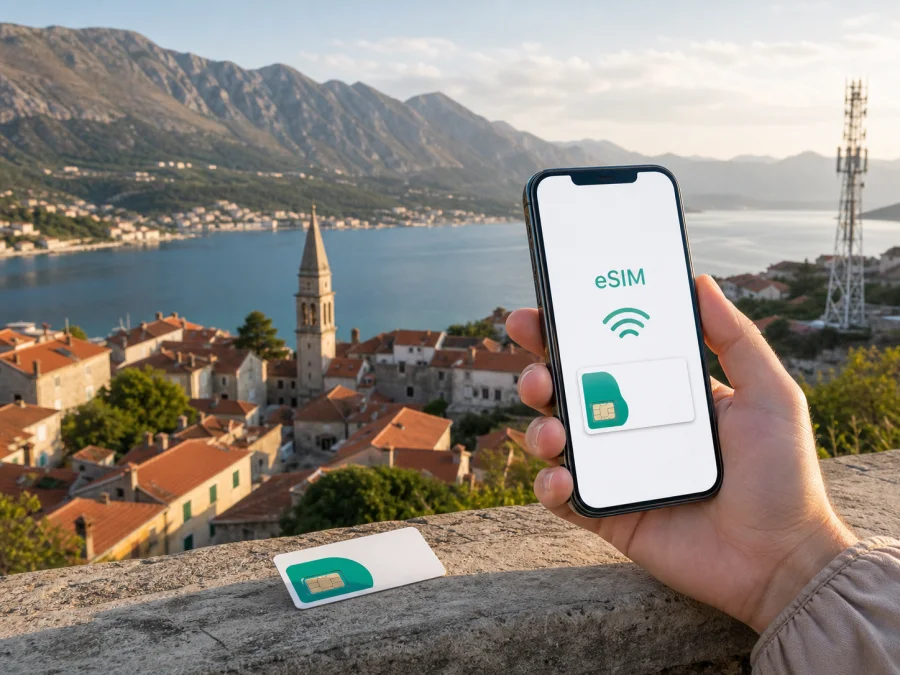
One Montenegro eSIM in the Republic of Montenegro: guide for travellers
If you are preparing for a trip to the Republic of Montenegro and are considering a local eSIM, One Montenegro is an operator worth checking. An eSIM is a digital SIM profile stored in a compatible phone rather than on a removable card. You can review the offer, complete registration, install a QR-coded profile and keep your regular SIM in the phone.
The important distinction is between a local operator eSIM and a travel eSIM. A One Montenegro eSIM is part of the operator’s local mobile service and may be linked to a local number and local account rules. A travel eSIM is normally arranged for mobile data while abroad and is designed around a destination or route. Neither option is automatically right for every traveller. Your phone, the length and route of the trip, registration requirements, the need for calls or text messages and the places where you expect to use data all matter.
This guide was checked on September 2, 2026, against One Montenegro’s official eSIM, tourist, support, roaming and network pages, the Agency for Electronic Communications and Postal Services market and quality pages, and the official Kaspersky eSIM Store destination page. Conditions, eligibility, registration and network availability can change, so verify current information with One Montenegro before ordering or visiting a store. This article is independent and is not affiliated with, sponsored by or endorsed by One Montenegro.
One Montenegro’s place in the local mobile market
One Montenegro is a local mobile operator serving residents and visitors in the Republic of Montenegro. Its public pages cover mobile voice and data, prepaid, postpaid, support and tourist journeys. The Agency for Electronic Communications and Postal Services publishes a mobile-telephony market series and lists One Montenegro among regulated operators. A local eSIM therefore follows the country’s activation, registration, number-management and support rules.
Is One Montenegro eSIM available to travellers?
The operator currently presents eSIM as available in its prepaid tourist journey, subject to compatibility and registration. Its instructions tell a visitor to check the phone, choose a prepaid option, purchase the eSIM, register the number and activate the profile; the online flow refers to delivery by email. This confirms a general tourist eSIM path, not identical treatment for every phone or visitor. One Montenegro also describes eSIM for eligible ordinary customers through a store-based route, so a replacement, a new local number and an online tourist order may differ.
Prepaid and tourist offers are categories to check, not promises about a particular package. The operator’s roaming terms state that tourist use is restricted to the Republic of Montenegro. If the route continues into another country, check roaming separately or consider a travel eSIM that explicitly covers the route.
Requirements to settle before you order
Start with the phone rather than with the offer. Check that the exact device model supports eSIM and that it is not locked to your home operator. Regional variants can differ, and a phone that has an eSIM menu may still have restrictions in a particular market. Ensure that the operating system is updated enough for the manufacturer’s eSIM flow, that the phone has charge and that you can reach a stable internet connection while installing the profile.
Registration is another important part of the local process. One Montenegro’s customer-support information says that a prepaid user must complete the registration form and show an appropriate identity document to an authorised person at a point of sale. Its tourist flow also tells the visitor to register the number. The precise online procedure can depend on the channel and on rules in force at the time of purchase. Have a valid identity document available and check whether the order can be completed remotely, whether a store visit is needed, and which details must match the document.
If you are replacing a physical One Montenegro SIM, confirm what happens to the existing profile and number before scanning. The operator’s eSIM help states that a profile is connected to one device at a time and that the QR code should be retained if activation must be repeated. Follow your voucher, keep the code private and do not delete a working profile until you know the replacement process.
How activation generally works
For a tourist order, first confirm compatibility and review the current prepaid tourist eSIM route. Provide the requested contact and registration information, check the email address carefully and keep the confirmation available until the line is active.
When ready to install, connect to Wi-Fi or another working internet connection. In mobile-network settings, choose the option to add a mobile plan or eSIM, scan the One Montenegro QR code and follow the on-screen instructions. Android menus differ by manufacturer; an iPhone uses its own mobile-data flow. The operator’s guide shows QR-code activation for both.
After installation, label the new line “Republic of Montenegro”. Select it for mobile data and check that the home SIM is not silently using roaming data. Keep the primary line available if needed, but disable its data roaming to avoid accidental use. Follow the supplied profile instructions for any further setting.
Installation and network registration are not exactly the same event. The profile can be installed at home, while service may register only when the phone reaches the relevant local network and the line is activated under the operator’s rules. Ask when the visitor profile becomes active. A QR code is sensitive account information, so do not post it in a group chat.
A practical arrival checklist
Use this sequence on the day you need data:
- Confirm that the One Montenegro eSIM appears in the SIM manager and is switched on.
- Select it as the mobile-data line, review data roaming for both lines and leave network selection on automatic.
- Open a webpage and wait for registration. If it does not connect, move to a clearer location, restart once and review activation status.
- If the issue remains, contact One Montenegro or visit a store with order information and identity document.
Avoid changing several settings at once. Before deleting an eSIM, confirm whether the QR code can be reused or a replacement is required.
Coverage and supported mobile technologies
The eSIM format does not create coverage by itself. Once a One Montenegro profile is active, the phone uses the operator’s radio network subject to the profile, device and local conditions. A phone may support a newer generation while the current location or device variant does not use it. Treat the technology label as a compatibility question, not a guarantee.
One Montenegro’s public network pages describe the evolution of its mobile service through 2G, 3G, 4G/LTE and 5G. Current 5G information identifies service zones and explains that a compatible phone and a location inside the 5G signal area are required. The pages also publish a coverage map with indoor and outdoor representations. The operator warns that such map data is predictive and illustrative; walls, terrain, trees, buildings and other local conditions can affect the signal at a specific address.
That matters in the Republic of Montenegro because a trip can combine cities, coast, roads, mountain areas and indoor accommodation. Do not reduce coverage to a national yes-or-no statement. Check the current map for your itinerary and plan for terrain and buildings. A phone can move between generations as conditions change; this is not evidence that the eSIM has failed.
At the September 2, 2026 check, One Montenegro’s public 5G pages referred to zones including Podgorica, Tivat, Bijelo Polje, Nikšić and Cetinje, while the map page warned that prediction does not guarantee service at every location. The regulator also maintains current market and service-quality reporting. Check the actual destination, device model and operator terms.
A local eSIM or a travel eSIM?
The choice is easier when you compare functions. A local One Montenegro eSIM may suit a traveller who wants a local mobile account, operator support and local account management during a stay in the Republic of Montenegro. It can fit a longer or repeat visit, subject to registration and eligibility.
A travel eSIM may be more convenient when the main need is mobile data for a short visit, when you want to prepare before departure or when the itinerary crosses several destinations. Kaspersky eSIM Store is an application and website that helps a traveller choose, order and activate an eSIM data plan for a foreign trip. It is not a mobile operator, does not own a network and is not the provider of the radio coverage. The underlying service and the applicable conditions depend on the selected eSIM product and its local telecommunications partner.
The travel option is usually data-focused. Kaspersky’s current Republic of Montenegro page explains that the eSIM does not itself provide a regular phone number for ordinary calls and texts; messaging and calling apps can work over data. Check the product conditions if you need voice service, SMS verification, tethering, a particular activation date or reuse elsewhere.
If you want to review the travel route for this destination, explore eSIM options for the Republic of Montenegro. The page can help you see the current choice for the destination and move through the compatibility, selection and activation flow. It should be treated as a separate travel-data route, not as a One Montenegro account and not as a replacement for local support when you specifically need a local number or local operator service.
Troubleshooting before contacting support
If the QR code will not scan, increase screen brightness, display it on another device or use manual activation if the operator supplies details. Do not invent a code. If the profile installs but shows no service, confirm that the line is enabled, the correct data line is selected and the phone has restarted. Then compare the location with coverage information.
If the local line connects but data does not pass, review the mobile-data setting, any access-point instructions from One Montenegro, registration and pending activation. With both lines installed, temporarily turn off the home line’s data use to isolate the problem. For a travel eSIM, confirm the intended profile, destination and activation state in the Kaspersky eSIM Store account. If needed, contact support with the order reference and device details without sharing the QR code.
FAQ for One Montenegro eSIM in the Republic of Montenegro
Can a visitor use One Montenegro eSIM?
One Montenegro currently presents a prepaid tourist eSIM route for visitors, alongside general eSIM information for eligible local customers. Availability depends on the purchase channel, device, registration and current rules. Confirm details before payment or a store visit.
Do I need a physical SIM first, and can I use two phones?
No physical card is required, but a working internet connection is normally needed during setup, and prepaid registration may still require identity information. One Montenegro’s instructions say that one profile is used on one device at a time. Keep the QR code and follow replacement instructions if you change phones.
Will a tourist eSIM work outside the Republic of Montenegro?
The operator’s roaming terms state that tourist use is restricted to the Republic of Montenegro. If the itinerary includes another country, confirm roaming separately or consider a travel eSIM that explicitly covers the route. A country’s location in a region is not proof of cross-border service.
Does a travel eSIM replace my normal number?
Usually not. Kaspersky eSIM Store describes its travel eSIM as data-focused, without a regular phone number for ordinary calls and texts. Your home SIM can remain in the phone if the device supports the required dual-line setup, but check roaming settings and use internet messaging when appropriate.
Where can I get help?
For a One Montenegro profile, use the operator’s current website, customer service or store. For a travel eSIM, use the Kaspersky eSIM Store support path connected with the account and order. Have the device model and order details ready, but keep QR codes and credentials private.
Final checklist for your trip
Before leaving, confirm the exact device model, unlocked status and eSIM support. Complete the required registration, save the confirmation and keep access to the QR code without publishing it. Install over a stable connection, label the line and decide which SIM carries data. Review data roaming for both lines, especially if your home operator charges for roaming. Check the One Montenegro map for the places you plan to visit and remember that indoor conditions, terrain and the device can change the result.
Finally, choose the service that matches the purpose of the trip. One Montenegro is the local operator route with local account and registration considerations. Kaspersky eSIM Store is an application and website that helps you select, order and activate travel eSIM data for a destination; it is not an operator or a network owner. Recheck current conditions shortly before departure, because eSIM availability, registration steps, technology zones and travel-product conditions can change.
If a separate travel-data option suits your itinerary, you can review the Republic of Montenegro eSIM page after checking compatibility. For a local number, continue with One Montenegro’s current official support. This article is independent and is not affiliated with, sponsored by or endorsed by One Montenegro.


