Travel connectivity guide
OnePlus 13T 512GB eSIM Compatibility Guide
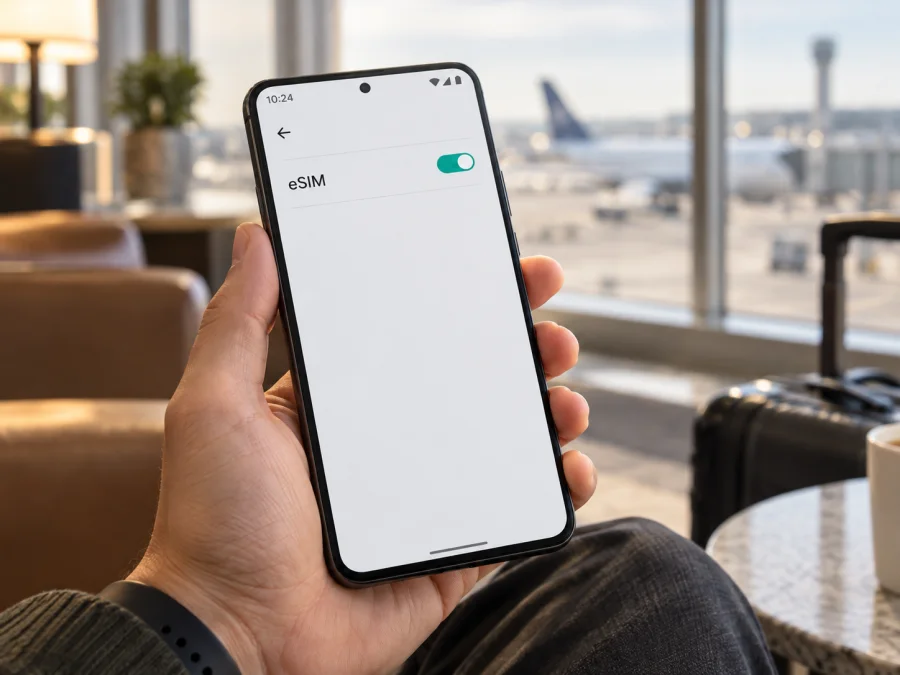
OnePlus 13T 512GB eSIM compatibility: what to check
Short answer: Treat the China-market OnePlus 13T 512GB as not eSIM-compatible. OnePlus’s official product specification lists Nano-SIM and dual-SIM support for the 13T, but does not list eSIM. OnePlus documents eSIM separately for some other models, such as the OnePlus 13; those features do not transfer to the 13T. A shared brand name, similar hardware, a 512GB capacity, or a reseller-installed “global ROM” does not establish eSIM support. Before choosing a plan, check the exact handset itself for an EID and an option to add an eSIM. If neither is present, the device cannot install an eSIM profile.
This article concerns the exact device name OnePlus 13T 512GB. Storage capacity does not determine SIM capability. The official Chinese 13T range includes more than one memory configuration, so a seller’s “512GB” label alone does not identify RAM, region, firmware, or the exact model code. Confirm those details on the box and in Settings before relying on any compatibility claim.
Does the OnePlus 13T 512GB support eSIM?
OnePlus’s official product specification for the China-market OnePlus 13T lists Nano-SIM and dual-SIM support, but does not list an eSIM function. By contrast, official specifications for some separately named OnePlus models explicitly include eSIM. That difference matters: support for another model cannot be used to infer that the OnePlus 13T 512GB has an embedded SIM.
For a buying decision, treat this 13T as not eSIM-compatible unless the individual handset shows an EID and Android settings offer an eSIM download or add option. A seller’s statement, a generic compatibility list, a screenshot from another model, or 5G capability does not replace these checks. If a menu appears but there is no EID, confirm the exact model code and regional firmware with the seller or OnePlus before buying a plan.
| Item | What is known for OnePlus 13T 512GB | What it means for eSIM |
|---|---|---|
| Exact variant in this guide | OnePlus 13T with 512GB storage | The storage modifier is part of the target; it does not prove SIM support. |
| Official market context | OnePlus presents the 13T in its China-market product range | Imported units may be sold in other countries, but import location does not change the hardware specification. |
| eSIM in published 13T material | No eSIM function is documented in the current OnePlus 13T material reviewed | Do not plan on installing a travel eSIM without a positive check on the individual handset. |
| SIM type in official listing | Nano-SIM and dual-SIM are listed; eSIM is not | A physical SIM tray and eSIM are different capabilities; one does not imply the other. |
| Other OnePlus models | Some separately named OnePlus models have eSIM listed by OnePlus | Their support cannot be transferred to the OnePlus 13T. |
| Final compatibility check | Look for an EID and an eSIM add/download control on the handset | If both are absent, do not buy an eSIM plan for this device. |
Why the region and exact model matter
Phone features can vary by model code, sales market, hardware, firmware, and carrier configuration. The name shown in a shop listing can also be abbreviated. “OnePlus 13T 512GB” does not tell you whether a unit is a Chinese retail phone, an import, or a handset with software changed by a reseller. Check Settings → About device for the model name and model number, and compare them with the label on the box and the seller’s invoice. If the name or code differs, pause and verify that exact version rather than applying advice for a related phone.
OnePlus 13 and other region-specific OnePlus products are separate models with their own specifications. A firmware change can alter menus, but it does not prove that eSIM hardware is present or that a mobile operator will provision it. Check this specific 13T unit for an EID and an eSIM download option.
Operator support is a separate check. Even a phone with eSIM hardware can be restricted by firmware, carrier lock, or operator policy. These conditions matter after hardware compatibility is established; they cannot make a physical-SIM-only model compatible. Also check that the plan covers your destination and activation timing.
How to check EID and eSIM settings
An EID is a long identifier associated with an eSIM-capable device. It is different from an IMEI, which identifies the handset for mobile-network purposes. Do not share either number publicly. The checks below are read-only; you do not need to buy a plan or scan a QR code to find out whether the required controls exist.
- Open Settings on the OnePlus 13T 512GB.
- Tap About device or About phone. The exact label can vary by software version.
- Open Status, SIM status, or Device identifiers, if available.
- Look for a field named EID. Do not mistake the IMEI, serial number, or ICCID for an EID.
- Return to Settings and open Mobile network, SIM & mobile network, or SIM cards and mobile data.
- Look for Add eSIM, Download a SIM, Add mobile plan, or an equivalent option. An option to add a physical SIM is not the same thing.
- If both EID and an eSIM download option appear, record the exact model number and software version and confirm with OnePlus or the seller that the eSIM feature is enabled for this regional variant.
Search Settings for “EID” and “eSIM” if a search field is available. A help result is not proof of hardware support. Two physical SIM slots, 5G, NFC, or an eSIM menu on another phone do not show that this handset can store an eSIM profile.
Use this device compatibility check before selecting a plan. If either check is missing, ask the seller to confirm the exact model number in writing. For used or imported phones, verify that the handset is unlocked; a carrier lock can prevent a compatible profile from registering.
What to confirm before choosing an eSIM plan
Do these checks before payment, while you still have time to ask the retailer questions or choose another way to connect:
- [ ] The handset is the exact OnePlus 13T 512GB described by the seller, not a different OnePlus model with a similar name.
- [ ] The model number and market are visible in the device settings and match the box or purchase record.
- [ ] The phone displays an EID in its own settings.
- [ ] Mobile network settings include a real option to add or download an eSIM profile.
- [ ] The seller or OnePlus confirms eSIM operation for this model code, region, and software version if anything is unclear.
- [ ] The phone is not locked to a carrier that could block a travel profile.
- [ ] The selected plan covers the countries or region on the itinerary, and its data amount and validity fit the trip.
- [ ] You have Wi-Fi or another internet connection available for installation if required by the plan.
- [ ] You understand when validity begins: some plans start on installation, while others start when the device first connects in the destination. Follow the plan’s stated conditions.
If any of the first five checks fails, pause. “Unlocked”, “international”, and “global software” do not necessarily confirm eSIM hardware or operator provisioning.
How to install and activate an eSIM on Android
The instructions below apply only if your exact handset has passed the EID and add-eSIM checks and the plan is valid for your destination. The OnePlus 13T settings names may differ by software version. Keep the phone connected to stable Wi-Fi, have the provider’s QR code or manual activation details ready, and follow the plan instructions. Do not scan an activation code on a device unless you intend to install that profile there; many codes are single-use.
- Check the plan instructions. Confirm the supported destination, data allowance, validity, activation trigger, and whether data roaming must be enabled. Check whether the plan can be installed before departure.
- Connect to Wi-Fi. Keep a reliable internet connection available during download. If the code was sent to the same phone, open it on another screen or use the provider’s manual details if offered.
- Open mobile network settings. Go to Settings → Mobile network (or the closest equivalent) and choose Add eSIM or Download a SIM.
- Choose the installation method. Scan the supplied QR code, or enter the activation details manually if the plan instructions allow it.
- Review and download the profile. Follow the on-screen prompts and wait for the download to finish. Do not close the setup screen or remove power while the profile is being added.
- Give the profile a clear label. For example, use the destination name or “Travel data”. Keep your regular line identifiable so that you can choose the right one later.
- Select the line for mobile data. In SIM settings, choose the travel eSIM for mobile data when you want the trip plan to carry data. Keep your usual line selected for calls or messages if needed and if your home plan permits it.
- Enable the travel profile at the right time. Some plans can be installed before departure but should only be enabled, or allowed to connect, at the plan’s stated activation time. Other plans begin validity when installed. Check the plan terms rather than assuming.
- Enable data roaming for that profile if instructed. Travel eSIM plans may require roaming on the eSIM line. This setting is separate from your home SIM; verify which line is selected before toggling it.
- Check connection after arrival. Turn on mobile data for the travel line, wait for registration, and test a simple web page or message. If the plan requires a supported network selection, follow its instructions.
For screenshots and general Android steps, see the Android eSIM installation instructions. The iOS eSIM installation instructions are for Apple devices, not this Android phone; they are included as the separate iPhone guide. Kaspersky eSIM Store is an app and website where you can choose, arrange, and activate an eSIM plan for mobile data on an overseas trip. The network connection itself depends on the plan, the partner network, coverage, device compatibility, and local conditions.
Before departure and after arrival
If the phone is confirmed eSIM-capable, install before departure only if the plan allows it and Wi-Fi is available. Keep the QR code until installation finishes; a one-time code may not work again. Do not delete a profile unless the provider confirms it can be reissued.
After arrival, select the travel eSIM for data and keep the home line for calls if needed. Disable roaming on the home line if you want to avoid charges; enable it on the travel line only when plan instructions require it. Confirm the active data line and allow a few minutes for network registration.
Using an eSIM for mobile data while travelling
A travel eSIM can provide mobile data in one country, several countries, or a region, depending on the plan. Compare the coverage list with every stop on your route. Check the data allowance, validity period, and when validity starts. For everyday travel use, estimate data for maps, messaging, transport, and browsing; download maps over Wi-Fi and limit background updates or video streaming if you need to conserve data.
If the OnePlus 13T 512GB has no EID and eSIM option, an eSIM plan cannot work around that limitation. Use a physical SIM, your home operator’s roaming service, or another confirmed-compatible device. Kaspersky eSIM Store is an app and website where users can choose, arrange, and activate an eSIM plan for mobile data on an overseas trip. Check the destination, allowance, validity, and price shown for the selected plan; the handset must still pass its own compatibility check.
Common problems and checks
There is no EID in Settings
Confirm that you are looking for EID, not IMEI. Search Settings, inspect SIM status, and compare the model number with the box. If EID and add-eSIM are both absent, treat the 13T as incompatible and ask OnePlus or the seller to confirm the code. Do not expect an update to add missing eSIM hardware.
There is no “Add eSIM” option
Check the phone’s mobile-network settings, restart, and install official updates if available. If the option remains absent, verify model and region with the seller. A different language or “global ROM” is not proof of support. If there is no EID, choose another connection method.
The QR code cannot be scanned
Use stable internet and display the QR code at full size on a second screen with enough brightness. If manual details are offered, enter them only in the phone’s add-eSIM flow. Check that the code is unused and belongs to this plan; contact the provider if it appears consumed.
The profile downloads but does not connect
Confirm the profile is enabled and selected for mobile data. Turn on roaming for that eSIM if the plan requires it, check airplane mode, restart, and wait for registration. Verify the plan is active and covers your current destination. Follow the plan’s network-selection instructions.
The phone connects but apps have no internet
Verify the active data line, turn Wi-Fi off for a test, and check app data restrictions. Confirm the plan has data and remains valid. If signal appears but pages do not load, restart and review the plan’s network instructions. Do not post an EID or QR code publicly.
Mobile data is using the home SIM
Calls, messages, and data can have separate defaults. Select the travel eSIM under mobile data, then check again after a restart. If the home plan is selected, its roaming charges may apply; monitor use by line where available.
The phone says the plan is already installed
Check the SIM manager for a downloaded but disabled profile. Do not delete it until you know whether it can be reinstalled; activation codes may be single-use. If the profile was moved or removed, ask the provider about a replacement.
Signal is weak or unavailable
Coverage depends on location, local network, device bands, and plan arrangements. Move to an open area, restart, and check automatic network selection unless instructed otherwise. Verify destination coverage and carrier-unlock status. A 5G label does not guarantee 5G availability.
Frequently asked questions
Can I install a travel eSIM on OnePlus 13T 512GB?
Do not assume that you can. OnePlus’s published information for the China-market OnePlus 13T does not confirm eSIM. Install a travel profile only if your exact handset displays an EID and an add-eSIM option, and the seller or manufacturer confirms that the model and region support it.
Does 512GB storage mean the phone supports eSIM?
No. Storage capacity describes internal storage and has no bearing on eSIM hardware. The “512GB” modifier helps identify the requested variant, but you still need to check the model code, EID, and mobile-network settings.
Is a OnePlus 13 the same as a OnePlus 13T?
No. They are distinct product names with separate specifications. If OnePlus documents eSIM for another model, that information applies to that model and cannot be used as proof for the 13T.
Can a software update add eSIM?
An update may change settings or fix software behavior, but it should not be treated as adding missing eSIM hardware. Check the phone for an EID and confirm feature support for the exact model code before buying a plan.
Do I need to enable roaming?
Sometimes. Some travel data plans require data roaming on the travel eSIM, while others may not. Follow the selected plan’s instructions and verify that roaming is enabled on the intended line, not automatically on the home SIM.
Will a travel eSIM provide a phone number, calls, or SMS?
A travel data plan is intended for mobile data unless its terms explicitly say otherwise. Do not expect a standard phone number, voice calls, or SMS to be included. Internet-based messaging and calling apps can work over mobile data, subject to the app and plan conditions.
What if I only see two physical SIMs?
A physical SIM tray does not provide eSIM support. If there is no EID and no option to add an eSIM, use a physical SIM, your home operator’s roaming service, or another device that has been confirmed compatible.
Final check: device first, plan second
For the exact OnePlus 13T 512GB, OnePlus’s official listing identifies Nano-SIM and dual-SIM support but does not list eSIM. Treat the China-market model as incompatible unless your individual handset displays an EID and an eSIM download option. If either on-device check is missing, do not buy a travel eSIM based on a retailer’s generic claim or information about another OnePlus phone.
If the handset passes the checks and its regional configuration is confirmed, compare plans for the countries on your itinerary, the amount of data you need, and the plan’s validity and activation rules. Kaspersky eSIM Store is the app and website where you can choose, arrange, and activate an eSIM plan for mobile data on an overseas trip. Confirm compatibility before choosing the plan, then install and select the profile according to its instructions.


