Travel connectivity guide
OnePlus Open 128GB eSIM Compatibility
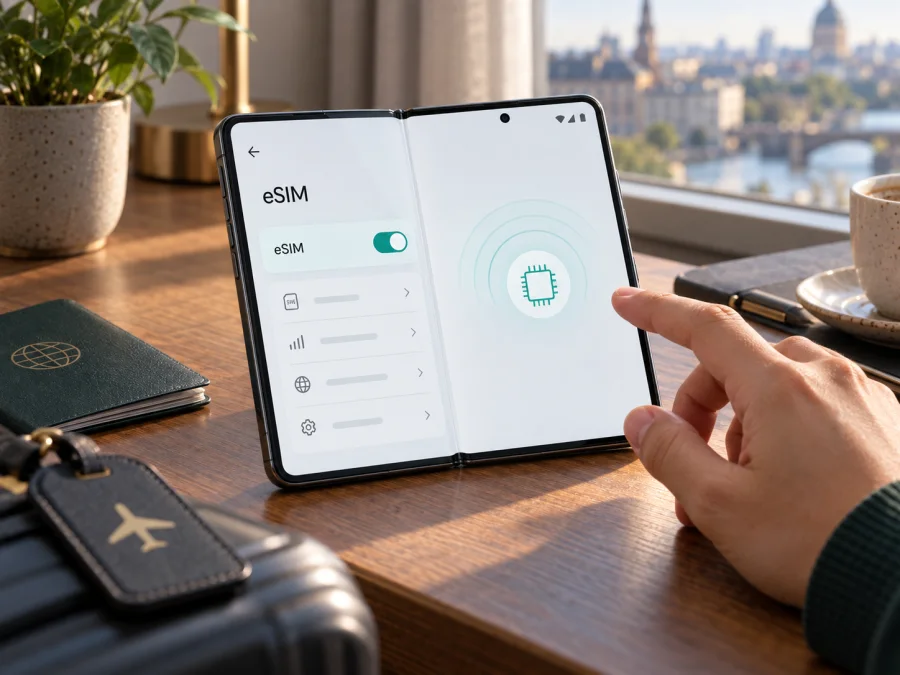
OnePlus Open 128GB eSIM: compatibility and setup guide
Can the OnePlus Open 128GB use an eSIM? OnePlus lists eSIM in the global specifications for OnePlus Open, and the official user manual includes an eSIM setting. There is an important qualification: OnePlus product pages checked for this guide list 512GB storage configurations, not 128GB. So eSIM support is documented for the Open line, but the exact “128GB” listing cannot be matched to a verified official configuration. Check the handset’s full model number, region, software, and EID before buying or installing a travel plan.
This guide explains how to check your particular phone and what to do if eSIM is available. Support can depend on the regional hardware version, carrier restrictions, and software. A model name in an online listing is not a substitute for checking the device itself.
Quick compatibility answer
| Check | OnePlus Open 128GB |
|---|---|
| Exact device name | Preserved as provided; the 128GB capacity is not shown on the OnePlus product pages checked |
| eSIM on the Open line | Listed in OnePlus global specifications; an eSIM setting appears in the official user manual |
| Confirmed for a handset sold as 128GB? | No. Verify its model code and EID because the capacity does not match the official configurations found |
| What to confirm before purchase | EID, an option to add an eSIM, no blocking carrier lock, and provider support for the exact model |
The practical answer is conditional: a genuine OnePlus Open with the appropriate regional hardware and software can support eSIM, but the exact OnePlus Open 128GB configuration is not verified by the official storage specifications. Do not assume “128GB” is a harmless typo. Ask the seller for the model code and check the phone in person when possible. If the description cannot be explained, do not rely on it for a trip connection.
An eSIM is a downloadable subscriber profile, but its presence does not guarantee that every provider will activate every model. Check available line combinations in your phone’s SIM manager.
Why the 128GB label needs checking
Storage capacity alone does not identify a handset. Official OnePlus global specifications for Open list eSIM and 512GB storage, and the OnePlus India product information also describes a 512GB configuration. Those pages do not confirm a 128GB Open. A listing might contain a typo, shorthand, imported-device details, or an incorrect model name. The discrepancy calls for checking the unit, not for extending compatibility claims to a configuration the manufacturer has not documented.
Find the complete model or product code in Settings → About device, and compare it with the box and support information for the country where the phone was sold. For an imported device, ask the seller about its original market and any firmware changes. Regional product pages may describe different features, and supported cellular bands can vary. A global eSIM listing is useful evidence for the product family, but does not prove that every regional or carrier version has the same feature enabled.
If a carrier supplied the phone, ask that carrier whether it allows eSIM activation on the exact model code. A carrier lock can prevent another provider’s profile from being used. Firmware updates can change menus or correct software issues, but do not assume an update will enable eSIM on a hardware or regional version that does not support it. Use official software and manufacturer guidance when checking.
Check eSIM support on your phone
Complete these checks before you buy a plan. Menu names can vary across OxygenOS releases, so search Settings if a label differs.
- Record the model number. Open Settings → About device and note the model/product code and software version. Compare them with the device box. Keep IMEI, EID, and serial numbers private.
- Look for an EID. Search Settings for “EID,” or open the phone’s status or SIM information screen. You can also enter
*#06#in the dialler; compatible software may show an EID with the IMEI details. Do not post the full number publicly. - Find the eSIM menu. Open Settings → Mobile network or Mobile network & SIM and look for eSIM, Add eSIM, Download a SIM, or Add mobile plan. The OnePlus Open manual includes an eSIM setting, although wording and availability may differ on your regional build.
- Check that setup is offered. If an add-eSIM option appears, open it only far enough to confirm that a QR-code or activation-code flow is available. Cancel without removing an existing line or installing an unknown profile.
- Confirm with the provider. Give the provider the model code, not a public screenshot containing device identifiers, and ask whether it supports activation on that exact region and software version.
An EID is a strong indication that the phone has an eSIM identity, but it does not promise compatibility with every plan. The plan provider must accept the model and support the destination. If the eSIM menu is missing, install available official system updates over Wi-Fi, restart, and search again. If it remains unavailable, ask OnePlus or the original carrier before purchasing. Do not use unofficial firmware as a compatibility test.
Use this checklist before you choose a plan: Check your device.
Prepare before installation
Have these items ready while you still have reliable internet:
- A confirmed eSIM and EID on this handset, and confirmation that it is not carrier-locked against the provider you plan to use.
- A plan that covers every country or region on your route. Review its data allowance, duration, and the event that starts validity.
- The provider’s QR code, installation link, or manual activation details. Treat them as private; some codes are single-use.
- Wi-Fi for downloading the profile, plus access to the account or email where activation details are stored.
- The provider’s instructions on when to install and whether data roaming must be enabled.
A travel eSIM is often data-only, without a regular number, cellular calls, or SMS unless the plan says otherwise. Messaging apps can use its data. If you keep your home SIM for calls or verification texts, check its roaming charges and select the correct data line.
Install and activate an eSIM
These are general Android steps. Follow the selected plan’s instructions if its process differs, and keep the phone online during profile download.
- Connect to Wi-Fi and open Settings → Mobile network → eSIM or the equivalent menu.
- Tap Add eSIM or Download a SIM. Use an in-app installation option only if it opens the expected system flow for your plan.
- Choose Scan QR code and scan the code displayed on another screen or printed page. If the code is on the phone itself, use a supported installation link or manual entry instead.
- Review the prompt, approve adding the mobile plan, and wait for the profile to download. Avoid closing Settings or restarting during setup.
- Label the line, for example “Travel data.” Choose which line handles mobile data. If you need the home SIM for calls, you can keep it selected for calls while assigning data to the travel profile when appropriate.
- Check when the plan becomes valid. Some plans start at installation; others start when they first connect to a supported network. Follow the plan’s timing rule rather than guessing.
- At your destination, turn on the eSIM and select it for mobile data. Enable data roaming for that line only if the plan instructions require it. Leave roaming off on the home SIM unless you intend to use it.
- Wait for network registration, then test a web page or messaging app. Enter an APN or select a network manually only when the provider supplies those settings.
See Android eSIM installation instructions and iOS eSIM installation instructions. OnePlus Open runs Android; follow the instructions provided with your chosen plan.
Installation downloads the profile; the plan’s validity may start later under the provider’s stated conditions. Do not delete an installed profile to troubleshoot unless the provider advises it: a one-time code may not work again.
Use the eSIM during a trip
Before departure, decide which line handles calls, texts, and mobile data. A common arrangement is to keep the home SIM available for calls and use the travel eSIM for data after landing. Your SIM manager may offer different combinations depending on the phone’s region and software. Check this at home, and disable automatic data switching if it could move usage to the home line.
For a short city trip, install the profile over Wi-Fi before leaving if the plan permits it. Give it a clear label. After arrival, select the travel line for mobile data and verify that the home SIM’s data roaming is off. Maps, transport apps, reservations, and messaging can then use the travel connection. Background backups and video can use data quickly, so monitor usage through the phone or provider account.
For a multi-country route, confirm that every destination is included and check how the plan behaves when crossing a border. Coverage depends on the plan, local partner networks, and the phone’s supported bands. For work travel, check roaming terms and authentication needs; a data plan does not replace your home number for calls and SMS. At home, restore your preferred data SIM and check reuse rules before deleting the travel profile.
Troubleshooting checklist
No eSIM option appears. Search Settings for both “eSIM” and “EID,” update OxygenOS through the official updater, restart, and check the model code. Ask OnePlus or the original carrier about the regional version. A missing menu does not prove that every OnePlus Open lacks eSIM, but it is a reason to pause before buying a plan for this handset.
You cannot find an EID. Recheck the status and SIM information screens after updating. If the listing promised eSIM but the phone has no EID and no add-eSIM flow, ask the seller to explain the discrepancy or use its return process before relying on the phone while travelling. IMEI is not a substitute for EID.
The QR code will not scan. Make the code bright and fully visible, clean the camera lens, and try the provider’s manual activation method if offered. Confirm the code belongs to your purchase and has not already been used. Avoid repeated attempts with an expired or single-use code; contact the provider instead.
The profile installs but there is no service. Check that the eSIM line is on and selected for mobile data, and confirm that the plan covers your destination and has reached its start condition. Toggle airplane mode, restart, and enable roaming for this eSIM if instructed. Keep network selection automatic unless the provider asks you to choose a supported network.
The connection is slow or intermittent. Check signal, destination coverage, and the selected data SIM. Try another location or switch between 5G and 4G/LTE. Speed depends on local network conditions, partners, and supported bands.
Signal appears but apps cannot connect. Check mobile data, Data Saver, app permissions, and any data limit. Enter an APN only if supplied by the provider, then restart.
The profile was already used, or you want to remove it. Some profiles cannot be installed again or transferred by rescanning. Check deletion and reuse rules before removing it; deletion may not cancel the plan or create a refund. Contact the provider through its secure support channel and share device identifiers only if requested.
Frequently asked questions
Does OnePlus Open 128GB support eSIM?
OnePlus global specifications list eSIM for OnePlus Open, and the official manual includes an eSIM setting. However, the official product pages checked here describe 512GB storage rather than 128GB, so the exact “OnePlus Open 128GB” label is not confirmed as an official configuration. Check the model number, EID, and add-eSIM menu on your actual phone, then confirm that the provider accepts the same regional model.
Does an EID guarantee service?
No. The phone must be unlocked, the provider must accept the model, the destination must be covered, and the profile must be configured correctly.
Can I install before flying?
Often, if the provider allows it. Check when validity starts and keep the activation details accessible.
Will a data eSIM replace my phone number?
Usually not. A data-only plan normally provides internet access rather than regular calls or SMS. Keep your home SIM for those services if needed and avoid its data roaming unless you accept the charges.
Key takeaways
OnePlus lists eSIM for the OnePlus Open line and documents an eSIM setting in its user manual. The storage capacity in OnePlus Open 128GB does not match the 512GB configurations shown on the official product pages checked, so verify the exact handset instead of assuming the listing is accurate. Look for an EID and an add-eSIM option, confirm the model with the provider, and check the destination and plan start rules before purchase.
Check your device, then choose a trip eSIM
Before checkout, confirm the complete model number, EID, eSIM setup menu, and carrier-unlocked status. Ask the provider to validate your regional model. Then choose a plan that covers every destination and review its data allowance, duration, and activation conditions.
Kaspersky eSIM Store is an app and website where you can choose, arrange, and activate an eSIM with a mobile-data plan for an international trip. Use it to review options after confirming that your OnePlus Open 128GB handset can install an eSIM. Device compatibility should be established before selecting or paying for a plan.


