Travel connectivity guide
OnePlus Open 256GB eSIM: compatibility and setup
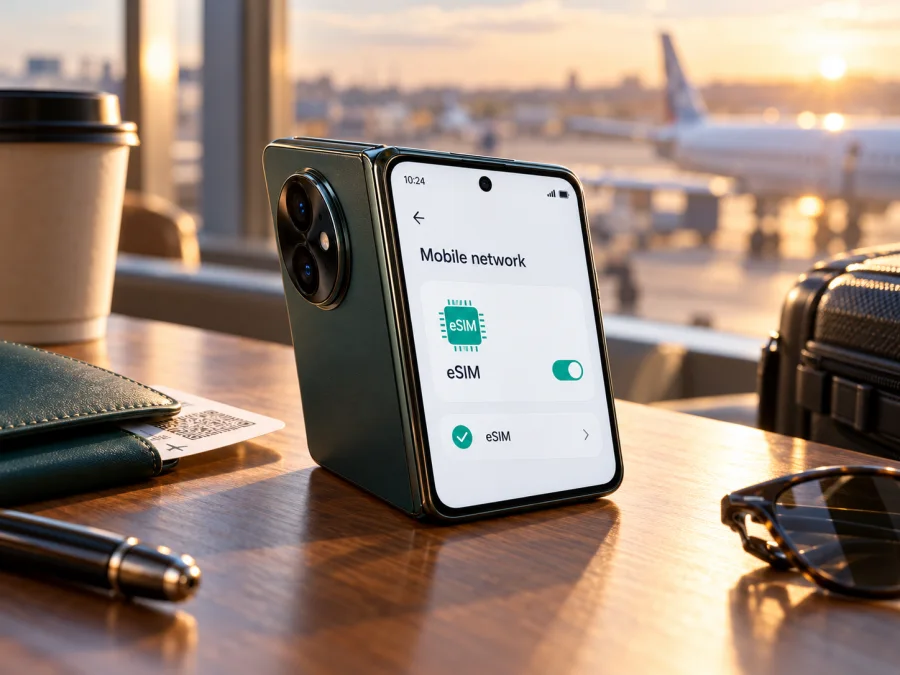
OnePlus Open 256GB eSIM: compatibility and setup guide
The OnePlus Open 256GB can use an eSIM on supported versions. OnePlus lists eSIM in the connectivity specifications for the OnePlus Open and its support guidance describes how to manage and add an eSIM. However, the storage label in this request needs care: OnePlus’s public global specifications list a 512GB model, and some regional listings include a 1TB option; I could not verify an official 256GB OnePlus Open configuration. A shop listing that says “256GB” may be describing a different device, a seller’s inventory label, or a regional variant whose details need confirmation. Keep the device name as shown on the box and in Settings, and check the actual handset before purchasing an eSIM plan.
The practical answer is therefore: the OnePlus Open family supports eSIM, but do not assume every handset advertised as “OnePlus Open 256GB” has the eSIM menu or the same network behavior. Confirm the model, market, firmware, and carrier status on the phone itself. OnePlus also says eSIM availability can vary by operator, country or region, and device. The handset’s support for eSIM does not guarantee that a particular mobile operator or travel plan will accept it.
OnePlus Open 256GB at a glance
| Item | What to know |
|---|---|
| Device name supplied | OnePlus Open 256GB |
| eSIM verdict | Supported on eSIM-capable OnePlus Open versions; verify the individual handset |
| Official storage information | OnePlus global specifications list 512GB; some regional specifications show 512GB/1TB. The 256GB claim is not confirmed in those official pages |
| SIM options | Manufacturer specifications describe a dual nano-SIM tray and list eSIM connectivity; available combinations can depend on the market and software |
| Software family | OxygenOS based on Android; menu names can change with software version and region |
| Main checks | Look for “Manage eSIM” or “Add eSIM” in mobile network settings; use the EID check if available |
| Travel use | An enabled travel eSIM can provide mobile data where its plan and partner network operate |
This table describes the published OnePlus Open family information, not a guarantee about every device advertised with a 256GB label. A seller may use a shortened or incorrect product description. If the capacity shown by the phone differs from the listing, resolve that discrepancy with the seller before relying on the listing to establish the exact variant.
What the eSIM support information means
An eSIM is a digital SIM profile stored in the phone. Instead of inserting a second plastic card, you add a carrier profile through the phone’s settings, usually by scanning a QR code or entering activation details. The eSIM profile and the service plan are separate: the handset must support the embedded SIM, and the carrier or travel plan must be able to activate service on that device in the place where you intend to use it.
OnePlus’s global OnePlus Open specification page lists eSIM under connectivity and also mentions a dual nano-SIM slot. OnePlus’s support article explicitly names the OnePlus Open among phones supporting the function, while warning that eSIM support varies by operator, country or region, and device. Its support instructions use Settings → SIM card & mobile data → Manage eSIM Card as a verification and setup path. Menu labels can differ across OxygenOS releases and markets, so the phone’s own settings are the deciding check.
There are two different questions to resolve:
- Does this handset have eSIM capability? Check its EID and eSIM management screen.
- Will this carrier profile work here? Confirm that the provider supports this handset and that the plan is available for your destination and intended use.
A “yes” to the first question does not answer the second. A phone can have an eSIM chip while a carrier restricts activation, an operator profile is incompatible, or the handset is locked to a different network.
Regional versions, storage, and carrier restrictions
The OnePlus Open name covers devices sold in different markets. Supported bands, firmware, certification, SIM configuration, and carrier settings may differ. OnePlus warns that eSIM availability depends on the operator, country or region, and device. A global specification does not guarantee that a local carrier accepts a particular handset’s eSIM identifier.
The 256GB label needs verification: OnePlus’s global specifications list 512GB, while some regional pages list 512GB/1TB. The manufacturer information reviewed here did not confirm a retail 256GB OnePlus Open. This alone does not establish that a handset is counterfeit or lacks eSIM; it means the listing is not enough to identify it. Ask for its model number, market, software version, and a view of About device and SIM settings, then compare with local OnePlus support information.
Carrier lock is separate from eSIM capability. A locked phone may reject another provider’s profile even when eSIM hardware and settings are present. Confirm unlocked status with the original carrier or seller.
Also check destination coverage separately from handset compatibility. A plan may cover a country but fail on a locked or regional handset; a supported phone may have no service where the plan has no partner network or a required band is unavailable.
Check the handset before you buy a plan
With the phone connected to Wi-Fi, open Settings and look under Mobile network or SIM card & mobile data. OnePlus documents Settings → SIM card & mobile data → Manage eSIM Card. OxygenOS wording can differ; search Settings for “eSIM” or look for Add eSIM.
- [ ] About device identifies the phone as OnePlus Open and shows a model number consistent with the seller’s claim.
- [ ] An eSIM section such as Manage eSIM Card, Add eSIM, or Download a SIM is present.
- [ ] An EID is visible if the software exposes it. EID identifies embedded SIM hardware; it is not the IMEI or phone number.
- [ ] The option remains after restarting and installing an official update for that market.
- [ ] The handset is unlocked for other providers.
- [ ] The travel plan provider accepts the exact device and destination.
To look for an EID, check Settings → About device → Status or search Settings for EID; some builds place it in SIM status. On some Android devices, *#06# in the dialer displays identifiers. Do not publish or share EID or IMEI with an unknown seller. If neither the EID nor eSIM controls can be found, ask OnePlus or the seller to verify the exact model before purchase.
A physical SIM tray does not rule out eSIM, and a dual-SIM menu does not prove embedded-SIM support. Check the eSIM controls and provider compatibility. Check whether your device is compatible before choosing a plan.
Installing an eSIM on OnePlus Open
Read the plan instructions first. Profiles may install through a QR code, manual activation details, or an app. QR codes are often single-use. If the code is shown on the OnePlus Open itself, use another screen or manual entry.
- Verify compatibility and unlock status. Resolve uncertainty about the advertised 256GB variant before purchase.
- Connect to stable Wi-Fi. Install before departure unless the plan says to wait until arrival.
- Open eSIM settings. Use Settings → SIM card & mobile data → Manage eSIM Card, or find Add eSIM/Download a SIM under Mobile network.
- Add the profile. Scan the provider’s QR code. If unavailable, choose manual entry and enter the supplied activation details exactly.
- Finish download. Keep the phone awake and on Wi-Fi until setup completes. Do not repeatedly scan a code reported as already used.
- Name and enable the line. Give it a recognizable label such as “Travel data.” Enable it when the plan’s terms say to.
- Choose data settings. Select the travel profile for mobile data. Enable data roaming on that profile only if the plan requires it; review roaming on the home SIM separately.
- Test connection. Turn Wi-Fi off briefly and open a web page when you are in the covered area. Before arrival, the plan may not connect yet.
For general guidance, see the Android eSIM installation instructions and iOS eSIM installation instructions. The Android guide applies to OnePlus Open; the iOS guide may help another traveler. OxygenOS labels can differ, so follow the phone’s on-screen prompts and the plan’s activation timing.
Kaspersky eSIM Store is an app and website where you can choose, arrange, and activate an eSIM with a mobile-data plan for international travel. Compare the destination, data allowance, validity, and compatibility before proceeding. Coverage and activation conditions are set out in the selected plan’s terms.
Using OnePlus Open for mobile data abroad
Once you arrive in the plan’s covered destination, open Settings → Mobile network and confirm that the travel profile is enabled. Select it as the mobile data SIM, then allow the phone a short time to register. If automatic network selection does not connect, use the plan’s instructions to select a supported network manually. Network names and availability depend on the plan’s local partner arrangements and the location you are in.
A useful travel setup is to keep your home SIM for the calls or verification texts you need, while directing mobile data through the travel eSIM. This can help keep the lines’ roles clear, but the home provider may charge for roaming calls, texts, or data even when the travel profile is selected for internet. Check your home plan’s terms and disable data roaming on that line if you do not want it to use mobile data. Keep the travel profile’s data roaming setting aligned with its provider instructions.
A data-only travel eSIM generally does not replace your regular phone number. Unless a plan explicitly says otherwise, expect it to provide mobile data rather than standard voice service or SMS. Internet calling and messaging apps can work over data, but they still depend on the app, account, and internet connection. Keep your ordinary number active if you need incoming texts or calls, and understand any roaming charges before leaving.
Before the trip, consider downloading maps, boarding passes, hotel details, and translation resources while on Wi-Fi. On arrival, turn off Wi-Fi briefly to test the cellular connection and check that the correct data SIM is selected. The OnePlus Open’s foldable screen can make it convenient to keep a map and itinerary visible, but the larger display does not affect whether an eSIM profile registers on a network.
Common travel scenarios
One country, short visit: choose a plan covering the destination with enough data for your intended use, and check when its validity starts. Install on Wi-Fi and enable it according to its instructions.
Several countries: confirm that every destination and stopover is included. A country plan may not cover a neighboring country; check the provider’s coverage list and any usage or speed conditions.
Work trip with your usual number: keep the home SIM available for calls or texts if needed, and select the travel eSIM for mobile data. Review home-line roaming charges and disable its data roaming if you do not want it to use data.
Imported or uncertain handset: check its model number, EID, and eSIM menu before departure. Resolve missing settings with the seller or OnePlus while you can access the original purchase details.
Troubleshooting: eSIM missing or not connecting
If the menu is missing, restart the phone, search Settings for “eSIM,” and check About device for the full model and software version. Install any official update offered for the handset’s market. Imported devices can have different firmware or regional configurations. If neither the EID nor an eSIM option appears, ask OnePlus support or the seller to confirm the exact model; a factory reset should not be treated as a way to add missing hardware capability.
If a profile will not download, check Wi-Fi and confirm that the QR code or activation details are valid. Some QR codes can only be used once, and a profile installed on another handset may not transfer. Do not delete an installed profile unless the provider confirms you can reinstall it.
If the profile is installed but has no service, check in this order:
- Confirm that the plan is active and covers your current country or region.
- Enable the eSIM and select it for mobile data.
- Toggle airplane mode, then restart if needed.
- Enable data roaming on the travel profile only if the provider requires it.
- Try automatic network selection; if that fails, choose a network listed by the provider.
- Enter an APN only when the provider supplies one. Leave unrelated fields unchanged.
- Use automatic LTE/5G network selection and turn Wi-Fi off briefly to test cellular data.
If service appears but apps cannot connect, check data allowance, validity, APN instructions, data saver, and app-specific network restrictions. If activation is rejected, verify the phone is unlocked and the plan supports its precise model. Contact the plan provider with the error and purchase reference; contact OnePlus if the eSIM controls are missing. Never post QR codes, activation codes, EID, or IMEI publicly.
Frequently asked questions
Does OnePlus Open 256GB support eSIM?
OnePlus lists eSIM for the OnePlus Open and names it in support guidance. The 256GB storage configuration was not confirmed in the public specifications reviewed; OnePlus lists 512GB and, in some markets, 1TB. Verify the actual handset’s EID, eSIM menu, model number, and region before buying.
Is eSIM available on every OnePlus Open in every country?
OnePlus says availability varies by operator, region, and device. Check the exact phone and confirm the intended provider accepts it. Firmware, carrier restrictions, and market configuration can matter.
Where is the eSIM setting?
OnePlus documents Settings → SIM card & mobile data → Manage eSIM Card. Depending on OxygenOS, it may appear under Mobile network or as Add eSIM. Search Settings if needed.
Do I need an EID to install a travel eSIM?
The EID helps confirm embedded-SIM capability, but providers generally install a profile using a QR code, manual details, or an app flow. Follow the provider’s instructions and keep the EID private.
Can I use a physical SIM at the same time?
OnePlus specifications list a dual nano-SIM tray and eSIM, but available combinations depend on the exact phone and software. Review SIM settings and choose which line handles mobile data.
Does a travel eSIM include calls or SMS?
Only if the selected plan says so. Many travel plans are data-only; messaging and internet calls can use data but do not create a regular phone number.
When should I install the profile, and can I move it later?
Follow the plan’s instructions. Installation, enabling, network connection, and the start of validity can be separate events. Do not assume an eSIM can be transferred or reinstalled; some codes are single-use and provider rules vary.
Final check before you travel
For OnePlus Open 256GB, treat eSIM as supported by the OnePlus Open family, but verify the exact handset because the 256GB storage variant was not confirmed in the manufacturer specifications reviewed here. Confirm the model number and purchase market, look for an EID and the eSIM management option, check that the phone is unlocked, and install current official software. Then confirm that the selected travel plan accepts the handset and covers your destination.
When those checks are complete, choose a plan based on the trip’s countries, data needs, validity, and activation conditions. Kaspersky eSIM Store is an app and website where you can choose, arrange, and activate an eSIM with a mobile-data plan for an international trip. Review the plan terms before purchase, keep the installation instructions available, and set the OnePlus Open’s travel eSIM as the data line only when you intend to use it. A few checks before departure can prevent a mismatch between the listing, the phone, and the plan.


