Travel connectivity guide
Ooredoo Maldives eSIM: setup and travel guide
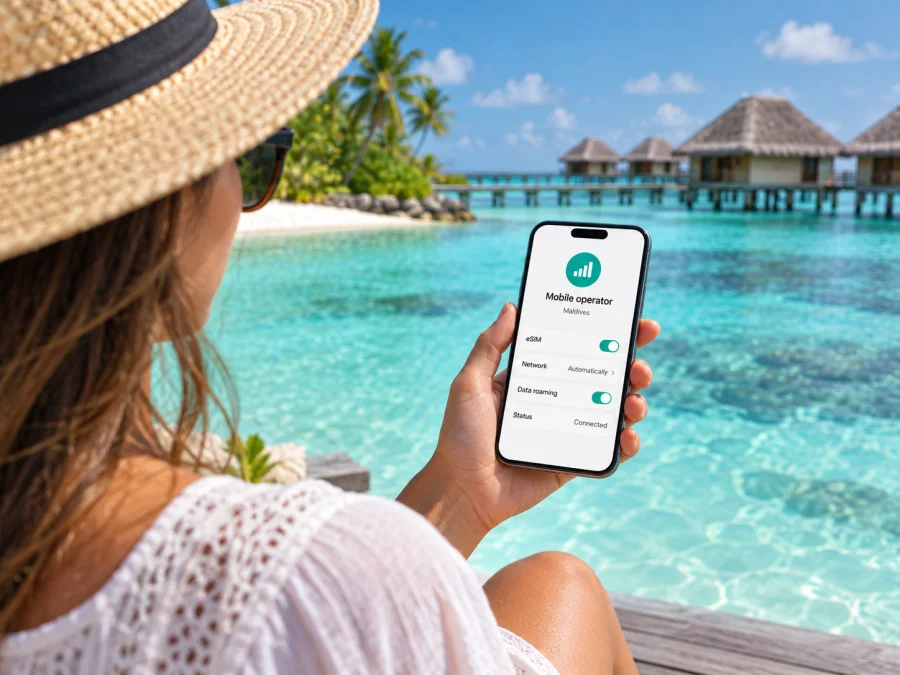
Ooredoo Maldives eSIM: connecting during a trip to the Maldives
If you are planning a trip to the Maldives and searching for an Ooredoo Maldives eSIM, the first thing to establish is what kind of connection you need. Ooredoo Maldives is a local mobile operator with prepaid, postpaid and tourist connection routes. Its current digital shop offers an eSIM choice, and its tourist information page describes a digital eSIM purchase with online activation. Visitors can arrange a local connection digitally, subject to the operator’s checkout, identity and compatibility requirements.
The operator’s official Digital Shop, eSIM purchasing flow and tourist page were checked on 27 September 2026. The shop presents separate prepaid, postpaid and tourist journeys, offers a switch from a physical SIM to eSIM, and says eSIM details are sent by email and can also be downloaded to the device. Ooredoo’s tourist page separately offers an eSIM purchase path and describes activation online. This confirms general eSIM availability, but eligibility may differ by service type. Check the terms displayed during registration.
Ooredoo Maldives and mobile service in the country
Ooredoo Maldives is one of the licensed telecommunications operators serving the country. The Communications Authority of Maldives lists Ooredoo Maldives under a Unified Telecommunications Licence for provision of telecom services nationwide. The licence describes service scope, not reception on every island, inside every building or aboard a boat. The Authority also publishes national mobile subscription and broadband statistics, which do not prove coverage at a particular address. The Authority’s licensee register and July 2026 statistics were checked on 27 September 2026.
Because the Maldives is an archipelago, consider whether you will use the phone in Malé or Hulhumalé, on another island, at a resort, or at sea. Nationwide licensing does not promise identical reception everywhere. Ask about your specific island or route and check Ooredoo’s current coverage resources.
The official Ooredoo site identifies 4G and 5G mobile services. Its 5G information says service is available to mobile customers with a certified 5G smartphone in 5G-covered locations. That wording matters: a 5G-capable handset alone does not guarantee a 5G connection, and a 5G icon is not promised everywhere. A phone may instead use an available 4G connection or another supported network mode, depending on the location, account, device and network conditions. Ooredoo’s 5G service information and device guidance were checked on 27 September 2026.
Treat network generations as availability and compatibility details. Check eSIM support, carrier lock status and whether Ooredoo certifies your exact phone model for 5G. Even then, 5G requires a covered location. The phone may use another supported mode where available, and its connection can change as you move between islands or indoors and outdoors.
Is an Ooredoo Maldives eSIM available to visitors?
Yes. Ooredoo’s current digital shop offers an eSIM option as part of its connection flow. A separate tourist page lets visitors choose an eSIM purchase path and says it can be activated digitally. The shop also describes a route for customers changing from a physical SIM to eSIM. These routes serve different situations: a new visitor can review the tourist journey, while an existing customer may be looking to convert a current line. The operator’s public wording supports general eSIM availability, but eligibility and the exact registration process can differ by service type.
The operator also displays general prepaid and tourist connection options. Ask Ooredoo about them if you need a local number, calls or SMS. Eligibility, document checks and payment methods can change, so review the current terms before applying.
For visitors, Ooredoo’s tourist page presents an online route and also describes physical SIM collection at its airport shop. The digital option may reduce the need to find a counter after arrival, while a physical SIM route remains relevant if your phone does not support eSIM or if you prefer in-person assistance. The tourist page describes the purchase and activation as digital and immediate; that is the operator’s general description, not a guarantee that every registration completes instantly. Identity checks, payment authorization, device compatibility, email delivery or an incomplete form can require extra steps.
Before departure, verify which identity document Ooredoo accepts for a tourist eSIM and whether the name and travel details must match your booking documents. The public tourist page describes an eSIM purchase route but does not set out a complete, stable list of eligibility rules in its general information. Do not assume that a passport alone, a particular visa status or a particular nationality automatically qualifies. If a form requests identity verification, use the process shown by Ooredoo and provide only what the operator requires. If the checkout does not clearly explain a requirement, contact Ooredoo support or ask at an official airport shop before making travel decisions around the eSIM.
Also check whether you need a local telephone number, voice service or SMS, rather than data access only. The operator’s tourist information describes local communication services in general, while the exact features depend on the selected connection and its current terms. If you must receive one-time banking codes on your home number, keep your primary SIM available and review roaming settings with your home provider. A travel eSIM intended for mobile data should not be treated as a replacement for the number linked to your bank or other accounts.
How to prepare and activate the eSIM
An eSIM is a subscriber profile installed digitally through a compatible phone’s mobile-network settings. Ooredoo’s shop says eSIM details are sent by email and can also be downloaded to the device; it asks customers to check compatibility before proceeding. Menu names vary by phone, so follow the instructions attached to your order.
Before starting, confirm the exact phone model supports eSIM and is not locked to another provider. Keep a stable internet connection and access to the email address used for registration. Read the current identity and eligibility requirements for the selected service, then complete the operator’s order flow. Add the eSIM using the method shown by Ooredoo, such as the device’s “Add eSIM” option or the supplied QR instructions. Save the confirmation until the profile is working.
After installation, label the profile clearly, keep your home line identifiable, and choose which SIM should handle mobile data. Enable data roaming only if Ooredoo’s current instructions require it for that profile. When you reach a service area, confirm the profile is active and the phone has registered. If service does not start, check the selected data line, mobile data setting, airplane mode and any roaming instruction, then use Ooredoo’s troubleshooting route. Avoid deleting the profile unless support advises it; a replacement download may require assistance.
You can review general device steps in Android eSIM installation or iPhone eSIM installation. These do not replace Ooredoo’s own activation requirements. Check eSIM device compatibility before ordering, and ask the operator about your exact phone variant if it is not clearly listed.
What to check about coverage and supported technology
Ooredoo identifies 4G and 5G mobile services. Its 5G information says a customer needs a certified 5G smartphone and must be in a 5G-covered location. This means a 5G-capable phone alone does not ensure a 5G connection, and coverage should not be assumed on every island. Check the operator’s current coverage information and ask about the particular island, resort or travel route. The mode shown by the phone can change as you move indoors, outdoors or between locations.
The Communications Authority’s nationwide licence register describes Ooredoo’s authorization to provide telecom services; it does not guarantee a particular signal in a room, on a beach, on a ferry or at sea. Mobile reception can vary with local infrastructure, buildings, distance and temporary conditions. These are general network considerations, not a claim about a specific Ooredoo service issue. Keep essential maps, bookings and contact details available offline if you will be travelling between islands.
Local eSIM or a travel eSIM?
A local Ooredoo eSIM and a travel eSIM meet related but different needs. A local connection may suit someone who wants Ooredoo’s domestic service, local calling options where included, or a locally registered line. Visitors should check Ooredoo’s tourist registration requirements and current terms.
A travel eSIM is a separate way to arrange mobile data for a trip through an app or website. It may be set up before departure while your regular SIM stays in the phone. Depending on the product, it may not provide a local number, ordinary voice calls or SMS; check its details before purchase. Its network access depends on the current product terms, so do not assume every travel eSIM uses Ooredoo.
Neither option fits every traveller. Consider whether you need a local number, qualify for the tourist connection, have a compatible unlocked phone, and want to complete local registration. If direct local service is important, ask Ooredoo about its current tourist or prepaid eSIM process. If you mainly need travel data arranged ahead of time, review travel eSIM conditions and supported destinations. In both cases, use current terms rather than old screenshots or information from a previous trip.
For a travel-data option, Kaspersky eSIM Store is an app and website that helps users choose, arrange and activate an eSIM with a plan for mobile internet abroad. It is not a mobile operator, does not own a network and does not itself provide mobile service or coverage. Its role is to help you prepare a travel eSIM through the available product flow. Check that the destination and device are supported and review the current details before choosing. A data-only travel eSIM may not replace the local number or calling functions you need, so consider keeping your regular SIM enabled for the services you expect to use.
If you want to explore a travel-data option for the same destination, check eSIM options for the Maldives. This is a separate product choice, not an Ooredoo service or endorsement. Review current availability and conditions for your trip, and verify device compatibility before completing a purchase.
Frequently asked questions
Can I arrange a tourist eSIM before arrival?
Ooredoo’s tourist page offers an online eSIM purchase route and describes digital activation. Completion before arrival depends on the live registration, payment and identity checks. Follow the confirmation and operator instructions.
Which identity document should I prepare?
The public overview does not give a complete document list. Check the current registration form or ask Ooredoo what it accepts before relying on a particular document.
Will service work on every island, and do I need a 5G phone?
Do not assume identical reception everywhere. Ooredoo’s nationwide licence concerns authorization, while its 5G information refers to covered locations and certified devices. Check your exact destination and phone model.
Is Kaspersky eSIM Store affiliated with Ooredoo?
No. Kaspersky eSIM Store is an app and website that helps users choose, arrange and activate travel eSIM plans. It is not Ooredoo Maldives, a network owner or a mobile internet provider.
In brief
Ooredoo Maldives currently provides eSIM routes through its digital shop and a tourist purchase page. Visitors can review the tourist option online, while existing customers may have a separate path to move from a physical SIM. Check identity requirements, eligible device models, the activation instructions and the location where you need service. The operator identifies 4G and 5G mobile services, with 5G limited to compatible certified devices in covered locations; a nationwide licence does not guarantee a particular signal in every part of the archipelago.
Choose a local connection if you need the operator’s domestic service and its current visitor process suits you. Consider a travel-data eSIM if you want to arrange mobile internet for the trip through a separate app or website, while checking whether voice and SMS are included. Kaspersky eSIM Store helps users choose, arrange and activate an eSIM for mobile internet abroad; it is not a network provider and is not affiliated with Ooredoo Maldives. For either route, use current official information, keep offline travel essentials available, and confirm that your exact phone and destination are supported.


