Travel connectivity guide
Ooredoo eSIM in Palestine: setup and travel checks
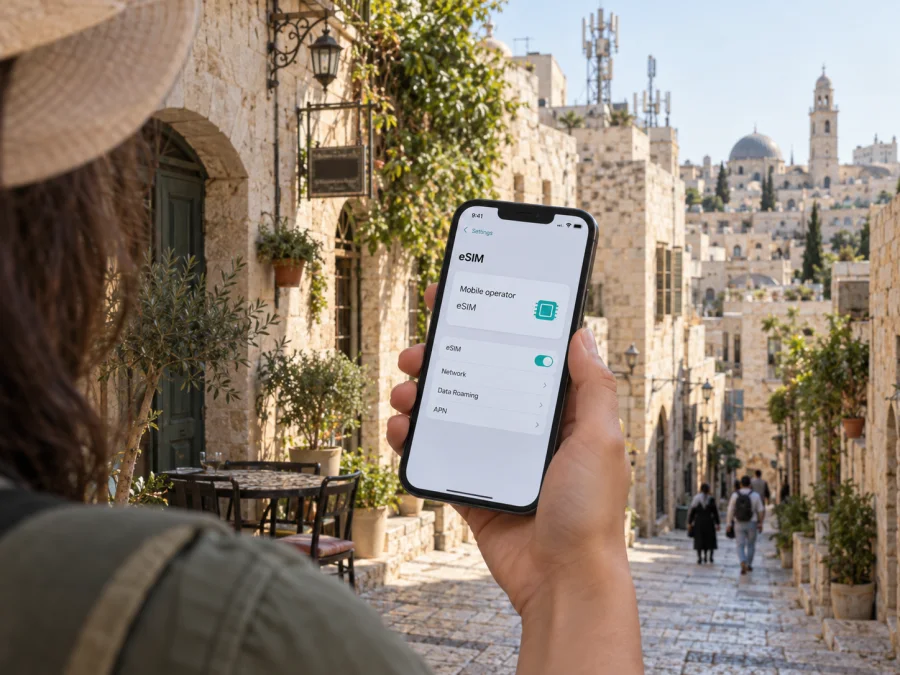
Ooredoo eSIM in Palestine: activation, compatibility and travel checks
Ooredoo is a third-party telecommunications brand. Kaspersky eSIM Store is not affiliated with Ooredoo and is not its official partner or distributor. Brand names and trademarks belong to their respective owners.
When planning mobile service for a trip, check more than whether your phone supports eSIM. You also need to know whether Ooredoo will issue a line to you, what registration it requires, and which network service is available along your route. Ooredoo publishes eSIM request and QR-installation instructions for Palestine. The operator’s latest eligibility rules and service conditions should be confirmed directly before travel.
This guide summarizes Ooredoo’s public eSIM process, its stated technology limits, and the difference between a local line and a travel data eSIM. Pages named below were checked on 28 September 2026. A dated visitor campaign is identified as historical, not treated as proof of a current offer.
Ooredoo in Palestine
Ooredoo Palestine is a local mobile operator and part of the Ooredoo group. Its “Overview” page says commercial service began in the West Bank in November 2009, under the name Wataniya Mobile; this history does not establish current coverage at a particular address.
Geography and local conditions matter. Ooredoo’s current “3G bundle” guidance says its 3G service is available only to subscribers in the West Bank. Its 2025 annual report discusses further 3G network work, including infrastructure activity in Gaza, but an annual report is not a live coverage map or a promise of service in every location. Ask Ooredoo about the places on your itinerary and keep offline maps and important travel details available.
Ooredoo’s dedicated eSIM page confirms that the company supports eSIM in Palestine. It describes a digital SIM profile for calls, messages and internet, added by scanning a QR code. That does not mean every visitor is eligible, every phone variant is compatible, or service will be available throughout the destination.
Is Ooredoo eSIM available in Palestine?
Yes. Ooredoo Palestine currently publishes an eSIM page and an FAQ entry for requesting a new eSIM or converting an existing Ooredoo SIM. Checked on 28 September 2026, its pages direct customers to the website, My Account app, and stores or authorized agents, depending on the request.
The online service distinguishes a new SIM request from replacement of an existing SIM with eSIM. The replacement flow is intended for a mobile phone and shows number selection, verification, subscriber information and completion steps. The FAQ also describes ordering a new eSIM online or in the app, and converting an existing line online or through a store or agent. These are the operator’s published routes, not a guarantee that every account can use every route.
Ooredoo’s public pages do not state a universal rule for non-resident visitors. Before relying on a local line, ask whether visitor registration is currently accepted, which identity documents are needed, whether you must visit a store, and whether an existing number or account is required. Do not assume that completing an online form alone completes registration.
Ooredoo Palestine also promoted visitor SIM and eSIM service in an official video published on 3 June 2024. That confirms a tourist-facing offer was advertised then, but not that it remains active. The current website presents general mobile campaigns and 3G information; rotating campaign content is not a stable visitor eligibility rule. Ask Ooredoo whether a prepaid or tourist option is available on your travel date and where it can be obtained.
Checks before you request an eSIM
Check the exact device. Ooredoo’s eSIM page names iPhone XS or later, Samsung Galaxy S20 and later supported families including Fold and Flip, Note20 or later, and Google Pixel devices. Treat these as examples: support can vary by model, sales region, software and carrier lock. Check the manufacturer’s current specifications and Ooredoo’s latest compatibility guidance. An eSIM-capable phone may still be locked to another carrier.
Check registration. A new line and a conversion of your current Ooredoo SIM can involve different steps. The conversion flow includes verification of the existing number; a new line may require subscriber information. Ask whether a passport or another identity document is required, whether registration must happen in person, and whether your visitor status is accepted. Rules may differ by channel and can change.
Keep internet access available. Ooredoo says to connect the phone to the internet before scanning its QR code. If you are converting your main line, find out when the physical SIM will stop working and how you will receive any verification message. Avoid beginning a conversion when you cannot receive messages or contact support. Keep order details somewhere other than the phone being set up.
Confirm the local service. Ooredoo’s 3G guidance says this service is available only to subscribers in the West Bank. Its separate 4G and 5G information concerns roaming on networks abroad; it does not demonstrate domestic 4G or 5G availability in Palestine. A network mode shown in phone settings is not proof of local operator service. Ask about the actual destination areas and currently supported technology.
Local Ooredoo line or travel eSIM?
Choose based on what you need. A local Ooredoo line may suit travelers who need an operator-issued local number, ordinary calls or SMS, or a local account. A travel eSIM may suit someone who mainly wants mobile data and prefers to arrange service online. The two are different services; verify their individual features instead of assuming they are interchangeable.
If you are considering mobile data for the destination, you can view eSIM options for Palestine. Kaspersky eSIM Store is an app and website that helps travelers choose, arrange and activate an eSIM with a plan for mobile internet abroad. It is not a mobile operator, network owner or provider of radio coverage. Check the live destination page for availability and the current terms before deciding.
Do not assume a travel data eSIM includes an Ooredoo phone number, ordinary voice calls or SMS. Review the selected service description. You may keep your regular SIM active for calls or verification and assign the travel eSIM to mobile data; dual-SIM settings vary by phone. Decide which line should handle data, calls and messages before departure.
| Consideration | Ooredoo local eSIM | Travel data eSIM |
|---|---|---|
| Main role | Ooredoo subscriber line | Travel mobile data |
| Request route | Ooredoo online, app or local channel | Selected service’s website or app |
| Registration | Confirm current Ooredoo requirements | Check account and device rules |
| Phone number | Depends on the Ooredoo line | Do not assume a local number is included |
| Connectivity | Depends on Ooredoo and location | Depends on the destination service |
This is a reference table, not a plan comparison. Before choosing, note whether you need a local number, how you will receive verification codes, whether the phone is unlocked, and which places you will visit. Save essential travel details for offline use.
How Ooredoo eSIM activation works
Ooredoo’s instructions use a QR code to add the eSIM profile. The general sequence is: request the eSIM through an eligible Ooredoo channel, connect the phone to the internet, open its mobile or cellular settings, select the option to add an eSIM or mobile plan, scan the supplied QR code, and follow the prompts until the profile is installed.
Ooredoo’s iPhone example uses the Camera app and cellular-plan prompts; its Android example uses Connections or SIM management, Add mobile plan and QR scanning. Menus vary by device and software. If the QR code is on the phone being configured, display it on another screen or ask Ooredoo about another supported method.
After installation, label the line and choose which SIM handles data, calls and messages. Ooredoo says a device can store multiple profiles, but the number that can be active simultaneously depends on the handset. If service does not start, confirm registration with Ooredoo and follow its troubleshooting guidance. Avoid deleting the profile before asking the provider, since it may need to issue a replacement QR code.
Use the manufacturer’s instructions for your phone’s current menus. Kaspersky eSIM Store also provides a travel eSIM setup guide. The eSIM device compatibility guide is a general pre-purchase checkpoint; it does not replace Ooredoo’s approval of a device or subscriber line.
Coverage and supported technologies
A country-level network label does not guarantee service in every town, building or route. Terrain, indoor walls, maintenance and local conditions can affect reception. Check important locations with Ooredoo and prepare a backup for essential information.
For technology, Ooredoo’s current 3G bundle guidance says 3G is available only to subscribers in the West Bank. The same page explains that a handset may display 3G, H or H+ when using the service. Ooredoo’s 2025 annual report refers to further 3G network expansion. Together, these sources support describing 3G as the documented local technology with geographic limits; they do not establish uninterrupted coverage or a particular speed.
Ooredoo separately describes 4G and 5G roaming on selected networks abroad. Roaming refers to an Ooredoo subscriber using a network in another country; do not confuse it with domestic coverage in Palestine. Similarly, generic LTE or 5G options in a handset’s settings do not confirm that those technologies are available on the operator’s local network. Confirm the service for your precise location and current travel date.
Prepaid and visitor offers
Ooredoo’s current public website presents general mobile campaigns and information about 3G service. Its official visitor SIM/eSIM video, published in June 2024, shows that a tourist-facing service was promoted at that time. The older video does not confirm current availability. Ask Ooredoo whether prepaid or visitor service is offered on your travel date, which registration documents apply, and whether it can be arranged online or only through a local channel.
Before accepting an offer, confirm whether it includes voice or messaging, the intended service areas, registration steps and support channels. Check current terms at the time of ordering because online pages and campaigns can change. This guide intentionally omits individual plan names and plan-level conditions.
Travel checklist
- Confirm that your exact phone variant supports eSIM and is not carrier-locked.
- Ask Ooredoo whether it currently registers visitors and which documents or subscriber checks apply.
- Identify whether you are requesting a new line or converting an existing Ooredoo SIM.
- Make sure you can receive verification codes and have internet access during setup.
- Arrange another screen or supported method to display the QR code if needed.
- Confirm local service and supported technology for each area on your route.
- Save support details, order information, addresses and maps for offline access.
- After installation, select the intended mobile-data line and test the connection.
- Keep your regular number available if you need calls, messages or account verification.
- Do not delete an installed profile unless the provider confirms how to restore it.
Frequently asked questions
Can I get an Ooredoo eSIM in Palestine?
Ooredoo Palestine publishes current instructions for requesting a new eSIM and converting an existing SIM. Whether a particular visitor can register and which request channel they can use should be confirmed with Ooredoo. Its eSIM and FAQ pages were checked on 28 September 2026.
Does every iPhone or Android phone support eSIM?
No. Compatibility depends on the exact model, regional variant, software and carrier lock. Ooredoo lists selected iPhone, Samsung and Google Pixel families as examples. Check the current device specifications and operator guidance before requesting a profile.
Is a tourist eSIM offer available now?
Ooredoo promoted a visitor SIM and eSIM in an official video published in June 2024. That video does not establish that the offer is still active. Check current visitor eligibility, request channels and document requirements with Ooredoo.
In summary
Ooredoo currently documents eSIM ordering and SIM conversion in Palestine, with QR-based setup and several request channels. Before relying on a local line, a traveler should confirm visitor eligibility, documents, handset support and the status of any tourist offer directly with the operator. Ooredoo’s published 3G service is geographically limited to West Bank subscribers; its 4G/5G roaming information does not establish domestic availability. Kaspersky eSIM Store is an app and website for arranging and activating a travel eSIM, separate from Ooredoo and not a network operator. Check current conditions against the specific places you will visit.
Public pages checked 28 September 2026: Ooredoo Palestine’s “eSIM,” FAQ, online SIM request, 3G guidance and West Bank campaigns; Ooredoo Group’s 2025 Palestine annual report; Ooredoo Palestine’s visitor SIM/eSIM video (3 June 2024); Kaspersky’s official Kaspersky eSIM Store blog and Palestine destination page. Consult the named publishers for current details.


