Travel connectivity guide
Ooredoo eSIM in Qatar: what travelers should know
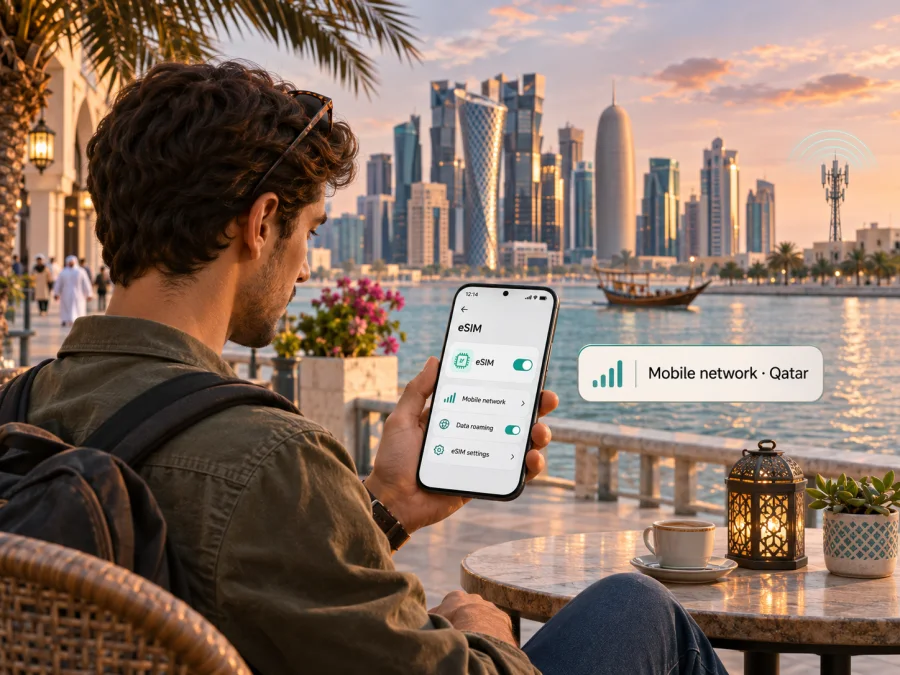
Ooredoo eSIM in Qatar: what travelers should know
If you are planning a trip to Qatar and searching for an Ooredoo eSIM, the key point is that Ooredoo publishes eSIM options for both prepaid and postpaid customers, as well as a visitor SIM purchase route that can be completed as an eSIM. The right path depends on whether you need a new local line for a visit or want to convert or replace an existing Ooredoo SIM. Check the eligibility and setup steps that apply to your case before you travel.
Qatar is a country on the Arabian Peninsula, and Doha is its capital and main international arrival hub. Ooredoo operates a public mobile network in the country. Its official eSIM page describes QR-code activation and account-based conversion, while its visitor information explains how a traveler can obtain an eSIM or physical SIM. These are useful starting points, but the exact requirements can depend on your device, identity documents, and the route you choose. On 3 November 2026, Ooredoo Qatar’s “Get an eSIM,” “EasySIM,” “Visitor SIM,” and “Ooredoo Prepaid SIM” pages described these options; the Communications Regulatory Authority’s “CRA Issues Decision to Mobile Service Providers to Enhance Consumers’ Experience” notice (1 September 2024) covers the national mobile-network framework. Kaspersky eSIM Store’s Qatar page was also checked for the travel-data alternative.
Is an Ooredoo eSIM available in Qatar?
Yes. Ooredoo Qatar currently describes eSIM as available for prepaid and postpaid plans. The operator’s “Get an eSIM” page says a new eSIM can be activated using a QR code sent by email, and existing Ooredoo customers can use account services to convert a physical SIM to eSIM or move an eSIM to a new device through supported steps. The page also points users to an Ooredoo app activation flow. Ooredoo’s EasySIM and Visitor SIM pages describe online eSIM selection for new customers and visitors.
For a visitor, this means a locally issued Ooredoo eSIM may be an option if you meet the operator’s current registration requirements and your device is supported. It does not mean every traveler, phone, or entry situation will qualify automatically. Ooredoo’s prepaid self-service flow asks customers to verify identity, and its eShop describes Qatar ID or passport scanning alongside a selfie video. A visitor should confirm which original, valid document is accepted for their nationality and stay, and whether online verification can be completed before arrival or only in Qatar.
The traveler page also presents an option to purchase an eSIM immediately or have a physical SIM delivered in Qatar. It lists arrival locations for in-person purchase at Hamad International Airport. Treat the airport counters as a fallback if digital registration does not work, rather than assuming you must wait until you land: check the current purchase process and hours with Ooredoo before departure. The operator may update identity checks, ordering steps, or the way it issues an eSIM.
Ooredoo’s role in Qatar’s mobile market
Ooredoo is a Qatar-based telecommunications provider serving local residents, businesses, and visitors. The Communications Regulatory Authority identifies Ooredoo Qatar among the public mobile service providers in the State of Qatar. For a traveler, the practical relevance is that an Ooredoo SIM or eSIM is a local connection issued for use in the Qatar market. It is not the same product as an international travel eSIM selected for multiple destinations.
The operator’s own network information describes support for 2G, 3G, 4G, and 5G technologies in Qatar. It also provides a coverage section and a device compatibility checker. The regulator’s notice on spectrum use refers to 4G and 5G mobile-network technologies in Qatar. This establishes the technologies discussed by the operator and regulator; it does not guarantee that a particular device will attach to every generation or that a specific indoor, rural, or border location will have service. Actual access can vary with the handset, local signal conditions, construction, network configuration, and temporary maintenance.
The operator’s eSIM page lists compatible device families and includes a model checker. Device lists can change, and two phones with similar marketing names can have different eSIM support depending on the region or model number. Do not assume that a device is compatible because a related model supports eSIM, or because it has a physical SIM tray. Check the exact variant in Ooredoo’s current checker and in the device manufacturer’s specifications.
Local Ooredoo eSIM or travel eSIM?
A local Ooredoo eSIM is worth considering when you want a Qatar-issued line, local service, and an option associated with the operator’s prepaid or postpaid services. A visitor offer may require local identity registration, and the operator controls the account, line, any included calling functions, and the local service conditions. If you need an ordinary local number for calls or messages, verify what the selected Ooredoo option actually includes and how long the number remains active. Service conditions can change, so check the current Ooredoo terms before you choose.
A travel eSIM is designed for mobile data during a trip and may be useful when you prefer to prepare connectivity online before departure or want a separate data line alongside your home SIM. Kaspersky eSIM Store is an app and website that helps you choose, purchase, install, and activate an eSIM with a data plan for international travel. It is not a mobile operator, does not own a network, and does not itself provide mobile internet coverage. A travel eSIM may use a local network while you are in Qatar, but the supported destination and current plan conditions should be checked in the Store before purchase.
If you want to review the travel-data option for the destination, browse current eSIM options for Qatar. The page is for checking available travel eSIM choices; it is not an Ooredoo tariff page and does not imply that any listed service is supplied by Ooredoo. Confirm the destination, supported network details, data-only limitations, activation timing, and refund terms shown for the option you are considering.
Before you order an Ooredoo eSIM
Use this short checklist before choosing a local eSIM in Qatar:
- Confirm the exact device variant. Check the full model number or regional variant in Ooredoo’s compatibility tool. Also confirm that the phone is not carrier-locked and that eSIM is enabled for that model in the country where it was sold.
- Decide whether you need a new line or a SIM conversion. A visitor purchasing a new number follows a different process from an existing Ooredoo customer transferring a number or converting a physical SIM.
- Check identity requirements. Ooredoo’s online EasySIM materials describe identity verification. Confirm which original, valid document you need and whether the flow accepts your passport for your specific situation. Keep the document details consistent with your booking and registration information.
- Make sure you can complete the online checks. The published self-service process can require a camera, a clear document image, a selfie, and an email address. Use a reliable connection and complete the steps yourself; never send a QR code or one-time verification details to another person.
- Use a stable internet connection for installation. Downloading a cellular profile usually requires internet access. If you install after landing, use secure Wi-Fi or another connection until mobile data is available.
- Keep access to your email and operator account. QR codes and activation instructions may be delivered electronically. Save the relevant order details securely and do not delete an existing eSIM or reset your phone before the new line is confirmed working.
- Review what the line includes. Check whether it is data-only or also supports voice calls and SMS, how local usage is treated, and what actions can create extra charges. Do this in the current terms rather than relying on an old screenshot or a travel blog.
- Keep a backup for arrival. Save the hotel address, transport details, and essential maps offline. If the digital activation or identity check fails, ask Ooredoo support or visit an airport sales point if available.
How Ooredoo eSIM activation generally works
Ooredoo describes QR-code delivery and app-based activation. The exact screens depend on the device and the route you choose, but a typical process looks like this:
- Confirm that the phone is eSIM-capable, unlocked, and supported by Ooredoo. Check the exact device version, not just the product family.
- Choose the relevant Ooredoo path: a new prepaid or visitor connection, a postpaid account, or conversion of an existing Ooredoo SIM. Complete the registration and identity checks requested for that path.
- Follow the operator’s delivery instructions. If it provides a QR code, keep it available on another screen or printed page so the phone can scan it. Some supported activation flows may use the Ooredoo app instead.
- Connect the phone to Wi-Fi or another working internet connection. On iPhone, go to Settings → Cellular (or Mobile Data) → Add eSIM and follow the on-screen instructions. On Android, the wording varies by manufacturer; look under Settings → Connections or Network & Internet → SIMs → Add eSIM and scan the operator’s QR code if prompted.
- Give the new line a clear label, such as “Qatar,” so you can distinguish it from your home SIM. Choose which line should handle mobile data, calls, and messages. Do not disable your home line unless you intend to.
- Turn on the Ooredoo line when instructed, then wait for registration on the network. Test a web page and any service you need before relying on the connection for navigation or transport.
For general travel eSIM setup, check eSIM device compatibility before buying. On a compatible iPhone, open Settings → Cellular → Add eSIM and use the installation method provided after purchase. On Android, find the SIM or mobile network settings and follow the app’s on-screen steps or scan its QR code. The menu names differ across Android versions and manufacturers. Install while connected to Wi-Fi, and use the data line only when you want the travel eSIM to carry mobile traffic.
Using the connection during a Qatar trip
After installation, choose the correct line for mobile data in your phone settings. If you keep a home SIM active for calls or verification texts, confirm its roaming settings with your home carrier before travel. Set the travel line as the data line only when its plan is intended to be used in Qatar. This helps avoid unintentionally using roaming data on a home line, but it does not replace checking your home operator’s charges.
Some travel eSIM profiles require data roaming to be enabled for that profile to connect. Follow the instructions supplied for the eSIM you bought and enable roaming only on the line that needs it. The eSIM’s plan conditions determine how traffic is charged; the phone setting itself does not change the package terms. If you use dual SIM, verify which line is selected for mobile data and disable automatic data switching if your phone could move traffic to the home SIM.
If you use a data-only travel eSIM, keep the home line available for services that depend on your usual number. Messaging and voice applications can work over mobile data if your accounts are already set up. A travel data eSIM should not be presented as a replacement for a local telephone number, emergency calling, or SMS unless its specific terms expressly say so. For emergencies, follow local guidance and keep essential contact information accessible offline.
What to do if activation does not work
Start with the simplest checks: confirm that the phone is unlocked and eSIM-compatible, check the internet connection, and make sure the QR code or app flow has not already been used. Verify that the phone’s date and time are automatic, that the correct mobile line is active, and that the profile is selected for data. If you have just arrived, allow a short time for network registration and move to an area with a clear signal.
If an Ooredoo profile does not download or connect, use the current instructions in the Ooredoo app or Help Centre and contact the operator before reinstalling the profile. Be ready to provide the order or account reference through an official channel, but do not post a QR code, full identity document, PIN, or one-time code in a public forum. For account conversion, keep the original SIM and device until the support team confirms the transfer has completed.
For a Kaspersky eSIM Store travel plan, check the installation status in your account, confirm the destination shown in the plan, and read the setup guidance for your device. If you need help, use the support option inside the app or website. The data plan, its network access, and coverage are subject to the terms displayed for that plan and the local network available at your location.
Frequently asked questions
Can I get an Ooredoo eSIM before traveling to Qatar?
Ooredoo’s visitor page describes an eSIM purchase route, and its general eSIM page describes online activation. Whether you can complete the full process before departure depends on the current registration flow, eligible identity document, payment and delivery steps, and device. Confirm the sequence directly with Ooredoo, especially if your trip begins soon or you need connectivity immediately after landing.
Can a tourist use Ooredoo prepaid eSIM?
Ooredoo currently describes prepaid and visitor eSIM options. The official online process includes identity verification, and requirements can differ by service and customer type. Check whether your passport is accepted, whether your details must be verified in Qatar, and whether the selected line is available to visitors before purchasing.
Is every eSIM-capable phone supported?
No. A device may support eSIM in one regional variant and not another, and carrier-locking can also prevent activation. Use the exact model or variant in Ooredoo’s checker and check the manufacturer’s guidance. If your device is not supported, ask the operator about a physical SIM or use a compatible travel device.
Will Ooredoo eSIM work across all of Qatar?
Ooredoo publishes network and coverage information for Qatar, including support for several mobile generations. Coverage and service can still differ by location, building, device, and conditions at the time. Consult the live coverage resources for the places you plan to visit and keep offline navigation available where connectivity is essential.
Can I keep my home number while using an eSIM in Qatar?
Many dual-SIM phones can keep a physical SIM or another eSIM active alongside a travel profile, but the exact capabilities depend on the handset. Choose the data line deliberately and check roaming conditions with your home carrier. Do not assume both lines can be active in every configuration or that your home SIM will avoid roaming charges automatically.
A practical choice for your trip
For a Qatar-issued number and local operator service, start with Ooredoo’s current visitor or prepaid information and confirm identity, device, and service conditions. If you already have an Ooredoo account, check the operator’s SIM management route for conversion or transfer. For a data-focused option that you can prepare digitally, Kaspersky eSIM Store helps you choose and activate a travel eSIM; review the Qatar destination page and the exact plan conditions before purchase.
There is no single setup that suits every traveler. Your decision should follow what you need the connection to do: access local service, preserve an existing number, use mobile data during a short visit, or cover several stops in a longer itinerary. Verify device compatibility, document requirements, the activation method, and the line’s calling and data behavior before you leave. Keep a backup plan for arrival in case online registration or network setup takes longer than expected.
Ooredoo and its name are the property of their respective owner. Kaspersky eSIM Store is not affiliated with Ooredoo and is not its official partner or distributor. Ooredoo’s service conditions, registration steps, supported devices, and network information may change; confirm current details with the operator before making a purchase.


