Travel connectivity guide
Ooredoo eSIM in Tunisia: setup and coverage
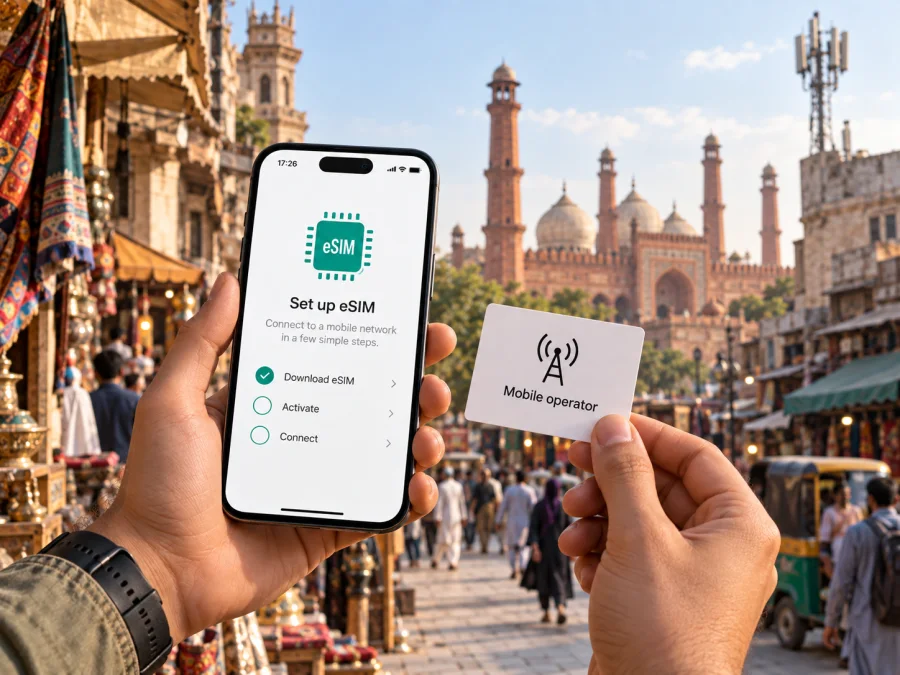
Ooredoo eSIM in Tunisia: activation, coverage and travel options
Ooredoo Tunisia’s public eSIM and tourist offer pages were checked on 27 September 2026. Confirm current eligibility and conditions directly with Ooredoo before purchase.
Ooredoo and its marks belong to their respective owner. Kaspersky eSIM Store is not affiliated with Ooredoo.
Ooredoo is a mobile operator serving Tunisia. Its public pages confirm eSIM support, QR-code activation and a visitor-oriented prepaid offer available as eSIM. For travelers, the practical questions are whether a specific phone is supported, how the profile is issued, which requirements apply to visitors and whether the network covers the planned route.
This guide explains what to check before ordering, how activation works, and how a local Ooredoo service differs from a travel eSIM. It omits offer names and all plan-specific parameters. Those conditions can change, so consult Ooredoo’s current channels before making a decision.
Is Ooredoo eSIM available in Tunisia?
Yes. Ooredoo Tunisia’s official eSIM information page explains the embedded SIM service, how to convert a physical SIM to eSIM, and how to install an eSIM profile using a QR code. The operator’s online shop also has an eSIM activation flow and a separate FAQ. Its English tourist information page describes a prepaid option for people travelling to Tunisia and explicitly says that an eSIM version is available. These are direct public confirmations of general eSIM availability in Tunisia, including a visitor-oriented route.
Availability does not mean that every traveler can complete every type of order in the same way. A new customer, an existing Ooredoo subscriber replacing a physical SIM, and a visitor purchasing a tourist product may be handled through different processes. Ooredoo’s public pages describe online and shop-based routes for converting an existing SIM, while the visitor offer is presented as a preorder. The pages reviewed do not settle every case involving foreign citizenship, payment method, identity documents, eSIM delivery, or whether remote activation can be completed from outside Tunisia. Check these points with Ooredoo before relying on a specific route.
The central distinction is between eSIM technology and the commercial service attached to it. An eSIM is a digital SIM profile stored by a compatible device. It does not, by itself, guarantee that a new line can be issued to any applicant or that an existing number can be moved without checks. The operator controls customer eligibility, profile issuance and any replacement process. A phone may support eSIM and still need to pass Ooredoo’s compatibility or account checks.
What to check before ordering
Start with the exact phone model and its regional variant. eSIM support can vary between devices that share a marketing name, and a handset purchased in one market may differ from a version sold elsewhere. Check the manufacturer’s specifications for the model number, confirm that the device is not carrier-locked, and review Ooredoo’s supported-device information. The operator’s FAQ notes that compatible devices must also be certified by Ooredoo. For an existing phone, its troubleshooting page points users to the device’s EID as a compatibility clue; this can be found in settings or by using the device’s standard IMEI/EID information screen. An EID alone is not a guarantee of operator acceptance.
Then determine which transaction applies to you. If you already use Ooredoo and want to replace a physical SIM with an eSIM, its instructions describe making the conversion through the customer area or at an Ooredoo shop. If you are a new subscriber, ask how the initial number and eSIM profile are issued. If you are visiting, use the current tourist information and verify whether the ordering flow accepts your details and payment method. Do not assume that a tourist preorder, a local resident’s account conversion and a new local subscription have interchangeable requirements.
Before departure, make sure that you can receive the profile and read the installation instructions. Ooredoo’s activation guidance says a Wi-Fi or mobile data connection is needed when adding the eSIM. Save the QR code and any order confirmation somewhere accessible, but protect them as account credentials: the QR code is intended for a single device and should not be posted publicly or sent to an unknown person. Ask Ooredoo whether the code can be reissued if it is lost, used accidentally, or linked to a phone that later fails.
If you need calls or text messages on a local number, ask specifically whether the visitor eSIM process provides the local service you need, and how incoming communication works after installation. The operator’s general eSIM FAQ says its eSIM follows the services associated with the relevant SIM, but that does not establish the contents of every visitor offer. Confirm the current product terms without relying on assumptions based on a physical SIM or another customer’s experience.
A short preparation checklist
- Check the exact phone model and regional variant for eSIM support.
- Confirm the device is unlocked and accepted by Ooredoo for the intended service.
- Ask which documents and customer details are required for a visitor or new line.
- Confirm whether the profile is delivered digitally, collected in person, or handled another way.
- Keep a reliable internet connection available during installation.
- Ask about the one-device QR-code rule and the process for replacement or transfer.
- Check the operator’s current coverage tools for the places and network technology you expect to use.
How activation works
Ooredoo describes eSIM activation through a QR code. The precise menu labels differ among phone makers and operating system versions, but the underlying sequence is familiar: connect to the internet, open the phone’s mobile-network settings, add a cellular or mobile plan, and scan the QR code issued for that line. Review the plan details shown by the device before confirming, then wait for the profile to install. The operator’s iPhone and Android instructions both call for internet connectivity during setup.
For an iPhone, the broad path is Settings → Cellular or Mobile Service → Add eSIM, followed by the option to use a QR code. For Android, look under Settings → Network & internet or Connections → SIM manager, then choose the control for adding or managing an eSIM. Names and locations can differ by manufacturer. Follow the current instructions on the phone and Ooredoo’s activation page rather than searching for an identical screen on a different model.
After installation, give the profile a clear label such as “Tunisia” so you can distinguish it from your primary line. Select which line should handle mobile data, calls and messages. If you keep a physical SIM active alongside eSIM, review the dual-SIM settings carefully: one line can be selected for data while another handles calls or SMS, depending on device support and the selected service. When roaming settings are involved, understand which line they apply to before turning them on; settings for your home SIM can have separate billing consequences.
A QR code should be treated as a one-device activation credential. Ooredoo’s FAQ says the same code cannot be used on multiple phones and explains that the profile is associated with the first device where it is registered. The operator also says a replacement may be needed when changing devices. Avoid deleting a working profile until Ooredoo has explained how to obtain a new one. If you change phones, lose the device, or remove the profile by mistake, contact the operator through its official support channels for the current recovery process.
If installation fails, check the basics before repeating the process: confirm internet access, ensure the QR code is clear and belongs to the intended line, verify eSIM support and software compatibility, and restart the phone if needed. Ooredoo’s help pages point users toward customer support or a shop if the problem continues. Do not scan the same code repeatedly across different devices or share it with a third party in an attempt to troubleshoot.
Network coverage and supported technologies
Ooredoo’s Tunisia pages provide a coverage checker and identify 2G, 3G and 4G as selectable layers on its coverage map. Its English coverage page includes a 5G compatibility checker, while the operator’s customer-support response explains that access to 5G depends on a compatible phone and coverage in the user’s area. That response advises checking the location through the operator’s eligibility tool. Taken together, these sources support that Ooredoo provides 4G service and offers 5G access in eligible areas, subject to device and location requirements.
Coverage is geographic and technology-specific. A national map cannot promise the same indoor reception, capacity or data experience at a hotel, station, rural road, island, or crowded event. Building materials, terrain, local demand, handset bands, device settings and maintenance can all affect whether a particular connection is usable at a given moment. Use Ooredoo’s current map or eligibility checker for precise locations on your route, and ask the operator if an exact address matters. The public coverage map is a planning aid rather than an assurance of uninterrupted service.
The operator’s English coverage page also includes a device compatibility route for 5G, asking customers to check their phone using account or device information. Therefore, seeing 5G in a general description is not enough to conclude that every handset, SIM profile or location can use it. A compatible phone, eligible service and local coverage must line up. If your phone does not meet those conditions, it may connect using another available technology; the exact behavior depends on the device and network.
Tunisia is not one uniform coverage zone. Travelers commonly move between coastal cities, the capital, inland towns, archaeological sites and open landscapes. A route that includes several different environments should be checked point by point, particularly if navigation, transport coordination or remote work depends on a connection. Download maps, tickets, accommodation details and other essential information for offline use before moving between areas. This is ordinary travel preparation and remains useful regardless of which SIM profile you use.
Local Ooredoo service or a travel eSIM?
A local operator service and a travel eSIM address related but distinct needs. Ooredoo connects a line to its own Tunisian service and has a tourist prepaid route that is available as eSIM, according to its visitor page. That may be relevant if you want a local operator relationship or are considering a visitor-specific product. A local line can involve operator eligibility, account setup, documentation, identity checks, collection steps or customer support arrangements. Confirm the current requirements with Ooredoo before purchase.
A travel eSIM service is designed around preparing mobile data for a trip, often through an app or website. The Kaspersky eSIM Store is an app and website for choosing, purchasing and activating an eSIM plan for mobile internet while travelling abroad. Kaspersky’s public explanation says the travel eSIM it describes is for data transmission; the details of the available service should be checked in the current app or website. It is not a Tunisian mobile operator, does not own or operate Ooredoo’s network, and does not provide the underlying radio coverage.
If you are comparing approaches, first write down what you need: local calls, a local number, data-only access, or a way to keep your home SIM active. Then check whether your device supports dual SIM operation and whether the intended profile meets those needs. Do not assume that eSIM means data-only or that a local operator eSIM and a travel eSIM provide the same services. Read the product description and current conditions for the exact option you plan to use.
Travelers who prefer to set up connectivity before flying may consider browsing the Kaspersky eSIM Store options for Tunisia. Check device compatibility, supported destination coverage, activation requirements and the current product terms before completing a purchase. Availability shown for a destination does not establish that Ooredoo is the network behind a travel eSIM, and the service can use a partner network under its own arrangements.
Common questions
Can a visitor get Ooredoo eSIM?
Ooredoo’s visitor page confirms a tourist prepaid eSIM option. Confirm current eligibility, documents and ordering steps directly with the operator.
Can I reuse its QR code?
Ooredoo says a QR code is linked to one device. Ask support about replacement or transfer before deleting the installed profile.
Does eSIM guarantee coverage?
No. Coverage depends on location, phone capability and the selected service. Check Ooredoo’s current coverage and eligibility tools for your route.
Public information reviewed
- Ooredoo Tunisia, “eSIM” information and FAQ, including QR-code activation and SIM conversion guidance; page accessed 27 September 2026.
- Ooredoo eShop, “eSIM Activation” and eSIM FAQ; page accessed 27 September 2026.
- Ooredoo Tunisia, “Holiday SIM preorder” visitor information, which states that an eSIM option is available; page accessed 27 September 2026. Offer parameters are intentionally omitted here.
- Ooredoo Tunisia, “Network coverage” and coverage map; page accessed 27 September 2026.
- Ooredoo Assistance, response on 5G activation and location eligibility, dated 15 February 2025; reviewed 27 September 2026.
- Kaspersky, “How to buy and connect a travel eSIM with Kaspersky eSIM Store,” 17 June 2025; reviewed 27 September 2026.


