Travel connectivity guide
Operators in Abkhazia eSIM in Georgia: what to check
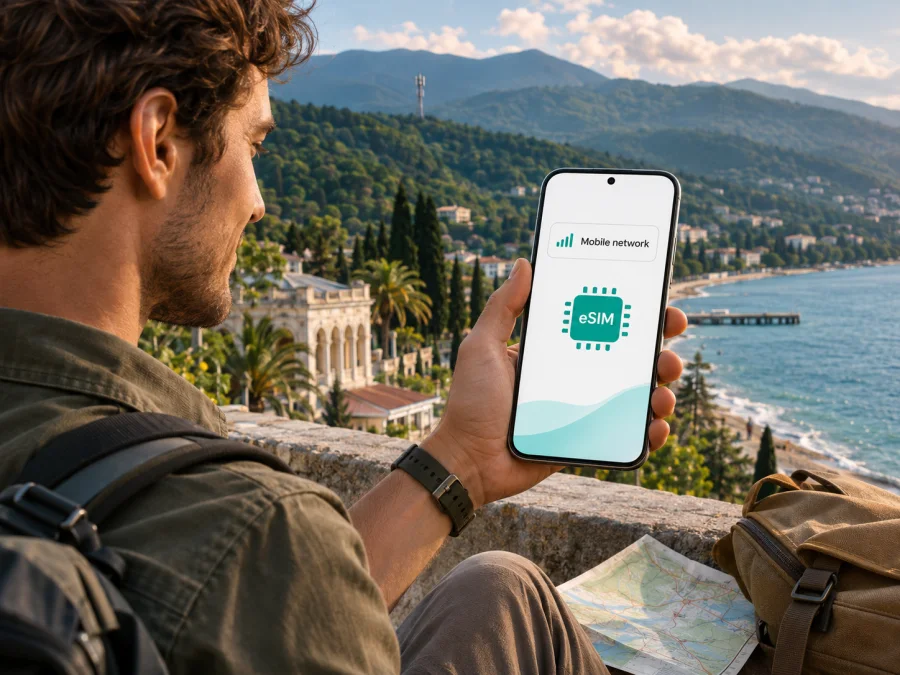
Operators in Abkhazia eSIM in Georgia: what travelers should check
Aquafon and A-Mobile are names used by local mobile operators in Abkhazia. Their names and marks belong to their respective owners. Kaspersky eSIM Store is not affiliated with, endorsed by, or an official partner or distributor of either operator.
If you are planning a trip to Abkhazia and searching for “Operators in Abkhazia eSIM,” the first practical point is that the service market there is distinct from the mobile market described by ordinary Georgia travel eSIM pages. Official ordering information published by Aquafon and A-Mobile confirms that each has an eSIM route for its own service. That does not mean a general-purpose eSIM sold for Georgia will connect to either local network, or that an Abkhaz operator eSIM is available to every visitor or device.
There is also an important geographic and travel-status distinction. Abkhazia is internationally recognized by the United Kingdom and almost all other states as part of Georgia; the UK Foreign, Commonwealth & Development Office describes it as a Russian-occupied region and advises against all travel there. Its Georgia travel advice, current on 4 November 2026, also says consular support is unavailable in Abkhazia and that Georgian law treats entry into Georgia from Russia through Abkhazia as illegal. This article covers telecommunications information only and is not a recommendation to travel. Check your own government’s current advice, entry rules, insurance terms and security information before making travel plans.
What “Operators in Abkhazia” means for eSIM
The phrase “Operators in Abkhazia” is a search topic, not the name of a single carrier. Two local brands appear in the official material reviewed for this guide: Aquafon and A-Mobile. Aquafon’s eSIM ordering site describes it as a mobile operator in Abkhazia; A-Mobile’s official site presents it as a cellular operator serving Abkhazia. These are the operators to contact directly when you need to confirm whether a local profile can be issued for your trip.
The geographic labels used by carriers and travel services may not match. A local operator may describe its service area as Abkhazia, while an international travel product may list Georgia as a country destination. A country label alone is not enough to establish that the profile will register on a network in Abkhazia. Ask the seller which territory and network are covered, and request an explicit answer that names Abkhazia if that is where you intend to use the eSIM.
This distinction also matters when you cross a boundary or follow a route through more than one area. An eSIM profile is provisioned for a service and its supported networks; it does not automatically become a local subscription simply because the phone is physically nearby. A profile intended for the internationally recognized territory administered by Georgia may not be usable on local Abkhaz networks. The reverse is also true: a profile issued by an Abkhaz operator should not be assumed to work elsewhere in Georgia or in another country unless the operator confirms roaming access for that precise destination.
Is eSIM available from local operators?
Yes, official online material from both Aquafon and A-Mobile currently shows an eSIM option. Aquafon’s dedicated eSIM ordering portal lets a customer select a phone model and a service offer before proceeding with an order. The operator’s published service terms define eSIM and refer to its activation code. This verifies that Aquafon supports an eSIM purchase or issue flow; it does not establish that every phone model, visitor category, payment method or route is eligible.
A-Mobile’s official online connection flow presents eSIM as a digital SIM, with online processing and delivery of a profile QR code by email. The same flow indicates identity verification using a passport image before the QR code is sent. Treat that as a current description of A-Mobile’s own process, not a universal rule for every provider. Confirm accepted documents, eligibility, verification method, payment options and support for non-residents directly with A-Mobile before placing an order. Requirements can depend on the operator’s current rules and your circumstances.
The pages were checked on 4 November 2026: Aquafon’s eSIM ordering portal and service terms, and A-Mobile’s official online connection page. The fact that an online form is visible does not guarantee that an order can be completed from abroad. The operator may require a local contact number, identity checks, a compatible device selection, a supported payment method or another step that is not clear until checkout. If anything is unclear, ask the operator’s customer service before paying or travelling.
Neither operator’s public eSIM pages provide enough information to make a blanket promise about tourist availability. In particular, do not assume that “visitor” or “guest” wording means there are no registration requirements. Ask which documents a foreign visitor must provide and whether the eSIM can be issued and installed before arrival. If the operator cannot confirm those points in writing, plan around that uncertainty and retain a physical-SIM or other connectivity option that you can lawfully obtain.
How local eSIM differs from a travel eSIM
A local operator eSIM is intended to identify your device to that operator’s network and may be associated with a local mobile number and the operator’s own service conditions. You obtain it from the operator, follow its registration process and use it within the coverage and roaming arrangements it supports. The operator controls whether it can issue the profile, what identity checks apply and how to activate it.
A travel eSIM is a separate product and may use a partner network or networks. The brand shown in an app or store is not necessarily the organization that owns the radio network. Before choosing one, look at the exact coverage description, supported territory, network access and activation instructions. Do not use “Georgia” on a destination list as evidence of Abkhazia coverage unless the provider explicitly confirms that territory.
Kaspersky eSIM Store is an app and website that helps travelers choose, purchase and activate an eSIM plan for mobile data abroad. It is not a mobile operator, does not own a network and does not itself provide mobile internet coverage. Its public Georgia destination page is useful for checking the plans currently presented for Georgia, but that page does not confirm coverage in Abkhazia. If you review it, check the named territory and network details before purchase and do not treat it as an Abkhazia offer unless Abkhazia is explicitly included in the applicable conditions.
If your trip includes both Georgia and Abkhazia, treat them as separate coverage questions. Verify a local option for Abkhazia with the local provider and verify any travel eSIM for Georgia with its seller. A single phone can store more than one SIM profile on many compatible devices, but the number of active profiles and simultaneous lines depends on the device. Keeping more than one profile installed is not a promise that both will work in the same place.
After this distinction, you can check the eSIM plans currently listed for Georgia. This is a Georgia destination page, not a confirmed Abkhazia plan; confirm the exact coverage territory in the product conditions before ordering.
Network technology and coverage: what can be verified
Coverage depends on the local network, terrain, the position of the phone, congestion, maintenance and the device’s supported radio bands. Coastal towns, roads, mountain areas and indoor locations can produce different results. A coverage statement about towns does not guarantee reception on every road or at every address, and a general service map should be treated as an estimate rather than a promise.
Aquafon’s official news archive documents the launch of 4G/LTE in Abkhaz towns in 2014. That is historical evidence that the operator introduced LTE; it is not a current coverage map, a present-day performance measurement or proof of service in all populated places. The public sources reviewed for this guide did not provide a current, detailed, independently measured coverage map for both operators. Accordingly, this article does not rank their networks or claim that one has wider, faster or more reliable coverage.
Before choosing an operator, request current information for the places on your itinerary. Ask about the towns, accommodation, roads and rural or mountain stops that matter to you. If the operator offers a coverage map, check its date and legend, and ask whether it reflects indoor reception or only outdoor signal estimates. You can also ask which radio technologies are available in your planned locations and which bands the phone must support. Do not infer that 5G is available from a device’s 5G capability or from a generic “LTE/5G” label; confirm the operator’s current commercial service directly.
Your phone must support the radio technology and frequency bands used by the network. Device support varies by exact model and regional variant, even when product names look similar. A handset purchased in another country may have a different modem or band configuration. Check the manufacturer’s specifications for your precise model number, then ask the operator whether it is accepted for eSIM and compatible with local service. No general list can safely cover every regional variant.
Before ordering: a traveler’s checklist
Use these checks before paying. They reduce the risk of buying a profile for the wrong territory or device.
- Confirm the territory. Ask whether the eSIM works in Abkhazia, Georgia, or both. Get a clear answer for every part of your route.
- Confirm the provider and eligibility. Order through Aquafon or A-Mobile’s official channel. Ask what identity documents, local contact details and verification steps are required for a foreign visitor, and whether the order can be completed from abroad.
- Check the exact device. Confirm eSIM support, local radio-band compatibility and carrier-unlock status for the full model number and regional variant. A family name alone is not enough.
- Ask about timing. Check whether to install before departure or after arrival, when service activates, and whether a deleted profile can be restored.
- Keep the delivery details. A-Mobile’s current flow says its QR code is emailed after identity verification. Follow the issuing operator’s instructions and retain access to the email used for registration.
- Check payment and support. Confirm accepted payment methods and how to contact support if verification, installation or registration fails.
- Choose the correct data line. If your home SIM stays enabled, select the intended line for mobile data and check your home carrier’s roaming conditions separately.
- Save an offline fallback. Download maps and keep bookings and essential contacts available without a network connection.
Installing and activating an eSIM
Use the instructions from the operator that issued the profile. Menu names vary by device and software version. The following is general guidance, not a replacement for the operator’s activation steps.
Before setup
- Confirm eSIM support and that the phone is not carrier-locked.
- Connect to Wi‑Fi or another reliable internet connection.
- Keep the QR code or activation details available on another screen, if the operator permits.
- Ask whether to install before travel or wait until you reach the service area.
- Do not delete an installed profile unless the operator confirms that it can be restored.
On iPhone
Open Settings, then Cellular or Mobile Service, and select Add eSIM. Scan the operator’s QR code or follow its manual setup instructions. Label the line and choose which SIM should use mobile data. Menu wording varies by iOS version and region.
On Android
In Settings, look for Network & internet, Connections or SIM manager. Select the option to add or download a SIM, then scan the QR code or enter the details supplied by the operator. Enable and label the profile, then select it for mobile data. Follow the handset maker’s current instructions if your menus differ.
If the profile does not connect
Check that the profile is enabled, selected for data and within its stated coverage area. A restart may prompt the phone to search again, but it will not fix incomplete registration, an unsupported device or a coverage mismatch. Contact the issuing operator with the exact phone model, software version, approximate location and displayed error. Keep the QR code private because it can be used to install the profile.
For travel preparation, check whether your device supports eSIM. That check does not replace the local operator’s confirmation that its own profile and network support your exact device.
Staying connected across a route
Treat Georgia and Abkhazia as separate coverage questions. A country label or roaming icon does not prove that a plan includes a particular network. Ask the seller to name the territory and network in writing, and follow current travel guidance for boundary areas. Mobile reception is not an indication that crossing is permitted or safe.
Ask your home provider about roaming in the precise area. Service in Georgia does not automatically extend to Abkhazia, and a travel eSIM listing Georgia may be limited to named partner networks. Save offline maps, bookings and essential contacts before leaving a reliable connection.
What to expect from prepaid and visitor offers
Local providers may have prepaid or visitor-oriented options, but eligibility and conditions can change. This guide does not list plan names, prices, data amounts, validity periods or included services; check current details directly with the operator.
For either a local or travel eSIM, verify coverage territory, voice and SMS availability, identity checks, hotspot rules and support. A local profile follows the operator’s registration process. A travel profile may be purchased online and delivered electronically. Neither is automatically suitable for every visitor: territory, device, payment and eligibility matter.
Common questions
Do Georgia travel eSIM plans automatically work in Abkhazia?
No. A Georgia label does not confirm access to Abkhaz networks. Check the exact territory and network. The Kaspersky eSIM Store Georgia page lists plans for Georgia but does not itself confirm Abkhazia coverage.
Can a visitor order a local eSIM online?
Aquafon and A-Mobile show online eSIM ordering routes. Eligibility depends on current identity, payment and device requirements. A-Mobile’s flow describes passport-image verification before it emails a QR code; non-residents should confirm the process directly.
Will the eSIM include a number and calls?
It depends on the service. Ask the local operator about its offer; travel eSIMs may be data-only.
Can I install before the trip?
Ask when to scan the QR code and when service activates. Installation and activation can be separate. Do not delete the profile unless the provider explains restoration.
Does eSIM guarantee reception throughout Abkhazia?
No. Reception varies by location, terrain, buildings, device and network conditions. The reviewed official material does not provide a current detailed coverage comparison for both operators.
Is Kaspersky eSIM Store an Abkhaz operator?
No. It is an app and website for choosing, purchasing and activating an eSIM plan for mobile data abroad. It does not own a network or provide coverage, and its Georgia page does not establish Abkhazia service.
A practical decision path
For service in Abkhazia, ask Aquafon and A-Mobile about eSIM issuance for your exact phone and visitor status. Confirm documents, payment, activation, coverage and support. If considering a travel eSIM, ask its seller to confirm Abkhazia by name and identify the network. “Georgia” on a destination list is not enough.
For a trip that also includes Georgia, check that segment separately. Kaspersky eSIM Store can help you review its Georgia listings, but this does not assure Abkhazia coverage. Verify device compatibility and carrier-unlock status, and keep essential travel details offline.
Official pages reviewed on 4 November 2026: Aquafon’s eSIM portal, service terms and archived 4G/LTE launch notice; A-Mobile’s online connection flow; Kaspersky eSIM Store’s Georgia page and product FAQ; and the UK Foreign, Commonwealth & Development Office’s Georgia travel advice, current on that date. Processes, coverage and eligibility can change; confirm them before relying on them.
Need an eSIM for the Georgia portion of your trip? Review the plans currently listed for Georgia and check that the exact territory is covered. Do not assume a Georgia listing includes Abkhazia.


