Travel connectivity guide
Oppo Find N2 Flip 128GB eSIM Compatibility
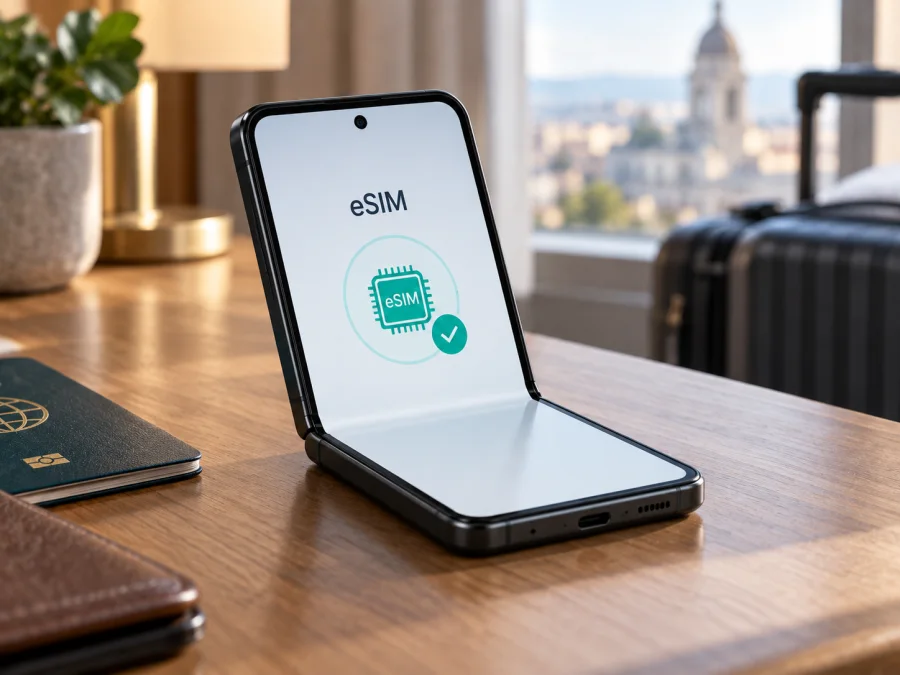
Oppo Find N2 Flip 128GB eSIM compatibility and setup
If you are checking whether Oppo Find N2 Flip 128GB can use an eSIM, the most accurate answer is: it depends on the exact regional handset and carrier, so verify the phone itself before buying a plan. OPPO’s India specifications page for the Find N2 Flip says eSIM support depends on carriers. OPPO’s China specifications page, by comparison, describes that market’s model as a dual Nano-SIM phone. The product name and 128GB storage label alone do not establish which radio and software configuration you have.
That distinction matters when planning a trip. A phone can support 5G and two physical SIM cards without necessarily offering eSIM, and eSIM availability can depend on the model number, market, carrier configuration and ColorOS software. Look for an EID and an option to add an eSIM in the settings on your own device. If neither appears, ask OPPO support or the seller to confirm the model code before you pay for a travel plan.
Quick specifications and what they mean for eSIM
| Item | Oppo Find N2 Flip 128GB guidance |
|---|---|
| Device named in this guide | Oppo Find N2 Flip 128GB |
| Form factor | Foldable Android smartphone |
| Software family | ColorOS; exact version depends on updates and region |
| Physical SIM information | Regional OPPO specifications describe Nano-SIM support; configurations differ by market |
| eSIM status | Carrier and regional version dependent; confirm on the individual handset |
| Storage label | 128GB does not prove or rule out eSIM support |
| Travel data use | Possible only if the phone has working eSIM capability, is not locked, and supports the selected plan’s network |
OPPO’s India and China specification pages list different model codes and storage configurations, and neither reviewed page identifies a 128GB configuration. A 128GB retail label therefore cannot establish the radio or software variant. Match the full model code in Settings or on the box with the specifications for the original sales market, then confirm the EID and Add eSIM option on the handset.
Why Find N2 Flip versions can differ
OPPO’s India product page says “eSIM support depends on carriers,” which is conditional rather than a guarantee for every Find N2 Flip. Carrier certification, firmware and sales region can affect both the eSIM menu and profile provisioning. The China page identifies model PGT110 and lists two Nano-SIM cards, without listing eSIM. Do not assume a China-market device supports eSIM because a similarly named regional model may do so.
The 128GB label is not the technical identifier that decides eSIM support; the OPPO India and China pages reviewed list other storage configurations. Ask the seller for the model code, original market, unlock status and evidence of an EID. Even a phone with an EID may be locked or restricted by its carrier or administrator, so confirm eligibility for the exact model with the carrier and travel plan provider.
Check compatibility before purchasing
Use this checklist on the phone you plan to travel with. It is more reliable than checking only the model family name or a retailer’s product title.
- Find the model code. Open Settings and look under About device, or inspect the original box and purchase record. Record the complete code, including letters and regional suffixes.
- Look for an EID. Open Settings and search for “EID,” “eSIM,” or “SIM status.” You can also dial
*#06#in the phone app; on eSIM-capable phones, the identifier screen may include an EID. Menu behavior can vary by software and market. - Check the SIM settings. Open Settings > Mobile network (the wording may vary) and look for Add eSIM, Download a SIM, or a similar option. A menu label alone is not enough if it is disabled or returns an error.
- Confirm carrier and region support. Ask whether this exact model code is eligible for eSIM and whether the device is unlocked for another provider’s profile.
- Check the travel plan requirements. Confirm that the plan is an eSIM data plan, is valid in your destination, and supports the device’s network bands and activation method.
- Keep the original SIM available. Do not remove a physical SIM that you need for calls, banking codes or account recovery until you know the eSIM is working.
An EID together with a functioning Add eSIM option is strong evidence that the phone can store a profile, but carrier provisioning and plan terms still apply. If the EID or menu is missing or disabled, confirm with OPPO, the seller or carrier; an update cannot add capability to unsupported hardware.
Check this device’s compatibility before selecting a plan. For a second-hand phone, verify the EID, unlocked status and absence of a management restriction before purchase.
How to install an eSIM on the Oppo Find N2 Flip 128GB
Install the profile while connected to stable Wi-Fi, and keep the QR code or activation details available on another screen or printed page. Exact labels in ColorOS depend on region and software version. You generally need to add the profile once; scanning the QR code repeatedly will not create extra copies of the same plan.
- Confirm compatibility and unlock status. Check the EID and Add eSIM option, then make sure the provider supports this model and destination.
- Review the plan. Check data, validity, activation deadline and usage terms. Travel plans often provide data only; a number, calls or SMS are included only when stated.
- Prepare the phone. Connect to Wi-Fi, charge it, and display the QR code on another screen. Keep any manual activation details available.
- Add the profile. In Settings > Mobile network, choose eSIM or Add eSIM. Labels vary by ColorOS version. Scan the code or enter supplied details, then follow the prompts. Avoid deleting a profile after an error because some codes are single use.
- Choose how to use it. Give the profile a clear name, select it for mobile data when appropriate, and keep your usual line enabled for calls or messages if needed.
- Connect and test. Enable data roaming for the travel profile only if its instructions require it. Follow the plan’s activation timing, wait for network registration, then briefly test a webpage with Wi-Fi off.
For screenshots and general platform steps, see the Android eSIM installation guide and the iOS eSIM installation guide. The iOS guide is included as a general reference for travellers using another device; this Oppo runs Android, so follow the Android steps and the instructions supplied with your particular plan. If a menu differs, follow the current ColorOS labels shown on your handset.
Using the eSIM for mobile data on a trip
Before departure, decide which line handles data, calls and messages. If supported by your exact variant, you can keep your home SIM available and select the travel eSIM for data. Dual-SIM behavior varies, so test settings before leaving. Disable data roaming on the home line if you want to avoid unintended charges; enable it on the travel profile only if its instructions require it.
- At home: Check compatibility, unlock status, destination and activation timing; install as directed and save setup guidance offline.
- After arrival: Select the travel profile for data, enable its required roaming setting and wait for registration.
- During the trip: Monitor usage. Maps, video calls, backups and updates can consume data quickly; use Wi-Fi for large downloads when practical.
- On return: Switch data to your usual line and check the profile’s expiry and removal rules before deleting it.
A travel eSIM can support maps, messaging, email and other data services where the plan and network operate. It does not automatically replace your regular number; calls and SMS remain subject to the home carrier’s terms.
Kaspersky eSIM Store is an app and website where you can choose, arrange and activate an eSIM with a mobile-data plan for an international trip. It helps you review a destination and plan conditions, then prepare a compatible device before travel. Availability, plan details and supported destinations may change, so check the current information for your route. Choose an eSIM plan for your trip only after confirming that your Oppo Find N2 Flip 128GB can add an eSIM and is unlocked.
Troubleshooting: eSIM will not add or connect
No eSIM option appears. Search Settings for EID or eSIM, check the model code, and restart after available updates. If the EID and menu are absent, ask OPPO or the seller to confirm the regional configuration; a reset or repeated QR scan cannot make an unsupported version compatible.
The QR code will not scan. Raise the display brightness, clean the camera lens and confirm the code is unused and belongs to this plan. Use manual details only if supplied. Keep the activation code private because it may allow another person to install the profile.
The profile installs but does not connect. Check destination coverage, validity, profile status and selected data line. Toggle airplane mode, restart, and enable data roaming on the travel profile if required. If connected but webpages fail, turn Wi-Fi off, check remaining data and follow APN instructions only when provided.
A SIM is locked or unavailable. Ask the original carrier whether the phone is unlocked; company management may also block new profiles. Review SIM manager settings if the home line disappears. Do not factory-reset or delete profiles before checking whether they can be restored.
For support, note the model code, ColorOS version, EID visibility and error message. Share these with the carrier or plan provider, but never post a full EID, QR code or activation details publicly.
Frequently asked questions
Does Oppo Find N2 Flip 128GB support eSIM?
There is no safe universal yes for every phone sold under this exact retail description. OPPO’s India Find N2 Flip specifications say eSIM support depends on carriers, while the China-market PGT110 specifications list two Nano-SIM cards. OPPO’s current India and China specification tables reviewed for this guide do not list a 128GB configuration. Check the exact model code, EID and eSIM menu on your handset, then confirm carrier eligibility.
Is 5G the same as eSIM support?
No. 5G describes mobile-network technology; eSIM describes a digital SIM profile stored by the device. A phone may support 5G through physical SIM cards without supporting eSIM. The network bands and carrier support must also match the destination and plan.
Can I use a physical SIM and eSIM together?
It depends on the regional variant, software and carrier. Check SIM manager for supported combinations and select the travel profile for data if available.
Will a travel eSIM give me a phone number?
Usually these plans focus on mobile data. Voice and SMS are included only if the plan terms say so; messaging apps can use the data connection.
When does the plan start, and can I transfer it?
Follow the provider’s activation timing: installation and the start of validity may be separate events. Do not assume a profile can be transferred or reinstalled after deletion; check its rules first.
What if there is no EID?
Recheck About and SIM settings, dial *#06#, then confirm the model code with OPPO or the seller. Do not assume an update will add eSIM support.
Final device check and eSIM for your trip
Before choosing a travel plan for Oppo Find N2 Flip 128GB, verify the EID and Add eSIM option, identify the model code and sales region, and check that the phone is unlocked. Confirm the plan supports your destination, data needs and activation timing. Storage capacity alone does not settle compatibility.
After these checks, choose a destination and data plan in Kaspersky eSIM Store, install the profile over Wi-Fi and test the data line. Kaspersky eSIM Store is the app and website for choosing, arranging and activating an eSIM plan for mobile internet on an international trip; service depends on the device, plan and local network. If compatibility is uncertain, confirm with OPPO, the seller or carrier before purchase.
Device specifications, carrier eligibility, plan availability and travel conditions can change. Information checked September 26, 2026; verify current details before buying or travelling.


