Travel connectivity guide
Oppo Find N3 256GB eSIM: compatibility and setup
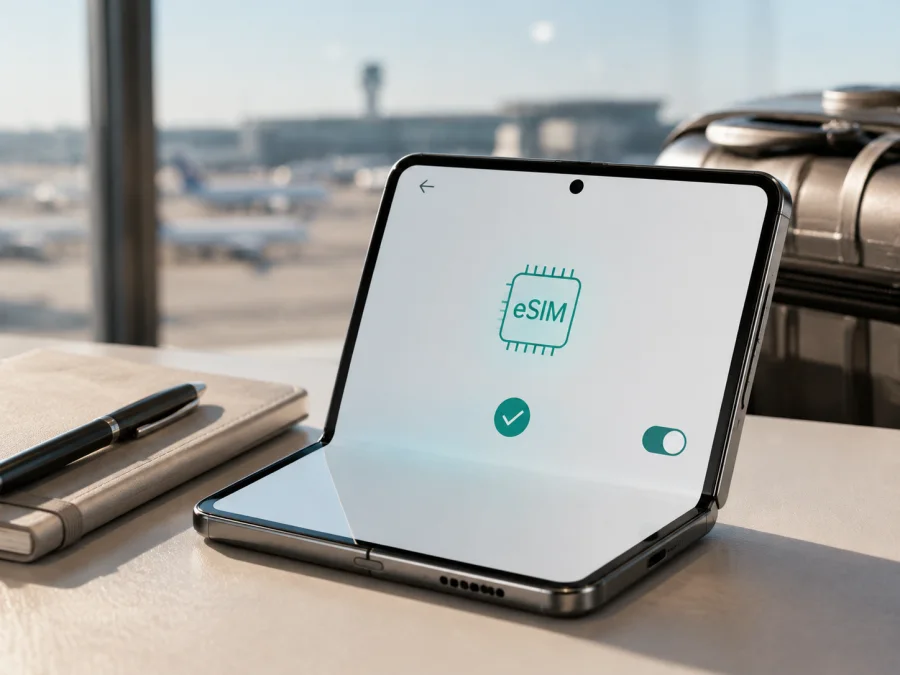
Oppo Find N3 256GB eSIM compatibility and installation
If you are checking whether the Oppo Find N3 256GB can use an eSIM for mobile data abroad, the answer depends on the exact regional version. OPPO’s current global specifications for Find N3 model CPH2499 list Nano-SIM plus eSIM and say that eSIM support depends on carriers. OPPO’s mainland-China specification for Find N3 model PHN110 lists dual Nano-SIM instead and does not list eSIM. The 256GB wording in a retail listing is therefore not enough to confirm the configuration of the individual phone.
Treat this variant as conditionally compatible until the phone itself shows an EID or an Add eSIM control. Storage capacity does not create eSIM support. Model code, purchase market, ColorOS build, carrier policy and the SIM settings on your own unit are decisive. This guide keeps the exact name Oppo Find N3 256GB so the 256GB variant is not confused with another Find model.
Quick answer: does Oppo Find N3 256GB support eSIM?
For the global CPH2499 configuration, OPPO lists Nano-SIM + eSIM and supports a dual-SIM combination of SIM 1 + SIM 2 or SIM 1 + eSIM. The same official specification warns that eSIM support depends on carriers. A compatible phone can still be refused by a carrier, a device lock or a plan with model restrictions.
The mainland-China PHN110 configuration is different: OPPO lists Nano-SIM dual SIM rather than Nano-SIM + eSIM. An imported phone from that market should not be called eSIM-ready just because its retail title says “Find N3” or “256GB”. If it has no EID and no eSIM menu, a travel profile cannot add the missing function.
| What you find | Practical meaning |
|---|---|
| EID is visible in device or SIM information | The phone has an eSIM identity; continue with carrier and plan checks. |
| Add eSIM or Download a SIM is in SIM settings | ColorOS exposes eSIM management; the phone is a good candidate for a travel profile. |
| Only physical Nano-SIM options appear and no EID exists | The unit is likely a non-eSIM regional version. |
| The menu exists but activation is refused | Check carrier support, device lock, firmware, destination and plan conditions. |
Do not infer eSIM support from 256GB storage, a foldable screen, 5G capability or two SIM slots. Those are separate features. Verify the exact phone before paying for a tariff.
Why region, model code and carrier matter
Phone families can have different modem, SIM-tray and software configurations by market. OPPO’s global CPH2499 page and Chinese PHN110 page show the difference: the first lists eSIM, while the second lists Nano-SIM dual SIM. Check the label on the phone and its settings rather than relying on a short listing title.
Carrier support is an additional condition. A carrier may not provision eSIM for a particular device, the phone may be locked to another network, or the selected travel plan may be restricted to a different market. A software update may change menus, but it should not be treated as proof that hardware without eSIM support has gained it.
Ask a seller for the exact model code, market of sale and a screenshot of SIM management. Ask specifically whether an EID is visible and whether the unit accepts a third-party travel data profile. Global and Chinese versions should not be assumed interchangeable.
What to check before buying an eSIM tariff
Use this checklist while you still have access to the phone or listing. A family-level specification is not enough; verify the unit before choosing a tariff:
- Confirm the phone is the exact Oppo Find N3 256GB variant, without replacing it with another Find model.
- Record the model code. Global CPH2499 and mainland-China PHN110 have different official SIM specifications.
- Find an EID and the Add eSIM, Add mobile plan or Download a SIM option. Menu wording varies by ColorOS version.
- Check that the phone is not carrier-locked and that it has a current official software build.
- Keep Wi-Fi or another working data connection available for downloading the profile.
- Check that the tariff covers every country or region on your route, its data allowance, validity and activation point.
- Confirm whether the plan is data-only. Voice calls, SMS and a regular phone number are not included unless the plan says so.
- If you will keep your regular SIM active, confirm that the intended SIM 1 + eSIM combination is available on this unit.
Because an imported phone may use a different SIM design, complete both the model-code and on-device checks before committing to a travel plan.
<a id="kesim-device-compatibility"></a>
Device compatibility check for Oppo Find N3 256GB
Use the phone, not the product title, as the final test. Check your device before selecting a tariff. Look for the EID first:
- Open Settings.
- Search settings for EID, eSIM or SIM.
- Open SIM status, SIM information or device identifiers.
- Confirm that an EID is shown.
- Return to mobile-network or SIM management.
- Look for Add eSIM, Add mobile plan or Download a SIM.
An EID plus an add-profile control means that the hardware and installed software expose eSIM. It does not guarantee activation with every carrier, but it is the required starting point. On a global CPH2499 unit, this result matches OPPO’s current official specification.
If there is no EID, do not substitute an IMEI or serial number. An IMEI identifies cellular hardware; it is not an eSIM identity. If the SIM page shows only physical cards, contact the seller or OPPO support with the model code and purchase market. A Chinese PHN110 unit may correctly show dual Nano-SIM without eSIM.
Also check for a carrier or network lock. Search ColorOS settings for network unlock, SIM lock or carrier. A profile cannot bypass a lock, and Kaspersky eSIM Store cannot change the device’s lock status.
How to install and activate an eSIM
Install with stable Wi-Fi, enough battery and the QR code or manual activation details ready. See the Android eSIM installation instructions for the platform flow. The iOS eSIM installation instructions are a general reference; this phone uses Android and ColorOS.
Prepare the installation
- Confirm the EID and Add eSIM option.
- Connect to reliable Wi-Fi or keep an existing data line active.
- Open the order in the Kaspersky eSIM Store app or site and check destination and validity.
- Display the QR code on another screen, or keep the manual activation details ready.
- Read the conditions. Some profiles are single-installation and may not be transferable after activation.
Add the profile
- Open Settings and choose the mobile-network, SIM or SIM-management section.
- Select Add eSIM, Add mobile plan or the closest option.
- Choose QR-code installation and scan the code.
- Wait for the profile to download and accept the confirmation.
- Label the profile Travel or with the destination.
- If scanning fails, choose manual entry and enter the activation details exactly as supplied.
- Wait until installation finishes; do not repeatedly scan while the first attempt is processing.
Activate it for mobile data
- Open SIM management and turn on the new travel profile.
- Set it as the line for Mobile data.
- Keep calls and SMS on the regular SIM if the phone and your operator allow it.
- Turn off automatic mobile-data switching so data does not move to the regular line.
- Enable Data roaming for the travel eSIM only if the plan instructions require it.
- Leave roaming off for the regular SIM unless you deliberately want its roaming service.
- In the destination, wait for registration and test a simple webpage or message.
Installation stores a profile on the phone; activation enables it to register. It can take minutes. If the plan starts validity at installation, install it close enough to departure to avoid using days before the trip.
Using eSIM for mobile internet while travelling
Keep your usual number for calls and messages and assign mobile data to the travel eSIM. Before departure, read activation rules and confirm the data line. On arrival, turn on the travel profile, select it for data and enable its roaming if required. Keep the regular SIM’s roaming off and disable automatic switching.
An eSIM tariff is useful for maps, translation, reservations, ride-hailing, email and messaging. A data-only plan does not automatically give you a new telephone number. Use internet calling or messaging apps when appropriate, and keep your normal number available for important SMS if your operator supports that without roaming data.
Three practical scenarios
Short city break. Install over Wi-Fi, follow the plan’s activation rule, then select the travel line for data on arrival. Watch navigation, video and photo backup because they can use the allowance quickly.
Multi-country route. Confirm that the plan covers every country, not only the first arrival point. A regional profile may stay active across borders, but registration depends on the plan and partner networks.
Work trip. Keep the physical SIM for calls and SMS, use the eSIM for data and disable roaming on the regular line. At the end, switch data back and turn off the travel profile; do not delete it until the plan rules and any support case are settled.
Kaspersky eSIM Store is an app and website where you can choose, arrange and activate an eSIM with a mobile-data tariff for an overseas trip. It is not a mobile operator, network owner or provider of the radio service. The connection depends on the networks and conditions of the selected plan.
Common problems and checks
There is no eSIM option
Check the model code and market. Global CPH2499 may list eSIM, while Chinese PHN110 lists dual Nano-SIM. Check for an EID, install official ColorOS updates and restart. If both EID and the add-eSIM option are absent, do not buy on the assumption that an update will create the feature.
The QR code will not scan
Increase the brightness of the screen showing the code, clean the camera and hold the code flat. Scan the activation code, not a receipt. Use manual entry if supplied, and do not crop or edit the QR image.
The profile will not download
Check Wi-Fi, date and time, battery and storage. Retry without a captive portal or VPN. If the code was already used, repeated scans may fail; contact support with order details. Some profiles are single-use or limited to one device.
The profile is installed but there is no service
Confirm that the profile is on and selected for data. Enable its data roaming if required, check destination and supported networks, restart and wait for registration. If APN details are supplied, enter them exactly; do not invent an APN.
Data comes from the wrong SIM
Select the travel eSIM for mobile data, turn off automatic switching and disable roaming on the regular SIM. Test with Wi-Fi off and check data usage. Changing the preferred line does not reverse charges already made by the regular operator.
Speeds or 5G vary
Coverage, congestion, bands, partner networks and local conditions affect performance. A 5G-capable phone does not guarantee 5G everywhere. Confirm the plan’s location, allow network selection and test again where the signal is stronger. Kaspersky eSIM Store cannot guarantee a particular network, speed or coverage area.
The carrier refuses activation
Ask the seller or original carrier to confirm unlock status and eSIM eligibility. Do not bypass a lock. If an EID is present but activation fails, provide support with the order, model code, region and error message.
FAQ
Does 256GB prove eSIM support?
No. Storage and eSIM are separate. Model code, EID, SIM settings, firmware and carrier conditions matter more than the capacity in the listing. Keep the exact name Oppo Find N3 256GB, but verify the physical unit.
Can a Chinese Find N3 gain eSIM after an update?
Do not assume it can. OPPO’s official Chinese specification lists Nano-SIM dual SIM rather than eSIM. An update is not proof that missing eSIM hardware has been added. Look for an EID and an add-eSIM control.
Can the regular SIM and travel eSIM work together?
On a compatible global configuration, OPPO lists SIM 1 + eSIM as a supported combination. The phone and carrier still decide the actual behavior. Select one data line and protect the other from unintended roaming.
Will the travel eSIM provide a phone number?
Usually not. Travel eSIM plans are generally for mobile internet; voice and SMS are not included unless the selected conditions say so. Use internet calling and messaging apps when suitable.
Can I move or delete the eSIM later?
Do not count on transfer. Profiles can be tied to the first installation or subject to plan rules. Check conditions before activation and contact support before deleting a profile needed for troubleshooting.
Conclusion: check the exact phone, then choose the trip eSIM
Global OPPO Find N3 specifications list eSIM, Chinese specifications list dual Nano-SIM, and OPPO notes that carrier support matters. Oppo Find N3 256GB is therefore a conditional match, not a blanket yes. Verify the model code, find the EID, look for Add eSIM, confirm the phone is unlocked and check the tariff’s country, validity and data conditions.
When those checks pass, use the Kaspersky eSIM Store app or site to choose and activate an eSIM tariff for the overseas trip. Set the travel profile as the data line, enable roaming only when required and protect the regular SIM. If EID or the eSIM menu is absent, pause before purchase and confirm the regional version with the seller or carrier. This is the final device check before travel.


