Travel connectivity guide
Oppo Find N3 Flip 128GB eSIM Compatibility
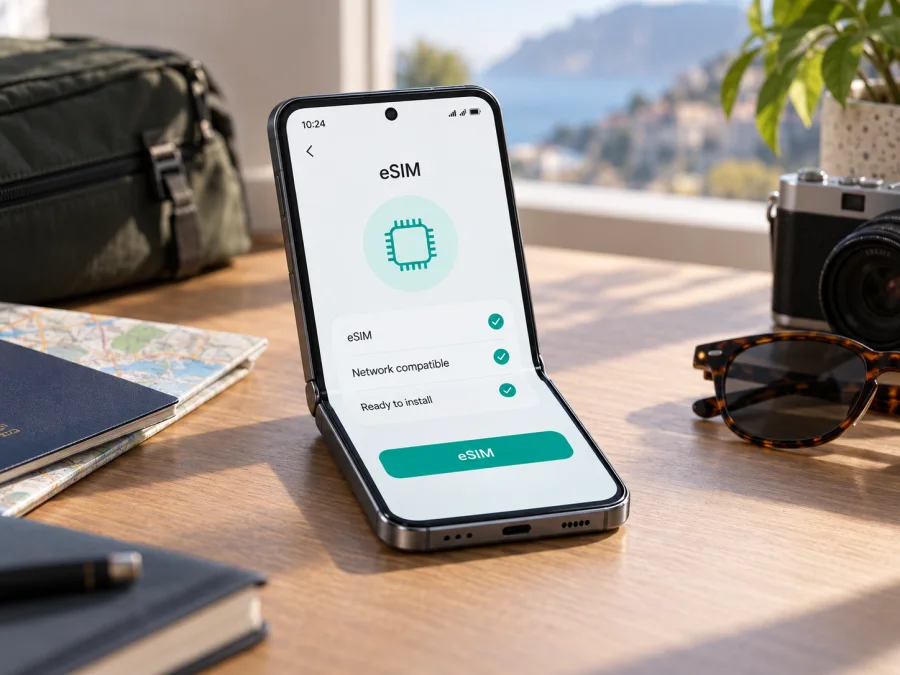
Oppo Find N3 Flip 128GB eSIM: compatibility, setup and travel use
Planning to use mobile data abroad while keeping your regular SIM available? An eSIM is a digital mobile profile that can be downloaded to a compatible phone, so you do not need to insert a separate travel SIM card. However, the name Oppo Find N3 Flip 128GB alone is not enough to confirm eSIM support. Availability varies by regional model and configuration. This guide explains what OPPO’s specifications say, how to check your own handset, and how to install and use a travel eSIM if your version supports it.
Quick answer
Oppo Find N3 Flip 128GB may support eSIM, but support is not confirmed for every version. OPPO’s official specifications for the Find N3 Flip model CPH2519 in Russia list Nano-SIM and eSIM, and state that eSIM support depends on the carrier. OPPO’s Indonesia specifications also list Nano-SIM + eSIM for CPH2519. By contrast, OPPO’s official China specifications for the Find N3 Flip model PHT110 list two Nano-SIM cards and do not list eSIM. This market difference matters more than the storage label in a retailer listing.
The OPPO pages checked on September 27, 2026 apply to those regional models and do not confirm a separate 128GB configuration. Do not assume that CPH2519 specifications apply to every Oppo Find N3 Flip 128GB. First identify the model code in your phone’s settings, then look for an EID and the system option to add an eSIM. If those indicators are missing, do not rely on the series name alone to install a digital profile.
| Item | What can be confirmed |
|---|---|
| Name in this request | Oppo Find N3 Flip 128GB |
| Device type | Clamshell foldable smartphone |
| eSIM | Available on some regional versions; depends on model, market, software and carrier |
| Regional version officially listing eSIM | CPH2519 on OPPO Russia and Indonesia pages |
| Regional version without eSIM in the official specification | PHT110 on OPPO China page: two Nano-SIM cards |
| 128GB capacity | Not confirmed in the official CPH2519 specifications reviewed; check the model code and seller documents |
| Before buying a plan | Find the EID and eSIM setup option on the handset |
Why the same phone name can mean different capabilities
Manufacturers may release regional configurations of a phone. They can differ in supported mobile bands, SIM tray, software features and carrier service conditions. That means similarly named phones sold in different countries do not always have identical capabilities. OPPO’s own Find N3 Flip specifications illustrate this: international pages for CPH2519 include eSIM, while the China page for PHT110 describes two physical SIM cards.
The OPPO Russia and Indonesia specifications reviewed list CPH2519 with 12GB RAM and 256GB storage, not 128GB. That does not prove that a 128GB listing is the Chinese version or lacks eSIM; it means the storage label cannot identify the regional configuration. Ask the seller for the full model code, market of origin and confirmation that the phone is unlocked. Check that the code on the box matches the About section, especially for refurbished or cross-market units.
<a id="kesim-device-compatibility"></a>
How to check compatibility yourself
Check before paying for a plan. For a reliable answer, look for several indicators: an EID, a system command to add an eSIM, and confirmation of the regional model. A second SIM position or a Dual SIM label alone does not establish that the phone has an embedded SIM; the second line may use a physical card.
- Open Settings → About device. Menu names may vary slightly in ColorOS.
- Write down the full model number and ColorOS version. Check the code, not only the commercial name Oppo Find N3 Flip 128GB.
- Open Settings → Mobile network or SIM cards and mobile networks. Look for an action such as Add eSIM, Add mobile plan or Download SIM.
- Find the EID under About phone → Status or another SIM status screen. On some ColorOS versions, the EID is shown under device identifiers or SIM information.
- Compare the model code with the OPPO specification for the phone’s market and with the seller’s documentation. OPPO lists eSIM for CPH2519 in several markets; its China specification for PHT110 lists two Nano-SIM cards.
- Ask whether the phone is carrier-locked. Even a handset with eSIM hardware may reject a profile if it is locked or restricted by its software configuration.
An EID and setup command are strong signs of support. Still check that the profile is allowed for your model, destination and carrier. If both are missing, do not expect an app or update to add hardware support. For another way to check, check your device compatibility.
When an eSIM can help on a trip
If your Oppo Find N3 Flip 128GB does support eSIM and is unlocked, you may be able to use a digital profile for mobile data while travelling. It can be useful when you want to prepare before departure, keep your physical SIM for calls or messages, or avoid looking for a SIM outlet after landing. eSIM support alone does not mean the phone will connect to every network: the plan’s terms, partner networks at your destination and compatible mobile bands all matter.
Before choosing a plan, check the countries it covers, data allowance, validity period, when the validity starts and any tethering limits. If your itinerary crosses borders, make sure the plan includes every country where you expect to use data. A plan for one country may stop working when you leave it. Plan terms and network availability can change, so review the current conditions before purchase.
A travel eSIM is commonly intended for mobile data. Do not assume that it includes a separate regular phone number, voice calls or SMS; check the selected plan’s description. Messaging and voice apps can use the internet where the app and connection allow it. You may keep your regular SIM enabled for incoming messages, but first check your home carrier’s roaming charges to avoid unexpected costs.
Once you have confirmed support on your handset, Kaspersky eSIM Store is an app and website where you can choose, arrange and activate an eSIM with a plan for mobile data on an international trip. Before proceeding, check device compatibility, destination, validity and data allowance. Do not delete an installed profile until you have checked its reinstallation rules: some QR codes can only be used once.
Installing and activating an eSIM
Profile download requires an internet connection, usually Wi-Fi, and activation details supplied with the plan. These may be a QR code, link or manual details. Keep the QR code private because it may allow the profile to be installed.
- Prepare the phone. Install an available ColorOS update, charge the handset and connect to reliable Wi-Fi. Confirm that the eSIM setup option and EID are present.
- Choose a suitable plan. In Kaspersky eSIM Store, select the destination or region and review data allowance, validity, covered countries and the event that starts the validity period.
- Open SIM settings. Find Mobile network settings and choose Add eSIM or Add mobile plan. The wording depends on ColorOS version and the device market.
- Download the profile. Scan the supplied QR code or use the method included with the plan. If the QR code is displayed on the phone you are configuring, open it on another screen or enter the details manually if that option is provided.
- Confirm installation. Follow the on-screen steps and wait for the profile to download. Give the line a clear label, such as “Trip,” so you can distinguish it from your regular SIM.
- Choose the data line. Set the travel eSIM as the mobile data line if you intend to use it abroad. Check which SIM is selected for calls and text messages.
- Set roaming as instructed. Some travel profiles require data roaming; others have different requirements. Turn on roaming only for the relevant line and follow the plan’s instructions.
- Test the connection. Briefly switch off Wi-Fi, check that mobile data is available and open a webpage or app. If the trip has not started, avoid using mobile data until you know whether the plan begins on first connection to a supported network.
For step-by-step help, see the Android installation instructions and iOS installation instructions. Oppo Find N3 Flip 128GB uses Android and ColorOS, so follow the Android guidance for this phone. The iOS guide is included for people setting up a profile on a different device or comparing the general process.
Before departure, check which SIM is assigned to mobile data and turn off automatic switching to your home line if you want to avoid roaming charges. If validity starts on connection in the destination, you may be able to install the profile in advance and enable it after arrival.
Travel scenarios
Install at home, connect after landing. If allowed, add and label the profile over Wi-Fi before departure. Enable it after arrival, select it for data and allow it to register.
Regular SIM for messages, eSIM for data. Select the travel line for data, leave the home line available if needed, and disable automatic data switching. Check your home carrier’s roaming terms.
Several countries. Confirm the plan includes transit countries. Network registration may take a few minutes after a border crossing; if needed, toggle airplane mode and follow the plan instructions.
Maps and messaging. Download offline maps and large files over Wi-Fi, disable automatic app updates over mobile data, and check your remaining allowance. Tethering may depend on the plan and phone.
The clamshell form does not change installation: profiles are managed in ColorOS network settings.
If eSIM will not install or connect
First identify the stage of the problem: the profile will not download, it installs but cannot register, or the phone shows a network but data does not work. This helps narrow down the setting to check and avoids deleting the profile unnecessarily.
- There is no Add eSIM option or EID. Check the model code and regional specification. If OPPO lists only two Nano-SIM cards for that version, ask the seller or OPPO to confirm the configuration before buying a plan.
- The QR code will not scan. Check the brightness of the screen showing the code, clean the camera lens, confirm that the code has not expired and use Wi-Fi. Use manual entry only when the plan instructions provide the necessary details.
- Activation returns an error. Check the connection, date and time, and activation details. Ask whether the profile was installed before and whether it can be downloaded again.
- The profile is installed but there is no service. Make sure the line is enabled, airplane mode is off and mobile data is assigned to the eSIM. Check the plan’s remaining allowance, validity and access point settings if required.
- There is no network in one country. Check that the country is included and select a network using the plan’s instructions. eSIM support does not guarantee coverage in every location.
- A profile was deleted. Do not delete it again or reset network settings without checking the recovery instructions. Some profiles cannot be installed a second time. Contact the device seller or plan service with the model code and error message, but do not share the QR code.
If these checks do not resolve the issue, contact the seller about the regional configuration, the carrier about a lock or service restriction, or the plan service about activation. Provide the model code, ColorOS version and exact error text. Do not send the complete QR code or private profile details.
Frequently asked questions
Does Oppo Find N3 Flip 128GB support eSIM?
Some Find N3 Flip versions do. OPPO lists eSIM for CPH2519 on official pages for several markets, while its China specification for PHT110 lists two physical Nano-SIM cards. OPPO’s reviewed official pages do not confirm a 128GB CPH2519 configuration, so check your unit’s code, EID and settings.
Does 5G or Dual SIM mean eSIM is supported?
No. 5G describes mobile network technology, and Dual SIM may refer to two physical cards. Look for an explicit eSIM specification, an EID and an option to add a digital profile.
Will a travel eSIM include ordinary calls and SMS?
That depends on the home SIM and the selected travel plan. Travel plans are often data-only, so read the plan details before arranging it. Messaging apps may use the internet for calls and messages.
What if the seller says eSIM is available but there is no eSIM menu?
Ask the seller to confirm the regional model code and provide documentation for that configuration. Check again after a restart and any available system update. Do not buy a plan for this handset until EID and eSIM setup are confirmed.
Conclusion: check the phone before your trip
The name and storage capacity alone do not provide a definitive eSIM answer for Oppo Find N3 Flip 128GB. OPPO’s official information confirms eSIM on some regional CPH2519 versions, while the China PHT110 version is specified with two physical Nano-SIM cards. The reviewed official specifications also do not confirm a 128GB CPH2519 configuration, so checking the individual phone is essential.
Before arranging a plan, find the model code, check for an EID and Add eSIM option, confirm that the phone is unlocked, and make sure the plan covers your destination. If the checks pass, Kaspersky eSIM Store is an app and website where you can choose, arrange and activate an eSIM with a plan for mobile data on an international trip. Save the setup details and instructions before departure, and enable the data line according to your plan’s terms.


