Travel connectivity guide
Oppo Find N3 Flip 256GB eSIM: Compatibility & Setup
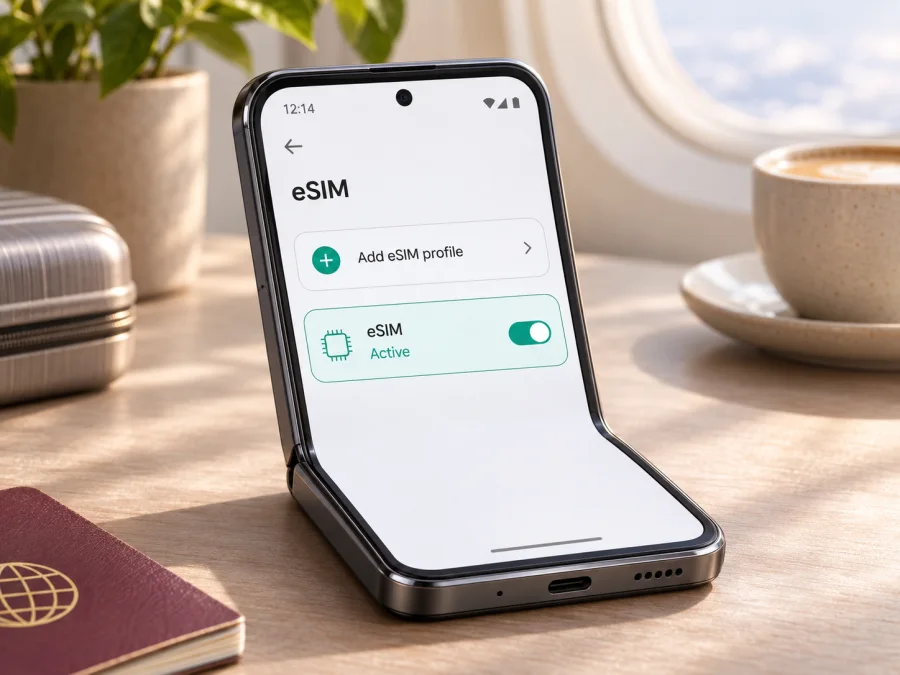
Oppo Find N3 Flip 256GB eSIM: compatibility and setup
The short answer is: eSIM support depends on which regional version of Oppo Find N3 Flip 256GB you own. OPPO’s India specification for model CPH2519 lists 12GB RAM and 256GB storage, with a Nano-SIM card plus eSIM. OPPO’s China specification for model PHT110 lists two Nano-SIM cards and does not list eSIM. So the storage size alone cannot confirm compatibility. Check the model code and eSIM options on your own phone before buying a travel plan.
This matters when preparing mobile data for a trip. A compatible eSIM lets you add a digital SIM profile without inserting another physical card, then select that profile for mobile data. A regional hardware or software version that lacks eSIM cannot gain that feature simply by installing a travel app, scanning a QR code, or changing a network setting.
Does Oppo Find N3 Flip 256GB support eSIM?
Some regional 256GB configurations do; the name “Oppo Find N3 Flip 256GB” by itself is not enough to tell. OPPO India’s official specification page identifies the CPH2519 and lists the 12GB + 256GB configuration and “Nano-SIM card + eSIM.” The page also says eSIM support depends on carriers and describes dual SIM as SIM 1 + SIM 2 or SIM 1 + eSIM. OPPO’s official Indonesia and Thailand specifications likewise list Nano-SIM + eSIM. Those are positive signs for the corresponding market versions, not a guarantee for every handset sold under the same product name.
The China-market PHT110 specification is different: it lists dual Nano-SIM cards and does not list an eSIM option. A phone described by a seller as a “global,” “international,” or “256GB” version still needs to be checked by its actual model number, original market, installed software, and Settings menu. A seller’s storage label does not identify the cellular configuration.
OPPO’s regional pages are the basis for this distinction. Their current specifications were checked on 4 November 2026. The India page names CPH2519 and 12GB + 256GB; the China page names PHT110 and dual Nano-SIM. Regional availability and carrier activation rules can change, and OPPO’s India listing explicitly makes eSIM support dependent on carriers. Confirm with OPPO or the seller for the exact device and market if the model identifier or firmware is unclear.
| Item | What can be confirmed |
|---|---|
| Device name in this guide | Oppo Find N3 Flip 256GB |
| India-market specification | CPH2519; 12GB RAM + 256GB storage; Nano-SIM + eSIM listed |
| China-market specification | PHT110; dual Nano-SIM listed; eSIM not listed |
| Other regional listings | OPPO Indonesia and Thailand list Nano-SIM + eSIM; confirm the exact SKU and local operator support |
| eSIM conclusion | Regional-version dependent; verify the phone itself before purchase |
| Travel use | Possible only if the handset exposes eSIM setup and accepts the selected profile |
The 256GB label refers to storage, not eSIM capability. OPPO lists that capacity for both the CPH2519 and PHT110 regional configurations, whose SIM arrangements differ. A product title, box color, seller region, or 5G support cannot replace an eSIM check.
How to identify your regional version
On ColorOS, open Settings and look in About device/About phone for the model code and software version. Compare the full code with the box or invoice; ask the seller or OPPO to clarify if they disagree. Search Settings for “eSIM” and check for an EID as well. Menu names can vary by software version, so an absent menu deserves a software-update and model check before you draw a conclusion.
Do not confuse eSIM with NFC eSE. The China specification mentions eSE as an NFC security feature; it does not confirm cellular eSIM. A cellular eSIM is managed through SIM or mobile-network settings.
Check compatibility before buying a plan
Use this checklist on the exact phone you will take abroad:
- [ ] Find the model code in Settings and compare it with the box or purchase record.
- [ ] Search Settings for eSIM, Add eSIM, Add mobile plan, or a similar mobile-network option.
- [ ] Check whether the device displays an EID. On many Android phones, the EID appears in SIM or status information; the location can differ by software version.
- [ ] If available, dial
*#06#and see whether an EID is listed alongside other device identifiers. Not every software build displays it this way. - [ ] Confirm with OPPO or the seller if the menu, EID, model code, and regional specification do not agree.
- [ ] Ask whether the phone is carrier-unlocked. An eSIM-capable phone may still reject a profile if a carrier lock or other restriction applies.
- [ ] Check the travel plan’s supported devices, destination, data allowance, validity period, activation rules, and hotspot conditions before checkout.
- [ ] Keep a Wi-Fi connection available for installation and save the QR code or manual activation details somewhere accessible.
An EID is a useful indicator, but combine it with the model and Settings checks. If neither the EID nor add-eSIM option appears, update and restart the phone, search Settings again, and ask OPPO to confirm the exact SKU before buying. The PHT110 listing describes dual Nano-SIM only, so do not assume it supports eSIM without confirmation for your individual unit.
Check your device before selecting a plan. This is especially important for imported phones: network bands, eSIM profiles, carrier approvals, and software features are separate considerations. A phone can connect to 5G with a physical SIM and still lack an eSIM option. It can also support eSIM but not support a particular operator’s service or the radio bands used at your destination.
What eSIM changes when you travel
A travel eSIM is a digital mobile plan stored in the phone. Once installed, it appears as a separate line alongside any physical SIM and can supply mobile data in a destination, depending on the plan. You choose the data line in SIM settings.
A data-focused travel eSIM is not automatically a replacement for your main number. Unless the plan explicitly says otherwise, do not expect it to provide a regular phone number, conventional voice calls, or SMS. You can keep your primary SIM available for calls or verification messages if your carrier permits it, but check its roaming terms to avoid unexpected charges. Internet calling and messaging apps can use the travel profile’s data connection.
Decide whether to keep your home SIM for calls or disable it abroad. One line is selected for mobile data at a time, and behavior depends on the software and carrier. The travel profile must be allowed to register on a supported local network.
Choose the plan for your route
Estimate data use from your itinerary: navigation, messaging, browsing, video calls, streaming, and uploads use different amounts. Check that the plan covers every destination, then compare data allowance, validity, activation timing, tethering rules, and any usage limits. A regional plan can help on a multi-country route, but verify its destination list and terms.
Kaspersky eSIM Store is an app and website where you can choose, arrange, and activate an eSIM with a suitable mobile-data plan for an overseas trip. It helps you review available destinations and plan details before travel. Browse current destinations and plans on the English site, then check that the selected offer covers your route and fits the Oppo Find N3 Flip 256GB version you verified. Available plans and conditions can change, so rely on the details displayed for your destination when you choose.
How to install eSIM on Oppo Find N3 Flip 256GB
First confirm eSIM capability and unlock status. Connect to stable Wi-Fi, keep the QR code or manual activation details ready, and read the plan instructions. A QR code may be limited to one installation, so ask support before deleting a profile. On a supported ColorOS version, open Settings and Mobile network or SIM management; look for eSIM, Add eSIM, or Add mobile plan. If no such option appears, recheck compatibility rather than scanning through the regular camera app.
- Prepare the connection. Connect to reliable Wi-Fi and keep the phone charged. Open the order or message containing the profile’s QR code and activation instructions.
- Open mobile-network settings. In Settings, choose Mobile network or SIM management. Select the control for adding an eSIM or mobile plan.
- Scan the code. Choose the system’s QR-code option and scan the code from another screen or a printed copy. If the provider supplies manual activation details, enter them only in the designated eSIM setup flow.
- Review the profile. Confirm that the displayed plan is the one you intended to install. Follow the on-screen prompts to download and add it. Keep Wi-Fi connected until the phone confirms that installation is complete.
- Name the line. Give the profile a recognizable label such as “Travel data” so you can distinguish it from your personal SIM.
- Choose when to use it. If the plan’s validity starts on first connection, you may be able to install it before leaving and enable it when appropriate. Follow the specific activation terms; installation and activation are not always the same event.
- Set the data line. In SIM settings, select the travel profile for mobile data when you are ready to use it. Keep the primary line selected for calls only if that matches your needs and roaming settings.
- Enable data roaming for the travel profile if required. Some travel plans need roaming enabled on that eSIM to connect to a partner network. This setting applies to the selected profile; check which line it belongs to before changing it.
- Test the connection. Turn off Wi-Fi briefly after arrival, verify that the travel profile is enabled and selected for data, and open a simple web page. Allow a few minutes for network registration if the plan instructions say to do so.
See the Android installation guide for general QR-code and mobile-data steps; its screenshots are Samsung-specific, so use equivalent ColorOS settings. The iOS installation guide applies to Apple devices, not this phone.
Before installing at home, check when validity begins. Keep the profile installed unless the instructions say otherwise; deleting it can make a one-time QR code unusable. If activation status is unclear, check the order details or ask support before removing it.
Using the profile after landing
After arrival, enable the travel eSIM, select it for mobile data, and turn on data roaming for that profile if the plan requires it. Keep the home SIM for calls only if its roaming terms are clear; disable automatic data switching if it could use the home line. Give the phone a few minutes to register on a supported network. Follow plan instructions for manual network selection, and remember that coverage and performance vary by location and local conditions. To conserve data, avoid large downloads and automatic photo uploads; confirm tethering is included before using hotspot sharing.
Practical travel scenarios
Several countries. Confirm every country and stopover is included. For a regional plan, check its destination list, validity rules, and when the period begins.
Work travel. Keep the home SIM for calls only if terms are clear, select the travel profile for data, and monitor usage during video meetings.
No data after landing. Use Wi-Fi to confirm the destination, validity, profile status, selected data line, and roaming setting. Contact support with the model code and non-sensitive error text; do not share your EID or QR code publicly.
Common problems and what to check
There is no “Add eSIM” option
Search Settings for “eSIM” and check the About device page for the model code and software version. Install official updates and restart the phone, then search again. If the handset is a China-market PHT110, OPPO’s published specification lists dual Nano-SIM rather than eSIM; do not assume a reset or a third-party app will add missing hardware support. For other versions, ask OPPO support or the seller to confirm whether the exact SKU and firmware support eSIM in the market where it was sold.
The QR code will not scan or download
Increase the brightness of the screen showing the code, clean the camera lens, and make sure the whole code is visible. Use another screen if the code is on the phone being set up. Confirm that Wi-Fi works, the profile is for your destination, and the phone is unlocked. Do not repeatedly scan a one-time profile or delete it to retry; contact support with the error text first. Never share the QR code publicly.
Installed profile has no service or data
Check that the eSIM is enabled and selected for mobile data, roaming is enabled for that profile if required, and the plan is active in the current country. Toggle airplane mode once and allow time to register. Verify allowance and validity. Follow the provider’s APN or manual-network instructions only if supplied; do not guess settings. If the problem remains, contact support with the model code, ColorOS version, country, and non-sensitive error message.
The phone is locked or the network is unsupported
An eSIM menu does not guarantee every plan will work. Carrier locks, the plan’s partner network, frequency bands, and local availability can affect service. Ask the phone’s carrier to confirm unlock status and compare plan details with the exact device and destination.
Frequently asked questions
Does every Oppo Find N3 Flip 256GB support eSIM?
No. OPPO’s India-market CPH2519 specification lists eSIM for its 12GB + 256GB configuration, while the China-market PHT110 page lists two physical Nano-SIMs and does not list eSIM. Check the exact phone rather than relying on the shared product name or storage size.
Can I tell from “256GB” in a shop listing?
No. 256GB describes storage capacity. It does not identify the sales region, model code, firmware, or eSIM hardware. Ask for the model number and inspect the phone’s eSIM menu and EID before purchase.
Is 5G support proof that eSIM works?
No. Cellular network support and eSIM support are different features. Check the model’s regional specification and the phone’s own settings.
Should I install the eSIM before leaving?
Yes, if the plan permits it. Check when validity begins and keep installation instructions available.
What if I cannot find the EID?
Search Settings for EID and eSIM, use the device information screen, and check whether *#06# displays an EID on your software version. If no EID or add-eSIM option appears, check for official updates and ask OPPO to confirm the exact SKU. Do not buy a plan until compatibility is clear.
Final check before your trip
For Oppo Find N3 Flip 256GB, confirm the exact model code, region, EID, and add-eSIM menu on the handset. The CPH2519 listed by OPPO India is specified with eSIM; the China-market PHT110 is listed with two physical Nano-SIM cards and no eSIM. Carrier support and software can add further conditions, so verify your particular phone and selected plan before checkout.
Once compatibility is confirmed, compare plan destinations, data allowance, validity, and activation timing. Kaspersky eSIM Store is an app and website for choosing, arranging, and activating an eSIM with mobile data for an overseas trip. Review current destinations and plan details, then install over Wi-Fi and follow the provider’s setup instructions.


