Travel connectivity guide
Oppo Find X3 512GB eSIM Compatibility Guide
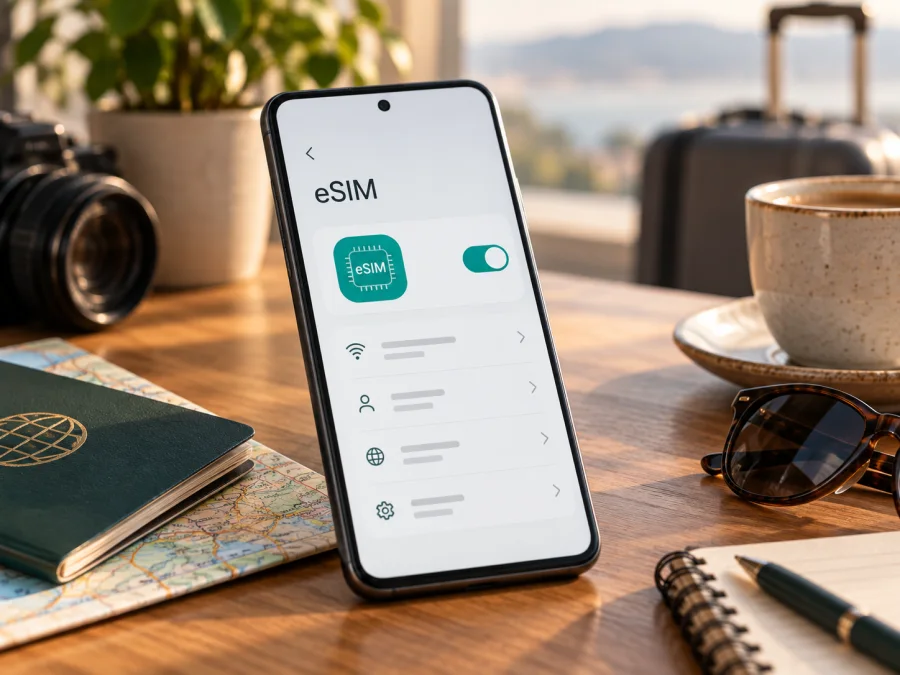
Oppo Find X3 512GB eSIM compatibility: what to check
If you are checking whether an Oppo Find X3 512GB can use an eSIM while travelling, do not assume that the storage label proves compatibility. OPPO’s published specifications for the standard Find X3 identify physical nano-SIM cards and list 128 GB and 256 GB storage configurations. They do not document a 512 GB standard Find X3 variant or confirm eSIM support for it. OPPO separately documents eSIM on certain Find X3 Pro variants, with carrier and regional qualifications. That is a different model and does not establish support for the Oppo Find X3 512GB named here.
Practical answer: eSIM support for a phone labelled “Oppo Find X3 512GB” is unverified until the exact model code and the handset’s own settings confirm it. For the standard Find X3 (model code PEDM00 in OPPO’s China specifications), OPPO lists dual nano-SIM and does not list eSIM. A seller’s storage description, a 5G badge, or a similar model name is not enough. Check the actual phone before buying an eSIM plan.
Find X3 is not the same as Find X3 Pro
“Find X3,” “Find X3 Pro,” “Find X3 Neo” and “Find X3 Lite” are separate models. Specifications cannot be transferred between them. Storage and SIM configurations can vary by market, so check the model code and its official specification, not just the retailer title.
OPPO’s China specification page identifies the standard OPPO Find X3 as model PEDM00. It lists 8 GB RAM with 128 GB or 256 GB internal storage, and dual nano-SIM support. That page does not list a 512 GB storage configuration or eSIM. OPPO’s Japanese material for the Find X3 Pro, in contrast, lists nano-SIM plus eSIM for that market model. Other OPPO Find X3 Pro specifications say eSIM support depends on carriers and name markets or operators where dual-SIM operation is unavailable. This documentation concerns distinct Pro versions; it does not confirm eSIM on the standard Find X3.
The name “Oppo Find X3 512GB” therefore needs checking: it may be a seller-entered title, import or inaccurate description. Do not guess that “512GB” means “Pro.” Compare the model code in Settings with the box and ask the seller or OPPO to resolve a mismatch. Share an IMEI only through a trusted support channel.
Specification and compatibility summary
| Item | Published or supplied information | eSIM implication |
|---|---|---|
| Exact requested name | Oppo Find X3 512GB | Preserve this name; do not treat it as another model. |
| Standard Find X3 model code | PEDM00 on OPPO’s China spec page | Match the phone’s own model code. |
| Standard Find X3 memory on that page | 8 GB RAM + 128 GB or 256 GB | OPPO does not list a standard 512 GB version there. |
| Standard Find X3 SIM type | Dual nano-SIM | The published specification does not confirm eSIM. |
| Find X3 Pro | Some regional/operator versions document eSIM | Pro support does not transfer to the standard Find X3. |
| Recommendation | Unverified for this exact listing until checked | Do not buy a plan based only on “Find X3” or “512GB.” |
Storage and eSIM capability are unrelated; 5G also describes network technology, not eSIM support. “Unlocked,” “global” and “dual SIM” do not confirm eSIM. Unlocked usually means a phone can accept another carrier’s compatible SIM; it does not add eSIM hardware or software.
Why region and carrier matter
Manufacturers may sell similarly named variants with different SIM trays, radio bands, software regions, carrier certification or eSIM controls. An operator can also restrict an otherwise capable phone through its firmware or lock status. OPPO’s Find X3 Pro specification pages explicitly make eSIM availability dependent on carriers and list regional/operator limits on dual-SIM operation. Treat that as a reason to verify the exact market configuration, not as a guarantee for every Find X3 model.
For the standard Find X3, OPPO lists dual nano-SIM. Unless OPPO confirms an exception for the exact code, market and firmware, eSIM is not documented. A “512GB” or “5G” label cannot establish support. Also check the plan’s destination, radio compatibility, data allowance, validity and activation conditions. A travel plan may be data-only without a regular number, calls or SMS.
Check the handset before buying
Use the phone itself, not just the online listing. Menu wording varies by ColorOS/Android version, language and carrier software, but the identifiers and controls should be discoverable.
- Open Settings → About device or About phone. Record the complete model name and model number. Check Version or Status information if the code is shown on another screen.
- Compare the model code with the box and seller’s description. If the listing says “Oppo Find X3 512GB” but the phone reports another model or storage size, pause and ask the seller or OPPO to explain.
- In Settings, open Mobile network, SIM card & mobile data, or a similarly named page. Look for Add eSIM, Download a SIM, Add mobile plan, Manage eSIM, or a QR-code option for a mobile plan.
- Look for an EID in About phone, device status or SIM status. EID identifies the embedded SIM component. Paths differ by software. If there is no EID and no eSIM control, ask OPPO about the exact code. IMEI alone does not prove eSIM capability.
- If an eSIM menu appears, confirm that it offers a way to add a profile, but do not install a paid profile merely to test it. Ask OPPO whether eSIM is supported for this market and firmware, and confirm with the intended carrier or plan provider that the phone is unlocked and eligible.
- Check the travel plan’s supported destination and network. A visible eSIM menu does not guarantee that a specific provider or local network will work.
Compatibility checklist
- [ ] Settings shows the same model code as the phone packaging and sales description.
- [ ] The 512 GB label matches the storage shown by the handset.
- [ ] An EID is present, or OPPO confirms eSIM for this exact regional model.
- [ ] Settings provides an eSIM/profile addition path.
- [ ] The phone is unlocked and its software is supported by the intended plan.
- [ ] The plan covers the destination and supports the phone’s network bands.
Check your device before choosing a travel plan. If anything remains uncertain, request confirmation using the model code and market of sale. A general compatibility list for “Oppo Find X3” may combine different models and cannot settle a regional exception.
Installing and activating eSIM on a confirmed compatible variant
Use these steps only after the exact handset passes the checks above. The standard Find X3 and every phone sold under this title are not thereby confirmed as eSIM-capable. Keep Wi‑Fi on during download and check the plan’s activation rules: installation and validity may start at different times.
- Verify support and unlock status. Confirm model code, EID and eSIM menu. If the phone lacks the add-eSIM option or OPPO cannot confirm the model, do not proceed with an eSIM-only plan.
- Choose a suitable destination plan. Review coverage, data allowance, validity, activation deadline, supported network and tethering rules. Check whether setup uses an app, QR code or manual details.
- Keep the installation details private. A QR code displayed on the same handset may need an app flow or manual entry. Do not post the code online; profiles may be single-use or bound to one device.
- Connect to reliable Wi‑Fi and open the eSIM settings. Select the option to add or download a mobile plan, then scan the code or follow the provider’s steps. Install the profile only on the handset where it will be used.
- Wait for download to finish and name the profile. A label such as “Travel data” helps distinguish it from your usual SIM. Do not delete a slow or pending profile until you have checked its instructions; removal can make reinstallation difficult.
- Set line preferences. Keep your normal SIM enabled if you still need its number. Choose which line handles mobile data, calls and messages. Turn off automatic data switching if you do not want data to fall back to the home SIM.
- Activate at the stated time. Some plans permit advance installation but start later; others have different timing. Follow the plan conditions and do not assume that installing automatically starts the package.
- After arrival, enable the travel line and data. Select it for mobile data. Enable data roaming for that profile only if its instructions require it; avoid enabling roaming on your home SIM unless you intend to use that service.
- Test the connection. Turn Wi‑Fi off briefly, load a simple webpage and check signal/data status. Then restore Wi‑Fi if desired and compare usage with the provider’s account if it has one.
See Android eSIM installation instructions and iOS eSIM installation instructions. The iOS guide is a general reference for people comparing phones or helping another traveller; the Oppo Find X3 512GB runs Android. Menu labels can vary by software version.
Kaspersky eSIM Store is an app and website where travellers can choose, arrange and activate an eSIM with a mobile-data plan for an overseas trip. First confirm that the phone is compatible, then compare destination, allowance and validity. Kaspersky eSIM Store is not a mobile operator, network owner or provider of mobile internet access.
Travel scenarios and line management
Short holiday: If allowed, install over Wi‑Fi before departure and save the instructions offline. At the destination, enable the travel line and choose it for mobile data. Keep your usual SIM for calls or account codes only after checking roaming charges.
Multi-country or work trip: Verify each country is covered and check hotspot rules before tethering. Network registration may take a moment at borders. Pause backups or downloads if data is limited. Choose the data SIM deliberately; disable automatic data switching to avoid using the home SIM.
Troubleshooting
- No Add eSIM option or EID: Search Settings for “eSIM” or “mobile plan,” restart and install official updates. If still absent, treat the phone as unsupported unless OPPO confirms otherwise for its exact code and region. Unofficial firmware does not prove compatibility.
- Model or storage mismatch: Check About device, packaging and seller paperwork. OPPO lists 128 GB and 256 GB for the standard Find X3, not a 512 GB standard configuration. Ask the seller to identify the exact model before purchase.
- QR or download failure: Confirm the code is for this plan and unused, keep Wi‑Fi connected, and use manual details only if the provider supplies them. A QR code may be single-use; contact support rather than repeatedly retrying it.
- Installed profile has no data: Confirm the travel line is on and selected for data, coverage and activation conditions are met, and airplane mode is off. Wait for registration, restart, and enable roaming for the travel profile only if instructed. Test with Wi‑Fi off and check plan balance. Enter APN values only when the provider gives them.
- Home SIM uses roaming or the plan has not started: Recheck the default data line and automatic switching. Installation and validity can be separate events; check whether the timer starts on installation or first connection. Do not delete a profile as a first response. Ask the provider to check its status.
Frequently asked questions
Does the Oppo Find X3 512GB support eSIM?
It is not verified by OPPO’s published standard Find X3 specification. That page lists dual nano-SIM and 128 GB or 256 GB storage, without eSIM or a 512 GB standard version. For standard model PEDM00, OPPO does not document eSIM on that page. Check the EID and eSIM menu and ask OPPO to confirm the precise regional variant before buying a plan.
Does Find X3 Pro support eSIM?
OPPO documents eSIM for certain Find X3 Pro configurations, including Japanese material, while other official specifications say carrier support matters and list regional/operator limitations. This evidence applies to the Pro, not the standard Find X3. The Pro’s market, carrier, firmware and model code still need checking.
Will a data eSIM replace my phone number?
Usually, a travel data plan provides internet, not an ordinary number, voice calls or SMS unless its terms say otherwise. Keep your normal SIM for number-based services if needed and check roaming charges. Internet calls and messages may work through apps over data.
Should I install before departure?
Follow the plan’s instructions. Some profiles can be installed early and start validity later; others have different rules. Keep Wi‑Fi available, review timing before scanning, and do not remove a profile unless support advises it.
Final device check before choosing a trip eSIM
For a phone listed as Oppo Find X3 512GB, match the model code in Settings with the box and sales description first. OPPO’s published standard Find X3 specifications list dual nano-SIM and do not confirm eSIM; eSIM information for Find X3 Pro belongs to a separate model and can depend on region or carrier. If the model, storage or settings do not line up, get confirmation from OPPO or the seller before paying for a plan.
After compatibility is confirmed, make sure the phone is unlocked, has an EID and provides an eSIM installation path. Choose a plan that covers the countries on your itinerary, compare its data and validity conditions, and follow its activation timing. Kaspersky eSIM Store’s app and website help travellers choose, arrange and activate an eSIM with a mobile-data plan for an overseas trip. Verifying both device and plan before departure helps you avoid an unusable profile when you need mobile data.


