Travel connectivity guide
Oppo Find X5 12GB RAM eSIM Compatibility
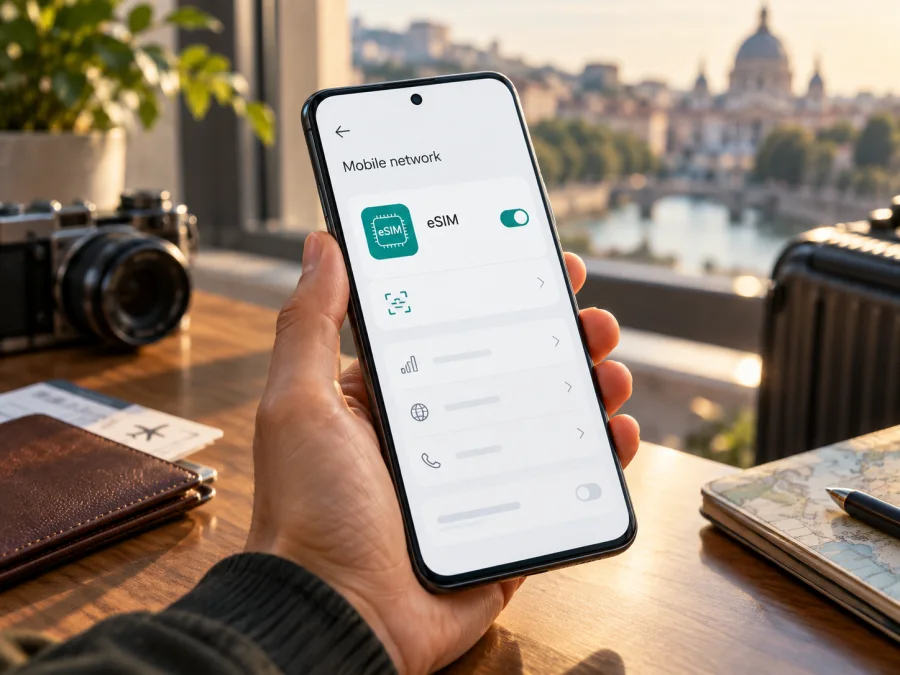
Oppo Find X5 12GB RAM eSIM compatibility and setup guide
Updated 17 October 2026.
Quick answer: the words “12GB RAM” alone do not prove that a particular Oppo Find X5 has eSIM. OPPO’s China specification page identifies the PFFM10 model and lists a 12GB + 256GB configuration, but describes its SIM setup as dual nano-SIM. That exact China-market specification does not document eSIM. OPPO also lists Find X5 among eSIM-capable models in a support FAQ for select markets. These records describe different market configurations, so check the model code and the eSIM menu on your actual phone before buying a plan. The RAM amount is not an eSIM feature.
Does Oppo Find X5 12GB RAM support eSIM?
There is no reliable one-word answer for every handset sold under this name. OPPO’s official China product specification names the regulatory model PFFM10, offers a 12GB + 256GB memory option and lists “Nano-SIM, dual SIM” under SIM type. It does not list an embedded SIM or an eSIM management option. For a PFFM10 matching that Chinese specification, treat the phone as not confirmed for eSIM and do not assume that a software update or an eSIM QR code can add the missing feature.
OPPO’s support FAQ for Egypt, “What is OPPO’s eSIM,” takes a broader view: it includes Find X5 in its list of supported models and explains how to find “Manage eSIM Card” in settings. The FAQ also says that OPPO eSIM support is limited to Orange and Vodafone networks. A separate OPPO Switzerland announcement listed eSIM among the features of the European Find X5 5G. Those statements indicate that eSIM-enabled Find X5 variants exist in some markets; they do not establish that every 12GB handset, every PFFM10, or every operator configuration supports it.
The market and exact hardware variant matter. The most useful identifier is the model code shown in the phone’s regulatory information, About device screen, box label or purchase record—not the amount of RAM in an online listing. If it is PFFM10, compare it with the China specification and confirm directly in the settings before relying on eSIM. If your model code differs, ask OPPO support for your sales region to confirm eSIM support for that specific code, current ColorOS version and intended operator. A retailer’s generic “Find X5” description may combine different regional products.
| Item | What to know |
|---|---|
| Device named in this guide | Oppo Find X5 12GB RAM |
| RAM variant documented by OPPO China | 12GB + 256GB is listed for model PFFM10 |
| SIM arrangement in that China specification | Dual nano-SIM; eSIM is not listed |
| Other regional Find X5 information | OPPO support materials list Find X5 for eSIM in select markets; the device-level menu and operator conditions still apply |
| Practical result | Verify the code, EID or “Manage eSIM” entry on the handset you will use |
Source check: OPPO’s China Find X5 specification page and OPPO Egypt Support’s eSIM FAQ were reviewed on 17 October 2026. OPPO Switzerland’s Find X5 series announcement provides additional regional context. OPPO’s FAQ identifies Orange and Vodafone for its stated eSIM support; this is an operator-market limitation in that support notice, not proof of compatibility with every travel eSIM provider or every country. Confirm the provider, country and phone variant separately.
What to check before buying an eSIM plan
Use the phone itself as the final compatibility check. Do this before you pay for a travel data plan, because an eSIM profile cannot be installed on a device that lacks eSIM hardware or the relevant software support. Start while you still have access to the seller, manufacturer or your usual connection.
- [ ] Find the exact model code in Settings → About device or on the box. Record the complete code; do not rely only on “Find X5” or “12GB RAM.”
- [ ] Open Settings → Mobile network or SIM card & mobile data. Look for Manage eSIM, Add eSIM, Download a SIM or a similar option. Names can vary by ColorOS version and market.
- [ ] Check for an EID. On Android, try Settings → About device → Status or search settings for “EID.” Some software versions do not show it in the same place.
- [ ] Confirm that the phone is not carrier-locked. A lock may prevent using a travel profile even if eSIM hardware is present.
- [ ] Ask OPPO support or the seller to confirm eSIM for the exact model code, sales market, software version and operator where you intend to use the profile.
- [ ] Check the plan’s country coverage, data allowance, validity, supported network and activation rules. A device may support eSIM in principle while a particular operator or plan does not support it.
For a quick compatibility check across devices, check whether your device supports eSIM. That check is a starting point; the phone’s exact variant and settings remain decisive.
Installing and activating an eSIM
Only continue if the exact Oppo Find X5 in your possession shows an eSIM option and the plan provider confirms it is supported. Have a stable Wi-Fi connection, the QR code or manual activation details, and the provider’s installation instructions ready. Keep the QR code private: it is generally intended for one installation and should not be posted or shared.
- Check the plan instructions first. Confirm which country or region it covers, how long it remains valid, when its validity starts, and whether installation must happen before departure or after arrival. Installation, profile activation and the start of the data validity period can be separate events.
- Connect to Wi-Fi. The phone needs internet access to download the eSIM profile. Keep the screen unlocked and the setup message or QR code available on another screen or printed page.
- Open the eSIM controls. On supported ColorOS builds, OPPO describes the path as Settings → SIM card & mobile data or Mobile network → Manage eSIM Card. The exact wording can differ. Choose the option to add or download a SIM.
- Scan or enter the activation details. Point the camera at the provider’s QR code, or enter the manual activation information if the provider supplies it. Follow the on-screen prompts and wait for the profile download to finish.
- Name the profile. Use a clear label such as “Travel data” so that you can distinguish it from your regular SIM. Do not delete your usual SIM profile just to make room unless the provider or OPPO confirms this is required.
- Choose what each line does. Keep your regular number selected for calls or messages if needed, and set the travel eSIM as the mobile-data line when you want to use it. The exact options depend on the installed profiles and software.
- Set data roaming only when required. Some travel profiles need roaming enabled to connect to their partner network. Follow the plan’s instructions for the eSIM line; enabling roaming on the wrong SIM could create charges from your regular carrier.
- Connect at the right time. If the plan activates on first network connection, you may install the profile before travel and switch it on at the destination. If the provider specifies a different activation rule, follow that rule. Wait several minutes for registration after turning on the correct line.
- Test a web page. Turn off Wi-Fi briefly, confirm the travel profile is selected for mobile data, and load a page. If it does not connect, restore Wi-Fi and check the troubleshooting steps below before removing the profile.
For screenshots and platform-specific steps, see the Android eSIM installation instructions or the iOS eSIM installation instructions. The Oppo Find X5 runs Android-based ColorOS, so use the Android guide. The iOS page is included as a reference for travelers setting up another device; it is not an installation path for this phone.
Kaspersky eSIM Store is an app and website where travelers can choose, arrange and activate an eSIM plan for mobile data abroad. Before selecting a plan, compare its destination, data amount, validity and installation rules with your itinerary. A plan does not make an incompatible phone eSIM-capable.
Using eSIM for mobile data while travelling
After installation, decide which line should provide data and which line should remain available for your usual calls or messages. Open the SIM or mobile-network settings and select the travel eSIM under Mobile data. If the phone offers a setting for automatic data switching between SIMs, check what it does before leaving it on; automatic switching may send traffic over a different line than you intended.
At the destination, turn on the eSIM profile if it is not already active, select it for mobile data and enable data roaming for that profile only if the provider requires it. Wait for the local network registration. The available network name and signal depend on the plan’s partner network, the location and local coverage. OPPO’s support FAQ has a specific operator limitation for its own eSIM support guidance; it should not be interpreted as a universal endorsement for all operators or travel plans. Confirm that the intended eSIM provider supports your exact regional Find X5 and destination before purchase.
A travel data eSIM generally provides mobile data rather than a standard phone number. Unless the plan says otherwise, do not expect it to replace voice service or SMS from your regular SIM. Internet-based calling and messaging apps can work over data, subject to their own requirements. Keep the main SIM active only if you understand its roaming and call charges; your home carrier’s pricing still applies to that line.
Example: a short city break. Check the model code and eSIM menu at home, then install a destination-compatible plan over Wi-Fi if advance installation is allowed. At arrival, choose it for data, apply the plan’s roaming setting and test a page with Wi-Fi off. If your route is in Europe, compare Europe eSIM plans with the countries you will visit.
Common problems and what to check
There is no “Manage eSIM” option. Search settings for “eSIM,” “SIM” and “mobile network.” Restart the phone and check for official software updates, then look again. If the menu remains absent, verify the model code and ask OPPO support for the sales region. For PFFM10, OPPO’s China specification lists dual nano-SIM and does not document eSIM, so do not rely on a generic Find X5 instruction.
You cannot find an EID. Check About device and Status, then use the settings search. Menu locations differ. If there is no EID and no add-eSIM option, treat support as unverified until OPPO confirms it for that exact device. An IMEI is not an EID; finding an IMEI alone does not prove eSIM capability.
The QR code will not scan. Increase screen brightness on the device displaying it, clean the Find X5 camera lens and hold the code steady. If you received the code on the same phone, open it on another screen or use the provider’s manual activation details. Make sure the code has not already been used or expired. Do not repeatedly scan an old profile if the provider says the code is single-use.
The profile download fails. Reconnect to reliable Wi-Fi, check that the phone’s date and time are automatic, and confirm the provider’s service is available for your model and country. Review any activation deadline. Avoid deleting an existing profile until the provider explains how to reinstall it; some eSIMs cannot be transferred or downloaded again with the same code.
The profile is installed but there is no service. Confirm the eSIM is enabled, selected for mobile data and allowed to roam if the plan requires it. Toggle airplane mode briefly or restart the phone, then wait for registration. Check whether the destination and local network are included in the plan. If the phone is carrier-locked, contact the carrier that supplied it.
The phone shows signal but apps have no internet. Verify that mobile data is turned on for the eSIM, that it is selected as the data SIM, and that airplane mode is off. If the plan uses a specified access point name (APN), enter it exactly as shown in its instructions. Turn Wi-Fi off for a controlled test, then check the plan’s data allowance and validity in the provider’s app or account.
The regular SIM is using data unexpectedly. Return to SIM settings and choose the travel profile as the data line. Disable mobile data on the home SIM or automatic data switching if appropriate. Check your home carrier’s roaming controls separately; a travel eSIM does not change the billing rules for another line.
If the problem persists, contact the eSIM provider about the plan or activation and OPPO about the handset or regional software. Share the model code and software version, but avoid posting your full EID, QR code or activation credentials publicly.
FAQ
Does 12GB RAM mean the Oppo Find X5 has eSIM?
No. RAM describes memory for running apps, not the phone’s SIM hardware. OPPO’s China specification lists PFFM10 with a 12GB + 256GB option and dual nano-SIM. Other market variants may differ, so check your own model code and eSIM menu.
Is the China-market PFFM10 compatible with travel eSIM?
OPPO’s China product specification for PFFM10 lists two nano-SIMs and does not list eSIM. Treat eSIM as unsupported unless OPPO confirms otherwise for your exact handset and software. The fact that OPPO support lists Find X5 for eSIM in select markets does not override the specification of a different regional variant.
Why does OPPO say Find X5 supports eSIM?
OPPO’s support FAQ describes eSIM availability on select models and includes Find X5; OPPO’s Swiss Find X5 announcement also identifies eSIM on its European product variant. Regional device specifications and operator configurations differ. A model-family mention is not a guarantee for every country SKU.
Can I install an eSIM if there is no EID?
Do not proceed unless the manufacturer confirms support for the exact model. An eSIM profile needs compatible hardware and system support. A QR code, app or manual network setting cannot add that capability to a device that lacks it.
Can I keep my physical SIM active at the same time?
That depends on the phone’s regional hardware, installed software and active SIM combination. OPPO’s eSIM FAQ says its eSIM occupies SIM position 2 by default. Check the controls on your own phone and avoid assuming that two physical SIMs and an eSIM can all be used at once.
Does a travel eSIM include calls and SMS?
Usually a travel data plan is intended for mobile internet, not a regular phone number. Check the specific plan terms if voice or SMS matters. Messaging and calling apps may use the data connection.
Should I enable data roaming?
Only on the eSIM if the provider’s instructions require it. Roaming settings on your home SIM can lead to charges from your regular carrier. Confirm the selected data line before turning roaming on.
Before you choose a travel eSIM
For Oppo Find X5 12GB RAM, start with the exact code in Settings. If your phone is PFFM10, OPPO’s China specification documents dual nano-SIM and does not document eSIM; treat compatibility as unavailable unless OPPO confirms your particular unit. If the phone is another regional variant, look for an EID and an eSIM-management option, then confirm support with OPPO for that model code and with the intended plan provider for your destination and operator conditions.
Once the device is confirmed compatible and unlocked, compare the plan’s destination coverage, data allowance, validity and activation timing. Kaspersky eSIM Store’s app and website let you choose and activate an eSIM plan for mobile data on a trip; they do not change the phone’s regional capabilities. Verify the device first, then choose an option that fits the route and set the eSIM as the mobile-data line when you are ready to use it.


