Travel connectivity guide
Oppo Find X5 256GB eSIM Compatibility
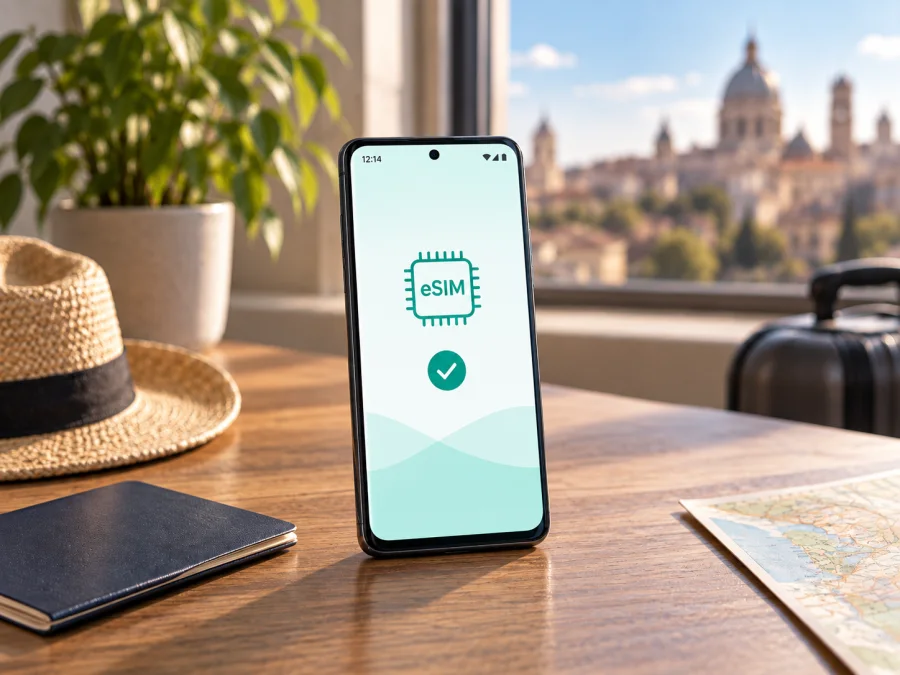
Oppo Find X5 256GB eSIM: compatibility and travel setup
An eSIM can help you connect to mobile data abroad without inserting another physical SIM card. For the Oppo Find X5 256GB, compatibility depends on the regional version, not on the storage capacity alone. OPPO documents eSIM support for a Swiss 8GB + 256GB configuration, while its China-market specification for model PFFM10 lists two nano-SIM cards and does not list eSIM. Check your exact handset before choosing a travel plan.
This guide covers regional differences, on-device checks, setup, travel use, and common connection problems. “256GB” identifies storage; it does not reveal the model code, RAM, country of sale, software build, or carrier lock.
At a glance
| Item | What to know |
|---|---|
| Device | Oppo Find X5 256GB |
| Storage | 256GB; RAM and market are unspecified by this name |
| eSIM support | Conditional: documented for the Swiss 8GB + 256GB version; not listed for China-market PFFM10 |
| First checks | Look for an EID and an Add eSIM option in Settings |
| Travel use | A compatible, unlocked version may use a travel eSIM for data where the plan has coverage |
| Before purchase | Confirm this handset, carrier status, destinations, data, validity, and activation rules |
Does Oppo Find X5 256GB support eSIM?
The accurate answer is sometimes. OPPO’s Swiss launch specifications list eSIM for the Oppo Find X5 5G with 8GB RAM and 256GB internal memory. OPPO’s China specifications identify the domestic Find X5 as model PFFM10 and list dual nano-SIM support without listing an eSIM function. These official regional specifications show that the Find X5 name and 256GB capacity do not establish the SIM configuration of every unit.
The Swiss specification is evidence that a 256GB Find X5 can be eSIM-capable; it does not make all imported 256GB phones compatible. Retail listings can omit the RAM, model code, or sales country, and similar-looking phones may expose different SIM controls. If you have the phone, check its settings. If you are buying it, ask the seller for its full model identifier and a view of the SIM settings.
| Version clue | OPPO’s published configuration | What to conclude |
|---|---|---|
| Swiss Find X5 5G, 8GB + 256GB | eSIM is listed | This configuration is documented as eSIM-capable; still verify the handset and unlock status |
| China-market Find X5, PFFM10 | Dual nano-SIM listed; eSIM not listed | Treat as physical-SIM only unless OPPO confirms the exact unit supports eSIM |
| Listing says only “Oppo Find X5 256GB” | Region and SIM configuration are unclear | Compatibility is unconfirmed until you check the model code and phone |
Regional hardware, firmware, and carrier customisation can affect eSIM availability. An update can move a setting but should not be assumed to add eSIM capability. The standard Find X5 is distinct from the Pro and Lite models.
5G and eSIM describe different things: a 5G phone may use physical SIM cards only. Two physical SIM slots do not prove eSIM support. Check the model identifier on the handset, packaging, invoice, or About device page. If the seller cannot identify the market or demonstrate the eSIM menu, treat compatibility as unverified.
Check this exact phone before you buy
Use these checks on the Oppo Find X5 256GB you plan to use. Do not post your full EID or activation QR code in a public listing or forum.
- [ ] Find the model code. Open Settings and search “Model” or “About device”. Record the full model identifier, region, and software version. Ask OPPO support about that code if its SIM capability is unclear.
- [ ] Search for EID. In Settings search “EID”; it may also appear under About device, Status, or SIM status. An EID is associated with eSIM hardware. Its presence is strong evidence of capability, but it does not prove the phone is unlocked or that a particular plan will work.
- [ ] Look for Add eSIM. Search for “eSIM”, “Add eSIM”, “Download a SIM”, or “Add mobile plan”. Labels and menu locations vary by ColorOS version. Look under Mobile network or SIM management if search is inconclusive.
- [ ] Distinguish physical SIM setup. “Add SIM” can refer to a physical SIM. Confirm that the menu offers downloading an eSIM profile or scanning its QR code.
- [ ] Confirm unlock status. Ask the original carrier or seller whether another provider’s profile can be used. A network lock can block activation even when the device has an EID.
- [ ] Resolve conflicting clues. If an EID appears but there is no eSIM control, or a menu appears without an EID, check for an official update and ask OPPO with the model code. Do not assume a generic compatibility list is specific enough.
Settings search is often quicker than following a path from another ColorOS version. If it finds nothing, inspect About device and SIM status, restart, and install any official update. An update may resolve a menu issue on supported hardware; it cannot be relied on to convert an unsupported model.
The strongest confirmation is both an EID and an Add eSIM/download-profile action. If neither is present, pause before buying. If only one appears, verify the model with OPPO and confirm the phone is unlocked. Avoid testing with a paid QR code: downloads or transfers may be limited.
Install and activate a travel eSIM
Before setup, check destination coverage, allowance, validity, supported networks, and when activation starts. A travel eSIM is commonly for data; do not assume it includes a phone number, calls, or SMS unless stated. Keeping your usual number on a physical SIM is subject to roaming charges and dual-SIM behavior.
Use stable Wi-Fi for installation. Keep the QR code on another screen or in a secure printed copy so the phone can scan it. Do not share the QR or activation code: it may allow someone else to download the profile.
- Prepare: Install official updates, charge the phone, connect to Wi-Fi, and confirm it is unlocked. Keep the home SIM active if you need your usual number.
- Open the eSIM menu: Search Settings for “eSIM” or “Add eSIM”. Depending on ColorOS, the control may be under Mobile network or SIM management. Choose the option to add or download a profile.
- Download the profile: Scan the provider’s QR code or enter manual details if provided. Follow the prompts and keep Wi-Fi connected until the download finishes.
- Name the line: Use a clear label such as “Travel data” or the destination so you can distinguish it from your regular SIM.
- Set data preferences: Choose the travel eSIM for mobile data when appropriate. Keep calls and messages on your usual number if desired, after checking roaming terms. Enable data roaming on the travel profile only if the provider’s instructions require it.
- Follow activation timing: Some plans start at installation; others start when the profile first connects to a supported network. Follow the plan’s terms and do not delete a profile to try to restart its validity.
- Confirm service: At the time specified by the provider, enable the travel line, select it for data, and allow it to register. Turn Wi-Fi off and open a webpage to test mobile data.
See the Android eSIM installation guide for Android steps. The iOS eSIM installation guide is for Apple devices and may help another traveller in your group.
After compatibility is confirmed, the Kaspersky eSIM Store app and website let you choose and arrange an eSIM with a mobile-data plan for an overseas trip. Compare destination, data, validity, and activation conditions before proceeding.
Using the eSIM while travelling
If your exact Oppo Find X5 256GB supports eSIM and is unlocked, select the travel profile for data at a covered destination. Download offline maps and save essential trip information before departure. If you install early, check whether validity starts at installation or first connection.
A single-country plan may not cover the full route. For a multi-country trip, check every destination in the plan terms; a regional plan may share one data allowance across its included countries. Estimate usage from maps, messaging, bookings, browsing, and video calls. Use Wi-Fi when appropriate and check remaining data through the provider’s account or app if available.
You may be able to leave your home SIM enabled for your regular number while using the travel profile for data. Turn off data roaming on the home line if you want to avoid unintended use, and select the travel eSIM as the data SIM. Dual-SIM behavior varies by software and operator, so review the SIM manager after installation and again after landing. A data-only plan usually does not replace ordinary calls or SMS; internet messaging can work over its data connection.
The profile and plan are separate: the profile is installed on the handset; the plan sets data, coverage, duration, and other terms. Installation may not start the data period, while deletion can make reinstallation difficult. Keep it until the provider says it can be removed.
Troubleshooting: what to check first
There is no Add eSIM option. Search Settings for “eSIM” and check for an EID under device or SIM status information. Confirm the full model code and market. OPPO lists the China-market PFFM10 with dual nano-SIM and does not list eSIM; do not expect a software toggle to add that function. Ask OPPO about the precise code if uncertain.
A profile will not download. Connect to reliable Wi-Fi, confirm the code is intended for eSIM, and check whether it has already been used or has a download limit. Enter manual details only if the provider supplied them. Contact the plan provider rather than repeatedly scanning the same QR code.
The profile installs but has no service. Check destination coverage, plan validity, and that the travel line is enabled. Toggle Airplane mode briefly, restart, and allow time to register. Make the travel eSIM the data line. Enable data roaming on that profile only if required by the plan, and check that the handset is unlocked.
Signal appears, but mobile data fails. Confirm mobile data is on for the travel profile and that the correct SIM is selected. Check remaining allowance and any APN requirements; change APN only when the provider gives exact settings. Turn Wi-Fi off during your test so it cannot hide a mobile-data problem.
Calls work but data does not, or the reverse. A data-only plan may not provide a phone number, voice, or SMS. Use the home SIM for ordinary calls only after reviewing roaming terms. Two installed SIMs do not guarantee that both can handle every service at once.
The connection stops at a border. Confirm the new country is included, toggle Airplane mode or restart to register again, and check the plan’s shared regional allowance. If coverage should apply but service does not return, contact the provider with the destination and error details. Do not send a QR code or full EID in a public forum.
Menu labels differ. Search Settings or SIM management and use the Android guide above. Confirm the model code and EID rather than relying on another Find X5’s screenshot.
Frequently asked questions
Is every Oppo Find X5 256GB compatible?
No. OPPO documents eSIM for the Swiss 8GB + 256GB Find X5; the China PFFM10 specification lists dual nano-SIM without eSIM. Check the exact handset’s model code, EID, and Add eSIM control.
Does 256GB mean the phone has an eSIM?
No. It is the storage capacity. It does not identify RAM, market, carrier configuration, or eSIM capability.
Is 5G the same as eSIM?
No. A 5G handset may use physical SIM cards only. Network bands and eSIM are separate compatibility checks, and neither guarantees the other.
Can I keep my usual number?
If the regional version supports eSIM and its settings allow both lines, you may keep your home SIM available while selecting the travel eSIM for data. Check home roaming costs. A data plan should not be assumed to include normal calls or SMS.
Does an EID guarantee a plan will work?
No. It indicates eSIM capability, but a carrier lock, unsupported destination, plan restrictions, or activation timing can still prevent service.
Can I move or delete the profile later?
That depends on the plan provider. Some downloaded profiles cannot be transferred or reinstalled. Check its conditions before changing phones or deleting the eSIM, and keep activation information private.
A simple decision rule
Treat Oppo Find X5 256GB as conditionally compatible. The Swiss 8GB + 256GB version is documented with eSIM; OPPO’s China PFFM10 specification lists dual nano-SIM and does not establish eSIM support. For any unlabelled import, compatibility is unconfirmed until the model code and settings are checked. In all cases, confirm carrier unlock and plan coverage before purchase.
Before your trip: verify, then choose
On your Oppo Find X5 256GB, check the model code, EID, and Add eSIM control. Confirm unlock status, destination coverage, allowance, validity, and activation timing. If any detail is unclear, ask OPPO about the handset variant and the plan provider about its terms before paying. Once compatibility is verified, use the Kaspersky eSIM Store app or website to choose, arrange, and activate a travel eSIM with a mobile-data plan. Keep the profile installed until its provider says it can be removed, and check the selected data SIM after arrival.


