Travel connectivity guide
Oppo Find X8 128GB eSIM: Check Compatibility
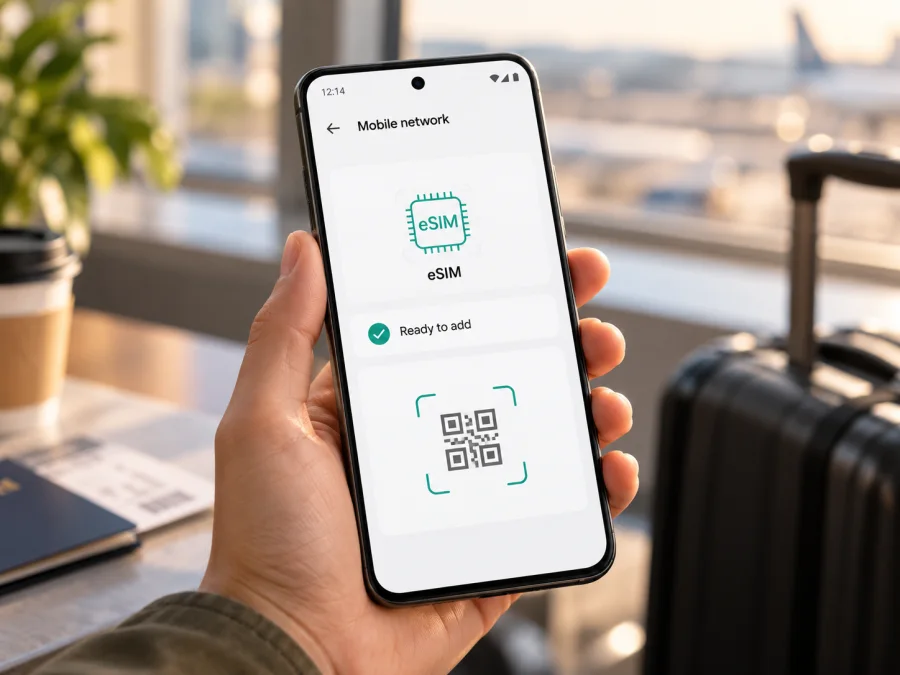
Oppo Find X8 128GB eSIM: compatibility and setup
Quick answer
The Oppo Find X8 family includes regional versions with eSIM, but the exact “Oppo Find X8 128GB” configuration cannot be confirmed from OPPO’s official specifications reviewed for this article. OPPO India lists the Find X8 model CPH2651 with nano-SIM plus eSIM, and the official Taiwan specifications for CPH2651 do the same. OPPO China lists the Find X8 model PKB110 with two physical nano-SIM cards and does not list eSIM. The official capacity options shown on these pages begin at 256 GB, not 128 GB. As a result, a 128 GB seller listing could refer to a different market SKU, a listing error, or a phone whose identity needs checking; storage capacity alone does not establish eSIM support.
Before buying a travel data plan, identify the exact model code in the phone’s settings or on its box and look for an EID. If the phone is still with the seller, ask for a clear photo of the model information and a screenshot of the eSIM settings. Treat the device as unconfirmed until the EID or “Add eSIM” option is present and the phone is not carrier-locked. OPPO’s India and China Find X8 specifications and Taiwan specifications were checked on 17 October 2026; regional specifications are not interchangeable.
| Item | What can be confirmed |
|---|---|
| Name in this guide | Oppo Find X8 128GB |
| Regional eSIM evidence | Supported in OPPO’s published CPH2651 specifications for India and Taiwan |
| A documented non-eSIM variant | Chinese model PKB110 lists two physical nano-SIM cards, with no eSIM option listed |
| 128 GB configuration | Not present in the official capacity options on the OPPO regional pages reviewed |
| What to verify on the device | Exact model code, EID, eSIM setup option, carrier-unlocked status |
| Suitable for a travel data eSIM? | Only after the individual phone passes those checks |
Why the model code matters
A retail name can be shorter than the information that determines cellular features. OPPO’s India specifications identify a Find X8 variant as CPH2651 and explicitly describe its SIM type as a nano-SIM plus eSIM. OPPO’s Taiwan page also identifies CPH2651 and lists nano-SIM/nano-USIM plus eSIM. Those pages show 12 GB + 256 GB and, for India, 16 GB + 512 GB. They provide evidence that eSIM exists in Find X8 variants, but they do not verify a 128 GB version.
The mainland China specification page identifies the Find X8 as PKB110. It lists nano-SIM and nano-USIM, dual-card use, and memory configurations starting at 256 GB. It does not list an eSIM. This is a meaningful regional difference: a Chinese-market Find X8 should not be assumed to gain eSIM simply because another Find X8 variant supports it. A software update or a change to the displayed language does not turn a hardware and market configuration into a different variant.
The storage amount is not an eSIM identifier. Sellers sometimes omit a model code, combine several configurations in one listing, or describe usable storage imprecisely. Do not infer that a phone is CPH2651, global, Indian, Taiwanese, or eSIM-capable from “128GB” alone. Ask the seller for the full model or regulatory code, the country where that SKU was sold, and proof of the device’s EID. If those details conflict, confirm them with OPPO support for the market where the device was originally sold.
Network registration is another separate question. Even when a model includes eSIM, an operator or carrier may have locked the handset, and an eSIM profile may not be accepted until the restriction is removed. The phone must also support the network bands and service used by the operator in the destination. A listed eSIM feature does not promise coverage, a particular speed, or compatibility with every operator.
Regional evidence at a glance
| Market or code shown by OPPO | SIM information on the official specification page | Practical interpretation |
|---|---|---|
| India, CPH2651 | Nano-SIM + eSIM; page lists 12 GB + 256 GB and 16 GB + 512 GB | eSIM is documented for this regional model; it does not verify the 128 GB listing |
| Taiwan, CPH2651 | Nano-SIM/nano-USIM + eSIM; page lists 12 GB + 256 GB | eSIM is documented for this regional model; check the individual device and carrier |
| Mainland China, PKB110 | Nano-SIM and nano-USIM, dual-card; no eSIM listed; capacities start at 256 GB | Do not count on eSIM for this SKU |
| Listing marked “Oppo Find X8 128GB” without a code | No exact regional variant established | Compatibility remains unconfirmed until the model code and EID are checked |
These distinctions describe documented device variants, not whether eSIM service is available in a particular country. The operator market where you intend to use the plan is a further check: its eSIM profile, local network access, and supported frequency bands must work with your specific phone. A device that supports eSIM in India, for example, is not automatically guaranteed to connect to every operator in another country.
Check the phone before choosing a plan
Use this checklist before paying for a travel eSIM plan:
- Find the full model code. On the phone, open Settings and look under About device or About phone. Menu names vary by ColorOS version and region. Record the model number exactly as shown; do not rely on the product name in a shop listing.
- Look for an EID. Search About device, Status, or SIM status for EID. It is a long identifier associated with the embedded SIM. On some phones, the dial code
*#06#opens an information screen that includes the EID; dial-code behavior can differ by software and market. - Look for an eSIM setup control. Open Settings → Mobile network or SIM card & mobile data and check whether the phone offers Add eSIM, Download a SIM, or a similar option. Labels differ by ColorOS build. Do not delete an existing profile just to test the menu.
- Check for a carrier lock. Ask the original carrier or seller to confirm that the phone is unlocked for other operators. A visible eSIM menu cannot remove a network restriction.
- Confirm the destination and operator-market requirements. Check that the plan is intended for the country or region you will visit, and that the phone’s precise regional version supports the required eSIM profile and network bands.
- Keep an internet connection available for setup. Downloading a profile normally requires Wi-Fi or working mobile data. Install before departure if that is more convenient, but follow the plan’s activation instructions so you know when its validity starts.
- Review the plan conditions. Check data allowance, validity, supported destinations, hotspot rules if relevant, and the stated activation process. A travel data eSIM may not include a conventional phone number, calls, or SMS unless its terms explicitly say so.
An EID is a useful sign that the handset has an embedded SIM system, but it does not settle every compatibility question. Compare the seller’s exact code with the manufacturer’s page for that sales market. The displayed model code, the operating system’s add-eSIM flow, carrier-unlocked status, plan requirements, and operator-market support all matter. If the information is missing or inconsistent, ask OPPO or the seller to verify the exact SKU before choosing a tariff. Check your device before you buy.
How to install and activate an eSIM
Install a profile while you have a reliable internet connection and enough time to complete the steps. Use the QR code or manual details supplied for your particular plan. A QR code is usually intended for one installation and may not be reusable after the profile has been downloaded, so do not scan it on another device or remove the eSIM profile unless the plan instructions say that it can be reinstalled.
Install with a QR code
- Connect the Oppo Find X8 to Wi-Fi or another working internet connection. Keep the QR code visible on a second screen or printed page. If the code is in an email on the same phone, open it on another device or use the provider’s manual installation details.
- Open Settings, then go to Mobile network or the equivalent SIM settings page. The exact path can vary with the region and ColorOS version.
- Choose Add eSIM, Download eSIM, or the similarly named option. If the control is missing, stop and recheck the model code and EID rather than assuming the profile is compatible.
- Select the option to scan a QR code. Point the camera at the code and wait for the phone to retrieve the profile details.
- Review the on-screen confirmation and choose Download, Add, or Install. Keep the phone connected until it reports that the profile has been added. Do not close the screen or repeatedly scan the same code while the download is in progress.
- Give the profile a clear label such as “Travel data” so that you can distinguish it from your regular SIM. Choose whether it should be enabled now or later, following the plan’s instructions.
- If the plan is for use after arrival, you can leave the profile installed and select it as the data line when needed. Profile installation and plan activation are not always the same event: check the plan terms for the point when service or validity begins.
If you cannot scan a QR code, look for a manual setup option in the same eSIM flow. Enter the activation details exactly as supplied, including any server address or confirmation code. Do not guess missing values or copy a QR code from an unrelated order. For additional device guidance, use the Android eSIM installation instructions or, if you are setting up a different Apple device, the iOS eSIM installation instructions. Android menu labels can differ between manufacturers and software versions, so follow the on-screen steps shown by your own Find X8.
Activate the profile for your trip
After installation, open the SIM or mobile network settings and make sure the travel profile is enabled. If ColorOS asks you to choose a primary line, keep your regular number on its usual line for calls and messages where available, and select the travel eSIM for mobile data. If the eSIM is data-only, it will not replace your regular number for ordinary calls or SMS. Internet calling and messaging apps can still work over data, subject to their own settings and the plan’s connectivity.
Some travel plans connect only when the phone reaches a supported destination. Others may require the user to switch on the eSIM or data roaming for that line. Follow the activation instructions shown with the plan; do not turn on roaming for the home SIM unless you intend to use its roaming service. If data roaming is needed, enable it for the travel eSIM specifically. The exact menu may be Mobile network → [travel profile] → Data roaming.
Once connected, select the travel profile as the mobile data SIM. Turn off automatic data switching if your software provides that choice and you want to prevent the phone from moving data to your regular SIM. Check which line is selected after a restart or after changing SIM settings. Keep Wi-Fi calling, hotspot use, and other options within the plan terms and your operator’s rules.
Using the eSIM for mobile data abroad
Before travel, decide which line should handle each task. A common arrangement is to keep the regular SIM available for calls or verification messages and set the eSIM as the mobile data line. The combination depends on dual-SIM behavior, regional model, and operator restrictions; confirm the available options in settings.
Kaspersky eSIM Store is an app and website where you can choose, arrange, and activate an eSIM with a mobile data plan for an overseas trip. It does not determine whether a particular phone variant is compatible, remove a carrier lock, or guarantee service on every network. Confirm the device and plan conditions first, then use the app or website to select a suitable destination and review the plan details.
Common problems and what to check
There is no EID or “Add eSIM” option
Check the exact model code again. The China PKB110 specification does not list eSIM, while OPPO’s CPH2651 specifications for India and Taiwan do. Also check that you are looking in the SIM settings rather than only the quick settings panel. If the phone is identified as CPH2651 but the eSIM controls are absent, install available official system updates and contact OPPO support for the original sales market. Do not attempt unofficial firmware changes as a substitute for confirming hardware and market support.
If a seller advertised “Oppo Find X8 128GB,” request clarification about the 128 GB configuration as well as the product code. OPPO’s regional capacity lists reviewed here do not show 128 GB. That does not prove the listing is fraudulent; it means the published details do not establish which variant is being offered. Ask the seller to verify it in writing and provide device information before purchase.
The QR code will not scan or the profile will not download
Increase screen brightness on the device displaying the code, clean the camera lens, and hold the phone steady at a comfortable distance. Check that the QR code belongs to your order and that the code has not already been used. Keep a stable internet connection and enough battery power while downloading. If a manual activation option is supplied, enter the credentials carefully. A failed attempt can sometimes consume a one-time code, so contact the plan support channel before repeated retries.
The profile is installed, but there is no signal
Confirm that the destination is included in the plan, the profile is enabled, and the handset is not carrier-locked. Check airplane mode, mobile data, and the selected data SIM. If required, enable roaming for the travel eSIM. If service does not appear after a restart, check the plan’s network guidance and local operator availability.
The phone connects, but apps have no internet
Make sure the travel profile is the selected mobile data line and that mobile data is enabled for that profile. Check whether a data limit, VPN, private DNS, or app-specific restriction is blocking traffic. Try loading a basic webpage and compare more than one app. If the plan uses manual APN settings, enter only the APN provided for that plan. Avoid changing unrelated network values.
The phone uses data on the wrong SIM
Reopen SIM settings and confirm the travel eSIM is chosen for mobile data. Turn off automatic data switching if available. Check that the home SIM’s roaming data is disabled if you do not want it used abroad. Dual-SIM options vary by regional firmware, so the status-bar icons alone may not tell you which line is carrying data.
The profile cannot be transferred or reinstalled
Practical examples
A phone with model code PKB110: OPPO’s China specification describes two physical SIMs and does not list eSIM. Treat it as not supported for eSIM unless OPPO confirms an exception for the exact device. Do not rely on an online shop’s “global ROM” wording or language settings as proof of a different SIM configuration.
A trip with more than one country: Check the plan’s country list and validity for every stop. A regional offer can be convenient for a route, but only the displayed terms establish which destinations are included. Set the travel profile as the data line when the included destination is reached and keep an eye on the plan allowance.
FAQ
Does Oppo Find X8 128GB support eSIM?
The exact 128 GB configuration is not confirmed by the official OPPO capacity specifications reviewed. Some Find X8 regional models do support eSIM: OPPO lists it for CPH2651 in India and Taiwan. The mainland China PKB110 specification lists physical SIM cards and no eSIM. Check your particular phone’s model code, EID, and add-eSIM menu before buying a plan.
Is every Oppo Find X8 an eSIM phone?
No. The documented SIM configuration differs by regional model. Do not transfer one market’s specifications to another, and do not treat a shared retail name as proof of shared hardware. Verify the code printed in the device information and use OPPO’s specifications for that market.
What is an EID, and where can I find it?
An EID is the identifier associated with the phone’s embedded SIM. It may appear under About device or SIM status. On some software builds, *#06# also displays it. If neither method reveals an EID, check the phone’s mobile network settings for an add-eSIM option and ask OPPO to confirm the model code.
Will an eSIM work if the phone is locked?
A carrier-locked phone may reject another operator’s eSIM even if its hardware supports eSIM. Ask the original carrier or seller to confirm unlock status before purchase. A plan provider cannot remove a lock imposed by a different carrier.
Final check before your trip
For Oppo Find X8 128GB, the reliable answer is conditional: eSIM is documented on some Find X8 regional variants, but OPPO’s official pages reviewed do not identify a 128 GB version, and the China PKB110 version lists no eSIM. Confirm the exact model code, locate the EID, verify that the phone offers an eSIM setup option, and check that it is carrier-unlocked. Then confirm that the selected plan covers your destination and that its data allowance and validity fit your route.
Once those checks are complete, Kaspersky eSIM Store’s app and website can help you choose, arrange, and activate an eSIM plan for mobile data on an overseas trip. Review the displayed plan conditions, install the profile using the device instructions, and select it for mobile data when you are ready to use it. A few checks before purchase can save time when you arrive.


