Travel connectivity guide
Oppo Find X8 eSIM: compatibility and setup
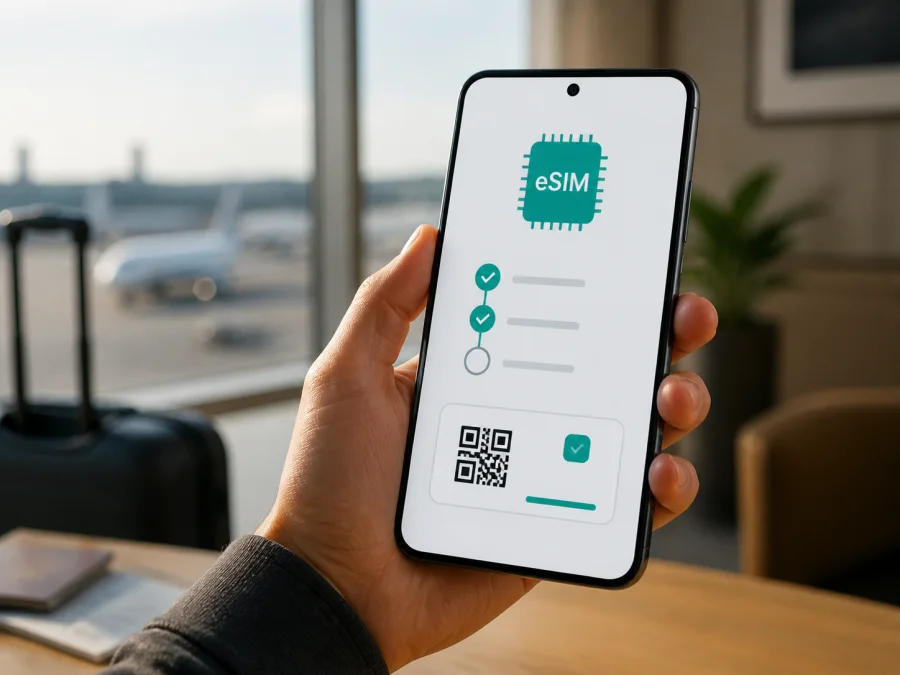
Oppo Find X8 eSIM: compatibility, setup and travel guide
If you are planning to use an eSIM for mobile data abroad, the first question is simple: does your exact Oppo Find X8 variant support it? The answer is not identical for every market. Current official OPPO regional specifications list eSIM support for the Oppo Find X8 sold in markets such as India and Japan, while the China-market specification lists a dual nano-SIM arrangement and does not list eSIM. That means the name alone is not enough to approve a purchase.
Quick answer
Does Oppo Find X8 support eSIM?
Sometimes. The official OPPO specifications for the Find X8 model CPH2651 in India and Japan describe a nano-SIM plus eSIM configuration. OPPO’s China-market Find X8 specifications describe dual nano-SIM and do not list eSIM. The difference is important: a phone imported from a different market can have a different modem configuration, SIM tray arrangement, firmware behaviour or carrier policy even when the retail name looks the same.
Therefore, the safest answer for your particular Oppo Find X8 is: eSIM is supported when your regional variant includes the eSIM function and the software exposes it. Do not rely only on a seller’s title, a photograph of the box, or a generic compatibility list. Use the checks below before buying a travel eSIM plan.
What the official specifications tell you
| Item | What to check for Oppo Find X8 |
|---|---|
| Device name | Oppo Find X8 |
| Model reference shown by OPPO in eSIM-enabled regional specifications | CPH2651 |
| eSIM configuration listed in India and Japan | Nano-SIM + eSIM |
| China-market SIM description | Dual nano-SIM; eSIM is not listed |
| Physical SIM use | The active combination depends on the regional hardware and software |
| Mobile network | 4G and 5G availability depends on the bands, local network and plan |
| Software | Menu names can vary with ColorOS version, language and market |
| Final compatibility test | EID and/or “Add eSIM” must be visible on the actual phone |
Why the region matters
eSIM support is built into the phone’s cellular platform and controlled by more than one layer. The hardware must include an eSIM element, the regional software must expose the relevant menu, and the operator or plan must be allowed to provision the profile. A carrier may also apply restrictions to a device sold under a contract. This is why two phones with the same Find X8 name can behave differently.
If you are buying online or importing the phone, check its exact model identifier, sales market, carrier-unlock status and EID. Also check whether an update changes the mobile-network menu.
Do not assume that 5G support means eSIM support. 5G describes radio access; eSIM describes how a subscriber profile is stored. A dual-SIM label can mean one nano-SIM plus eSIM on one variant and two physical nano-SIMs on another.
Check your Oppo Find X8 before purchase
You can usually confirm compatibility without inserting a new SIM. Menu wording varies, so look for the function rather than one exact translation.
- Open Settings.
- Open About device, Status, or the device-information area.
- Look for EID or eSIM ID. It is a long identifier associated with the embedded SIM component. Do not publish it or send it to anyone who does not need it.
- Return to Settings and open Mobile network, SIM card & mobile data, or a similar section.
- Look for Add eSIM, Add mobile plan, Download a SIM, or Set up eSIM.
- Open the option only far enough to confirm that the phone offers eSIM setup. You do not need to scan a plan’s QR code during this test.
If both an EID and an add-eSIM control are present, the phone is a strong candidate. If only one appears, update over Wi-Fi, restart and check again. If neither appears, treat the variant as incompatible until OPPO or the seller confirms otherwise. A missing menu can indicate a regional configuration, firmware issue or carrier restriction.
A short compatibility checklist
Use this checklist for the actual phone, not a similar listing:
- [ ] The device name and model identifier match the handset you intend to use.
- [ ] An EID or eSIM ID is visible in the device information.
- [ ] Mobile-network settings include an option to add or download an eSIM.
- [ ] The phone is not locked to a carrier that restricts other plans.
- [ ] The ColorOS version is up to date and the phone has been restarted after updating.
- [ ] The destination plan supports the country or region on your itinerary.
- [ ] You understand the plan’s data allowance, validity period, activation rule and refund conditions.
- [ ] You have a reliable Wi-Fi or mobile connection for installation.
If you are comparing a retailer’s listing, Check your device first and keep the exact variant in your notes.
How to choose a travel eSIM plan
Once the phone passes the compatibility check, choose a plan around the trip rather than around the phone’s maximum 5G capability. Kaspersky eSIM Store is an app and website that helps you choose, arrange and activate an eSIM with a plan for mobile data during an international trip. It is not a mobile operator, network owner or mobile-internet provider.
Start with the destination and verify every stop on a multi-country route. Estimate traffic for maps, translation, messaging, email, social media and video; hotspot use can require more than a short city break.
Check the validity period and activation rule before payment. Confirm hotspot conditions, any data threshold, and whether the plan is data-only.
In this context, travel eSIMs are for mobile internet, not a new ordinary phone number. Unless the plan says otherwise, do not expect regular voice calls or SMS; use messaging and calling apps over data.
After payment, save the profile or QR code on a second screen. If the Oppo Find X8 displays the code, scan it with another phone, tablet or computer.
Install an eSIM on Oppo Find X8
Install the profile on stable Wi-Fi with enough battery. Keep the everyday physical SIM in place unless necessary; labels vary by ColorOS release.
Android setup
- Connect the Oppo Find X8 to Wi-Fi.
- Open Settings.
- Tap Mobile network or SIM card & mobile data.
- Select the control for adding a mobile plan or eSIM.
- Choose the QR-code option if the plan was delivered as a QR code.
- Scan the QR code from another screen, or enter the activation details manually if that option is provided.
- Wait while the phone downloads the eSIM profile.
- Give the profile a clear label such as “Travel data”.
- Select which SIM should handle mobile data.
- Keep your primary SIM for calls and messages if required, and select the travel eSIM for data when appropriate.
For the current Android flow, see the Android eSIM installation instructions. Installation may take several minutes and depends on the phone, connection and plan.
iOS reference
The Oppo Find X8 uses Android, so follow the Android path on the phone. The iOS eSIM installation instructions are for Apple devices and can help a companion who is displaying the QR code.
Do not repeatedly scan a code unless the plan allows it; many codes are intended for one installation. If the process stops, note the message before deleting anything.
Activate the profile for mobile data
Installing the profile and using it for data are separate actions. After the profile appears in the SIM manager:
- Open the mobile-network settings again.
- Confirm that the travel profile is switched on.
- Set the travel profile as the SIM for mobile data.
- Decide whether calls and SMS should remain on your everyday SIM.
- Turn off automatic mobile-data switching if the phone might move data back to the primary SIM.
- Enable data roaming for the travel eSIM only if the plan instructions require it.
- Disable data roaming on your everyday SIM if you want to avoid accidental roaming charges.
- Arrive in the covered destination and wait for the phone to register on a supported network.
- Open a simple webpage or messaging app to test the connection.
Data roaming may be necessary because a travel eSIM can use a partner network. Enable it only for the travel eSIM when required; roaming on the wrong line can create home-operator charges.
If you install before departure, the eSIM may remain inactive at home or its validity may begin under the plan’s rule. Keep it installed and do not delete it simply because it does not connect before the trip.
Practical travel scenarios
Holiday with one destination
Verify the EID, install on Wi-Fi, then select the travel eSIM for data after landing. Keep the regular SIM only if you understand its roaming terms, and monitor the travel balance.
Multi-country route
List every country, confirm the plan covers the route and check the dates. After a border crossing, allow time for registration with a supported network.
Work trip with hotspot
For hotspot use, estimate laptop, meeting and file-transfer data and check plan support. Even with suitable 5G bands, speed depends on the local network, signal, congestion and plan.
Short stopover
For a brief visit, install and label the profile in advance, then switch mobile data after landing. If validity starts on first connection, do not activate early unless the dates suit you.
Troubleshooting guide
There is no EID or Add eSIM option
Recheck the model and market, install ColorOS updates over Wi-Fi, restart, and search both settings areas. If the option remains absent, the handset may be a physical-SIM regional version or carrier-restricted. Ask OPPO or the seller to confirm the configuration; do not force it with unofficial firmware.
The QR code will not scan
Increase brightness on the code’s screen, clean the camera lens and hold the phone steady. Use the eSIM-add flow, show the full code on a second screen, and never post it publicly.
The profile downloaded but there is no signal
Confirm that the profile is enabled, selected for data, valid in the current country and allowed to roam when required. Toggle airplane mode briefly and allow time for registration; use automatic network selection unless instructed otherwise.
The phone uses the wrong SIM for data
Select the travel profile as mobile data and turn off automatic data switching. Review the primary SIM’s roaming setting; verify the selected line before using data-heavy apps.
Data works but speed is lower than expected
Check signal, congestion and remaining allowance. The phone may use 4G if 5G is unavailable on the local network, and a 5G label does not guarantee a particular speed.
The profile disappeared after a reset
Check the account and purchase conditions before trying the QR code again. Some profiles cannot be reused after deletion or moved to another phone; contact support with the order details and error message.
FAQ
Is every Oppo Find X8 eSIM-compatible?
No. Official regional specifications differ. India and Japan documentation lists nano-SIM plus eSIM for the Find X8, while the China-market specification lists dual nano-SIM and does not list eSIM. Check the actual EID and add-eSIM menu before purchase.
Does 5G on Oppo Find X8 guarantee eSIM?
No. 5G and eSIM are different capabilities; a physical-SIM variant can support 5G without eSIM.
Can I keep my regular SIM and add travel data?
Usually, on an eSIM-enabled variant and subject to its active-SIM rules. Select the travel eSIM for data and choose separately which line handles calls and messages.
Will a travel eSIM give me a new phone number?
Usually not. Unless telephony is stated separately, expect mobile data rather than an ordinary phone number, voice calls or SMS; messaging apps can use the data connection.
Do I need to remove the physical SIM?
Usually no. Keeping it installed can help with important messages, but review home-operator roaming charges and keep it off the mobile-data setting.
Can I install before the flight?
Often yes. Use Wi-Fi, keep the profile installed, and follow the plan’s activation rule because validity may start on first connection.
Is Kaspersky eSIM Store a mobile operator?
No. Kaspersky eSIM Store is an app and website that helps users choose, arrange and activate an eSIM with a plan for mobile data during an international trip. It does not own a network or provide coverage.
What if I am unsure about my regional version?
Check the model identifier, sales market, EID and Add eSIM menu. If they conflict, do not buy yet; ask OPPO or the seller to verify the configuration and then confirm destination coverage.
Final device and trip check
Before you pay for a travel eSIM plan, verify the actual Oppo Find X8 rather than relying on the product name. Confirm that an EID is present, that the mobile-network settings offer Add eSIM, and that the phone is unlocked. Remember that current OPPO information is regional: an India- or Japan-market Find X8 may list nano-SIM + eSIM, while the China-market version may be specified with two physical nano-SIMs.
Then match the plan to the trip. Choose the country, region or route; review data, validity, activation, hotspot and support conditions; and keep the QR code on a second screen. Install over Wi-Fi, select the profile for data at the right time, and enable roaming only for that eSIM when required.
Kaspersky eSIM Store helps you prepare through its app and website: select a destination, choose an eSIM plan for mobile data, complete the order, and activate the profile on a compatible phone. Compatibility comes first. Once the Oppo Find X8 passes the EID and settings check and the plan matches your itinerary, you can set up mobile data for the journey.


