Travel connectivity guide
Oppo Find X8 Pro 256GB eSIM Compatibility
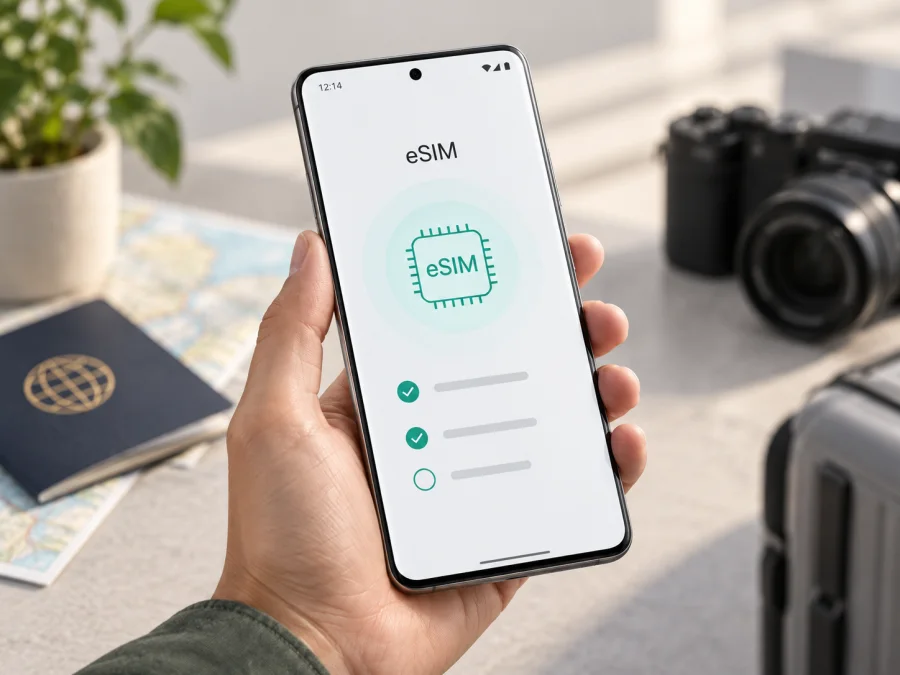
Oppo Find X8 Pro 256GB eSIM compatibility and setup guide
The Oppo Find X8 Pro 256GB supports eSIM in the international configuration OPPO documents with eSIM capability. OPPO’s regional product specifications list nano-SIM/nano-USIM plus eSIM, and its support guidance names Find X8 Pro among compatible models. However, “256GB” identifies storage, not the phone’s sales region or software configuration. A China-market import or carrier-supplied device may differ. Before choosing a travel plan, check the actual handset for an EID or eSIM management option and confirm the model code and market if the origin is unclear.
An eSIM is a digital SIM profile stored in a device. You download it using Wi-Fi, usually by scanning a QR code or entering activation details. For a trip, it can provide a separate mobile data line while your regular SIM remains available, subject to the phone’s SIM settings and your plan terms. This guide covers the exact requested storage variant, but OPPO’s eSIM statements apply to regional configurations rather than every phone with the same retail name.
Compatibility at a glance
| Item | Details |
|---|---|
| Exact variant | Oppo Find X8 Pro 256GB |
| eSIM verdict | Supported on OPPO-listed international Find X8 Pro configurations; verify the individual unit |
| Manufacturer guidance | OPPO lists Find X8 Pro as compatible and documents eSIM management in Settings |
| Regional caveat | Availability may vary by market, model code, firmware and carrier configuration; China-market specifications do not list eSIM |
| Settings path to check | Settings → Mobile network → eSIM or a similarly named eSIM management option |
| Before buying a plan | Confirm EID or eSIM controls, check carrier lock status, and verify destination coverage |
The short answer is yes for the international Oppo Find X8 Pro 256GB configuration documented by OPPO, with a device-level check required. OPPO’s current product specifications for international markets such as India, Spain and Indonesia list nano-SIM plus eSIM. Its support information also gives a way to check compatibility through the eSIM management option under Mobile network. Menu wording can change with ColorOS version and selected language.
OPPO publishes different specifications by market. The China-market Find X8 Pro page does not list eSIM, so do not assume every imported device has the feature. A seller’s “global” or “unlocked” label, 5G support, dual-SIM wording, 256GB capacity, or a QR-code picture in a generic listing is not enough to establish eSIM compatibility. Check the model code and the phone itself. If a seller cannot identify the sales region, ask for a screenshot of the EID or eSIM settings on the actual unit, or confirm with OPPO support.
Carrier locks may also prevent adding or using another plan even where the phone supports eSIM. Software updates can change menu placement, but should not be treated as proof that a regional device has gained support. For imported, refurbished or carrier-supplied handsets, verify the exact device and build.
Check the phone before choosing a plan
Use these checks on the Oppo Find X8 Pro 256GB you will take on your trip:
- Open Settings → Mobile network and look for eSIM, Manage eSIM, Download a SIM, or similar. OPPO’s support guidance points to the eSIM management entry under Mobile network.
- Search Settings for EID or check About device, Status, SIM status or the eSIM screen. EID identifies the embedded SIM component.
- On some versions, dialing
*#06#displays device identifiers including EID. If the code does not show it, check Settings as well; menus differ by software and market. - Confirm the phone is carrier-unlocked. Contact the original carrier if the lock status is uncertain.
- Install available system updates and restart if the eSIM menu fails to load. Then check again.
- If the region or model code is unclear, ask OPPO or the seller to confirm eSIM support for that specific handset and software build.
An EID and a visible add/manage eSIM control are useful indicators. Still, neither confirms that the phone is unlocked or that a particular plan can be installed. If you find no EID, cross-check the eSIM menu and regional documentation rather than deciding from one screen alone. For another compatibility check, check your device before selecting a travel plan. eSIM compatibility means the device can install a profile; it does not guarantee signal, speed or availability in every location.
Install and activate an eSIM
Install over reliable Wi-Fi, preferably before departure if the plan permits. Keep the QR code or activation details available on another screen or in print, as the phone generally cannot scan a code shown on its own display. Keep the code private: it may provide access to your profile. Do not delete a profile as a first troubleshooting step, because some plans cannot be installed again with the same code.
- Confirm compatibility and plan terms. Check EID or the eSIM control, unlock status, supported destination, data allowance, validity and activation rules.
- Connect to Wi-Fi and charge the phone. Internet access is usually needed to download the profile. Follow the plan provider’s instructions if it offers an app-based installation method.
- Open eSIM settings. OPPO’s support route is Settings → Mobile network → eSIM. Depending on ColorOS, look for Manage eSIM or Download a SIM. Settings search can help find the current label.
- Add the profile. Choose the download/add SIM option and scan the supplied QR code. If offered, use manual entry and copy the activation details exactly as provided.
- Wait for setup to finish. Keep the settings screen open until the profile downloads. Give the line a clear name, such as “Travel,” and check its status in SIM management. If the QR code is reported as used, do not keep retrying it; ask the plan provider what to do.
- Choose when to enable it. Some plans allow advance installation with the line switched off; others start their validity at installation or another event. Check the specific terms before setup.
- Set the data line. In SIM management, select the travel eSIM for mobile data when appropriate. Choose how the home line should handle calls and messages, and check its roaming charges. Enable data roaming for the travel profile only if its instructions require it.
- Test the connection. At the destination or within the plan’s activation window, enable the line, allow it to register, and test a web page or messaging app. If it fails, check the settings below before making changes.
For setup help, see the Android eSIM installation instructions and iOS eSIM installation instructions. The Oppo Find X8 Pro 256GB runs Android, so use the Android guide for this phone; the iOS guide is for someone configuring an Apple device. Menu labels and screens can vary across software versions.
Installing a profile and starting its service are not always the same event. Depending on the plan, validity may begin at installation, first network connection or another stated trigger. Read the plan details and confirmation message. If installation at home is permitted, you may leave the travel line disabled until the intended start time. At your destination, select it for data and switch on roaming only if required by the plan instructions.
Use the eSIM on a trip
A travel eSIM can help with maps, ride-booking, translation, messaging and hotel details after arrival. Before leaving, check that the plan includes every country on your route; a country plan may stop working when you cross a border. Compare the allowance and validity against your expected use. Navigation and messages use data, while video streaming, photo uploads, work calls and hotspot sharing can consume it more quickly.
If you keep your regular number active, choose which SIM handles data, calls and messages in SIM management. A data-only travel eSIM generally does not include a standard phone number, voice calls or SMS unless its terms say otherwise. Messaging and voice apps can use the data connection when supported. Your home SIM may still incur roaming fees for calls, messages or background data, so review its settings with your carrier before departure.
Kaspersky eSIM Store is an app and website where you can choose, arrange and activate an eSIM with a mobile internet plan for an international trip. Before using it, confirm the phone is compatible, then review the destination, data amount, validity and activation conditions shown for the plan. Service and performance depend on the plan terms and available local networks.
Troubleshooting common problems
There is no eSIM setting. Search Settings for “eSIM,” “SIM” or “mobile network,” then check for an EID under device or SIM status. Update ColorOS and restart. If the option still does not appear, confirm the model code and market with OPPO or the seller. Imported regional versions may differ; do not buy a plan based only on the Find X8 Pro family name.
The QR code will not scan or the download fails. Confirm Wi-Fi works, brighten the code on its display, clean the camera lens and hold the phone steady. If manual setup is supported, enter the issued details exactly. A used or expired code may need provider assistance; do not delete other profiles or repeatedly scan it.
The profile installed but service is unavailable. Check that the eSIM is enabled and selected for mobile data, the plan validity has started, and the current country is covered. Enable data roaming for that line if instructed. Toggle airplane mode once, restart, and allow time for registration. Try automatic network selection first unless the provider gives different directions.
Signal appears but apps have no internet. Confirm mobile data uses the travel eSIM and the plan has data remaining. Test with Wi-Fi turned off. Check APN details only if the plan provider supplies exact settings. Data limits, private DNS, VPN settings or an app’s background-data restriction may also affect access.
The wrong SIM handles data or calls. Review the default data, call and message choices in SIM management. If the eSIM is data-only, keep the home SIM for calls if desired, and review its roaming settings to avoid unexpected charges. Available dual-line behavior can depend on software and carrier support.
The phone is locked or requires carrier approval. Ask the carrier that supplied it to confirm unlock eligibility. EID does not remove a carrier lock. Use the carrier or OPPO’s supported process.
You are considering removing the profile. Leave it installed unless the plan instructions or support team tell you to remove it. A profile may not be reusable after deletion. Contact the plan provider before attempting to transfer or reinstall it.
Frequently asked questions
Does the Oppo Find X8 Pro 256GB support eSIM?
OPPO lists eSIM on international Find X8 Pro regional specifications and names Find X8 Pro in eSIM support guidance. That supports a yes for the documented international configuration. Since 256GB identifies storage rather than market, check EID or eSIM management on the actual phone. The Chinese-market page does not list eSIM.
Does every 256GB version have identical eSIM features?
No conclusion can be drawn from storage capacity alone. Region, model code, firmware and carrier restrictions can differ. Verify the actual handset, especially if it was imported.
Where is the EID?
Search Settings or check About device, Status, SIM status and eSIM management. On some phones, *#06# displays it. If it is not visible in one place, check the other indicators and confirm with OPPO.
Can I use a physical SIM and eSIM together?
OPPO’s international specifications list nano-SIM plus eSIM. Use SIM management to select the active lines and data line. Exact combinations can vary; check roaming charges on your regular SIM.
Does a travel eSIM include calls or texts?
Do not assume it includes a standard number, calls or SMS. Many travel eSIMs are data-focused; check the individual plan. Internet-based calling and messaging apps may work over data.
When should I install the eSIM?
Install over Wi-Fi before travel if the plan permits and its validity conditions make that appropriate. Some plans start at installation, others at first connection or another trigger.
Can I transfer the profile to another phone?
Not always. Check the plan’s transfer and reinstallation terms before changing devices or deleting the profile. Some QR codes are single-use.
Will it work in every country?
The phone’s eSIM function only allows it to store a profile. Actual service depends on destination coverage, supported local networks, plan status and terms.
Final device check and trip eSIM
Before arranging a travel plan, check the Oppo Find X8 Pro 256GB itself: find the EID or eSIM management option, confirm the phone is unlocked, and verify the model code and regional configuration if its origin is unclear. OPPO documents eSIM for international Find X8 Pro configurations, while regional versions may differ, so the device-level check is essential.
After confirming compatibility, choose a plan that includes every destination on your route and compare its data allowance, validity and activation rules with your trip. Kaspersky eSIM Store’s app and website let you choose, arrange and activate a plan for mobile internet abroad. Install the profile over Wi-Fi when allowed, keep its details private, and enable it at the time set out in the plan terms. Checking both the phone and plan before departure makes it easier to get connected after arrival.


