Travel connectivity guide
Oppo Find X8 Pro eSIM: Compatibility and Setup
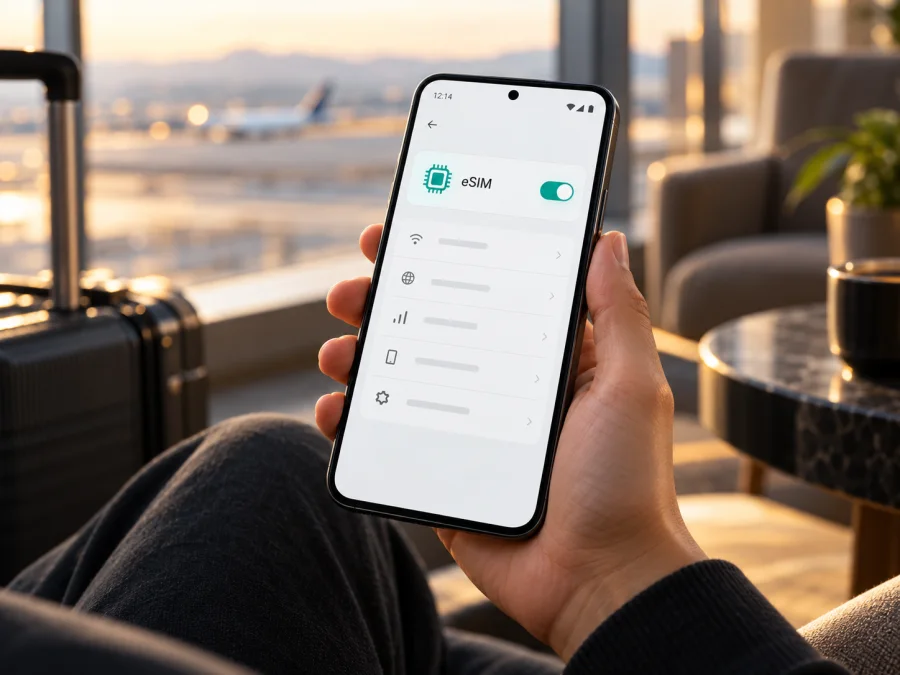
Oppo Find X8 Pro eSIM: compatibility and setup guide
Short answer: eSIM support depends on which regional version of the Oppo Find X8 Pro you have. OPPO’s India specifications for model CPH2659 list a Nano-SIM plus eSIM. OPPO’s China specifications identify model PKC110 and list dual Nano-SIM without listing eSIM. So the name on the box by itself is not enough: check the model code and the eSIM controls on your own phone before choosing a travel plan. The guidance below explains how to do that, install an eSIM if supported, and troubleshoot mobile data while travelling.
Does the Oppo Find X8 Pro support eSIM?
There is no safe one-word answer for every Oppo Find X8 Pro sold worldwide. OPPO’s official specifications are regional. The India page for the CPH2659 version explicitly gives the SIM type as “Nano-SIM card/Nano-USIM card + eSIM.” OPPO’s Chinese product page identifies the device as PKC110 and lists Nano-SIM and Nano-USIM dual SIM; it does not list an eSIM option. This is a meaningful hardware and software-market difference, not a difference between the “Pro” and another Find X8 model.
For the CPH2659 version described by OPPO India, eSIM is supported according to the manufacturer’s published specification. That does not guarantee that every CPH2659 unit, software build, carrier configuration, or imported phone will expose the same menu or accept every eSIM profile. For the China-market PKC110, do not assume that an eSIM travel profile can be installed: OPPO’s listed SIM configuration is dual physical SIM, and the official specification does not confirm eSIM support. If your device was purchased in another market or has a different model code, treat its capability as unconfirmed until OPPO or the seller verifies it.
An eSIM is a digital SIM profile stored in the phone. It can be used for mobile data without inserting a separate plastic SIM, provided the device version supports the technology, the profile is accepted, and the phone is not restricted by a carrier lock. eSIM availability does not itself guarantee network coverage, roaming access, or service in every destination. Those depend on the chosen plan and the local networks it can use.
Model and SIM overview
| Check | What the official information says | What it means for you |
|---|---|---|
| Oppo Find X8 Pro, India listing, CPH2659 | Nano-SIM/Nano-USIM plus eSIM | eSIM is listed for this regional model. Confirm the menu and carrier status on your own handset. |
| Oppo Find X8 Pro, China listing, PKC110 | Dual Nano-SIM; eSIM is not listed | Do not count on installing an eSIM profile unless OPPO confirms your exact device supports it. |
| Other market or a different model code | Check the official local specification for that code | The product name alone cannot establish support. Ask OPPO or the seller for written confirmation. |
| Carrier-sold or imported handset | Restrictions may depend on the seller or carrier | Confirm that the phone is unlocked and can add a third-party travel eSIM profile. |
Specifications can change by sales market, model code, firmware, or network configuration. A phone can also have two physical SIM slots while lacking eSIM; dual-SIM support is not proof of eSIM support. Conversely, a specification that lists eSIM is a strong indicator for that identified version, but the device settings remain the practical final check before purchase.
Find your exact regional version
Before relying on a retailer listing, find the model number on the device. Open Settings and look for About device or About phone. The precise wording can vary with ColorOS version. Find Model or Model number, and note the full code. You may also see it on the original box, purchase documentation, or regulatory label. Do not post the phone’s serial number or IMEI publicly; those are unique device identifiers and are not needed to establish the model family.
Compare the model code with OPPO’s official support or regional product page for the country where the phone was sold. If the phone is second-hand or imported, ask the seller which market it came from and request a photo of the model-code screen and the relevant SIM specification. Avoid relying only on a marketplace title, a generic “global ROM” description, or a seller’s claim that a phone is “dual SIM.” Those descriptions may refer to physical SIM slots or software language options, not eSIM hardware and activation support.
There are two separate questions to resolve:
- Does this exact model and software build provide eSIM? Check the official specification and the phone settings.
- Is the phone available for use with another provider’s eSIM? Check that there is no carrier lock, activation restriction, or policy that prevents adding a travel profile.
An affirmative answer to only one question is not enough. An eSIM-capable device can be locked to a carrier, and an unlocked phone can still be a regional version without eSIM capability.
Check eSIM in Settings before buying
Use the Settings app to look for the eSIM controls. ColorOS labels can vary by region and software release, so the path may not match word for word. Try these checks:
- Open Settings.
- Choose Mobile network, SIM card & mobile data, or the closest equivalent.
- Look for eSIM, Add eSIM, Add mobile plan, or Download a SIM.
- If an add option appears, open it only far enough to confirm that the phone offers an eSIM setup flow. You do not need to scan or install a plan yet.
- If the menu is absent, install any pending official system update, restart the phone, and check again. If it is still missing, ask OPPO support to confirm support for your exact model code and region.
Some devices also display an EID in Settings → About device → Status or in another device-information screen. An EID is an identifier used by eSIM systems. Its presence is useful evidence that the phone has eSIM capability, but menu availability and the actual ability to add a profile are still worth checking. If no EID is shown, that alone is not a definitive diagnosis: menus and information pages vary. Ask OPPO to verify rather than trying unofficial codes or third-party tools.
Use this quick compatibility checklist:
- [ ] I have recorded the complete model code, not just the product name.
- [ ] The official OPPO page for this specific model and region lists eSIM, or OPPO support has confirmed it.
- [ ] Settings includes an eSIM or add-mobile-plan option, or OPPO has explained why the option is hidden.
- [ ] The phone is carrier-unlocked and permitted to add a travel eSIM profile.
- [ ] The phone is updated and connected to Wi-Fi for setup.
- [ ] The travel plan covers my destination and its data allowance and validity fit my trip.
If any of the first three checks is unclear, pause before paying for a plan. For a broader device check, use Check your device. Compatibility is determined by the phone’s precise version and settings, not by the fact that another Oppo Find X8 Pro owner has successfully used eSIM.
Choosing a travel eSIM for mobile data
Once compatibility is confirmed, match the plan to your itinerary. Check the supported country or region, the amount of data, the validity period, when validity begins, and whether the plan requires data roaming to be enabled on its eSIM line. A regional plan may suit a multi-country route; a country plan may fit a single destination. Review the plan details for the specific trip rather than assuming that one profile works everywhere.
Think about likely use. Messaging, maps, email, and occasional browsing usually need less data than video calls, cloud photo uploads, or streaming. Estimate your typical daily use and account for the number of travel days. Download maps, tickets, and essential documents over Wi-Fi before departure.
Kaspersky eSIM Store is an app and website where you can choose, arrange, and activate an eSIM with a mobile-data plan for an international trip. It is not the mobile network operator. The plan’s stated destination, data amount, validity, and any setup conditions determine what you can use; check those details before you proceed.
How to install and activate an eSIM on Oppo Find X8 Pro
Install the profile while you have a stable internet connection, preferably Wi-Fi. Keep the QR code or activation details available on another screen or device if you need to scan them. Follow the instructions supplied with your plan, because activation and the start of validity can differ. The general Android steps below are a guide; exact ColorOS wording may vary.
- Confirm compatibility. Make sure your exact Oppo Find X8 Pro version supports eSIM, the add-eSIM menu is available, and the phone is unlocked.
- Read the plan conditions. Check the destination, data amount, validity, activation timing, and whether the plan asks you to enable data roaming after arrival.
- Connect to Wi-Fi. Keep Wi-Fi available throughout profile download and activation.
- Open the eSIM setup screen. Go to Settings → Mobile network or the equivalent, then choose Add eSIM or Add mobile plan.
- Scan or enter the activation details. Scan the provider’s QR code or enter the manual activation information if that method is offered. Do not share the QR code: it may be usable to install your profile.
- Confirm the download. Review the on-screen prompts and allow the phone to download the profile. Wait for the installation message before leaving Settings.
- Name the line. Give the profile a clear label, such as “Travel data” or the destination name, so you can distinguish it from your usual SIM.
- Choose the data line. In the SIM or mobile-network settings, select the travel eSIM for mobile data when you are ready to use it. Keep your usual line selected for calls or messages if that is your preference and your plan supports those services.
- Set roaming only if required. If the plan instructions say data roaming is needed, enable it for the travel eSIM line only. Check the selected data line carefully to avoid unintended roaming charges on your usual SIM.
- Test the connection. When the plan is meant to start, turn off Wi-Fi briefly and open a simple webpage. Check that the phone shows a mobile network and that data works.
If you want to prepare before travelling, install the profile at home but leave the travel line switched off or do not select it for mobile data until the plan’s instructions say to do so. Some plans begin their validity at installation, while others begin on first connection to a supported network. Confirm which rule applies to your plan. Do not delete a profile to troubleshoot unless the provider has instructed you to do so; some eSIM QR codes can only be used once.
For a more visual walkthrough, see Android eSIM installation instructions. The iOS installation instructions describe Apple devices; they are included for travellers setting up a second phone, not as steps for Oppo Find X8 Pro.
Use the eSIM during your trip
After arriving, open mobile-network settings and make sure the travel eSIM is enabled and selected for mobile data. If required by the plan, switch on data roaming for that eSIM. Confirm which line is active before using data. It may take a few minutes to register on a supported local network.
If you are travelling across several countries, check that each country is covered by the same plan. Crossing a border can temporarily interrupt data while the phone registers again. A travel data plan may not include calling or SMS; review its terms. Messaging apps can use a working data connection.
Practical travel scenarios
You need maps after landing. Install the profile over Wi-Fi before departure if the plan allows it. On arrival, select the eSIM for mobile data, enable roaming on that line only if required, then confirm that a network name and signal appear. Open a map or webpage to test it.
You want to keep your usual number available. Leave your primary SIM enabled if your carrier allows it, and set the travel eSIM as the data line. Check home-carrier roaming terms, since calls, messages, or voicemail may incur charges.
You visit more than one country. Confirm every stop is included in the plan’s coverage description before relying on it. A “regional” label is not enough on its own; read the country list and validity conditions.
You use a lot of data for work. Check the remaining allowance and use Wi-Fi for large downloads and backups. Speed and availability depend on the local network and conditions.
Common problems and what to check
There is no eSIM option in Settings
Check the model code and local official specifications. Update ColorOS and restart the phone. If the option remains absent, ask OPPO support to confirm the code and purchase market. A dual-SIM tray is not proof of eSIM capability.
The QR code will not scan
Increase the QR-code screen brightness, clean the camera lens, and hold the phone steady. If available, use manual activation details. Confirm that the code is correct and has not already been used; some codes are single-use.
The profile does not download
Check Wi-Fi, available storage, and software updates. Confirm regional eSIM support and activation details. Restart and retry once. If the error persists, note its wording and contact the plan provider or OPPO; do not remove an installed profile unless directed.
The eSIM is installed but shows no service
Check that the profile is on, the destination is covered, and the travel eSIM is selected for mobile data. Enable roaming on that line if required. Toggle airplane mode briefly, then allow time to register. No service at home may be expected if the plan only works abroad.
The phone connects, but pages do not load
Confirm mobile data is enabled for the eSIM, then check the plan’s allowance and validity. Change APN settings only when the provider gives exact values. Restart after a network-setting change.
Data is using the wrong SIM
Verify the selected mobile-data line in SIM settings. Review automatic data switching and disable it if you want data to stay on the travel eSIM.
The phone says the eSIM is locked or cannot be added
Contact the carrier or seller that supplied the phone and ask whether it is network-locked or restricted from adding another provider’s profile. A software update cannot remove a carrier lock. Resolve the restriction with the carrier before purchasing or attempting to activate a travel eSIM.
Frequently asked questions
Can every Oppo Find X8 Pro use eSIM?
No. OPPO’s India listing for CPH2659 lists eSIM, while its China listing for PKC110 specifies dual physical SIM and does not list eSIM. Check the model code and Settings on your phone.
Does seeing two SIMs mean that the phone supports eSIM?
No. Two-SIM capability can refer to two physical SIM cards. Look for the eSIM option, confirm the EID if available, and compare the exact model code with OPPO’s regional specification.
What is an EID, and where can I find it?
An EID is an identifier associated with eSIM functionality. It may appear under Settings, About device, or Status; the exact menu varies. Its presence helps with verification, but confirm that the phone can actually add a profile. If you cannot find it, ask OPPO support to check your model code.
Can I install a travel eSIM before I leave?
Usually you can install a profile while connected to Wi-Fi if your phone supports eSIM, but follow the plan’s own instructions. Check when the validity period starts and whether the profile should remain switched off until arrival.
Will the eSIM replace my normal SIM?
No. On a compatible, unlocked version, it can be an additional digital line. You choose which line handles mobile data and how your regular SIM is used. Check your home carrier’s terms if that line remains enabled abroad.
Does a travel eSIM include a phone number and SMS?
Not necessarily. Travel eSIM plans may be for mobile data only. Check the selected plan’s terms for voice calls, SMS, and any included number. Internet messaging apps can use a working data connection.
Why is the installed eSIM not connecting at home?
The plan may only connect in its supported destination or its validity may not have started. Check the coverage and activation rules. Before travelling, keep your usual data line selected unless the plan instructions say otherwise.
Before you choose a plan
For the Oppo Find X8 Pro, compatibility is a regional-version question. Start with the model code: CPH2659 is listed with eSIM in OPPO India’s specifications; PKC110 is listed with two physical SIMs in OPPO China’s specifications, without eSIM listed. Then check whether your own handset shows an eSIM or add-mobile-plan option, and confirm that it is unlocked. If any detail is uncertain, ask OPPO or the seller to verify the exact device before you buy.
Once the phone is confirmed compatible, compare the destination, data allowance, validity period, and activation conditions for your trip. Kaspersky eSIM Store’s website lets you browse current destinations and plan details; this is the general store homepage, not a country-specific tariff page. Choose only after confirming that the destination and your device are both covered by the relevant conditions.


