Travel connectivity guide
Oppo Find X9 eSIM Compatibility and Setup
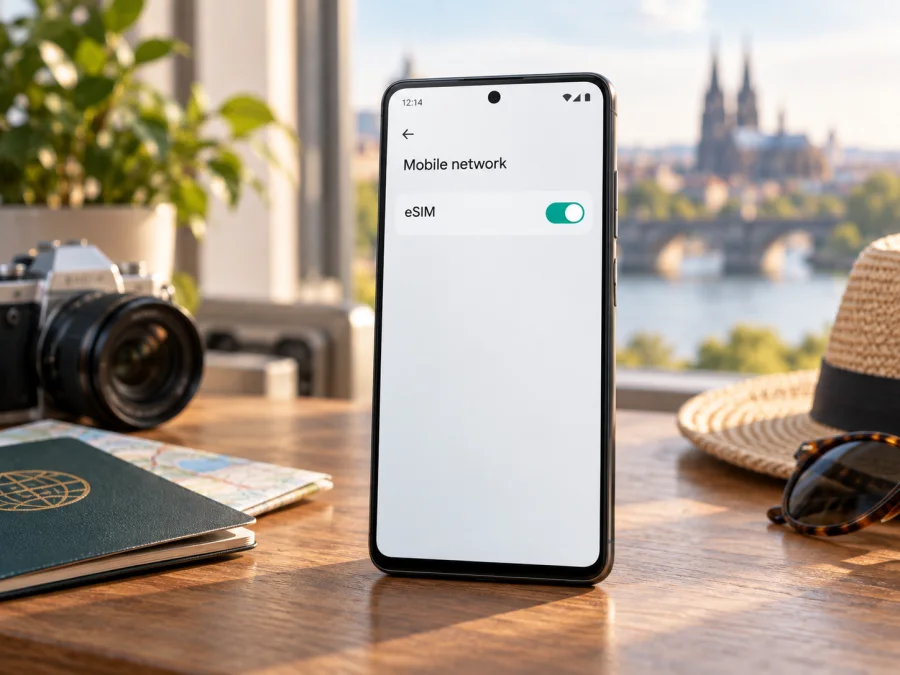
Oppo Find X9 eSIM compatibility: what to check before a trip
The Oppo Find X9 can use an eSIM in supported international versions, but the name alone does not guarantee that every regional model has the feature. OPPO’s current specifications for the international CPH2797 model list eSIM alongside nano-SIM, while the China-market Find X9 specification lists physical nano-SIM cards and does not list eSIM. In practical terms: an international CPH2797 with an EID and an eSIM option should be suitable for a compatible travel data plan; a China-market PLJ110 should be treated as not eSIM compatible unless OPPO confirms otherwise for that exact unit. Check the product code and the phone itself before paying for a plan.
Imported or used phones may be listed only by family name. Memory capacity and color do not establish eSIM support: verify the regional product code, software region, and carrier-unlock status.
Oppo Find X9 eSIM compatibility at a glance
| Item | What to know |
|---|---|
| Device covered here | Oppo Find X9, with no storage or RAM modifier specified in the request |
| International model example | CPH2797; OPPO lists eSIM support in current regional specifications |
| China-market model example | PLJ110; OPPO’s China specification lists nano-SIM cards and does not list eSIM |
| 5G | Supported on listed international versions; 5G availability depends on bands, country, plan, and network |
| Practical answer | Yes for an eSIM-capable international version; do not assume support on a China-market or unspecified import |
| Before purchase | Confirm the model code, EID, eSIM menu, carrier unlock status, and plan requirements |
A second SIM slot is not proof of eSIM. Some versions use a physical SIM tray; an eSIM profile is downloaded to the phone’s embedded chip. Look for explicit eSIM evidence rather than relying on “dual SIM” wording.
Regional versions and carrier restrictions
OPPO publishes market-specific specifications. On the international CPH2797 page, the SIM type includes nano-SIM and eSIM. OPPO’s mainland China Find X9 page identifies PLJ110 and describes nano-SIM card support without listing eSIM. That is a meaningful regional difference, not a contradiction that can be resolved by the Find X9 name alone. A device bought in one market and used in another may also have different supported frequency bands, software menus, warranty coverage, or carrier provisioning.
Imported listings can reuse the short product name. Ask for the model code from Settings or the box and confirm the regional SKU with OPPO or the seller. Changing interface language does not add eSIM hardware to a model without it. Ask the original carrier to confirm the handset is unlocked.
5G does not determine eSIM support. A 5G phone can lack eSIM, and an eSIM may use LTE where 5G is unavailable. Access depends on plan, local network, bands, coverage, and settings. Travel eSIMs commonly provide data only; check plan terms for calls, SMS, or a phone number.
How to confirm eSIM on your own Oppo Find X9
Check the handset before choosing or installing a plan. The following checks are useful together; one missing menu is a reason to investigate, while a visible EID and add-eSIM option are strong signs the phone can provision an eSIM profile.
- Find the model code. Open Settings and look under About device or About phone for the model or regulatory information. Menu names vary with ColorOS version and language. Compare the full code with the OPPO specifications for the market where the phone was sold. CPH2797 is an international Find X9 model listed with eSIM; PLJ110 is the mainland China model whose official specification omits eSIM.
- Look for an EID. In Settings, use the search field for “EID,” or inspect About device, Status, or the SIM information pages. An EID is the identifier associated with the embedded SIM hardware. Some software versions show it under Settings → Mobile network → eSIM. If the phone has an EID, record it privately; do not post it publicly or share it with an untrusted seller.
- Look for an eSIM control. Open Settings → Mobile network and check for eSIM, Add eSIM, Download a SIM, or a similar option. You might need to choose SIM management first. Labels and menu placement can vary by region and software update. The option should open an add-profile flow, not merely show a help page.
- Check the physical SIM and lock status. Confirm whether the SIM settings show a digital SIM slot in addition to any physical nano-SIM. Ask the original carrier whether the handset is unlocked if its status is unclear. An eSIM-capable device can still be restricted by a carrier lock.
- Ask OPPO or the seller if evidence conflicts. Give them the model code and software region, but do not rely on a generic answer about the Find X9 series. If there is no EID and no option to add an eSIM after current software updates, do not buy a data plan on the assumption that it will work.
For an unpurchased phone, request the model code and a screenshot of EID/eSIM settings, then compare them with OPPO’s market-specific specifications. Keep EIDs and QR codes private. If the option is missing, update official software and restart before contacting OPPO; a factory reset can erase data and is not a first-line check.
Compatibility checklist
- [ ] The full model code belongs to an eSIM-capable regional version.
- [ ] Settings show an EID and an option to add or download an eSIM.
- [ ] The phone is not locked to a carrier that blocks other profiles.
- [ ] The ColorOS version and software region are current and supported.
- [ ] The travel plan supports the destination and the device’s compatible networks.
- [ ] The plan’s data amount, validity period, activation rules, and hotspot terms fit the trip.
Check your device before ordering a plan. Compatibility depends on the exact handset and its settings, so use both the device-level checks above and the requirements shown for the eSIM plan you are considering.
Installing and activating a travel eSIM
Use stable Wi-Fi and keep activation details available. QR codes may be single-use; follow the plan instructions.
- Prepare the phone. Connect to Wi-Fi, charge it, and confirm it is unlocked and still shows the eSIM option.
- Choose a plan. Check each destination, data allowance, validity, activation timing, network, and hotspot terms. Note when validity begins.
- Open eSIM settings. On the Oppo Find X9, go to Settings → Mobile network → eSIM (or the equivalent) and choose Add eSIM or Download a SIM.
- Add the profile. Scan the plan’s QR code or enter supplied details manually. Keep the code private; if scanning fails, increase its size and brightness or use manual entry.
- Let it install. Keep Wi-Fi on and wait. Avoid closing Settings or rescanning a one-time code during download. Label the line “Travel data” for clarity.
- Follow activation timing. Some plans start on first supported-network connection; others start at installation or another event. Follow the plan terms.
- Select data line at destination. Turn on the travel profile, set it for mobile data, and enable its data roaming if instructed. Keep roaming off for your home SIM unless intended. Restart or manually select the recommended network if needed.
For a full walkthrough, see the Android eSIM installation instructions. The iOS installation instructions are for Apple devices and are included as a separate general reference; the Oppo Find X9 uses Android/ColorOS, so follow Android steps on this phone. Kaspersky eSIM Store is an app and website where you can choose, arrange, and activate an eSIM plan for mobile internet while travelling abroad. It does not replace the phone’s eSIM capability or remove carrier restrictions.
Using the Oppo Find X9 for mobile data while travelling
A travel eSIM can provide mobile data for maps, tickets, translation, messaging, and reservations. Install ahead if the plan permits, then select it for data at a covered destination. Your home SIM may remain available for calls or texts, subject to dual-SIM behavior and carrier charges.
For a multi-country route, verify each stop; coverage in one country does not imply coverage in another. Network registration may take a few minutes after crossing a border. Estimate usage and confirm tethering is allowed before using the Oppo Find X9 as a hotspot.
Keep Wi-Fi for setup, save booking details offline, and label each SIM line.
Common eSIM problems and what to check
There is no eSIM option in Settings. Check the model code first. The China-market PLJ110 specification does not list eSIM, whereas OPPO lists it on the international CPH2797 specification. Install available official updates, restart, and search Settings for “eSIM” and “EID.” If both remain absent, contact OPPO with the full model code; do not assume a reset or a third-party app can add missing hardware support.
There is an EID, but the QR code fails. Confirm that the phone is online, the code belongs to this plan, and it has not already been used. Increase the QR display size and brightness, or use manual activation details if provided. If the profile was previously installed and then deleted, ask the plan provider whether it can issue a replacement code. Do not keep scanning or share the code with someone else.
The profile installs but shows no service. Confirm that the destination is included and that the eSIM line is turned on. Set it as the line for mobile data and follow the plan’s guidance on data roaming. Check airplane mode, restart the device, and wait briefly for network registration. If automatic selection fails, use the network selection method and partner network identified in the plan instructions. Network availability can vary indoors and by location.
The phone has signal but no mobile data. Confirm that mobile data is enabled for the travel eSIM rather than the home SIM. Verify the plan is active, its data allowance has not been exhausted, and the validity window has begun. Check APN settings only if the plan instructions give a specific APN; otherwise, avoid changing network values at random. If you use a VPN or a data-saving mode, temporarily disable it as a diagnostic step, then restore your preferred settings.
The eSIM works, but the home number or messages behave differently. Check the default lines for calls, messages, and data separately. A data-only travel plan normally does not include a standard phone number, voice service, or SMS unless the plan terms say otherwise. Messages sent through internet apps can use the travel data connection. SMS verification may still depend on your regular number and your home carrier’s roaming policy.
A hotspot or 5G connection is unavailable. Confirm that the plan permits tethering and includes the needed network access. A phone that supports 5G does not guarantee 5G on every travel plan or local network. Signal bands, coverage, carrier agreements, and local congestion all affect the connection. LTE may be the available or more stable option in some places.
When contacting support, share the model code, ColorOS version, destination, line status, and error message. Keep activation secrets private and have the plan terms available.
Frequently asked questions
Does every Oppo Find X9 support eSIM?
No. OPPO lists eSIM for the international CPH2797 model, while its mainland China specification for PLJ110 lists nano-SIM cards and does not list eSIM. Confirm the exact regional model and check the EID and eSIM menu on the handset.
Is the Oppo Find X9 eSIM-compatible because it supports 5G?
5G and eSIM are separate capabilities. Check the model’s SIM specification and device settings. A compatible eSIM may use LTE or 5G depending on the destination, plan, bands, and partner network.
When should I install the eSIM?
It depends on the plan’s activation rules. If validity begins on first connection to a supported network, installing before the trip may be convenient. If the terms say installation or activation starts the validity period, wait until the advised time. Keep the QR code secure and available during setup.
Does a travel eSIM replace my normal number?
Usually not. Travel eSIM plans are commonly intended for mobile data and may not include voice calls, SMS, or a phone number. Keep your regular SIM if you need it, and check the home carrier’s roaming costs.
Before you go: check the phone, then choose the trip eSIM
First confirm that your Oppo Find X9 is the eSIM-capable regional version, that Settings shows an EID and an option to add an eSIM, and that the device is unlocked. Then compare the destination coverage, data allowance, validity period, activation timing, and tethering conditions for the travel plan. If the phone is a China-market PLJ110 or its model code is unclear, get confirmation from OPPO before paying for an eSIM plan.
Once compatibility is confirmed, Kaspersky eSIM Store’s app and website can help you choose, arrange, and activate an eSIM plan for mobile internet on a trip abroad. Install the profile over Wi-Fi, keep your QR code private, and select the correct line for mobile data when you arrive. A few minutes of checking before departure can make it easier to get maps, messages, and travel details online when you need them.
Device compatibility check and travel eSIM
Use the compatibility check for your exact handset, then select a trip eSIM only after confirming its coverage and activation conditions. If any model detail is uncertain, verify it with OPPO or the retailer before purchase.
<a id="kesim-device-compatibility"></a>


