Travel connectivity guide
Oppo Reno 15 128GB eSIM compatibility and setup
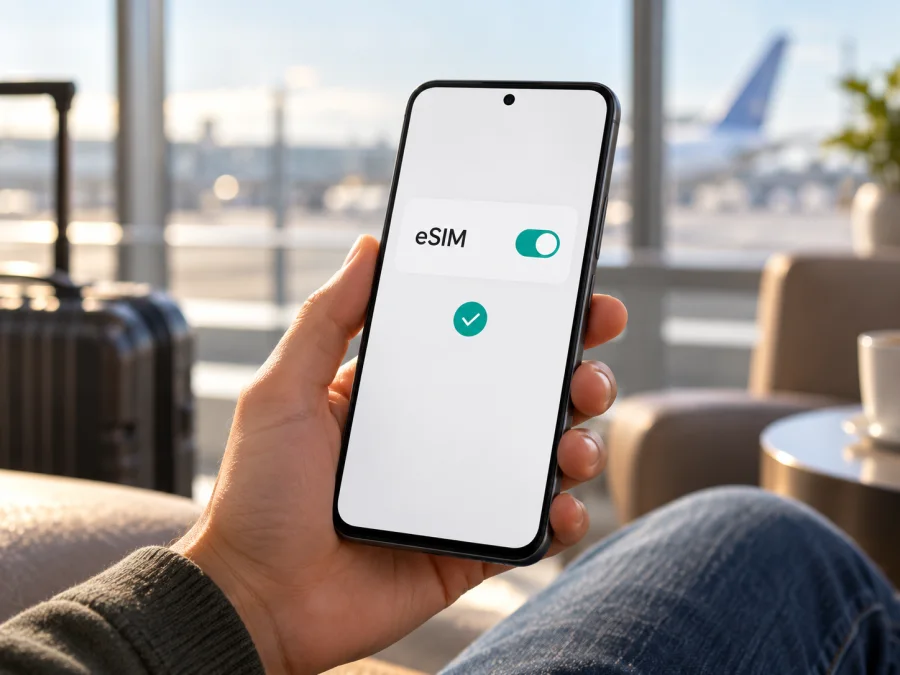
Oppo Reno 15 128GB eSIM: compatibility and setup guide
If you are checking whether Oppo Reno 15 128GB can use a travel eSIM, the short answer is: it depends on the regional version, and the storage label alone cannot confirm compatibility. OPPO lists eSIM support for some Reno15 5G versions and no eSIM support for another market's version. The exact 128GB configuration is documented in an OPPO Indonesia promotion, while the Indonesian technical specification page does not show that capacity in its storage list. Before choosing a plan, confirm the model code and eSIM settings on the phone itself.
The name omits RAM, market, and lock status. Verify the individual handset.
At a glance
| Check | What can be established |
|---|---|
| Exact name supplied | Oppo Reno 15 128GB |
| Storage clue | OPPO Indonesia has referenced an 8GB + 128GB Reno15 offer; its specification page does not list this capacity |
| eSIM status | Market-dependent: supported on official Indonesia and Singapore Reno15 5G specifications; listed as unsupported on the India specification page |
| Model code shown on those specifications | CPH2825 for the Reno15 5G in Indonesia, Singapore, and India |
| Can storage capacity prove eSIM support? | No. Check the model code, market version, EID, and add-eSIM controls on the handset |
| Best next step | Ask the seller for the model code and original sales market, then inspect the phone before buying a travel plan |
Does Oppo Reno 15 128GB support eSIM?
There is no safe universal yes or no for every phone sold under the name Oppo Reno 15 128GB. The manufacturer's own regional information gives a mixed answer. OPPO's official Indonesia specification page for Reno15 5G, model CPH2825, marks eSIM as supported. Its Singapore page for CPH2825 also marks eSIM as supported. By contrast, OPPO's official India specification page for CPH2825 marks eSIM as unsupported. That is a real regional difference in the published specifications, even though the model code shown is the same.
The 128GB part needs a separate caveat. An OPPO Indonesia promotion identifies an OPPO Reno15 8GB + 128GB variant, but the Indonesia technical specification page currently lists 8GB + 256GB and 12GB + 256GB. This means the public material confirms that the 128GB configuration has been named in an Indonesian offer, but it does not conclusively tie every retail unit described as “Oppo Reno 15 128GB” to one hardware and software configuration. The name may also omit RAM and market details. Do not infer that an India-market 128GB phone gains eSIM support because an Indonesian version has it.
If your handset is the eSIM-capable regional Reno15 5G version and it shows an EID or add-eSIM option, it may work with a travel eSIM. OPPO lists the India-spec version as unsupported. For other 128GB units, verify the model and settings first. A 5G badge, dual-SIM label, or storage size is not proof.
Even with eSIM hardware, a market setting or carrier lock may prevent use. Confirm that the phone is unlocked and that the plan supports your destination.
Why regional and carrier versions matter
Regional versions can differ in SIM hardware, network bands, software menus, and eSIM availability. Carrier-sold phones can also be locked or restricted. These conditions are independent of storage capacity.
For this device, the regional CPH2825 specifications differ on eSIM, and the 128GB capacity is not listed on every spec page. An imported or second-hand phone's current location does not identify its original version.
Find the model code in Settings → About device or on the box, and confirm the original market with OPPO or the seller. CPH2825 alone is not enough: the India listing says unsupported, while Indonesia and Singapore list support. Check the sales region as well.
Carrier lock is a separate check. A handset may support eSIM technically but remain restricted to its original operator. Contact the carrier that sold the device and ask whether it is unlocked for another operator's eSIM profile. A reset, software update, or change of country does not necessarily remove an operator lock. Do not assume a travel profile will work until that restriction is cleared.
Check compatibility before choosing a plan
Use the following checklist while you still have access to the seller or a return window:
- [ ] Confirm the complete model code in Settings and compare it with the box or invoice.
- [ ] Confirm the country or market for which the phone was originally sold.
- [ ] Look for an EID in Settings or in the device information screen.
- [ ] Look for Add eSIM, Add mobile plan, Download a SIM, or a similar option in SIM or mobile-network settings.
- [ ] Ask the original operator whether the phone is unlocked for another provider's eSIM.
- [ ] Install the latest available ColorOS and Android updates, then check the menu again if it was missing.
- [ ] Make sure the trip plan supports the destination and that your phone supports the required local network bands.
- [ ] Keep Wi‑Fi or another internet connection available for profile installation.
An EID is an identifier associated with an eSIM-capable device. Its presence is a useful sign, but confirm eSIM is enabled and the phone is unlocked. If neither EID nor add-eSIM appears, ask OPPO or the seller to check the regional SKU before buying a plan.
To check, open Settings and use the search field for “EID” or “eSIM.” Menu names vary by ColorOS version, so try About device, Status, SIM card & mobile data, Mobile network, or Manage SIM. Depending on the software build, the add option may appear under a physical SIM slot or a mobile-plan menu. Open the SIM manager and look for an option to add or download an eSIM profile. Do not proceed with a QR code until the phone actually offers the relevant installation flow.
If possible, ask the seller to show the EID and add-eSIM menu on the handset itself. Do not post the full EID publicly. A software update can move a menu, but cannot add eSIM hardware to a version that lacks it.
You can also check your device compatibility before choosing a travel plan. This check complements the phone's own settings; it does not replace confirmation that your specific regional model is unlocked and supports eSIM.
First CTA
Once the handset passes these checks, you can browse the Kaspersky eSIM Store to see current destinations and available travel plans. The homepage is a general destination selector, not a country-specific tariff page. Kaspersky eSIM Store is an app and website where you can choose, arrange, and activate an eSIM with a plan for mobile data on an international trip. The cellular service and coverage depend on the selected plan and its local network partners.
How to install and activate an eSIM
Before installing, confirm compatibility and unlocked status, choose a plan for the right destination, and have its activation details ready. Use Wi‑Fi and display the QR code on another device or print it. Do not delete a profile during troubleshooting unless support confirms it can be installed again; some codes are single-use.
The exact menu on Oppo Reno 15 128GB can differ by market and ColorOS version. A common Android path is Settings → Mobile network / SIM card & mobile data → eSIM or Manage SIM → Add eSIM. If you see an option to scan or download a mobile plan, follow the on-screen prompts. If it is absent, stop and recheck the regional variant rather than trying unrelated QR codes.
- Prepare the phone. Connect to Wi‑Fi, install available system updates, and confirm that the phone is not carrier-locked.
- Open the SIM controls. Go to Settings and open Mobile network, SIM card & mobile data, or the equivalent menu on your ColorOS version.
- Choose the add option. Tap Add eSIM, Add mobile plan, or Download a SIM if that control is available.
- Scan the plan's QR code. Keep the QR code on a second device or print it. If the provider gives manual activation details, enter them exactly as instructed.
- Wait for the profile to download. Keep the phone online and do not close the setup flow. A profile may take a few minutes to install.
- Name the profile. Use a clear label such as “Travel data” so you can distinguish it from your home SIM.
- Choose when to use it. You can leave the travel line disabled or keep your home SIM selected for mobile data until the trip, if the plan instructions allow this.
- At the destination, select the travel eSIM for mobile data. Enable the line and turn on data roaming for that eSIM only if its plan instructions require it.
- Check the connection. Wait several minutes, then check the signal, data indicator, and plan instructions. Turn Wi‑Fi off briefly to confirm mobile data works.
For screen-by-screen guidance, see the Android eSIM installation instructions and the iOS eSIM installation instructions. The iOS guide is useful for understanding a general QR-code setup sequence, but it is not an instruction for this Android phone. Android menu labels vary, so use the options actually shown on your handset.
Installing adds the profile; plan activation or data use may start at installation, first network connection, or a scheduled time, depending on the plan. Check the start conditions before installing early, and leave the line off until arrival if the instructions allow it.
Using the eSIM for mobile data while travelling
Before departure, check the plan's destination coverage, validity, data allowance, and start conditions. A multi-country route may need a regional plan. Estimate usage for maps, messaging, work, video, or hotspot use, and confirm tethering is allowed if you need it.
When you land, enable the travel profile and select it as the mobile-data line. Keep your regular number available for calls or text messages only if you understand your home operator's roaming charges and the handset's dual-SIM behavior. On some Android versions, the data-roaming toggle must be enabled for the travel eSIM to use a partner network. This allows the eSIM plan to connect under its terms; it does not mean you should enable roaming indiscriminately on your home SIM.
A practical setup is to select the travel eSIM for mobile data, turn off automatic data switching, and review roaming separately for the home SIM. Keep your usual number for calls or SMS only if the carrier's charges are acceptable. A data-only eSIM does not provide a regular number or SMS unless the plan says otherwise. Track remaining data and validity in the plan account.
For a city break, use the travel profile for maps, bookings, and messages, and keep the home line for calls if needed. On a multi-country trip, verify every destination. For remote work, test hotspot rules and keep a backup for important calls. Local coverage and speed vary; no eSIM guarantees signal everywhere.
Kaspersky eSIM Store is an app and website for choosing, arranging, and activating an eSIM with a travel data plan. Review the selected plan's provider, destination, allowance, expiry, and activation details before confirming.
Common problems and what to check
There is no EID or add-eSIM option. Confirm the precise model code and market. Check for system updates and inspect the mobile-network settings again. If both indicators are still missing, ask the manufacturer or seller whether that SKU includes eSIM; installing a profile cannot enable unsupported hardware.
The QR code will not scan. Increase screen brightness on the device displaying the code, clean the phone camera, and keep the QR square fully visible. Make sure the phone has internet access. If the code has already been used or is blurred, request the provider's approved alternative. Do not repeatedly scan the same code if the setup reports it has been consumed.
The profile download fails. Check Wi‑Fi, disable any captive portal by completing its sign-in page, and retry from the eSIM menu. Restart the phone once and confirm the date and time are automatic. Do not remove a partially installed profile until support tells you what to do.
The eSIM installs but shows no signal. Check whether the plan is valid in the current country and whether its start condition has been met. Enable the eSIM line, confirm it is selected for mobile data, and toggle airplane mode off and on. If the plan instructions require data roaming, enable it for the travel profile. Allow several minutes for network registration.
The phone connects but apps have no data. Confirm that mobile data is assigned to the travel eSIM, data is enabled, and the plan still has active allowance. Check the APN only if the plan provider supplies APN details; enter those values exactly. Turn off Wi‑Fi briefly to test the cellular connection. Restart the phone after changing network settings.
The phone uses the home SIM for data. Review the default data line and disable automatic data switching. Check the home SIM's roaming setting separately. Dual-SIM menus can retain an old default after you add a profile, so verify the selection after each reboot or profile change.
The eSIM is blocked or cannot be added. Ask the original operator whether the handset is network-unlocked. If the phone is locked, a different travel plan will not remove the lock. Contact the seller or carrier that applied it.
The phone sees a network but the connection is slow or unstable. Move to an area with stronger signal, select automatic network selection again, and check whether the plan or device supports the local bands. Congestion, indoor coverage, local network conditions, and plan limitations can affect performance. A 5G-capable phone may connect over 4G in a particular area.
Before contacting support, note the error, model code, ColorOS version, destination, and profile status. Never post passwords, QR activation codes, or one-time codes publicly.
FAQ
Is Oppo Reno 15 128GB definitely eSIM-compatible?
No. OPPO lists eSIM on Indonesia and Singapore Reno15 5G specifications but marks the India version unsupported. Check your market, model code, EID, and add-eSIM menu.
Does 128GB mean that my phone is the Indonesian version?
No. An Indonesian Reno15 8GB + 128GB offer is documented, but storage alone does not identify the market or SIM hardware. Ask for the full SKU.
Can I use an eSIM and a physical SIM together?
That depends on the regional phone configuration, software, and plan. A SIM tray or dual-SIM menu alone does not show which combinations are supported. Check the handset's SIM manager and the specific regional specifications before relying on two active lines.
Does an EID guarantee that a travel eSIM will work?
It indicates eSIM capability, but does not confirm the phone is unlocked or that the selected plan supports your destination. Check both.
Do I need to turn on data roaming?
Sometimes. Some travel eSIM profiles require data roaming to connect to a partner network. Follow the instructions for your specific plan and enable roaming only for the travel profile if needed. Check the home SIM separately to avoid unexpected charges.
Does a travel eSIM include a regular number and SMS?
Usually a travel data plan is for mobile internet only unless the plan details explicitly say otherwise. You can use internet-based messaging or calling apps, but they still need data and may require your existing account.
Can I move the installed eSIM to another phone?
Not always. Transfer rules vary, and some codes work once. Check the plan terms before deleting a profile.
What if settings have different names on my Oppo phone?
ColorOS menu names vary by release and regional version. Search Settings for “eSIM,” “EID,” “SIM,” or “mobile network.” If there is no EID and no option to add a plan, verify the exact regional SKU with OPPO or the seller.
Final checks before your trip
For Oppo Reno 15 128GB, start with the exact model code and original sales market. Official OPPO information confirms eSIM support for some Reno15 5G regional versions and explicitly lists it as unsupported for the India version; the Indonesia 128GB promotion does not by itself prove that every handset with that label has the same configuration. On your own phone, confirm the EID or add-eSIM control, make sure the device is unlocked, and test that the plan is accepted before you depend on it abroad.
Then check the destination, data allowance, validity, activation timing, local network compatibility, and roaming instructions for the selected travel plan. If the phone does not pass the compatibility checks, ask the seller about an eSIM-capable regional device or use another available way to get data, such as a local physical SIM or Wi‑Fi. If it is compatible, you can browse the Kaspersky eSIM Store to review the current destinations and choose a plan for your trip. Verify that the selected plan covers the countries on your itinerary before arranging it.


