Travel connectivity guide
Oppo Reno 15 256GB 5G eSIM Compatibility
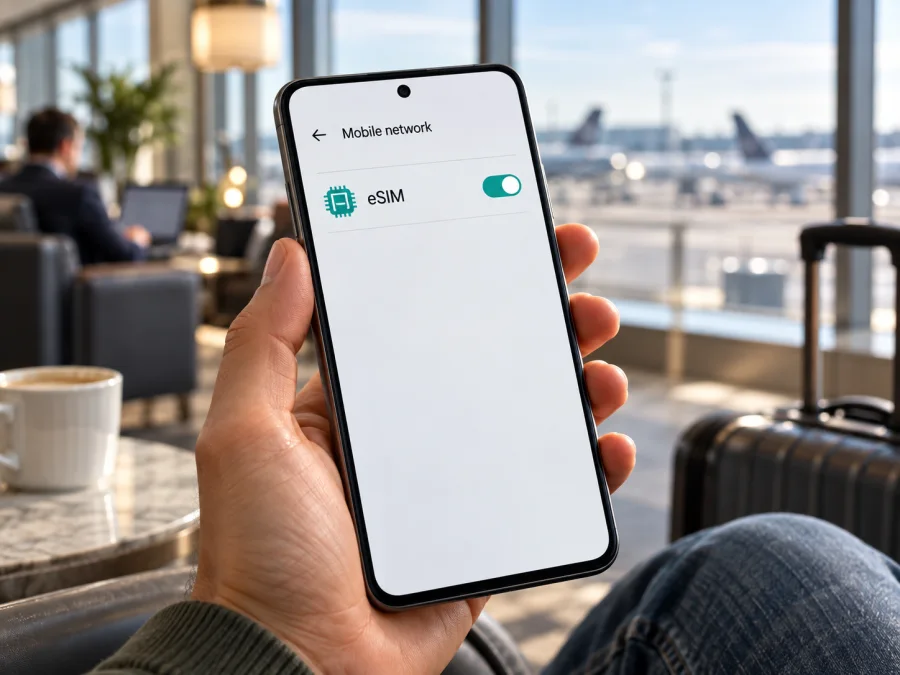
Oppo Reno 15 256GB 5G eSIM compatibility and setup guide
The answer for this exact product label is not a universal yes or no. OPPO documents eSIM support for some Reno15 5G market versions and explicitly excludes it for others. Its Philippines specification lists both a 12 GB + 256 GB configuration and eSIM support; the India specification for Reno15 5G (CPH2825) says eSIM is unsupported. This means “256GB” and “5G” do not identify the eSIM-capable build by themselves. The country version and exact SKU decide which specification applies.
Use that distinction before you choose a travel plan. If your phone is the supported regional configuration and the EID and eSIM menu are present, you can continue to plan setup, subject to the plan's destination and network terms. If your device matches a market version that OPPO lists as unsupported, a QR code or a carrier unlock will not make the eSIM installable. If you cannot identify the market or the checks disagree, consider compatibility unresolved and confirm it with OPPO or the seller before paying. This guide shows how to make that check on the handset and what to do after support is confirmed.
A 256 GB listing can refer to more than one regional product configuration, and some sellers abbreviate or reformat model names. Treat a listing title as a search label, not as proof of the underlying hardware. The information on the phone itself—especially the complete model code—should match the official page for the original sales market. The same care applies to a phone bought second-hand or imported: the seller may describe it as unlocked or international, but those words do not tell you whether its firmware and eSIM subsystem are enabled.
At a glance
| Item | What to know |
|---|---|
| Exact device named here | Oppo Reno 15 256GB 5G |
| Device category | Android smartphone in OPPO's Reno15 family |
| eSIM answer | Depends on the country-specific version; not established by “256GB 5G” alone |
| Verified example with eSIM | OPPO Philippines lists Reno15 5G in 12 GB + 256 GB and says eSIM is supported |
| Verified example without eSIM | OPPO India lists Reno15 5G (CPH2825) and says eSIM is unsupported |
| Chinese-market listing | OPPO China lists nano-SIM card types; eSIM is not listed |
| Best checks before purchase | Regional SKU/model code, EID, and an eSIM add/enable option in Settings |
| Network caveat | eSIM support does not guarantee compatibility with every operator, plan, or frequency band |
Why regional versions change the answer
A phone family can share a marketing name while the cellular configuration differs by sales market. OPPO's public specifications illustrate this directly: its Philippines Reno15 5G page lists 12 GB + 256 GB and eSIM support, while its India page marks eSIM unsupported for a Reno15 5G with model code CPH2825. The China-market Reno15 page describes nano-SIM formats and does not list eSIM. The absence of an eSIM line on a specification page is not always enough to establish a universal rule, but it is a reason to verify the handset before making a purchase.
Compatibility is therefore a property of the handset configuration, not a feature inferred from the Reno family name. Record the market and model code before comparing specifications, then confirm the EID on the phone you plan to use. These checks reduce the risk of confusing a supported Reno15 variant with a visually similar unsupported one.
Check your exact phone before choosing a plan
Use more than one check. Menus can move slightly between ColorOS versions and languages, so menu wording may not match these examples exactly.
- Find the model code. Open Settings → About device (sometimes called About phone) and note the model number, software version, and device name. Keep the full code, not just “Reno15.” Compare it with the specification page for the country where the device was sold.
- Look for the EID. Open Settings → About device → Status or Status information, then look for EID. On some Android phones, you can also open the dialler and enter
*#06#; the screen may show the device identifiers, including EID when present. This code only displays information and is not a compatibility test by itself. Do not publish or send your EID to an unknown person. - Check SIM settings. Go to Settings → Mobile network or SIM card & mobile data. Look for eSIM, Add eSIM, Add mobile plan, or a similar option. A physical SIM menu by itself does not confirm eSIM support.
- Check whether the phone is restricted. A device can include eSIM capability yet remain locked to a carrier or have an account, payment, or regional restriction. Ask the original carrier or seller to confirm that the phone is unlocked for another provider's profile.
- Confirm the plan and destination. Ask the eSIM plan provider whether the specific device version and the country where it was purchased are accepted. Check the plan's supported destinations, validity start rule, network access, data allowance, and any restrictions on tethering.
Compatibility checklist
- [ ] I have the complete model code from the phone itself.
- [ ] I know the original sales country or region, not only where the phone is currently used.
- [ ] OPPO's specifications for that market list eSIM, or OPPO support has confirmed it for this exact SKU.
- [ ] The phone shows an EID in its own settings or identifier screen.
- [ ] Settings contains an eSIM, add-plan, or download-SIM option.
- [ ] The phone is not carrier-locked or otherwise restricted from adding another profile.
- [ ] The selected eSIM plan supports this phone, its bands, and the destination country.
Before moving on to installation, check your device’s eSIM compatibility. Use the result together with your model code, EID, and the regional OPPO specification.
Set up an eSIM on Oppo Reno 15 256GB 5G
Only follow these steps after confirming that this exact regional handset supports eSIM. Keep the device connected to stable Wi-Fi during installation, especially if you are preparing the profile before departure. Follow the plan's instructions if its screen names differ from the usual Android flow.
Before installation
Installation steps
- Open Settings → Mobile network (or the closest equivalent in your ColorOS version).
- Tap eSIM, Add eSIM, or Add mobile plan. If none of these options appears, stop and verify the regional version; do not continue based on the model name alone.
- Choose the option to scan a QR code. If the plan provides manual details, select the manual-entry option and type the activation information exactly as supplied.
- Scan the QR code from another display or follow the provider's secure activation flow. Confirm the plan or profile name when Android shows it.
- Wait while the phone downloads and installs the profile. Keep Wi-Fi connected and do not close Settings or restart the process unless prompted.
- When prompted, give the profile a clear label such as “Travel data” or the destination name. This helps distinguish it from your physical SIM.
- Choose whether to enable the profile now. If you are preparing before travel, follow the plan's start-date terms; you can leave data roaming off until the correct time if the instructions say to do so.
- Set the travel eSIM as the mobile-data SIM when you are ready to use it. Keep your home SIM selected for calls or text messages only if you understand any roaming charges that may apply to that line.
- At the destination, enable the eSIM line and mobile data. Turn on data roaming for that eSIM only when its plan instructions require it. Wait for network registration, then test a website or messaging app.
For illustrated device steps, see the Android eSIM installation instructions. The iOS eSIM installation instructions are intended for Apple devices, so they are not the setup guide for this Oppo phone; they may help if you are separately setting up an eSIM on an iPhone.
Choose a line for mobile data
Using the phone for mobile data on a trip
Kaspersky eSIM Store is an app and website where you can choose, arrange, and activate an eSIM with a mobile-data plan for an international trip. Once you have verified the phone, you can use it to review destination, allowance, validity, and price details for an available plan. ## Common problems and what to check
There is no “Add eSIM” option
First confirm the model code and its market-specific OPPO specifications. If the phone is an India version whose specifications say eSIM is unsupported, installing a different software language or inserting a travel SIM will not add the missing capability. Check About device and Status for EID as a second clue. If the specifications claim support but both EID and eSIM controls are missing, restart the phone, install official system updates, and contact OPPO support with the full model code. Do not buy a plan until the discrepancy is resolved.
An EID appears, but the QR code will not install
Make sure the phone is online, the QR code is readable, and the activation code has not already been used. Increase the display brightness on the device showing the code and clean the phone camera lens. If the QR code is on the same phone, display it on another device or use manual entry if the plan supports that method. Avoid posting the QR code publicly: it may contain profile activation details. If you see a message that the code is invalid or already used, contact the plan provider before trying repeated scans.
The eSIM installed but has no signal
Check that the profile is enabled and the destination is included in the plan. Confirm the plan has reached its activation period and has not expired or run out of data. Verify that mobile data is assigned to the travel profile and that data roaming is enabled for that profile if required. Toggle airplane mode on briefly and off, then wait for network registration. If automatic network selection does not connect, follow the plan provider's instructions before choosing a network manually. Signal also depends on local coverage and the supported radio bands of the exact phone version.
Mobile data works on the wrong SIM
Open the SIM or mobile network settings and review the default mobile-data selection. Some phones retain the home SIM as the data default even after a travel eSIM is installed. Disable data on the home line if you need to prevent unexpected roaming use, but first make sure you will not interrupt a service that needs that line. Recheck the travel eSIM selection after a restart or profile change.
The profile is installed, but the plan's app says it is not active
The app and Android settings can show different stages. The profile may be downloaded but not yet enabled; it may be enabled but not yet connected to a supported destination network; or the plan may begin validity only after first use. Compare the plan's activation rules with the phone's status, and contact the plan support team with the order or profile details. Never share a full QR code or activation code in an open forum.
Data is slow or a hotspot does not work
Check signal strength, the selected network, and the plan's local terms. Move to an area with better reception and try again after network registration. Data speed may vary by location, network load, radio bands, and the plan's conditions. Hotspot/tethering availability can also depend on plan rules and the destination network. A 5G label on the handset does not guarantee 5G service on a particular travel plan or at a particular location; 4G/LTE may be the available connection.
The phone is unlocked, but activation still fails
An unlocked status is only one requirement. The specific device variant still needs eSIM support, the profile must be valid for the phone and market, and the plan has to be provisioned for the destination. Check for EID and the add-eSIM menu, verify the model code, and confirm compatibility with the plan provider. A carrier unlock cannot convert an unsupported regional SKU into an eSIM model.
FAQ
Does every Oppo Reno 15 256GB 5G support eSIM?
No. OPPO's regional specifications differ. The Philippines page lists a 12 GB + 256 GB configuration with eSIM support; the India page marks eSIM unsupported for Reno15 5G (CPH2825). The exact device's country version and on-phone EID/settings check are essential.
Is 256GB the model number?
No. 256GB describes storage capacity, not the full hardware SKU. Ask for the model code from About device and the original sales market. Do not infer eSIM capability from the memory configuration or listing title.
Does 5G support mean eSIM support?
No. 5G describes cellular network capability; eSIM is a separate SIM provisioning feature. A phone may support 5G and still have no eSIM option in a particular market version.
Can an imported or carrier-unlocked phone use a travel eSIM?
Possibly, if that exact regional version supports eSIM, has no remaining restriction, and is accepted by the selected plan. Imported phones can also differ in radio bands and software. Check the model code, EID, carrier status, destination and plan terms before purchasing.
Can I keep my physical SIM while using an eSIM?
The phone's available SIM combinations depend on its regional hardware and software. If the settings allow both lines to be enabled, you can usually choose a default for mobile data and keep another line for calls or SMS. Check the options on your actual device and review roaming charges for the physical SIM.
Will a travel eSIM give me a regular phone number?
Not necessarily. Travel eSIM plans often focus on mobile data. Voice calls and SMS are included only when the particular plan terms say so. Messaging and internet calls may work through apps over data.
Should I install the eSIM before leaving?
You may install it before departure if the plan supports that timing and you have stable Wi-Fi. Check when validity starts and whether activation should happen before or after arrival. If unsure, follow the specific plan instructions or ask support before scanning the code.
Final check before your trip
For the Oppo Reno 15 256GB 5G, eSIM compatibility is regional rather than guaranteed by the product name. Identify the exact model code and sales market, compare them with the relevant OPPO specification, and check for both an EID and an eSIM option in Settings. Resolve any mismatch with OPPO or the seller before you pay for a plan. Then confirm that the plan covers every destination, its validity begins when you expect, and its network and data conditions suit your itinerary.
Once the device and plan are confirmed, install the eSIM over Wi-Fi, label it clearly, and select it for mobile data when you are ready to travel. Keep your physical SIM and roaming settings under control, and save the plan's support details in case activation needs attention. Kaspersky eSIM Store can help you choose, arrange, and activate an eSIM plan for mobile data on an international trip; the device compatibility check remains the first step.


