Travel connectivity guide
Oppo Reno 15 Pro 5G eSIM: compatibility and setup
Oppo Reno 15 Pro 5G eSIM: compatibility and setup guide
Short answer: eSIM is supported on officially documented versions of the Oppo Reno 15 Pro 5G, including OPPO India’s CPH2811 and the version listed on OPPO France’s product page. That does not prove every handset sold under a similar name has the same capability. Check the exact model code and the eSIM controls on your own phone before choosing a plan. In particular, Oppo Reno 15 Pro 5G and Oppo Reno 15 Pro Mini 5G are separate models; OPPO lists eSIM as unsupported for the Indian Pro Mini (CPH2813).
This distinction matters when preparing for a trip. A phone may have 5G and dual physical SIM capability but lack an eSIM. Even a model whose manufacturer specifications include eSIM can be restricted by a regional configuration, carrier software, or a network lock. The safest answer comes from combining the manufacturer’s specification for your exact model code with a check in the device settings.
Does Oppo Reno 15 Pro 5G support eSIM?
Yes, on the verified regional versions described below; confirm your own model code before relying on that answer. OPPO India’s current specifications page for Reno15 Pro 5G, model CPH2811, lists Nano-SIM and Nano-USIM card types and marks eSIM as supported. OPPO France’s Reno15 Pro 5G specifications also mark eSIM as supported. These are direct manufacturer listings for their respective markets, not a guarantee that all phones with a similar retail name use the same configuration.
OPPO also lists a different product called Oppo Reno15 Pro Mini 5G. Its India specifications identify model CPH2813 and explicitly mark eSIM unsupported. Do not use a Pro Mini specification to decide about the Oppo Reno 15 Pro 5G, or assume that the words “Pro” and “Pro Mini” describe a storage option or a regional nickname for one device. Check the name printed on the box and the model code in Settings > About device. If the code or regional product page differs from CPH2811 or the French Reno15 Pro 5G listing, verify that exact version with OPPO or the seller.
A market’s telecom rules and operators also matter. A manufacturer can include an eSIM function while a carrier, local configuration, or software build affects whether a profile can be added or activated. eSIM support only means the phone can store a compatible digital SIM profile; it does not promise service in every country or on every network. The available radio bands, a carrier’s eSIM provisioning, the phone’s lock status, and the plan’s destination coverage are separate checks.
What OPPO’s verified listings say
| Version checked | Manufacturer identification | eSIM entry | How to interpret it |
|---|---|---|---|
| India Reno15 Pro 5G | CPH2811 | Supported | Positive evidence for this India-listed Reno15 Pro 5G configuration. |
| France Reno15 Pro 5G | Reno15 Pro 5G regional product page | Supported | Positive evidence for the version listed for France. Check the handset code and software in front of you. |
| India Reno15 Pro Mini 5G | CPH2813 | Unsupported | A distinct model; this result does not apply to Oppo Reno 15 Pro 5G. |
| A handset with an unknown code or different market listing | Not yet matched | Not confirmed | Check the settings and ask OPPO or the seller to confirm the exact model before purchase. |
OPPO’s product names and available versions can vary by country, and specification pages may be updated. When comparing a listing, use the manufacturer’s support page for the country where the phone was sold, not a generic product title, marketplace description, or a specification for a similarly named Reno device. If the seller cannot identify the model code, treat compatibility as unconfirmed until you can inspect the phone.
Check the exact phone before buying a travel eSIM
Run these checks over Wi-Fi, before paying for a plan. The Settings app reflects the software on your own handset; a general product-family listing does not.
Compatibility checklist
- [ ] Open Settings > About device and note the full model name and code. Match them to OPPO’s page for the phone’s sales market.
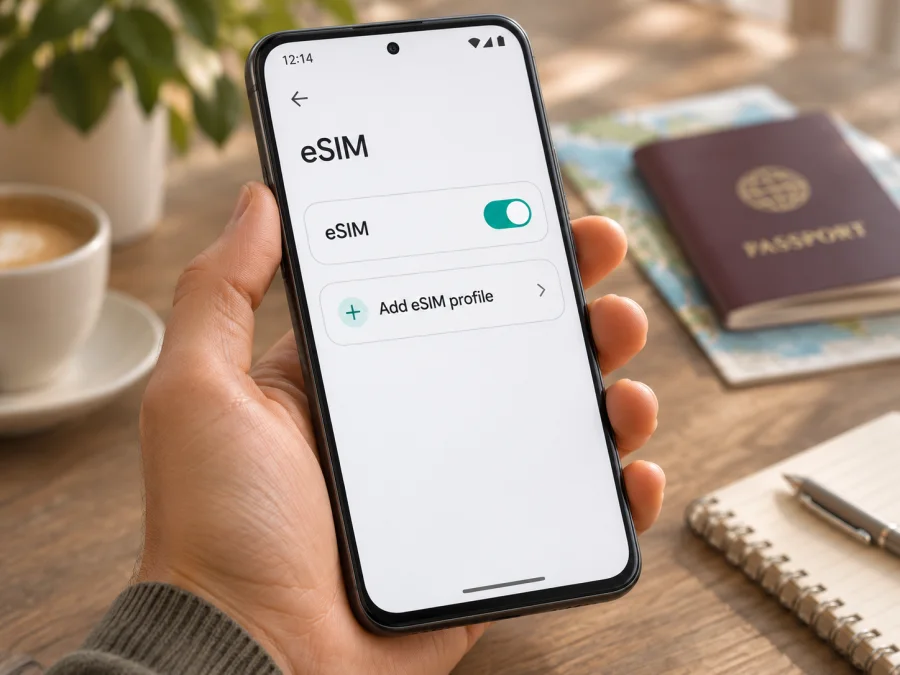
- [ ] In Settings > Mobile network or SIM card & mobile data, look for eSIM, Add eSIM, Add mobile plan, or a QR setup option. ColorOS wording varies.
- [ ] Look for an EID in About device, Status, or SIM status. Some Android diallers show identifiers, including EID, after
*#06#; screens vary. Do not share the EID publicly. - [ ] Confirm with the original carrier or seller that the phone is unlocked and may add another provider’s eSIM.
- [ ] Install official software updates and restart if the option is missing. If it remains absent, ask OPPO or the seller to check the exact code.
An EID and visible Add eSIM control are useful indicators, but neither guarantees that a particular plan will connect. If both are missing, treat support as unconfirmed. You can open the add-profile screen to check for the option without scanning a code or removing an existing SIM.
Check your device before choosing a plan.
Once the model code and settings are confirmed, browse the Kaspersky eSIM Store website for current destination options. The homepage is a starting point for plan browsing, not a country-specific tariff.
Prepare before installing an eSIM
Use a stable internet connection, preferably Wi-Fi, to download the profile. Keep the QR code or manual activation details accessible; if the code is displayed on the phone being configured, open it on a second screen when possible.
Before checkout, check the plan’s destination list, data allowance, validity, and activation conditions. A regional plan may suit a multi-country route, but read its included countries. Validity can begin at installation or at first network connection, depending on the plan. Do not assume the start time.
Many travel eSIMs are data-only and do not include a regular number, voice calls, or SMS unless the plan says so. Internet calling and messaging apps can work over data. Check your home carrier’s roaming terms if you keep its line enabled.
Kaspersky eSIM Store is an app and website where you can select, arrange, and activate an eSIM with a mobile-data plan for an international trip. It cannot add eSIM hardware to an incompatible phone, remove a carrier lock, or guarantee coverage.
How to install eSIM on Oppo Reno 15 Pro 5G
ColorOS labels vary by version and region. The Android guide describes QR installation but notes that its illustrated menus are Samsung-specific, so use it as a general reference: Android eSIM installation instructions.
- Connect to Wi-Fi, charge the phone, and open Settings > Mobile network or the similarly named SIM settings.
- Tap eSIM or Add eSIM / Add mobile plan, then choose QR-code setup. Scan the code supplied with your plan, or enter the manual activation details if provided.
- Review the displayed plan information and let the profile download. Give it a clear label such as “Travel data” or the destination.
- Check the plan’s activation timing. If allowed, install before departure and leave the profile off until needed. Some plans start validity at installation.
- When ready, enable the eSIM and select it for mobile data. Apply the plan’s instructions for Data roaming and APN; enter only the APN supplied for that plan.
- Allow time for network registration. Do not delete a profile to troubleshoot unless the provider confirms that it can be reinstalled; some QR codes are single-use.
For comparison, the iOS eSIM installation instructions describe the iPhone process and do not apply to Oppo Reno 15 Pro 5G.
Using the eSIM for mobile data while travelling
If you installed the profile before departure, open SIM settings after arrival. Turn on the travel eSIM and select it as the mobile-data line. Calls, messages, and data can have separate default-line settings. Keep your home SIM enabled only if you want it and understand its roaming terms; disable automatic data switching if you want to prevent the phone from choosing that line for data.
Check that your destination is included, the plan is within its validity period, and the eSIM is active. Automatic network selection is a reasonable first choice; use manual selection only when the plan instructions direct you to a listed partner network. Enable Data roaming for the travel profile only if required by its instructions. Signal and performance depend on local coverage, device bands, and network conditions.
Monitor data use in Settings or the plan app. Download maps and tickets over Wi-Fi when convenient, and limit background updates if your plan has a fixed allowance.
Common problems and what to check
There is no Add eSIM option
Check the exact model code and market page; make sure it is not the separate Oppo Reno15 Pro Mini 5G or another Reno variant. Update ColorOS through official settings and restart. If EID and Add eSIM remain unavailable, ask OPPO or the seller to verify the unit. A 5G label does not confirm eSIM.
The QR code will not scan
Increase brightness on the screen showing the code, clean the camera lens, and confirm the code belongs to this order and has not been used. Use manual entry only if the plan provides it. Do not share the QR code publicly.
The profile downloads but there is no service
Check destination coverage and validity, confirm that the eSIM is enabled and selected for data, then briefly toggle airplane mode or restart. Follow the plan’s specific roaming, APN, and network-selection instructions. Contact the plan’s support channel if it still fails.
Signal appears but data does not work
Verify the selected data line, remaining allowance, validity, roaming, and APN. Temporarily turn Wi-Fi off to test mobile data, and check whether data saver or a VPN is affecting the connection.
The phone uses the home SIM or the plan starts unexpectedly
Choose the travel eSIM for mobile data and disable automatic switching if appropriate. Review the plan terms: installation, profile activation, first network connection, and validity start are distinct events. Ask the plan provider about unexpected activation before deleting the profile.
The phone is locked
Ask the original carrier whether the handset is unlocked and whether restrictions affect eSIM. An eSIM menu does not remove a network lock; resolve it before purchasing a travel plan.
Practical travel scenarios
One-country holiday: Check the destination plan and choose an allowance for maps, messaging, and bookings. Install over Wi-Fi if the activation rules allow, then select the travel eSIM for data after arrival.
Several countries: Compare a regional plan’s actual country list with every stop and layover. Confirm validity against your dates; a regional label does not automatically include every nearby country.
Work trip with your usual number: Keep the home SIM for calls or verification only after checking roaming charges. Assign mobile data to the travel eSIM and test calls separately from data.
Employer-managed or second-hand phone: Confirm that device management allows adding profiles and that the handset is unlocked. Ask the administrator or seller if eSIM settings are unavailable.
Frequently asked questions
Is eSIM supported on every Oppo Reno 15 Pro 5G?
OPPO lists eSIM as supported for India CPH2811 and on its France Reno15 Pro 5G page. These listings do not confirm every regional unit. OPPO lists eSIM as unsupported on the distinct India Oppo Reno15 Pro Mini 5G (CPH2813).
Does 5G mean eSIM is supported?
No. 5G describes a network generation; eSIM is a digital SIM feature. A 5G phone can use a physical SIM without supporting eSIM.
Where can I find the EID?
Check About device, Status, or SIM status; some diallers show it after *#06#. Menu wording varies. Keep EID and QR details private.
Can I install before travel, and must I remove my physical SIM?
Often you can install over Wi-Fi before leaving, but confirm when validity starts. A physical SIM can usually remain in the phone; select the intended line for calls, messages, and data in settings.
Does a travel eSIM include a phone number?
Do not assume so. Many travel plans are data-only; review the plan conditions. Internet calling apps can use the data connection.
Can Kaspersky eSIM Store unlock the phone or guarantee coverage?
No. Kaspersky eSIM Store helps users select, arrange, and activate an eSIM with a mobile-data plan for an international trip. It cannot enable unsupported hardware, remove a carrier lock, or guarantee network availability.
What if I cannot confirm my regional version?
Match the model code on the phone or box to OPPO’s page for its sales market. If you cannot inspect it, request written confirmation from OPPO or the seller that names the exact code.
Final check before you travel
Before buying a plan, confirm that your Oppo Reno 15 Pro 5G has the eSIM option, note the exact model code, and check that the device is unlocked. Compare the destination list, data allowance, validity, and activation timing for the plan with your itinerary. Install and test the profile while you have reliable Wi-Fi, but enable it for travel data at the right time under the plan’s instructions.
If you are still unsure, pause and confirm compatibility with OPPO or the phone’s seller. Once the model and settings check out, use the Kaspersky eSIM Store website to review the currently available destination options and choose an eSIM plan for your trip. The homepage is a starting point for browsing; it is not a country-specific tariff page. Recheck the plan’s terms before you complete the purchase.


