Travel connectivity guide
Oppo Reno 15 Pro eSIM: Compatibility and Setup
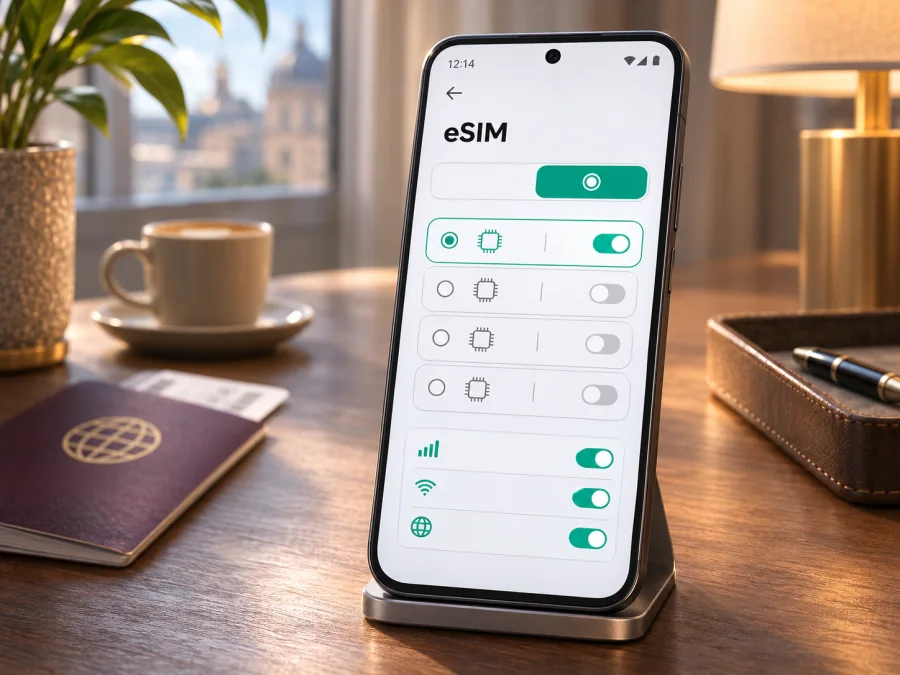
Oppo Reno 15 Pro eSIM: Compatibility and Setup Guide
If you are preparing an Oppo Reno 15 Pro for a trip, the short answer is: eSIM support depends on the regional version. OPPO’s current regional product specification pages do not describe one universal Reno 15 Pro configuration. The India page lists eSIM as supported for model CPH2811, while the China page for PLV110 lists Nano-SIM card types and does not list eSIM. OPPO UAE’s Reno15 Pro 5G specification page identifies model CPH2813 and lists eSIM support. The family name alone therefore cannot confirm whether your phone can install a travel eSIM.
Before you choose a plan, identify the model code on your own handset and check for an EID or an eSIM setup option in Settings. If you cannot confirm either, ask OPPO or the seller to verify the exact market variant. Do not assume that a phone supports eSIM just because its name, processor, or 5G capability matches another Reno 15 Pro listing.
Quick compatibility answer
| Item | What to know |
|---|---|
| Device named in this guide | Oppo Reno 15 Pro |
| eSIM answer | Conditional: regional hardware and software versions differ |
| Officially listed example with eSIM | OPPO India’s “OPPO Reno15 Pro 5G Specs” page lists eSIM as supported for model CPH2811 |
| Officially listed example without a listed eSIM option | OPPO China’s “OPPO Reno15 Pro” specification for PLV110 lists Nano-SIM and Nano-USIM; it does not list eSIM |
| Another regional listing | OPPO UAE’s CPH2813 specification page lists eSIM as supported |
| What decides your case | Exact model code, software menu, EID, carrier lock status, and plan requirements |
| Best time to check | Before paying for a travel eSIM plan |
The specifications above were checked against OPPO’s India, China, and regional product pages on 4 November 2026. OPPO India’s “OPPO Reno15 Pro 5G Specs” page identifies CPH2811 and explicitly says “eSIM: Supported.” OPPO China’s “OPPO Reno15 Pro” specification identifies PLV110 and lists Nano-SIM card types without an eSIM entry. OPPO UAE’s Reno15 Pro 5G specification page for CPH2813 also says eSIM is supported. Those statements apply to the named regional products, not automatically to every phone sold under the Reno 15 Pro name.
That distinction matters because regional models can differ in their SIM configuration, supported network bands, software build, and local carrier certification. A seller’s title may omit the model code or use a shortened name. Two devices that look similar or have the same marketing family name can still behave differently when you try to add a digital SIM.
What the regional differences mean
OPPO’s India page identifies Reno15 Pro 5G as model CPH2811 and lists eSIM support. The China page identifies Reno15 Pro as PLV110 and lists Nano-SIM card types without an eSIM entry. OPPO UAE’s product specification for CPH2813 also lists eSIM support. These product pages show why the marketing name alone is not enough: SIM configuration can change between sales markets.
Use the model code printed in your phone’s About section, box, or regulatory label, then compare it with OPPO’s page for the same country. Do not rely on a listing for another region, even if the phones look alike. The code also helps OPPO support identify the correct software and carrier configuration.
A carrier may restrict activation even on eSIM-capable hardware. If the phone came from an operator or a second-hand seller, confirm it is unlocked for other profiles. An eSIM menu does not prove that the phone can use every provider or network.
Find the model code and check for EID
Menus vary by ColorOS version, so search Settings if the labels below differ.
- Open Settings → About device or About phone.
- Find Model, Model number, or Regulatory information and note the full code, such as CPH2811, CPH2813, or PLV110.
- Search Settings for EID, eSIM, SIM, or Add eSIM.
- Open the SIM-management page and look for Add eSIM, Download a SIM, or Add mobile plan.
On many Android phones, an EID appears under About phone → Status or a SIM status page. You can also enter *#06# in the dialler; supported devices may show an EID alongside the IMEI. Keep these identifiers private and share them only with OPPO or your carrier when support requires them.
Use more than one clue. An EID strongly suggests eSIM hardware, while a menu alone does not guarantee that a specific plan or carrier will work. If neither appears, restart the phone, install available ColorOS and Google Play system updates, and search again. If the EID is still absent, treat support as unconfirmed and ask OPPO about the model code and purchase market.
Compatibility checklist
Before ordering, confirm:
- [ ] Your model code matches an OPPO regional specification that lists eSIM.
- [ ] Settings shows an EID or an eSIM setup option.
- [ ] The phone is not carrier-locked.
- [ ] The plan includes your destination and fits your trip dates.
- [ ] Wi-Fi is available for profile installation.
- [ ] You know when the plan’s validity begins and whether roaming is needed.
Check your device before choosing or paying for a travel plan. If the model code is unclear, ask OPPO support for the market where the phone was bought.
Install and activate an eSIM
Installation downloads the profile to your phone; activation may start network access or the plan’s validity, depending on its terms. Check those terms first, especially if you want the plan to begin after arrival.
- Confirm compatibility. Check the model code, EID or eSIM menu, and carrier-unlock status.
- Review the plan. Check destination, data allowance, validity, supported networks, and activation timing.
- Connect to Wi-Fi. Keep the phone online while the profile downloads.
- Open mobile network settings. Go to Settings → Mobile network or search Settings for “eSIM.”
- Tap the add option. Choose eSIM, Add eSIM, or a similar option.
- Scan the provider’s QR code. If manual activation details are offered, enter them exactly as supplied.
- Wait for installation. Do not close Settings or delete the profile during download.
- Name the line. For example, use “Travel data” to distinguish it from your usual SIM.
- Select the data line. Choose the travel eSIM when you are ready to use it.
- Enable roaming if required. Apply the setting to the travel eSIM only when the plan instructions call for it.
- Test data. After the activation point, switch off Wi-Fi briefly and check a webpage or map.
For detailed guidance, see the Android eSIM installation instructions. The iOS eSIM installation instructions apply when setting up a profile on an iPhone. ColorOS labels can vary, so follow the controls shown on your Reno 15 Pro.
Once compatibility is confirmed, Kaspersky eSIM Store is an app and website where you can choose, arrange, and activate an eSIM plan for mobile data during an international trip. It is not the mobile operator or the network carrying the connection. Check the plan conditions before choosing. You can browse the Kaspersky eSIM Store website for current travel options; this is a general store entry point, not a country-specific tariff.
Use the Reno 15 Pro for mobile data on a trip
A travel eSIM can provide mobile data for maps, messaging apps, email, and bookings without swapping a physical SIM. Unless its terms say otherwise, treat it as data-only: it may not include a regular phone number, cellular calls, or SMS. Internet-based calls and messages can work through apps while data is available.
Before leaving, save offline maps and boarding passes, keep your eSIM details accessible, and learn how to switch the data line in ColorOS. If you install the profile early, follow its activation instructions. Some plans start when installed; others begin on first connection or a selected date.
After landing, turn on the profile, select it for mobile data, enable data roaming if required, and allow a few minutes for network registration. If you use a home SIM at the same time, check roaming charges and turn off automatic data switching if you want to control which line uses data.
For multi-country trips, confirm that every destination is included and review the data allowance, duration, and any fair-use terms. Coverage and service quality depend on the plan and local network availability. Do not assume that a regional label automatically includes every country on your route.
Troubleshooting common problems
No “Add eSIM” option
Check the model code. The China-market PLV110 page does not list eSIM, while OPPO’s specifications for CPH2811 and CPH2813 do. Restart the phone, update ColorOS, and search Settings for “eSIM.” If the EID is absent too, ask OPPO or the seller to verify the exact variant before you buy a plan.
QR code will not scan
Raise the brightness on the screen showing the code, clean the camera lens, and hold the phone steady. If the code is displayed on the Reno 15 Pro, open it on another device. Use manual activation only if the provider offers it. A code may be single-use; do not keep retrying if the provider says it has already been used.
Profile installed but there is no data
Check that the travel eSIM is enabled and selected for mobile data. Confirm the plan is active, covers your location, and has remaining data. Enable roaming for that profile if instructed, then restart or briefly toggle airplane mode. Enter an APN only when the provider gives you one.
Invalid or already-used code
Make sure the QR code belongs to this order and has not been scanned on another phone. Some profiles cannot be transferred after installation. Do not delete the profile unless the provider confirms it can be installed again. Contact official support with your order reference; do not post the QR code publicly.
Wrong SIM is using data
Open SIM settings and check the default data line. Your physical SIM may remain selected even when the travel profile is on. Turn off automatic data switching if you want the phone to stay on the chosen line. Check home-carrier roaming costs before leaving that SIM active.
Practical examples
One-country holiday. Confirm the model code and eSIM support at home. Choose a plan for the destination and trip length, then install on Wi-Fi if pre-installation is permitted. Check when validity begins before scanning the code.
Multi-country itinerary. Verify each destination against the plan’s country list. Keep the profile installed and check whether it can be used across borders before adding another.
Work trip with a home number. Set the travel eSIM as the data line. Decide whether to keep the home SIM enabled for verification messages, and confirm roaming charges with your carrier.
Second-hand phone. Ask for the full model code and original market. Check EID, Add eSIM controls, and carrier lock status before paying for a plan.
Frequently asked questions
Does every Oppo Reno 15 Pro support eSIM?
No single answer applies across regions. OPPO lists eSIM for CPH2811 and CPH2813; its China PLV110 specification lists Nano-SIM types without an eSIM entry. Check your model code and settings.
Does 5G support prove eSIM compatibility?
No. 5G does not confirm eSIM hardware, software controls, carrier approval, or an unlocked handset.
Where can I find the EID?
Search Settings for “EID,” check About phone → Status, or enter *#06# in the dialler. Supported phones may show it with the IMEI. Do not publish it.
Can I use a physical SIM and eSIM together?
Possibly. The active-line combinations depend on the exact variant, software, and carrier. Set the preferred data line and check home-carrier roaming charges.
Will a travel eSIM provide a phone number?
Usually a travel data plan provides data only. Calls and SMS are included only if the specific plan terms say so.
What if there is no EID or eSIM menu?
Treat support as unconfirmed. Compare the code with OPPO’s specification for its original market and ask OPPO or the seller before paying.
Does installation guarantee service everywhere?
No. Service depends on destination coverage, plan terms, local network availability, and device compatibility.
Final check before your trip
For the Oppo Reno 15 Pro, verify the model code rather than relying on a shop title. Check for an EID or eSIM option, confirm the phone is unlocked, and compare the code with OPPO’s specification for the market where it was sold. OPPO’s India page lists eSIM for CPH2811, and a regional CPH2813 page does too; the China PLV110 page lists Nano-SIM types without listing eSIM. If your code or settings do not match a confirmed supported version, ask OPPO before proceeding.
Next, choose a plan by destination, trip length, data allowance, and activation timing. Kaspersky eSIM Store’s app and website let you choose, arrange, and activate an eSIM plan for mobile data on an international trip. Review the plan terms, install using the provider’s instructions, and select the correct data SIM when you are ready to connect.


