Travel connectivity guide
Oppo Reno 6 Pro 5G eSIM Compatibility
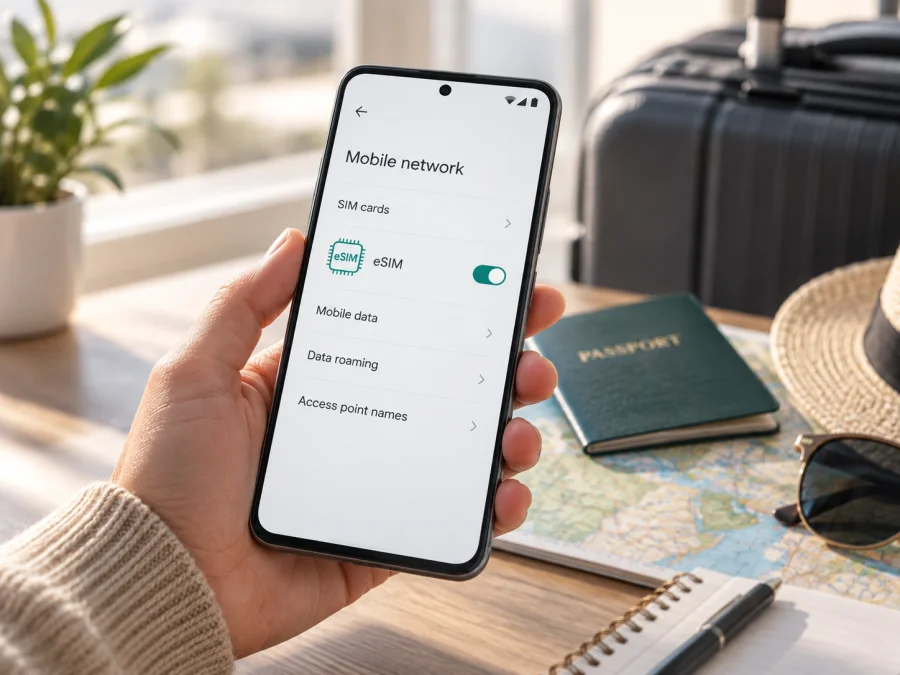
Oppo Reno 6 Pro 5G eSIM compatibility and setup guide
The Oppo Reno 6 Pro 5G may support eSIM in some regional or provider configurations, but the model name alone cannot confirm it. OPPO’s official global specifications for model CPH2247 list dual Nano-SIM. OPPO’s Belgium specifications add that eSIM support depends on providers, while the China-market Reno6 Pro specifications list two Nano-SIM cards. Treat support as conditional: check the exact model code, settings and carrier before you buy a plan. A 5G label does not prove that the phone can download an eSIM profile.
This guide explains how to identify your version, check its eSIM capability and proceed if your particular handset is compatible. Menu names vary by ColorOS version, region and carrier. If your phone has no EID and no option to add a mobile plan, do not assume an update or QR code can add eSIM hardware support.
Quick answer
| Question | Answer |
|---|---|
| Device | Oppo Reno 6 Pro 5G |
| eSIM status | Conditional; verify the exact regional and provider version |
| Official details | Global CPH2247 and China-market specs list dual Nano-SIM; OPPO Belgium says eSIM depends on providers |
| Best checks | EID, Add eSIM setting and provider confirmation |
| 5G | Does not establish eSIM support |
There is no safe universal yes or no for every Reno6 Pro variant. A provider may support one version while another is physical-SIM-only. If no EID or add-plan option appears, treat it as incompatible unless OPPO or the carrier confirms otherwise for that model and software build.
Why the regional version matters
Phone families can have versions for different countries. Model identifiers, SIM trays, bands, carrier certification and firmware may vary. Similar names do not guarantee the same eSIM capability, and imported phones may use market-specific software.
OPPO identifies CPH2247 as the global Reno6 Pro 5G and lists dual Nano-SIM. Its Belgium specification says eSIM support depends on providers. OPPO’s China-market Reno6 Pro specs also describe dual Nano-SIM. These details do not prove every similarly named handset works with every carrier.
Find the model code in Settings → About device and compare it with the box or invoice and the OPPO page for that market. Ask your carrier or travel eSIM provider whether that code is accepted, whether the phone must be unlocked and whether software restrictions apply. Do not rely on a retailer’s “eSIM ready” label without version details.
Remember: 5G is a network generation; dual SIM may mean two physical cards; NFC is not an eSIM profile; a QR code cannot add eSIM hardware support.
Finding the EID and eSIM menu
The Oppo Reno 6 Pro 5G uses ColorOS based on Android, and paths vary by software and region. In Settings, search for EID, eSIM, SIM, mobile plan and Add eSIM. Also look under About device → Status, SIM status or Status information. An EID is associated with embedded SIM hardware; it is not the IMEI, serial number or phone number. Keep it private and share it only with trusted support when requested.
If the EID is not shown, search for an add-plan option, check official updates and restart once. A missing menu may reflect firmware or carrier restrictions. If both the EID and eSIM option are absent, ask OPPO or the provider to verify the exact model before proceeding. A physical tray is not conclusive: it can coexist with eSIM, while two slots can both be Nano-SIM.
What a travel eSIM can do
An eSIM is a mobile subscription profile stored in compatible embedded SIM hardware. A travel data eSIM can provide mobile internet for maps, messaging and bookings, subject to the plan and local network. It does not necessarily include a regular number, calls or SMS; those must be listed in the plan. Internet calling apps use data but do not create a mobile number.
If the phone supports multiple lines, you may be able to keep your physical SIM for calls while using a travel eSIM for data. The combination depends on the handset. Check SIM management and home-carrier roaming charges. Review destination coverage, data, validity, activation timing, hotspot rules and transfer terms before buying. Some plans start at installation, others on first network connection. Do not delete a profile unless the provider advises it; QR codes may be single-use.
Compatibility check before you buy {#kesim-device-compatibility}
Check the handset itself before purchase. An eSIM profile may be issued for one device and can have transfer limits.
- [ ] Search Settings for EID, eSIM, SIM, mobile plan or Add eSIM.
- [ ] Look under About device, Status or SIM status for an EID. It is strong evidence, but provider support still needs confirmation.
- [ ] Open Mobile network or SIM card & mobile data and look for Add eSIM, Add mobile plan or Download a SIM.
- [ ] Verify the full model code, sales region, carrier lock and provider compatibility list.
- [ ] Ask whether that exact code is accepted and whether software or account restrictions apply.
Check your Oppo Reno 6 Pro 5G’s eSIM compatibility against the model code. Online IMEI checkers can be incomplete and do not replace provider confirmation.
Choose a plan after compatibility is confirmed
Once an EID or eSIM setting is present and the provider confirms the model code, match the plan to your itinerary. Check every country, compare data and validity with expected use, and confirm hotspot availability if you will tether.
Kaspersky eSIM Store is an app and website where you can choose, arrange and activate an eSIM with a mobile data plan for an international trip. Review destination, allowance and validity before ordering. It does not replace checking that your Oppo Reno 6 Pro 5G supports eSIM and is unlocked.
Install and activate an eSIM on Android
Proceed after confirming that the exact version supports eSIM, is unlocked and is accepted by the provider. Connect to Wi-Fi and keep the QR code or order details available on another screen. Do not share or repeatedly scan the code; it may be tied to the purchase.
- Read coverage, installation and validity instructions. Check whether to install before travel or after arrival.
- Open Settings → Mobile network or SIM card & mobile data and choose Add eSIM or Add mobile plan. If absent, stop and verify compatibility.
- Scan the provider’s QR code, enter activation details manually if offered, or follow the provider app.
- Wait for download to finish and label the profile “Travel.” Do not remove it while registering.
- Enable the line when ready and select it for data. Decide whether to keep your usual SIM active, considering roaming charges.
- Enable data roaming for the travel profile only if instructed. At the destination, disable airplane mode and wait for registration.
- Use manual network selection or enter an APN only when the provider supplies instructions.
Follow the Android eSIM installation instructions; ColorOS wording may differ. The iOS eSIM installation instructions are for Apple devices, not this Android phone, but may help if preparing another iPhone. If Settings has no eSIM path, return to the compatibility check.
Keep control of your SIM lines
Choose which line handles data and which handles calls or texts. Ask your home carrier about roaming if its SIM stays active. Label lines “Home” and “Travel,” select the travel eSIM for data and recheck after a restart. Disable automatic switching if it could move usage to a chargeable home line. Wi-Fi helps download a profile but does not confirm mobile registration.
Using the eSIM on a trip
Prepare at home, but follow the plan’s activation rule so validity does not start too early. Some plans start on first connection; others at installation. After landing, turn off airplane mode, allow time for network selection, choose the travel eSIM for data and test a webpage. Use manual selection only as the provider directs.
For a short visit, data can support navigation, bookings and messaging while your usual number remains available for calls. On longer or multi-country trips, check coverage and validity for each destination and monitor the provider’s balance display; phone counters may reset at a different time. After crossing a border, confirm the next country is covered and the right data line remains active. Ships and aircraft may use special networks with separate charges. Hotspot use, video and backups consume data quickly, so check tethering rules.
Troubleshooting
No EID or Add eSIM option. Search for both, inspect device status and confirm model and region. If both are absent, ask OPPO or the carrier whether that configuration supports eSIM; do not buy before confirmation.
QR code will not scan. Increase screen brightness, clean the camera and show the full code. If it is on the same phone, use manual entry or another screen. Check whether it was used; contact the provider before deleting a partial profile.
Profile downloads but has no service. Confirm country coverage and activation conditions. Enable the profile, select it for data and turn on roaming if instructed. Toggle airplane mode and wait. Use manual network or APN settings only as directed.
Signal appears but data fails. Check the active data SIM, plan validity and allowance. Turn Wi-Fi off briefly to test cellular data. Review APN only if the provider supplies one; signal bars do not guarantee data access.
Home SIM keeps using data. Select the travel eSIM and disable automatic switching if available. Recheck after a restart or coverage change; ask your home carrier about roaming charges.
Profile cannot be selected or service stops at a border. Restart, confirm the profile is enabled and check line limits, carrier lock and coverage. Follow provider guidance before changing networks. Do not delete the eSIM first; ask support about recovery.
For support, note model code, ColorOS version, country, network and error. Share identifiers only through a trusted channel; do not post a QR code, activation code, EID or full IMEI.
Frequently asked questions
Does Oppo Reno 6 Pro 5G support eSIM?
It depends on regional and provider version. OPPO’s global CPH2247 page lists dual Nano-SIM; its Belgium specification says support depends on providers. Check EID and add-eSIM settings, then ask the provider to confirm the model code.
Does 5G mean eSIM will work?
No. A phone can use 5G through a physical SIM and still lack eSIM support.
Can I keep a physical SIM and add a travel eSIM?
Only if your hardware, regional software and provider support that combination. Dual Nano-SIM alone does not guarantee simultaneous use.
Does a travel eSIM include a phone number?
Only if the plan explicitly says so. Many are data-only.
Can I reuse its QR code on another phone?
Do not assume so. Codes may be one-time or device-bound; check transfer terms before changing phones.
Should I enable data roaming?
Only for the travel eSIM if instructed. Check which SIM handles data and review home-carrier terms if your usual line stays active.
Final device check and trip eSIM
Before purchasing a travel eSIM for the Oppo Reno 6 Pro 5G, verify the complete model code, look for an EID or eSIM option in Settings, and ask the provider to confirm that your regional handset is accepted. Check for a carrier lock, software requirements and activation conditions. If any check is inconclusive, pause and ask OPPO or the carrier about your exact version.
After compatibility is confirmed, choose a plan that covers every destination and fits your data needs, validity dates and hotspot use. Kaspersky eSIM Store is an app and website for choosing, arranging and activating an eSIM with a mobile data plan for an international trip. Complete the device check first, consider your home line’s roaming terms, and follow the provider’s instructions so you know which SIM handles data when you arrive.


