Travel connectivity guide
Oppo Reno 9A 256GB eSIM: Compatibility & Setup
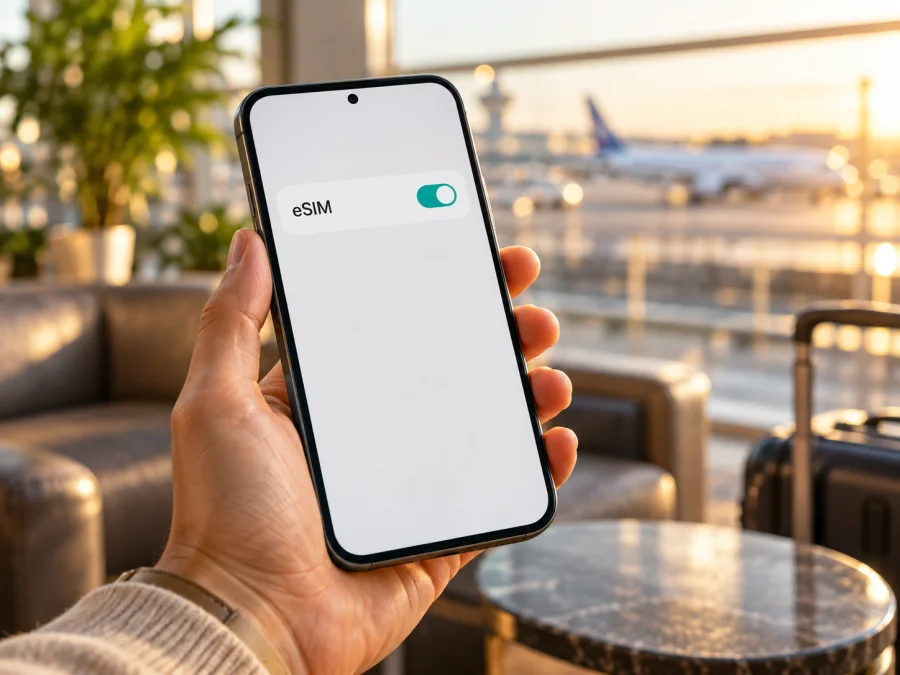
Oppo Reno 9A 256GB eSIM: compatibility and setup guide
Before choosing a travel data plan for Oppo Reno 9A 256GB, check the handset itself. OPPO’s published Reno9 A specifications describe a Japanese unlocked model with eSIM, but distinguish a Y!mobile-market device with a single physical nano-SIM slot. The official specification lists 128GB, not 256GB, so it does not confirm the exact “256GB” variant.
The answer is conditional: the Japanese unlocked CPH2523 is listed with eSIM; the Y!mobile version is described with a physical nano-SIM configuration. For an Oppo Reno 9A 256GB sold elsewhere, verify its model code and eSIM menu. Regional software and carrier restrictions can change what is available.
Quick compatibility summary
| Item | What is verified | What it means for Oppo Reno 9A 256GB |
|---|---|---|
| Official OPPO model page | The Japanese unlocked OPPO Reno9 A is identified as model CPH2523. | Look for the model code in Settings, on the box or in the regulatory information. |
| eSIM on the unlocked Japanese specification | OPPO lists nanoSIM + eSIM. | This is positive evidence for that Japanese configuration, not proof for every phone sold under a similar name. |
| Y!mobile retail configuration | OPPO notes that the Y!mobile product has a single SIM slot for nanoSIM + microSD. | Do not assume it can add a digital SIM; check the device’s own EID and menu. |
| Storage in the official Japanese specification | 128GB ROM is listed. | The advertised 256GB label is not corroborated by that official specification and may refer to a different market, bundle, seller description or another product. |
| Exact “256GB” variant | No matching official OPPO specification was found. | Compatibility remains unverified until the exact model code and settings are checked. |
| Network and plan compatibility | Depends on the phone configuration, local carrier, bands and plan conditions. | eSIM hardware support alone does not guarantee a connection in every destination. |
This distinction matters because eSIM support is implemented in the device’s cellular hardware and software, and a carrier-sold edition may differ from an unlocked model. Storage labels do not identify the cellular configuration. A listing can also combine details from multiple variants, so confirm the actual phone rather than relying on a marketplace title, box photo or seller’s generic compatibility statement.
What the official information does and does not establish
OPPO Japan’s official Reno9 A specification names the unlocked CPH2523 and lists a nanoSIM + eSIM configuration. It also states that its published specifications use the SIM-free model as their basis and warns that specifications for products sold by individual communications providers may differ. The page specifically calls out the Y!mobile product as having one SIM slot configured for nanoSIM plus microSD. This is a useful regional and operator-market distinction: the eSIM confirmation applies to the Japanese SIM-free specification, while the Y!mobile note describes a different retail configuration in Japan.
The official Japanese page lists 8GB RAM and 128GB ROM. It does not establish an OPPO Reno9 A 256GB version. Do not treat that discrepancy as proof that a 256GB device is counterfeit or incapable of eSIM; the product may be a market-specific version, a seller description, or a configuration that OPPO does not document on that page. It does mean that the 128GB CPH2523 specification cannot automatically be transferred to the exact 256GB handset. Until the model code is matched to an official specification for its sales market, describe its eSIM status as unverified.
For this reason, a useful answer to “Does Oppo Reno 9A 256GB support eSIM?” is: the exact 256GB configuration is not confirmed by the official specification located; a Japanese unlocked CPH2523 Reno9 A is listed with eSIM, but the Y!mobile-market version is described with a physical nano-SIM slot. Confirm the model code and the handset’s own eSIM identifiers before relying on support. This avoids treating an uncertain storage variant as if it were a documented model.
Identify the exact phone before you buy a plan
Start with the product label, not the marketing name. In Settings → About device (or About phone), record the model number and software version. Wording varies by ColorOS version. Compare the code with the seller’s documentation or ask for a photo of the About screen or box label.
Then check whether the phone exposes an eSIM identifier and installation control. The following checks are useful together; no single item should be interpreted without the model and settings context.
- Look for an EID. Search device information or SIM status for “EID”. Some Android versions show it after
*#06#in the dialler. Keep the full identifier private; menu behaviour varies by software and region. - Open mobile network settings. Go to Settings → Mobile network or search Settings for “eSIM”, “Add eSIM” or “Download a SIM”. Look for a QR scanning or profile-management option. OPPO’s Japanese guide describes adding a SIM and scanning the supplied code from this menu.
- Check the SIM manager. A supported phone may list physical SIM and eSIM profiles separately. An absent control can indicate a different market variant, carrier limitation or software issue.
- Confirm with the seller or carrier. Give them the exact model code and ask whether that specific unit can install a third-party travel eSIM. Ask whether the phone is carrier-unlocked. A general “dual SIM” answer is insufficient because two SIMs may mean two physical cards, or one physical SIM and one eSIM.
- Check the plan’s device requirements. Confirm that the exact handset and destination are supported before payment. The network technology, frequency bands, activation rules and any data-roaming requirement depend on the chosen plan.
If Settings provides an EID and a working Add eSIM option, the evidence is stronger than the listing title. If neither appears, do not purchase a plan on the assumption that a software update will add support. First confirm the region and model number with OPPO or the seller. Some phones have an eSIM-capable platform in one configuration while a particular sales variant or firmware does not expose eSIM.
Check your device before you choose a travel eSIM. The compatibility result should be based on the exact model and region, not only the Oppo Reno 9A 256GB name.
A practical compatibility checklist
Use this checklist before paying for an eSIM plan:
- [ ] The model code is visible in Settings or on the original packaging.
- [ ] The sales market and seller are known: for example, Japanese SIM-free or Japanese Y!mobile retail.
- [ ] An EID is visible in device information or through the phone’s supported identifier screen.
- [ ] Settings contains an eSIM installation option, such as Add eSIM, Download a SIM or Scan QR code.
- [ ] The phone is not locked to a carrier that prevents installing another provider’s profile.
- [ ] The operating system is updated using the official update channel for that device.
- [ ] The eSIM plan supports the destination and the phone’s supported network bands.
- [ ] You have a reliable internet connection for installation, plus access to the QR code or activation details.
- [ ] You have checked when the plan’s validity begins and whether activation is required before or after arrival.
If one of the core checks fails, pause and verify the configuration first. A physical SIM slot, dual-SIM wording or the ability to use 5G does not by itself show that a phone supports eSIM. Likewise, the presence of an EID does not guarantee that the phone is unlocked or that a specific travel plan will work in a particular country.
Install an eSIM on a compatible Reno9 A
The exact wording may differ by firmware. The official OPPO Japan manual for Reno9 A describes connecting to Wi-Fi, opening mobile network settings, adding a SIM, scanning the code provided by the carrier, enabling the profile and completing setup. For an eSIM bought for travel, follow the instructions supplied with that plan as well. If you need a visual walkthrough, see the Android eSIM installation instructions. The iOS installation instructions are available for a second device, such as an iPhone used to display the QR code; iOS steps do not apply to the Oppo phone itself.
Before installation
Connect to Wi-Fi and keep the QR code or manual activation details available. If the code is on the same phone, use manual entry if offered or display it on another screen. Check whether installation is one-time and whether the profile can be moved; do not delete it unless the provider confirms it can be reinstalled.
Step-by-step setup
- Open Settings. Search for “eSIM” if the menu names differ. On the supported Japanese Reno9 A firmware, start from the mobile network settings.
- Choose Add eSIM or Download a SIM. If you do not see an add or download option, stop and confirm that this is an eSIM-capable variant before proceeding.
- Scan the activation QR code. Use the QR code or manual details supplied for your purchased plan. Do not scan a code from an unrelated message or website.
- Review the profile details. Give the line a clear label such as “Travel data” so that you can distinguish it from your usual SIM. The label is only for your convenience.
- Download and enable the profile. Keep the internet connection active while the phone contacts the eSIM activation service. Follow the prompts on screen and wait for the profile to finish installing.
- Choose the data line. In SIM or mobile network settings, select the travel eSIM for mobile data when you are ready to use it. Keep your regular line selected for calls or messages if you need it and your carrier charges are understood.
- Set data roaming only as directed. Some travel eSIM plans require data roaming on for the eSIM line. Check the plan instructions and enable it for that line only when appropriate. This setting is separate from roaming on your home SIM.
- Test the connection. When the plan is active and you are in a supported destination, turn Wi-Fi off briefly and try a simple webpage. If it does not connect, check the troubleshooting section before reinstalling or deleting the profile.
For most travel plans, the eSIM is intended for mobile data rather than a standard phone number. Do not assume it includes ordinary voice calls or SMS unless the terms of the selected plan explicitly say so. Internet calling and messaging apps can work over data, subject to their own availability and conditions.
Plan the eSIM around your trip
Install over reliable internet. Plan validity may start at installation, first connection or another event, so check the terms before scanning. Keep the confirmation details until the eSIM appears in Settings.
A travel eSIM can support maps, messaging, ride-hailing, email and work tools after arrival. Estimate your likely data use and trip length, then check the plan’s allowance and validity. For a multi-country itinerary, verify every destination in the plan details. Availability depends on the local network and location.
Kaspersky eSIM Store is an app and website where you can choose, arrange and activate an eSIM with a mobile-data plan for an international trip. Review the destination, data allowance, validity, price and activation terms shown for the selected plan. The underlying service is provided through partner arrangements and local networks; Kaspersky eSIM Store is not a mobile operator and does not own or operate the network. For a verified general starting point when a specific country page is not yet chosen, browse available travel plans on the Kaspersky eSIM Store website.
Three common travel situations
Data on arrival. Check when validity starts. If it begins on first connection, install over Wi-Fi before leaving if allowed, then enable the travel line for data on arrival.
Keep your regular number. Leave the home SIM enabled if needed, select the travel eSIM for data, and check home-carrier roaming charges. Confirm the data-line selection after changes.
Crossing borders. Verify each country on your route and the plan’s validity. A regional plan only applies to destinations listed in its current details.
Troubleshooting: when the eSIM will not install or connect
There is no Add eSIM option. Check the model code, sales region, carrier and firmware. OPPO distinguishes the Japanese SIM-free configuration from Y!mobile’s physical nano-SIM configuration. Confirm the variant with OPPO or the seller; a generic software update cannot be assumed to add eSIM support.
The QR code is rejected. Make sure the phone has internet access, the code is readable and it belongs to this purchase. Some codes can be used only once. Ask the plan provider to check activation status before retrying, and do not delete an installed profile unless you know it can be reissued.
The profile downloads but data does not work. Enable the eSIM and select it for mobile data. Check that the plan is active and covers your destination. Enable data roaming for that line only if the plan instructions require it. Briefly toggle airplane mode or restart to refresh network registration.
Signal appears but apps are offline. Turn Wi-Fi off to test mobile data. Check the data-line selection and any data restrictions. If the plan specifies an APN, compare it with the provider’s instructions; do not guess or reuse another plan’s APN.
The phone connects at home but not abroad. Confirm destination coverage and supported network bands. Check roaming for the travel eSIM, then allow time for network registration. Use manual network selection only as instructed by the plan provider; availability can vary by location.
The home SIM loses data or activation fails. Review which SIM is selected for data, calls and messages. Record any error, the software version and the time, then contact the seller or plan support. Keep the full EID and QR code private because the code may contain activation information.
FAQ
Does Oppo Reno 9A 256GB support eSIM?
The exact 256GB configuration is not verified by OPPO’s published Reno9 A specification. OPPO lists eSIM for the Japanese unlocked CPH2523, and identifies a Y!mobile-market version with a single physical nano-SIM slot. Check the model code and EID/Add eSIM controls on the exact phone before buying a plan.
Is eSIM support the same in every country?
No. Device specifications and carrier configurations can vary by sales market, operator and firmware. OPPO’s Japanese specification is evidence for the Japanese SIM-free CPH2523 and should not be generalized to an unspecified 256GB model sold elsewhere.
Is 256GB an official storage option for the Japanese Reno9 A?
OPPO Japan’s current specification page lists 128GB ROM for the unlocked CPH2523. It does not confirm a 256GB version on that page. Ask the seller for the exact model number and the official specification for the phone’s own market.
Can I install a travel eSIM and keep my physical SIM?
If the exact device variant supports eSIM and permits both profiles to be active as configured, you can use the physical SIM and eSIM together. Select which line provides mobile data and check your home carrier’s roaming charges. The Y!mobile-market configuration described by OPPO has a single nano-SIM slot and should not be assumed to have eSIM.
Will the eSIM give me a phone number?
Not necessarily. Travel data eSIM plans are commonly for mobile data only. Calls and SMS are included only if the selected plan states that they are; internet calling apps can use the data connection.
Should I install the eSIM before leaving?
You can install before departure if the plan allows it and you have reliable Wi-Fi. First check when plan validity begins. If installation starts the validity period, you may prefer to wait; if activation begins on first connection, advance installation may be convenient. Follow the plan’s specific instructions.
Does a visible EID guarantee that every plan will work?
No. An EID indicates eSIM capability, but carrier lock status, supported bands, the eSIM profile and destination coverage still matter. Confirm those points for the exact model and plan.
Final check before choosing a travel eSIM
For Oppo Reno 9A 256GB, treat compatibility as unverified until the phone’s model code and eSIM controls are confirmed. OPPO’s official Japanese materials support a narrower conclusion: the unlocked CPH2523 specification lists nanoSIM + eSIM, the Y!mobile-market product is described with a single physical nano-SIM slot, and the documented unlocked storage is 128GB. These facts do not establish the configuration of an unspecified 256GB handset.
Before payment, locate the EID and Add eSIM control, confirm the sales region and carrier status, and check that the selected plan covers your destination with suitable data and validity. If the phone passes those checks, follow the plan’s QR-code instructions, select the correct mobile-data line and test the connection when activation is appropriate. Kaspersky eSIM Store can help you review and activate a travel data eSIM through its app or website; check the exact plan terms and device compatibility before proceeding.


