Travel connectivity guide
Oppo Reno14 Pro 8GB RAM eSIM: Compatibility
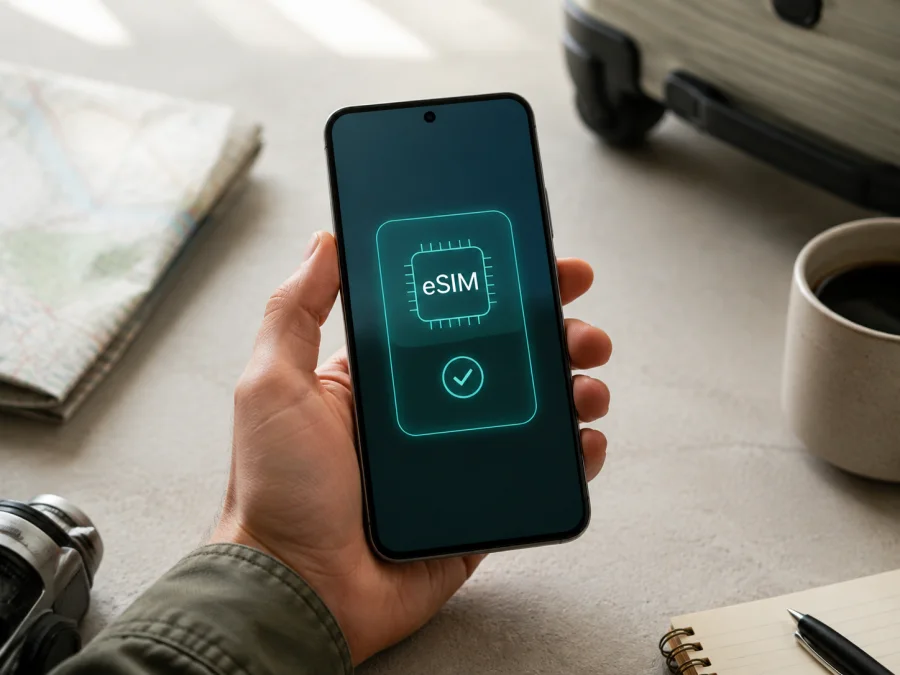
Oppo Reno14 Pro 8GB RAM eSIM
An eSIM can keep your regular physical SIM in Oppo Reno14 Pro 8GB RAM while a separate profile supplies mobile internet during a trip. The key issue is not the amount of RAM. It is whether this exact handset has eSIM hardware, regional software support and permission to use another operator.
The answer is conditional. Current official OPPO regional specifications for the Reno14 Pro 5G, model CPH2739, list “Nano-SIM card/Nano-USIM card + eSIM” and show the second SIM as supported in several markets. Those pages list 12GB configurations rather than an 8GB Reno14 Pro configuration. The family therefore has documented eSIM-capable versions, but the exact Oppo Reno14 Pro 8GB RAM unit is unconfirmed until its own EID and eSIM menu are checked. If both are present and the phone is unlocked, a compatible travel eSIM can be used for data. If both are absent, do not expect a software update to create eSIM support.
At a glance
| Item | What it means for Oppo Reno14 Pro 8GB RAM |
|---|---|
| Exact device | Oppo Reno14 Pro 8GB RAM |
| Official family reference | OPPO Reno14 Pro 5G; regional pages commonly identify it as CPH2739 |
| Memory | 8GB RAM is preserved in the requested variant; storage is not assumed |
| eSIM evidence | Regional OPPO pages list nano-SIM/nano-USIM + eSIM for the documented family version |
| Exact 8GB status | Not established by the official pages checked; verify the actual phone |
| Software reference | ColorOS 15.0 appears on regional specifications and can vary after updates |
| Network | LTE/5G bands, carrier approval and roaming depend on market and operator |
Does Oppo Reno14 Pro 8GB RAM support eSIM?
Yes, eSIM is documented for regional OPPO Reno14 Pro 5G units: official OPPO specifications for markets such as India, Indonesia, Thailand and Turkey show a nano-SIM or nano-USIM together with eSIM. The pages that expose the identifier refer to the CPH2739 family. This confirms that compatible Reno14 Pro hardware can include an embedded SIM.
It does not confirm every device labelled Oppo Reno14 Pro 8GB RAM. The official pages checked for CPH2739 list 12GB + 256GB and 12GB + 512GB configurations, not the exact 8GB RAM configuration. Country of sale, carrier provisioning and firmware can change what is enabled. The accurate conclusion is:
Oppo Reno14 Pro 8GB RAM may support eSIM when it is an eSIM-enabled regional version, but the 8GB label alone is not enough. Confirm the EID and Add eSIM control on the handset before purchasing a plan.
An EID is the identifier of the embedded SIM component, not an IMEI or phone number. An EID plus an Add eSIM option is strong evidence of basic capability, but it does not guarantee activation with every carrier, destination or tariff.
Why region and operator version matter
OPPO specifications are published by market and are not interchangeable. One market may show eSIM while another lists only physical nano-SIM cards because of certification, radio configuration, carrier policy or regional firmware. “8GB RAM” does not identify storage, origin or the CPH code, so request the full model number, original market and EID evidence from the seller. Carrier lock, data roaming, supported bands, local coverage and the selected tariff remain separate checks.
Check compatibility before buying a plan
Use this checklist for the exact Oppo Reno14 Pro 8GB RAM in your possession, preferably while connected to Wi-Fi:
- [ ] About device shows the expected OPPO Reno14 Pro identity and a full model number.
- [ ] The retailer description, model code and software region agree; it is not a Reno14, Reno14 F or another memory variant.
- [ ] The handset is unlocked for another operator.
- [ ] An EID is visible in SIM, status or regulatory information.
- [ ] SIM settings offer Add eSIM, Download a SIM, Add mobile plan or equivalent.
- [ ] Wi-Fi, battery and current software are available for installation.
- [ ] The selected tariff covers the destination and route.
- [ ] Traffic allowance, validity, activation trigger and hotspot rules fit the trip.
- [ ] You understand whether the tariff is data-only; calls and SMS are excluded unless stated otherwise.
Before moving to a plan, validate the handset first. If the exact variant is absent from a compatibility list, rely on the handset's EID and SIM menu and confirm with the seller or operator instead of inferring support from a similar model.
Find the EID and eSIM menu
ColorOS wording may differ by build. In Settings, search for “EID”, “eSIM” or “SIM”. Also inspect Mobile network, SIM card and mobile data, SIM management, About device, Status or Status information. Then open the SIM-management screen and look for Add eSIM, Add mobile plan, Download SIM or Set up eSIM.
If the phone has only physical-SIM controls and no EID, treat the exact 8GB unit as non-compatible until OPPO, the seller or the operator provides contrary, model-specific evidence. A QR scanner in the camera or another app is not proof: the operating system must be able to download an embedded profile. If Add eSIM is greyed out, check for a carrier restriction, occupied physical-SIM configuration or pending update. Do not erase a working profile to test a new one. When that evidence is clear, Check your device before moving to a plan.
How to install an eSIM on Oppo Reno14 Pro 8GB RAM
Installation requires an eSIM-compatible, unlocked phone, an internet connection and activation details for the chosen plan. Details may arrive as a QR code or in-app flow. Keep the code private; it may be single-use or tied to one device.
Kaspersky eSIM Store is an app and website where you can choose, arrange and activate an eSIM with a tariff for mobile internet during an overseas trip. It helps with the selection and activation flow; coverage and service depend on the selected tariff and local network arrangements. The travel eSIM is generally for data, not a replacement for your regular phone number.
For general guidance, see the Android eSIM installation instructions and the iOS eSIM installation instructions. The steps below focus on this Android device.
1. Confirm the prerequisites
Connect to reliable Wi-Fi and charge the phone. Keep the QR code on another screen, and confirm the destination, validity and activation conditions. If there is no EID or Add eSIM control, resolve compatibility before payment or installation.
2. Open mobile-network settings
Open Settings. Select Mobile network, SIM card and mobile data, or the closest wording in your ColorOS build. Open SIM management and choose Add eSIM or Add mobile plan.
3. Scan or load the profile
Choose the QR-code option and scan the code supplied with the selected tariff. Use manual details or an in-app flow only when supplied by the service. Keep Wi-Fi connected and do not use an unverified code.
4. Confirm the download
Read the plan name and destination before accepting. The download can take minutes; do not restart while it is added. If a code was used, ask support rather than rescan.
5. Name the line
Name the new profile “Travel data” or with the destination. A clear label helps prevent selecting the home SIM by mistake. Review the physical SIM's data and roaming controls separately.
Activate the eSIM and select mobile data
Installation and activation are separate. Return to SIM management, turn on the travel line and set it as the preferred SIM for mobile data. Disable automatic data switching if you want to prevent a fallback to the home SIM and unexpected roaming use.
Install over Wi-Fi before departure and leave the travel line off until the trip begins if the tariff allows. On arrival, enable the eSIM and data roaming for that line when required. This lets it register on a partner network; it does not require roaming on the home line.
Allow time for registration. “Emergency calls only” or “No service” can appear briefly while the phone searches. With a data-only plan, no normal phone number is expected; internet calls and messages can work through apps.
Using Oppo Reno14 Pro 8GB RAM for mobile internet while travelling
A two-line setup leaves the physical SIM available for your number and selects the travel eSIM for data. You can use maps, tickets and messaging while retaining verification SMS, subject to the home operator's charges.
For a short city break, a smaller prepaid allowance may cover navigation and messages; remote work, video calls and hotspot use need more data and a check of tethering rules. Choose by destination, validity and expected use, not by the phone's 8GB RAM. Kaspersky eSIM Store helps you review an available destination and plan conditions before arranging it.
For a multi-country route, confirm that one regional tariff covers every border crossing. A compatible phone can still lose service when the plan excludes a country or coverage is unavailable. Mobile data reduces dependence on public Wi-Fi, but it is not a promise that every connection is safe or unrestricted; save plan details offline and monitor hotspot use.
Common problems and what to check
Add eSIM is missing
Search Settings for EID and eSIM, then verify the full model number and region. If both are absent, this exact Oppo Reno14 Pro 8GB RAM may be a non-eSIM regional version. A factory reset or QR code cannot add missing hardware. Ask the seller or operator for confirmation or use a physical-SIM alternative.
The QR code will not scan
Increase screen brightness, clean the camera lens and show the code on another screen. Use the system Add eSIM scanner, not only the camera app. Confirm that the code belongs to the selected plan and has not already been used. If manual activation details are available, use them as instructed.
The profile will not download
Reconnect to Wi-Fi and retry from the system eSIM menu. Check date and time, battery and storage. Do not delete a working eSIM or request repeated codes. An “invalid”, “used” or “unavailable” message usually requires support to inspect the profile.
The eSIM is installed but there is no service
Turn on the travel line and select it for mobile data. Check data roaming for that line, turn off airplane mode and allow registration. Compare the destination with the plan and review coverage, bands and operator availability. Return to automatic network selection after testing.
The home SIM is using data
Choose the travel eSIM for mobile data and disable automatic switching. Open a webpage, check the data indicator, then review the home line's roaming setting.
Data is slow or stops
Check the allowance and validity, move to better coverage and pause hotspot or background downloads. A 5G label does not guarantee 5G on every partner network; speed depends on destination, bands, tariff and operator deployment.
The phone is locked
Ask the original operator or seller whether the handset is SIM-unlocked and whether eSIM activation is allowed. Do not circumvent a carrier lock; keep the model number for support.
FAQ
Is eSIM definite on every Oppo Reno14 Pro 8GB RAM?
No. Official OPPO pages document eSIM on Reno14 Pro 5G versions, while the checked pages list 12GB configurations rather than the exact 8GB RAM variant. Confirm the EID and Add eSIM option first.
Does 5G prove eSIM support?
No. 5G is a radio-network feature; eSIM depends on embedded hardware, firmware and regional enablement. The model number, EID and system SIM menu are the relevant checks.
Can this eSIM replace my phone number?
Usually not for a travel-data plan. Kaspersky eSIM Store helps you choose and activate eSIM data service; calls, SMS and a separate number are excluded unless the selected conditions say otherwise.
Should data roaming be enabled?
Possibly. A travel eSIM may need roaming enabled on its own line to use a partner network; keep the home line's roaming off if you want to avoid accidental data use.
Can I install before travelling?
Yes, if the phone and plan support it. Validity may begin at installation or first network use, so read the selected conditions before leaving the line off.
Can I move the profile to another phone?
Not automatically. Profiles can have transfer restrictions; check the plan, verify the replacement phone and ask support before deleting anything.
What does an EID prove?
It proves that the phone exposes an embedded-SIM component, not that every tariff or carrier will activate it. Also check destination, line selection, roaming, network registration, operator lock and remaining allowance.
Key takeaways
OPPO's current regional specifications show eSIM on documented Reno14 Pro 5G versions, including CPH2739 listings that describe nano-SIM plus eSIM. They do not establish universal support for the exact Oppo Reno14 Pro 8GB RAM. Approve a purchase only when the handset's EID, Add eSIM menu, model number, regional software and unlocked status agree.
After compatibility is confirmed, Kaspersky eSIM Store helps you choose, arrange and activate an eSIM with a mobile-data tariff for an overseas trip. Review destination, allowance, validity, activation timing and roaming. Install over Wi-Fi, select the travel line for data on arrival and monitor the active SIM. Coverage depends on the selected plan's local network arrangements.
Final device check and travel eSIM
Before choosing a travel eSIM for Oppo Reno14 Pro 8GB RAM, open Settings once more. Confirm exact model, find the EID, locate Add eSIM and make sure the phone is not operator-locked. Match the plan to every country on the route, expected data use and trip length. If uncertain, pause and ask the seller, operator or support. Verifying the variant helps avoid an unusable profile.


