
Travel connectivity guide
Oran eSIM: Mobile Internet for Your City Trip
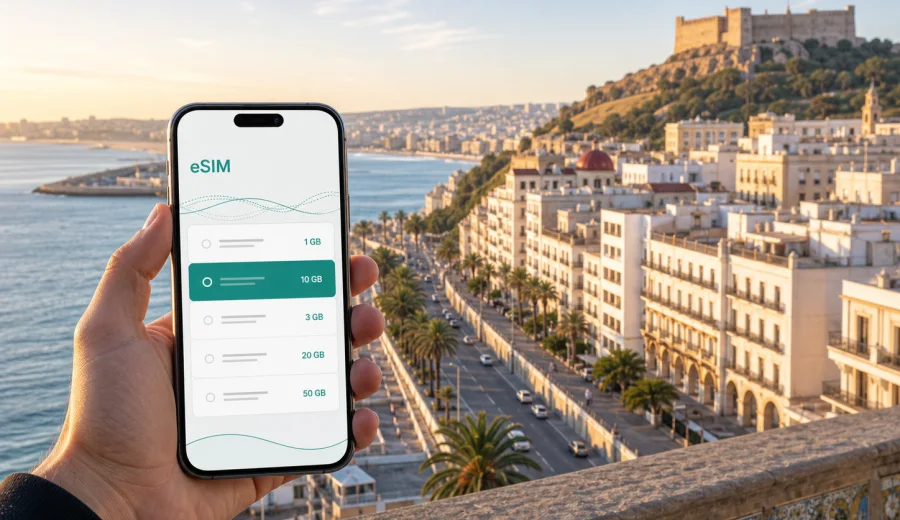
Oran eSIM: mobile connection and internet for a smoother city trip
Oran is a city where mobile internet quickly becomes part of the trip itself. You may need it before you even reach the Corniche: to message a hotel from Ahmed Ben Bella Airport, check the route into the center, confirm a meeting near Akid Lotfi, find a restaurant around Front de Mer, or share your location before heading up toward Fort Santa Cruz. This guide focuses on city use: arrival, local movement, hotels, meetings, stopovers, walks, and short trips from Oran.
Why mobile internet matters in Oran
Oran is easy to enjoy when you can move confidently. The city stretches from the port and the historic districts toward modern neighborhoods, hotels, shopping areas, the airport road, and the western coastline. A short taxi ride can turn into a practical routing question if you do not know the exact entrance to a hotel, the best pickup point, or the current travel time across town.
Mobile data helps with:
- navigation from Ahmed Ben Bella Airport to Oran city center;
- ride coordination with hotels, drivers, colleagues, or friends;
- map searches around Sidi El Houari, Front de Mer, and the seafront;
- translation for menus, addresses, receipts, and short messages;
- checking opening hours before crossing the city;
- sending documents or boarding passes during business trips;
- keeping messenger calls available when your regular number is not ideal for roaming.
The main advantage of preparing an eSIM before travel is control. You can choose a data plan for Algeria, check the validity period, install it on a compatible phone, and keep your primary physical SIM in place if your device supports dual SIM use. That is useful in Oran because the first hour after arrival often includes luggage, transport, hotel check-in, and route decisions at the same time.
Oran arrival scenarios where eSIM helps
Ahmed Ben Bella Airport is west of the city, so even a simple arrival usually includes a transfer. If you land in the evening, have a business pickup, or continue toward a hotel outside the center, mobile data makes the process less dependent on airport Wi-Fi or printed instructions.
| Arrival moment | What you may need online | Why eSIM is useful |
|---|---|---|
| Before passport control | Message a host or driver | You can prepare the eSIM before travel and activate data when ready |
| Baggage area | Check hotel address and booking details | Documents stay available even if airport Wi-Fi is crowded |
| Taxi or transfer | Follow the route into Oran | Maps help you understand direction and travel time |
| Late arrival | Contact reception or colleagues | Messenger calls and messages can work over mobile data |
| Same-day onward travel | Check rail, road, or meeting details | You are not tied to a fixed Wi-Fi point |
For a short city stay, a smaller package may be enough. For a longer stay, allow more data for maps, messaging, photo uploads, video calls, and hotspot use if the selected eSIM plan supports tethering.
Choosing data for different Oran trips
Data needs in Oran vary by travel style. A visitor staying near the seafront and using Wi-Fi at the hotel may need much less than a consultant moving between meetings, sending files, and using maps throughout the day. Think about the trip in use cases rather than only in gigabytes.
Light city use: messaging, map searches, restaurant checks, ride coordination, and occasional browsing.
Standard travel use: daily maps, translation, messenger calls, email, mobile boarding passes, and moderate photo sharing.
Heavy use: frequent video calls, cloud documents, hotspot for a laptop, large photo and video uploads, or long navigation sessions on trips outside Oran. This requires more careful plan selection because high-use habits can consume data quickly.
A simple planning rule is to separate must-have data from nice-to-have data. Maps, messaging, email, and bookings are essential. Cloud backups, automatic app updates, video streaming, and high-resolution uploads can usually wait until trusted Wi-Fi is available.
Getting around Oran with mobile data
Oran rewards flexible movement. You may start near Place du 1er Novembre, continue along the waterfront, visit the older streets of Sidi El Houari, and later move to a business district or shopping area. Mobile data helps because a landmark, gate, roundabout, or hotel entrance may be more useful than a street name. You can send a map pin, compare routes, or keep a messenger chat open while you find the exact place.
Practical Oran navigation tips:
- save your hotel location before leaving the airport;
- keep the address in French or Arabic if your booking provides it;
- download an offline map as a backup, but use mobile data for live route checks;
- screenshot important details such as reservation numbers and meeting addresses;
- avoid relying only on public Wi-Fi for time-sensitive transfers;
- keep enough battery for the return route, especially after sunset walks or long meetings.
An eSIM does not replace common travel judgment. It simply gives you another way to stay online when you are away from the hotel lobby, cafe Wi-Fi, or a local SIM card shop.
Where mobile internet is most useful in the city
Different parts of Oran create different connectivity needs. The old city, the seafront, business areas, and transport corridors all call for slightly different phone habits.
| Area or situation | Typical online task | Useful preparation |
|---|---|---|
| Sidi El Houari | Walking routes, photos, translation | Preload map pins and keep mobile data for live orientation |
| Front de Mer | Restaurant searches, ride pickup, messaging | Share location instead of describing an exact corner |
| Fort Santa Cruz area | Route planning and return transport | Check data allowance before long photo sharing |
| Hotel districts | Check-in, email, app messages | Keep booking documents available offline too |
| Business meetings | Calendar, files, messenger calls | Disable heavy background sync if data is limited |
| Airport road | Transfer updates and boarding details | Activate data before leaving the terminal if needed |
If you are visiting Oran for work, the most important feature is not simply speed. It is predictability: knowing that your phone is ready for a map search, an email confirmation, or a message to a driver at the moment you need it.
eSIM setup before your Oran flight
Before you travel, check three things: device compatibility, plan destination, and activation timing. Many recent smartphones support eSIM, but support depends on the exact model, region, and whether the device is locked to a mobile operator.
When you are ready to compare options, Kaspersky eSIM Store helps you choose an eSIM data plan for a trip to Oran and Algeria. You can review the destination, data amount, validity period, and price before deciding which plan fits your route.
Use this quick checklist:
- confirm that your phone supports eSIM;
- check that the phone is not locked to one mobile operator;
- choose Algeria as the destination for an Oran trip;
- read the plan data allowance and validity period;
- install the eSIM while you still have stable internet access;
- keep your primary SIM active if you need regular calls or SMS;
- understand when the plan starts counting validity and data use.
If you need to verify support before choosing a plan, use the internal compatibility checker: Check your device. This is especially important if you travel with an older phone, a region-specific model, or a device bought through a carrier contract.
How installation fits into the trip
The safest time to install an eSIM is before you are under travel pressure. You can do it at home, at the office, or at the hotel before leaving for the airport, as long as you follow the plan instructions and understand the activation conditions. Some plans begin when the eSIM connects to a supported local network, while others may have different rules. Read the details for the selected plan.
For setup guidance, follow the official installation pages for your device type: Android installation instructions or iOS installation instructions. Keep another internet connection available during installation because your phone may need to download the eSIM profile, confirm settings, or display a QR code.
A practical sequence for Oran looks like this:
1. Choose the Algeria plan that fits your stay.
2. Install the eSIM profile before departure or while you still have stable Wi-Fi.
3. Label the eSIM clearly, for example "Oran data" or "Algeria data".
4. Keep your main SIM for calls and SMS if you need your usual number.
5. On arrival, select the eSIM for mobile data when you are ready to use it.
6. Check whether data roaming must be enabled for that eSIM according to the instructions.
7. Send one test message or open a map before leaving the airport area.
Do not delete the eSIM profile after installation unless the instructions or support team tell you to. In many cases, an activated eSIM cannot simply be moved to another phone.
Business trips to Oran
Oran is a practical destination for meetings, energy-sector travel, port-related work, education, and regional visits. Business travelers often have less time to solve connectivity problems because the first day may include a transfer, check-in, and a meeting with little margin between them.
For business use, prepare mobile data around tasks:
- calendar updates and meeting locations;
- messenger calls with colleagues and drivers;
- document access from cloud storage;
- email with attachments;
- maps between hotels, offices, restaurants, and the airport;
- mobile hotspot for a laptop if your selected plan and phone settings allow it.
The main risk is background data. A laptop connected through hotspot can consume a small plan quickly if cloud sync, video calls, or system updates run in the background. Before using hotspot, pause automatic updates and large sync tasks. If you need laptop data every day, choose a larger plan and check whether tethering is allowed.
Stopovers and short stays
Not every Oran visit is a full holiday. You may have one night before an onward trip, a long connection, a meeting-only itinerary, or a family visit where most time is already planned. In these cases, mobile internet should be simple and limited to essentials.
For a 24-hour stay, prioritize:
- airport transfer communication;
- hotel address and booking confirmation;
- map routes to one or two key places;
- messenger access;
- boarding pass or onward travel documents;
- a small buffer for delays.
Short stays are where public Wi-Fi can be inconvenient. You may not want to register for a new network in every cafe, wait for a code, or depend on a hotel login before you can contact someone. An eSIM gives you a prepared mobile data option, while Wi-Fi can still be useful for heavier tasks.
Leisure routes around Oran
For leisure travelers, mobile data is less about office reliability and more about freedom. You can leave the hotel without deciding every detail in advance. If the weather changes, a museum is closed, or a restaurant is full, you can adjust the plan without going back to Wi-Fi.
Useful Oran day patterns include:
- morning walk through central landmarks and cafes;
- afternoon seafront route along Front de Mer;
- sunset viewpoint planning around Fort Santa Cruz;
- dinner search near your hotel or along a busier avenue;
- a coastal outing toward Ain El Turk;
- a day trip plan toward Mostaganem or Tlemcen if your itinerary allows.
For these routes, save key places in your map app before leaving. Then use mobile data for live checks: current route, reviews, opening details, translation, and messages.
Data-saving habits that work well in Oran
You do not need to treat mobile data as fragile, but it is worth managing it deliberately. Travel days create hidden use because apps try to update, sync photos, and refresh content in the background.
Before your flight:
- download offline maps for Oran and nearby areas;
- save hotel and meeting documents offline;
- turn off automatic app updates over mobile data;
- limit cloud photo backup to Wi-Fi;
- download music, podcasts, or work files in advance;
- check which apps can use mobile data in the background.
During the trip, use mobile data for maps, messaging, translation, and urgent browsing. Save large uploads for hotel Wi-Fi when possible, close navigation when you no longer need live guidance, and monitor remaining data in your phone settings or account area.
eSIM, roaming, local SIM, and Wi-Fi in Oran
There is no single best connectivity choice for every traveler. The right option depends on your phone, stay length, data use, and comfort with local setup.
| Option | Good for | Trade-off |
|---|---|---|
| eSIM travel data plan | Preparing before arrival and staying flexible | Requires a compatible, unlocked eSIM device |
| Standard roaming | Keeping your usual carrier setup | Costs and conditions depend on your home operator |
| Local physical SIM | Longer stays or local calling needs | Requires finding and setting up a SIM locally |
| Public or hotel Wi-Fi | Large downloads and relaxed browsing | Not always available when you are moving |
For many visitors to Oran, the practical approach is mixed: eSIM for mobile data outside, hotel Wi-Fi for heavy downloads, and the primary SIM for regular calls or SMS if needed. Many travel eSIM plans are data-focused and may not include a regular phone number, voice calls, or SMS unless the specific plan says so.
Common mistakes to avoid
The most common eSIM problems are usually preparation problems, not city problems. Avoid these before and during your Oran trip:
- buying a plan before checking device compatibility;
- selecting the wrong country or region for the itinerary;
- installing the eSIM only after leaving all stable internet access;
- deleting the eSIM profile after installation;
- expecting a data-only plan to behave like a full local phone subscription;
- using hotspot heavily without checking plan conditions;
- letting cloud backup or app updates consume data in the background;
- forgetting that validity periods and activation rules depend on the selected plan.
If something does not work as expected, check the basic settings first: selected mobile data line, data roaming for the eSIM if required, airplane mode, network selection, and whether the eSIM profile is active.
Practical Oran eSIM checklist
Use this checklist before departure and again after arrival:
- My phone supports eSIM and is not locked to one operator.
- I selected a plan for Algeria because Oran is in Algeria.
- I understand the data allowance and validity period.
- I installed the eSIM while connected to stable internet.
- I know which SIM is used for mobile data.
- I kept my main SIM available for calls or SMS if needed.
- I saved my hotel address and important map pins offline.
- I turned off heavy background data use.
- I know where to find Android or iOS installation instructions if I need them.
- I have enough battery for airport transfer and first city routes.
FAQ: using eSIM for Oran
Is an eSIM useful for a short trip to Oran?
Yes, especially if you need maps, messaging, hotel coordination, and airport transfer updates. A short stay usually needs less data, but the first hours after arrival often make mobile internet valuable.
Should I choose Oran or Algeria when selecting a plan?
Choose the country destination for the city trip. For Oran, that means Algeria. City articles help you plan usage, but the plan destination follows the country or region shown in the plan conditions.
Will an eSIM give me a local phone number in Oran?
Many travel eSIM plans focus on mobile data and do not include a regular phone number, voice calls, or SMS unless stated in the plan details. Messenger calls can work over data.
When should I install the eSIM?
Install it before travel or while you have stable Wi-Fi. Activation and validity rules depend on the selected plan, so read the instructions before switching it on for mobile data.
Prepare mobile internet for Oran
Oran is easier to navigate when your phone is ready before the first taxi ride, meeting, walk, or evening transfer. An eSIM can help you keep maps, messages, bookings, and translation available without searching for a physical SIM card immediately after arrival.
Before you go, check your device, review the plan conditions, and choose a data amount that matches your Oran itinerary. You can use Kaspersky eSIM Store to prepare an eSIM data plan for your trip to Algeria and arrive with a clearer mobile internet plan for Oran.