Travel connectivity guide
Orange Caraïbe eSIM in Saint Barthelemy: what to check
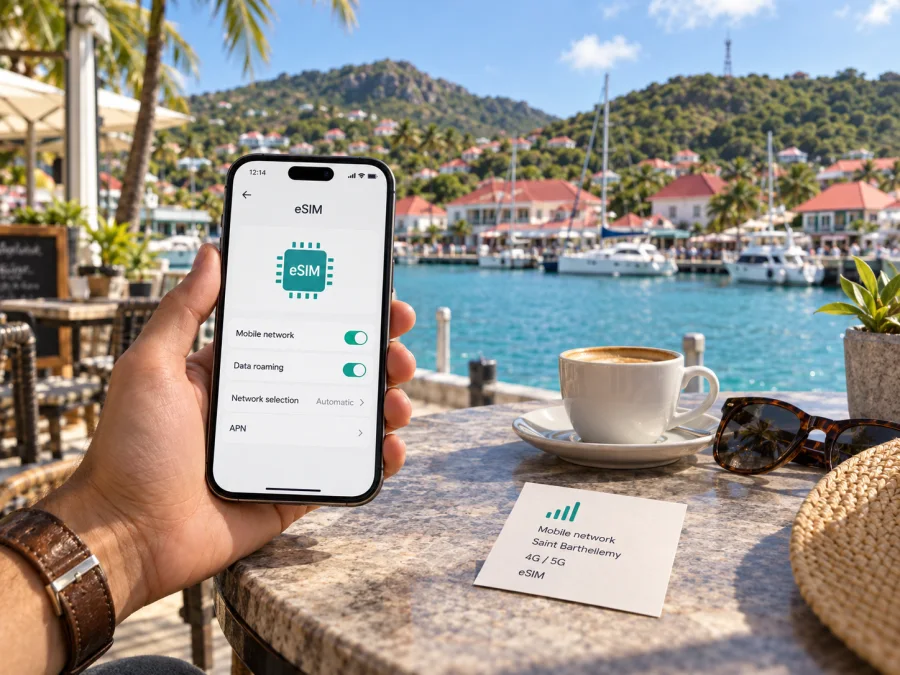
Orange Caraïbe eSIM in Saint Barthelemy: local service, coverage and setup
Information checked on 16 October 2026. Orange and Orange Caraïbe names and marks belong to their respective owners. Kaspersky eSIM Store is not affiliated with Orange Caraïbe and is not its official partner or distributor.
Orange Caraïbe serves Saint Barthelemy within its wider Antilles-Guyane market and advertises eSIM for Orange customers. A compatible phone is only one requirement: eligibility, activation and coverage depend on the specific line and location. This guide summarizes the operator’s public information without listing or comparing plans. Confirm current conditions with Orange Caraïbe before subscribing.
Orange Caraïbe and the Saint Barthelemy market
Saint Barthelemy is a Caribbean island and a French overseas collectivity with its own territorial status. It is not another name for Guadeloupe or mainland France. The French Ministry for Overseas Territories records its collectivity status from 2007. French Customs lists it among overseas collectivities outside EU territory, with Saint-Martin as the exception. These distinctions can affect how a mobile offer treats the island, mainland France and other destinations.
Orange Caraïbe’s regional website lists Guadeloupe, the Northern Islands including Saint-Martin and Saint Barthelemy, Martinique and French Guiana as its service area. The operator’s offers and customer processes are regional; exact terms depend on the specific subscription.
For a visitor, consider three separate questions: whether the phone accepts eSIM, whether you can subscribe or convert a line through an available channel, and whether that service covers the places you plan to visit. An affirmative answer to the first does not settle the other two. Existing customers can check their account or contact Orange Caraïbe. Visitors should ask whether they can subscribe and what verification is required. The public pages reviewed do not establish a general tourist-only or prepaid eSIM process for Saint Barthelemy.
Does Orange Caraïbe offer eSIM in Saint Barthelemy?
Yes. Orange Caraïbe’s “L’eSIM chez Orange” page says eSIM is available on Orange offers for compatible phones in the Antilles-Guyane. Its regional site includes Saint Barthelemy. These pages confirm local eSIM availability, but do not describe a separate visitor product or one activation path for all customers.
An eSIM is a digital mobile profile rather than a removable plastic SIM. It does not by itself provide a number, subscription, eligibility or coverage. Orange says customers can activate during phone setup, through phone settings or from the customer area. The route depends on whether you are starting a new line or changing the SIM format on an existing line.
The operator describes multiple lines on one compatible phone. The number of profiles a device can store or use simultaneously depends on the model and software; check the exact regional handset specifications and Orange compatibility information.
The pages reviewed do not confirm a standalone tourist or prepaid eSIM product for Saint Barthelemy. They say eSIM is available on Orange offers, but do not establish eligibility, identity checks or online/in-store requirements for every visitor. Ask Orange Caraïbe whether you can apply and which documents are needed before planning around a local number.
Choosing between a local line and a travel eSIM
A local Orange Caraïbe eSIM may suit an existing customer replacing a physical SIM or someone who needs a line associated with the regional operator. A travel eSIM may suit a visitor whose main requirement is mobile data for an itinerary. It is a separate product with its own supported destinations, activation steps and network arrangements. Compare service type, coverage and device requirements, not only the shared eSIM format.
Kaspersky eSIM Store’s product page describes its app and website as ways to choose, purchase and activate a travel eSIM plan for mobile internet abroad. It is not a mobile operator, network owner or internet provider. A travel eSIM may be useful when you want to prepare data access before arrival while keeping your primary SIM available for calls and texts under its own terms. Check the product details and compatibility before purchase.
The Orange Caraïbe pages reviewed do not confirm a general visitor-only or prepaid eSIM product for Saint Barthelemy. Ask the operator whether you can subscribe, what identification may be required and whether a local shop visit is necessary. Also confirm whether your selected offer includes a local number and which services it supports. This guide does not list plan names, prices, data amounts or durations.
Saint Barthelemy has a distinct territorial status. French Customs lists it among France’s overseas collectivities and says these territories are outside the EU territory, with Saint-Martin as the exception. Do not assume mainland-France or EU roaming conditions apply; check the terms for your Orange Caraïbe line or home operator for each place on your itinerary.
Explore eSIM options for Saint Barthelemy if you want to review a travel eSIM for mobile data and confirm whether the available option matches your route and device.
Coverage and mobile technologies
Orange Caraïbe’s regional pages describe mobile service using 3G, 4G, 4G+ and 5G, subject to deployment and compatible equipment. Its Saint Barthelemy 5G page names Gustavia and Saint-Jean and recommends checking the coverage map. The page says deployment is progressing; it does not promise island-wide 5G. Orange’s general network information similarly limits 4G and 4G+ access to deployed areas and compatible equipment.
Treat technology labels as a starting point, not a guarantee for a particular address or indoor venue. Terrain, buildings, handset bands and network conditions can affect service. Check Orange Caraïbe’s current coverage map for planned locations. A travel eSIM may use a partner network under a separate agreement, so verify its provider’s own network and destination information.
How Orange Caraïbe eSIM activation works
Orange Caraïbe provides different instructions for new and existing customers. Its assistance section says a new subscription with eSIM requires a QR code sent by email and a confirmation code sent by SMS. For a renewal or SIM replacement, the QR code is available in the customer area and security verification may be sent to the old mobile. The assistance instructions specify that an iPhone needs mobile data or Wi-Fi for installation. Follow the current instructions for your offer, phone and operating system.
If you are moving an existing Orange Caraïbe number from a physical SIM, check porting status before requesting eSIM. The operator says customers who have just subscribed while number porting is in progress should wait until the final number is active with Orange before replacing the SIM. If you already use an Orange Caraïbe eSIM on another phone, do not erase the old device or delete the profile before checking the transfer steps. Orange says transfer is not automatic and uses the customer area and security verification. Contact support if the phone is lost, reset or damaged.
Before you start
- Confirm that the phone supports eSIM and is not restricted by another carrier.
- Check that the Orange Caraïbe offer and your customer status allow the eSIM route you intend to use.
- Keep a reliable internet connection available for the download; Orange’s iPhone instructions specify mobile data or Wi-Fi.
- For a new subscription, keep the emailed QR code and the SMS confirmation code accessible.
- For a renewal, sign in to the customer area and follow the account’s security process.
- If number porting is underway, wait for Orange to confirm your final number before changing the SIM format.
- Read the current instructions for your exact phone and operating system before scanning or installing a profile.
General installation sequence
- Check compatibility. Confirm eSIM support for the exact phone model and regional variant. An eSIM capable model may still be locked or restricted.
- Prepare a connection. Connect to Wi-Fi or another internet service that remains available during installation.
- Retrieve the Orange instructions. Use the QR code or in-account process supplied for your subscription or SIM renewal.
- Add the mobile plan. Open the phone’s cellular or SIM settings, choose the option to add an eSIM, and scan the operator’s QR code when prompted.
- Complete verification. Enter the confirmation details requested for a new line or follow the account verification for a renewal.
- Choose the line settings. Label the profile so you can identify it, then select which SIM handles mobile data, calls and messages according to your needs.
- Check service before relying on it. Confirm that the line registers and test the services you expect to use. If activation stalls, keep the QR code private and contact Orange Caraïbe support.
Menu names and transfer support vary by device. For a Kaspersky eSIM Store travel eSIM, follow its iOS installation guide or Android installation guide; these do not replace Orange Caraïbe’s instructions. Check eSIM device compatibility. Regional phone variants and carrier locks can affect activation.
Practical checks for visitors
Decide whether you need mobile data only, a local number, or local voice and messaging. A travel eSIM may suit the first need; ask Orange Caraïbe which local offer fits the others. Receiving calls on your usual number depends on your primary operator’s roaming terms.
Ask Orange Caraïbe before ordering:
- Can a visitor apply, and what identity or address documents are needed?
- Can activation be completed from abroad, or is a shop visit required?
- Does the offer include a local number and the services you need?
- Does it work outside Saint Barthelemy, and where is roaming available?
- Is your exact phone model supported and carrier-unlocked?
- What is the recovery procedure if the QR code is lost or your phone is replaced?
Existing subscribers should check account access and number-porting status before changing SIM format. New customers should confirm registration and any in-person requirements. Do not assume a QR code can be reused after deletion or device replacement. At your destination, select the intended profile for data and check whether roaming is required for that service. Label lines clearly, review automatic data switching and keep QR codes private.
What can affect the experience?
An eSIM changes how the mobile profile is delivered; it does not remove the usual conditions on mobile service. You still need a compatible device, an eligible subscription, successful installation and coverage from the network used by that line. A travel profile may rely on roaming agreements and can have different coverage from an Orange Caraïbe local subscription. Indoor reception can also differ from an outdoor coverage estimate.
Installation and network registration are separate steps. Read the current instructions to learn when to install, enable the line and select it for data. Orange Caraïbe does not state one activation timeline for every offer and device. For travel eSIMs, confirm that Saint Barthelemy and your specific destinations are listed in the product’s coverage information.
Frequently asked questions
Is Orange Caraïbe eSIM available in Saint Barthelemy?
Yes. Orange Caraïbe says eSIM is available on its Orange offers in the Antilles-Guyane and lists Saint Barthelemy in its service area. Confirm offer and device eligibility.
Can a tourist get an Orange Caraïbe eSIM?
The public pages reviewed do not confirm a general tourist-only or prepaid process. Ask the operator about eligibility, required documents and online activation.
How do I activate it?
For a new subscription, Orange Caraïbe assistance describes a QR code sent by email and an SMS confirmation code. Existing customers use the customer-area renewal process with QR and security verification.
Is 5G available everywhere on the island?
Orange makes no blanket island-wide claim. Its Saint Barthelemy page names Gustavia and Saint-Jean and recommends checking the coverage map. Access depends on location, device and offer.
Will the eSIM work across the Caribbean?
Not automatically. Check the offer’s service and roaming terms for each destination.
Can I keep my usual SIM active?
Many phones support more than one line, but combinations vary. Choose the data line in settings and check roaming terms with your primary operator.
Final checklist
- Confirm offer eligibility, visitor requirements and any required documents.
- Check eSIM support for your phone’s exact model and regional variant.
- Verify coverage for your locations and service outside Saint Barthelemy.
- Keep QR and confirmation details private; follow current device instructions.
- Select the intended data SIM and check roaming settings.
Orange Caraïbe’s “L’eSIM chez Orange” page, Saint Barthelemy 5G information page and Assistance section “Renouvellement d’une eSIM vers une eSIM” were checked on 16 October 2026. They confirm local support and explain activation steps for new and existing customers. Coverage, eligibility, verification and roaming terms can change; check them before purchase. Kaspersky eSIM Store helps travellers choose, purchase and activate an eSIM for mobile internet abroad; it is not affiliated with Orange Caraïbe or a network operator. Review eSIM options for Saint Barthelemy and confirm device compatibility and destination coverage.


