Travel connectivity guide
Orange eSIM in Botswana: setup and travel guide
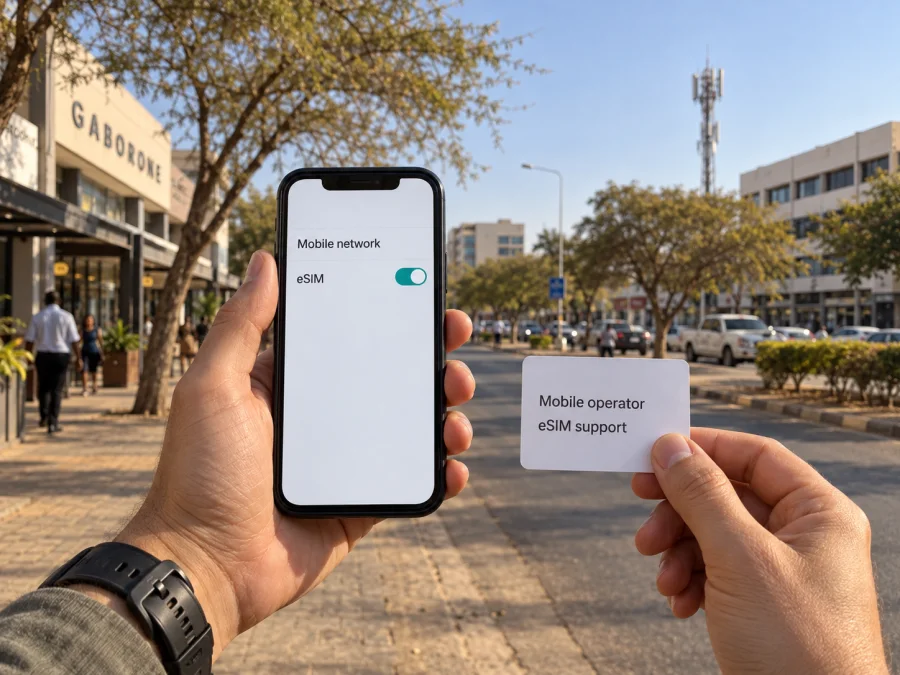
Orange eSIM in Botswana: what travelers should know
Orange is one of Botswana’s mobile network operators, and Orange Botswana publicly describes an eSIM service for compatible devices. The operator’s eSIM page explains that customers can request an eSIM online or in a store, receive a QR code or activation code, and complete setup on a compatible phone. That makes Orange eSIM in Botswana a practical topic to check before departure, especially if you want a local mobile line rather than a travel data eSIM. Availability of a particular enrollment route can depend on current operator procedures, device compatibility and identity checks, so confirm the details directly with Orange Botswana before traveling.
Orange in Botswana and the local mobile market
Orange Botswana serves mobile customers in Botswana and publishes support information for mobile service, prepaid subscriptions, eSIM, coverage and roaming. The operator’s public site lists prepaid service and provides instructions for subscribing at an Orange shop or service point. It also has a dedicated eSIM page and describes the eSIM as a digital profile installed on a compatible device. These public details support saying that Orange has both eSIM and prepaid service in Botswana in a general sense. They do not establish that every prepaid offer, customer category or sign-up channel is eligible for eSIM, so ask Orange about the exact combination you need.
Orange’s coverage page lists 2G, 3G and 4G. Its 4G guidance requires a compatible device and coverage in the location. The eSIM profile identifies the subscription; the handset and local radio network determine the available technology. Orange’s public mobile coverage page does not establish nationwide mobile 5G, so none is assumed here.
| Topic | What Orange Botswana’s public information says | What to check for your trip |
|---|---|---|
| eSIM | Orange describes eSIM service and QR or activation-code setup | Whether your device and the service route you need are supported |
| Visitor identification | The registration page names a passport for foreign nationals | Which original document and registration steps are required at the time of signup |
| Network technologies | Orange publishes coverage information for 2G, 3G and 4G | Coverage at each town, accommodation and travel route |
| Prepaid access | Orange gives shop and service-point instructions for prepaid subscriptions | Whether the prepaid option you want can be activated as eSIM |
This table is a general reference, not a catalogue of products. Orange may revise its processes, coverage information or eligibility rules. The pages named here were checked on 26 September 2026: Orange Botswana’s “The e-SIM,” “What are the requirements for SIM registration?,” “How do I subscribe?,” “What is my network coverage?” and “How do I connect to the 4G network?”
Is Orange eSIM available in Botswana?
Yes. Orange Botswana’s official website has a dedicated “The e-SIM” service page, and an Orange Botswana store page also states that Orange Botswana offers eSIM services. The eSIM page describes requesting service online or in store and receiving a QR code or activation code. It also gives a store-based option and provides a document note for foreign nationals. These current public operator pages confirm eSIM availability in Botswana at a general level.
The public wording does not settle every traveler-specific question. It does not guarantee that a non-resident can complete each step online, that every prepaid customer can move an existing number to eSIM, or that a particular device model will be accepted. Those details can depend on Orange’s current sales workflow, registration requirements and the handset’s eSIM implementation. If you need to keep a particular number, port service, or activate before reaching Botswana, ask Orange directly before relying on that arrangement.
Visitor requirements and registration
Orange Botswana says that a customer must be identified before using an Orange number and that a valid identity document is required to register a new prepaid SIM. Its registration support page specifies a passport for foreign nationals and says the SIM cannot be used until identity verification is complete. The Orange eSIM page separately lists a passport for foreign nationals in its document guidance. Taken together, these official pages indicate that a visitor should be prepared to present a passport when registering an Orange connection.
Bring the original, valid passport and allow time for an in-person check if Orange directs you to a store. The public material does not establish that a photocopy or digital image is accepted, nor does it describe every possible visa, address or payment requirement. Confirm the current checklist with Orange Botswana before you visit a store. Rules and procedures may be updated, and an online request does not necessarily remove the need for identity verification.
Registration is separate from the technical process of adding an eSIM to a phone. A phone may accept an eSIM profile while the operator still needs to verify the subscriber and enable service. Treat both steps as necessary: first confirm eligibility and complete the required identification, then install and activate the profile using Orange’s current instructions. Keep access to the email address or account used for the request, since digital delivery and activation instructions may depend on them.
Device compatibility: check before you travel
An eSIM is a digital SIM profile stored by a device that includes eSIM hardware and software support. The words “eSIM compatible” on a phone’s marketing page are not enough on their own. Device support can vary by exact model, regional version, operating system and carrier restrictions. Some phones sold for particular markets may omit eSIM capability even when a similarly named model sold elsewhere supports it.
Check the exact model number with the manufacturer and Orange Botswana. The phone must be able to add a profile and should not be locked to another carrier. On a company-managed device, confirm that cellular-plan changes are allowed. eSIM support on a tablet or wearable does not establish that Orange offers the same activation route for it.
A practical pre-trip check looks like this:
- Confirm eSIM support for the precise device variant, not only the product family.
- Install available operating-system updates while you have reliable internet access.
- Confirm that the phone is unlocked and able to add a carrier profile.
- Check that you know the device account credentials used to manage cellular settings.
- Ask Orange whether your model, line type and intended registration method are supported.
- Keep your existing SIM profile in place until Orange confirms that the new line is working.
How Orange eSIM activation generally works
Orange Botswana describes a process in which a customer requests an eSIM online or in a store, receives a QR code or activation code, and follows the device setup steps. The exact menu wording differs among Android manufacturers and iPhone versions, but the usual workflow is similar: connect the phone to Wi-Fi, open its cellular or mobile-network settings, choose the option to add an eSIM or mobile plan, and scan the QR code or enter the supplied activation details. Follow the confirmation screens and wait for the device to download the profile.
After installation, select the Orange line for mobile data if it is not selected automatically. If you use dual SIM, give each line a clear label such as “Home” and “Botswana” so you can see which line is active for calls, messages and data. Data roaming settings are different from installing a profile; follow Orange’s guidance on whether roaming should be enabled for the Orange line. Do not change settings on your home SIM unless you understand how your home carrier bills roaming.
It is sensible to install the profile when you have stable internet and enough time to troubleshoot. If Orange instructs you to activate only after arrival or at a shop, follow that instruction. Save the operator’s support contact details before leaving Wi-Fi. Keep your physical SIM, if any, until you have verified that the intended line is usable and that you understand how to switch back.
Coverage and network technologies
Orange Botswana’s public support information distinguishes 2G, 3G and 4G coverage and offers a coverage-checking tool. Its 4G instructions say that service depends on a compatible SIM, compatible device and being in a covered zone. Service availability and the network mode shown on a handset depend on the specific location and conditions when you connect.
Use coverage maps as planning references: buildings, terrain, maintenance, demand and device capability can affect reception. For remote camps or long drives, ask locally about service and plan for offline periods.
Do not infer that every Orange eSIM profile can use every technology Orange operates. The device, subscription configuration, local availability and operator provisioning all matter. If 4G access is important, ask Orange whether the eSIM line is provisioned for it and confirm device-band compatibility. The operator’s public consumer information reviewed for this article supports 2G, 3G and 4G coverage descriptions; it does not provide a basis here for promising 5G on Orange Botswana mobile service.
Local Orange service or a travel eSIM?
A local Orange eSIM provides access to an Orange Botswana subscription, subject to registration, compatibility, coverage and current service conditions. A travel eSIM is arranged for a trip and may be data-only. Consider whether you need a local number, can complete registration, and how activation and support work. Check current terms before choosing.
Kaspersky eSIM Store is an app and website that helps travelers choose, arrange and activate an eSIM with a data option for an overseas trip. It is not a mobile operator, network owner or mobile-internet provider; access depends on the underlying service and destination support.
For an overview of travel eSIM availability for the destination, see eSIM options for Botswana. Review device compatibility and the current terms before arranging any digital SIM. A travel eSIM should not be presumed to include a Botswana telephone number, voice calls or SMS; check the product information for what is included. You can keep a home SIM active for its normal functions where the handset supports dual SIM, while selecting the travel eSIM for data, but confirm roaming settings with your home provider to avoid unintended use.
| Choice | Check before travel |
|---|---|
| Orange local line | Visitor registration and device eligibility |
| Travel eSIM | Botswana support and device compatibility |
| Remote itinerary | Coverage along the exact route |
A traveler’s checklist before leaving
- Confirm Orange’s eSIM signup route, visitor ID requirements and line eligibility.
- Check the exact phone model, eSIM support and carrier lock status.
- Review coverage for towns and stops on your route.
- Keep activation details private; install with Wi-Fi and time to troubleshoot.
- Save Orange support details and verify profile-replacement steps.
- For a travel eSIM, confirm Botswana support, compatibility and current terms.
- Keep essential travel information available offline.
Frequently asked questions
Can a visitor use Orange eSIM in Botswana?
Orange publicly offers eSIM service and its registration information identifies a passport for foreign nationals. A visitor should confirm the current signup route, in-person requirements and eligibility for the intended line with Orange before travel. Public information does not guarantee that every request can be completed online.
Does Orange eSIM require a QR code?
Orange says customers receive a QR code or activation code and follow device instructions. Use the code and current setup steps supplied for your own request. The precise process may depend on the device and the method Orange uses to issue the profile.
Which network technologies does Orange list?
Orange Botswana publishes coverage information for 2G, 3G and 4G. The connection available to you depends on local coverage, the device and service configuration. Check the operator’s latest coverage information for the places you plan to visit.
Final thoughts
Orange’s official Botswana pages confirm eSIM service, QR or activation-code setup, passport-based registration guidance for foreign nationals, and coverage information for 2G, 3G and 4G. Access depends on the device and location. Before travel, confirm eligibility, handset support, registration steps and coverage along your itinerary.
Choose according to whether you need a local operator line, can complete registration, and want to arrange travel data in advance. Kaspersky eSIM Store helps users choose, arrange and activate an eSIM for international travel; it does not operate the mobile network. Review Botswana travel eSIM options and current terms before setup.
Orange and Kaspersky eSIM Store are separate services. Kaspersky eSIM Store is not affiliated with, endorsed by or sponsored by Orange. Orange, its network and services are described here for general travel information; confirm current service details directly with Orange Botswana.


