Travel connectivity guide
Orange eSIM in Egypt: connection guide
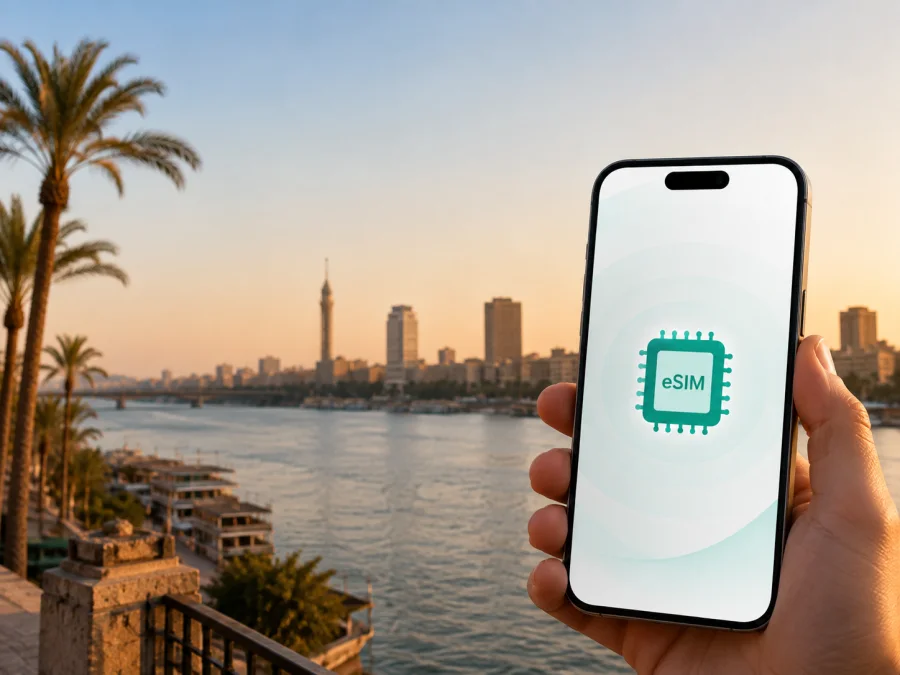
Orange eSIM in Egypt: connection and travel guide
If you are planning a trip to Egypt, an eSIM can help you prepare mobile internet without removing the physical SIM card from your phone. Orange is a mobile operator in the Egyptian market, and its current public information describes an eSIM service for new and existing customers. The practical questions for a traveller are which activation route is available, what identification may be required, and whether a local line or a travel eSIM better fits the journey.
Orange’s eSIM page, its 4 December 2024 launch announcement and the NTRA rules for individual mobile SIM sales were checked on 7 September 2026. Recheck conditions before departure.
Kaspersky eSIM Store is not affiliated with Orange and is not its official partner. Product names and trademarks belong to their owners. Here it is only a travel alternative for mobile internet, not an Orange service.
Quick answer: is Orange eSIM available in Egypt?
Yes. Orange’s current eSIM page describes an eSIM service in Egypt and gives routes through the Orange app or an Orange shop. It says that new and existing customers can use eSIM and refers to tourists in its eligibility information. The same page also says that a foreigner can obtain an Orange eSIM through a shop with valid residence.
For a short-term visitor, that distinction is important. Orange eSIM availability is publicly confirmed, but the route depends on identity, residency, the requested line and the shop procedure. Without valid Egyptian residence, do not assume that a local Orange eSIM will be issued at the airport or online. Confirm the visitor process before relying on it after landing.
An eSIM is a digital SIM profile installed in a compatible device. It can replace a physical SIM for a local line or work alongside another line, depending on the phone. The word eSIM does not by itself describe all conditions of a service; check them separately with Orange.
Orange in the Egyptian mobile market
Orange serves Egypt through consumer mobile services, an app, physical shops and online support. Its public pages describe a local eSIM process, network technologies and a coverage resource, making Orange relevant to residents and to travellers investigating a local mobile line.
Market presence is not a promise about performance at a particular address. Coverage varies with location, buildings, terrain, congestion, device and local conditions. Orange’s eSIM material refers to prepaid lines and tourists in general terms, but retail rules, identity checks, registration and residency can affect a visitor’s request. Treat those words as service descriptions, not confirmation of individual eligibility.
Requirements for a visitor
This is a non-tariff reference table. It does not list or compare Orange plans; it identifies the questions that can change the activation route.
| Traveller situation | What to clarify before activation |
|---|---|
| Existing Orange customer | Whether the current line can be converted in the app and which identity steps are required |
| New customer in Egypt | Whether a shop visit is required and which original documents must be presented |
| Foreign visitor | Whether valid residence is required for the requested local eSIM line |
| Phone bought abroad | Whether the exact regional version supports eSIM and is unlocked |
| Second line on one phone | Whether the device can keep the home SIM active alongside the eSIM |
| Replacing a profile | Whether a new QR code or an in-person SIM swap is required |
The Orange eSIM page says that the app can check device support. NTRA rules add a regulatory layer: a foreign customer must attend an operator branch with an original valid passport and residence document, which the operator checks. The rules link the SIM period to residency and require the customer to be present to sign the original contract.
The NTRA page describes identity checks for SIM swaps as well. This matters if you convert a physical Orange SIM, move an eSIM or replace a profile after a reset or loss. Bring the original document requested by the operator and keep account details consistent with the registered line.
How to get and activate Orange eSIM
Orange describes two main paths. An existing customer may start an eSIM conversion through the Orange app or visit a shop. The app can check device support, request identity verification and provide a QR code after the relevant steps. A new line may require an Orange shop visit, in line with the operator’s description and applicable regulatory requirements.
Before starting, connect the phone to stable Wi-Fi or another reliable internet connection and install available system updates. The connection used to download the profile is separate from the mobile service that will work after activation. If the download is interrupted, installation may not complete and you may need to retry or ask the operator for help.
The basic flow is:
- Confirm that the phone supports eSIM and is not locked to another operator.
- Decide whether you are converting an existing Orange line or requesting a new line.
- Use the Orange app when that route is available, or go to an Orange shop when in-person service is required.
- Complete the identity or contract steps requested on screen or by the shop representative.
- Receive the QR code supplied for the eSIM profile.
- Add the eSIM in the phone’s mobile-network settings while connected to the internet.
- Select the correct line for mobile data and wait for the profile to register.
The operator’s public instructions mention document scanning in the app for an existing customer. A visitor should not photograph or upload documents through an unofficial channel. Use the official Orange application or an Orange shop and check that the account and document information match.
Coverage and network technologies
Orange’s 4G page says that 4G is available in many places throughout Egypt and that the operator is expanding it. A compatible device and SIM are needed; where 4G is unavailable, a phone can fall back to an available 2G or 3G network. This is a technical description, not a guarantee of speed or indoor signal.
Orange also publishes a coverage map resource. Use it as a starting point for Cairo, Alexandria, the Nile Valley, the Red Sea coast and other destinations, while allowing for remote roads, buildings and moving vehicles. Its current 5G information describes 5G service in Egypt, requiring a compatible device and suitable SIM; the phone can use 4G where 5G is unavailable. For eSIM, support depends on the handset, software, profile and local coverage.
After arrival, check the network indicator and selected data line. Turn off automatic data switching if necessary, select the intended eSIM for mobile data and review roaming settings. Do not infer network quality from the technology label alone.
Local Orange eSIM or a travel eSIM?
A local Orange eSIM is connected to the Egyptian operator’s customer and registration process. It may suit someone who needs an Egyptian line or wants service managed through Orange; activation can involve a shop, identity checks, residence documentation for a foreign customer and a QR code.
A travel eSIM is generally prepared for mobile internet and can be installed before departure. It can help when you want to keep your primary SIM in the phone, avoid a shop after landing or separate travel data from your home line. It does not automatically create an Egyptian phone number and is not a substitute for ordinary local voice and SMS service. Confirm Orange’s rules if you need a local line; otherwise compare compatibility, supported networks, activation and conditions for the travel option.
Kaspersky eSIM Store as a travel alternative
Kaspersky eSIM Store is an app and website that helps users choose, arrange and activate an eSIM for mobile internet during a foreign trip. It is not a mobile operator, does not own Orange’s network, does not provide Orange coverage and is not the network behind the service. Connectivity follows the selected travel eSIM and its underlying local network arrangements.
The Kaspersky official blog, published 17 June 2025 and checked on 7 September 2026, describes checking compatibility, choosing a destination, receiving an eSIM in the account or by email and following installation instructions. The Egypt destination page was also checked on that date. Product conditions can change, so read live information during selection.
Kaspersky eSIM Store can help prepare a travel-data profile without visiting an Egyptian operator shop. You still need an unlocked, compatible phone and internet for installation. Data roaming may need to be enabled for the eSIM, while the home SIM’s roaming should be reviewed separately. Travel eSIMs are intended for mobile data, not an ordinary phone number; messaging and internet calls can work through data applications.
When you are ready to review the current destination options, choose an eSIM plan for Egypt. This is a travel-data selection route, not an Orange activation page. Check live compatibility information and current conditions before purchase.
What to check before buying or activating
Use this checklist before leaving for Egypt:
- Confirm eSIM support for the exact phone model and regional version.
- Check that the phone is unlocked and can use another operator profile.
- Decide whether you need a local Orange line or mobile data for travel only.
- If you are a foreign customer, confirm current passport and residence requirements with Orange and the applicable Egyptian rules.
- Keep account and identity information accurate.
- Install the profile over stable internet, preferably before the flight.
- Read current conditions for activation, use, renewal and support.
- Decide which line handles mobile data, calls and messages.
- Check whether roaming must be enabled for the travel eSIM and disabled for the home line.
- Keep the QR code private.
Do not rely on a shop visit as the only part of the plan if you arrive late or travel onward immediately. Conversely, do not install a travel profile before checking its activation conditions if your journey starts later. Installation, activation and the beginning of data use can be separate events, depending on the selected service and device.
Common problems and practical fixes
If the phone does not show Add eSIM, check the exact model, regional version, software and carrier lock. If the QR code will not scan, use stable internet, increase screen brightness and try another display. A code already used, a deleted profile or a factory reset may require a new Orange swap through a shop.
If the profile is installed but there is no data, confirm that it is enabled and selected for mobile data, then review the relevant access and roaming instructions. If another line is active for data, disable automatic switching and retry. A visitor who cannot complete local registration should ask Orange to confirm the document route; a travel eSIM may help with data but does not provide the same local-line function.
Frequently asked questions
Can tourists use Orange eSIM in Egypt?
Orange’s public eSIM information mentions tourists among eligible users, but its foreigner FAQ also refers to valid residence for obtaining an eSIM through a shop. Confirm the current route and documents with Orange before travel; a general eligibility statement is not a promise that every short-term visitor can activate a local line.
Can a foreigner get an Orange eSIM online?
The Orange app can support some eSIM actions, especially for an existing customer, but a new foreign customer may need a shop visit and identity verification. NTRA rules describe an in-person process for foreign customers buying a new SIM. Ask Orange which route applies to your status.
Does Orange eSIM work with roaming?
Orange’s eSIM FAQ says that national and international roaming services should work with an eSIM. Roaming conditions are separate from profile installation, so check current Orange information before departure and select the correct data line.
Can I keep my home SIM and use Orange eSIM together?
Often, a compatible dual-SIM phone can keep a physical SIM and an eSIM installed, but active lines and functions depend on the device. Check which line is assigned to data, calls and messages.
Is Kaspersky eSIM Store an Orange service?
No. Kaspersky eSIM Store helps users choose, arrange and activate travel eSIMs for mobile internet. It is not Orange, does not own Orange’s network and does not represent Orange. The services are separate.
Final decision guide
Choose the local Orange route when you need to deal directly with a local mobile operator and can meet the current identity, residency and shop requirements. Confirm eligibility before travel, especially if you are a visitor without Egyptian residence. Use Orange’s app only through the official route and keep the QR code and account information private.
Consider a travel eSIM when the main need is mobile internet for maps, messaging, bookings or work and you want to prepare the profile digitally. Check compatibility, network arrangements, activation instructions and the conditions of the selected service. A travel-data eSIM is not automatically a local phone line.
Whichever route you choose, test the active data line, keep your primary SIM available for important messages and review roaming settings after landing. Procedures and conditions can change; Orange’s eSIM, 4G and 5G information and NTRA rules were checked on 7 September 2026.
If a travel-data profile is the better fit for your itinerary, review the current eSIM option for Egypt and confirm the live conditions before you proceed.


