Travel connectivity guide
Orange eSIM in Guinea-Bissau: activation and coverage
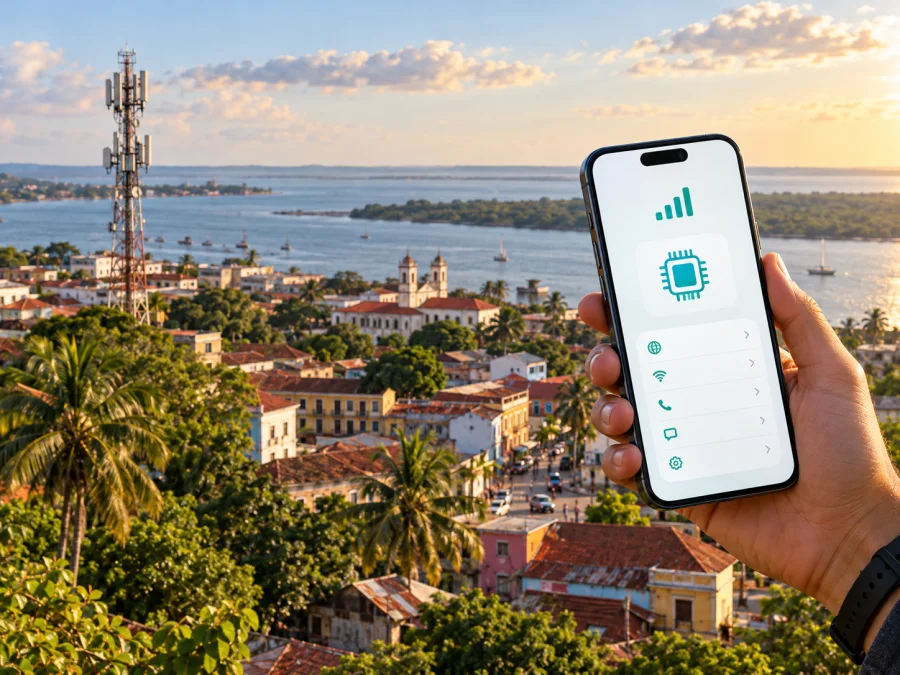
Orange eSIM in Guinea-Bissau: what travelers should know
Orange has a local mobile business in Guinea-Bissau, where its operation is presented as Orange Bissau. The operator’s official website currently describes both mobile services and eSIM. For a traveler, those facts are a useful starting point, but they do not by themselves answer every practical question: an eSIM profile may be intended for local service or for travel use, activation can depend on the account and device, and network availability varies by location.
This guide covers Orange Bissau’s public eSIM information, activation, device and coverage checks, and the difference between local service and travel eSIM. Details were checked against Orange Bissau and Orange’s public pages on 17 October 2026.
Orange in Guinea-Bissau
Orange Bissau is the local Orange operation for Guinea-Bissau, the West African country on the Atlantic coast. It is distinct from the neighboring Republic of Guinea. Use the full country name when searching, so results for the two markets are not confused.
Orange Bissau’s official pages discuss mobile service and eSIM. The site also presents Orange Travel eSIM for Orange Bissau customers, other operators’ customers, members of the diaspora and foreign visitors. This travel-oriented service is a different use case from a local Orange Bissau line. Confirm the destination and service scope of the specific eSIM.
For the local market, Orange’s official eSIM information describes eSIM as a digital SIM profile that can be activated without inserting a plastic SIM card. The Orange Bissau eSIM page says a compatible phone can be checked through settings or by looking for an EID after dialing the device’s IMEI information code. Its customer guidance describes connecting to Wi-Fi, opening mobile-network settings, scanning the QR code supplied by Orange and following the on-screen steps. The Orange Bissau homepage also promotes Orange eSIM. These current public pages confirm that Orange Bissau offers an eSIM option, while eligibility and the exact procedure should still be verified with the operator for an individual customer or visitor.
A phone supporting eSIM technology is only one part of readiness. A handset can have an eSIM-capable model name yet lack the feature in a particular regional version, be locked to another carrier or be unable to install an additional profile because of its software configuration. Orange Bissau’s guidance recommends checking the device itself and consulting the manufacturer, retailer or network provider where compatibility is uncertain. Before travel, also ask Orange whether a visitor without an existing Orange Bissau account can obtain the local eSIM, what identification or registration steps apply, and whether the profile is for domestic service, travel roaming or both. The public website does not provide a universal visitor checklist for every passport and device combination.
Is Orange eSIM available in Guinea-Bissau?
Yes. Orange Bissau’s official website advertises Orange eSIM, and its dedicated eSIM page explains the technology and basic compatibility checks. The operator’s Orange Travel page separately describes a travel eSIM that is available to several customer groups, including foreign visitors. Availability of the product is therefore publicly confirmed. However, travelers should not assume that every product called “Orange eSIM” is a domestic Guinea-Bissau SIM, or that every visitor can activate it on arrival without additional steps.
A local Orange Bissau eSIM is associated with service in the Guinea-Bissau market; Orange Travel is presented as an international travel product and may rely on partner networks. A destination listing alone does not make it equivalent to a domestic subscription. Check the product description, destination coverage, service type, activation timing and registration requirements with Orange.
Orange Bissau describes eSIM activation through a digital profile and QR code. The public instructions advise using Wi-Fi during setup, opening the phone’s mobile network or cellular settings, choosing the option to add an eSIM or mobile plan, scanning the QR code provided by Orange and following the prompts. Menu names differ between phone makers and software versions. A customer may instead be directed to an operator application or local service point; the current instructions accompanying the specific profile take priority over generic steps in this article.
The operator’s public eSIM overview refers to visiting a local agency to obtain an eSIM. That makes a branch visit a sensible item to verify for a local subscription, especially if a traveler needs identity checks or help transferring an existing number. Do not assume that a QR code can be requested remotely, that an eSIM can be installed repeatedly, or that it can be moved to another device after activation. Those conditions are specific to the profile and account. Ask the operator before deleting an installed eSIM, replacing a phone or resetting a device.
Device, account and setup checks
Use this short checklist before planning to rely on Orange eSIM in Guinea-Bissau:
- Confirm the exact phone model and regional variant support eSIM. A model family name alone is not enough.
- Check that the phone is unlocked and can add a profile from a different mobile provider.
- Look for an EID in the device settings or dial the standard device information code and check whether an EID is shown. Follow the handset maker’s guidance if the code behaves differently.
- Contact Orange Bissau to confirm whether the eSIM is available to a new visitor, what documents or registration are required and where activation is completed.
- Ask whether the requested profile is a local Orange Bissau service or an Orange Travel product for international use.
- Keep an internet connection available while installing the profile. Wi-Fi is useful if the cellular line is not yet active.
- Keep the QR code and account instructions private. Treat them as sensitive activation information and do not post a screenshot publicly.
- Confirm which line will be used for mobile data and whether data roaming must be enabled for the selected eSIM.
- Keep access to your primary number if you need bank verification messages, calls or SMS on that line.
A practical installation sequence
- Check the phone first. Verify eSIM support for the precise regional variant with the handset maker or Orange Bissau. If you bought the phone through a carrier, check that it is unlocked.
- Clarify the product. Ask Orange whether you are applying for a local Orange Bissau eSIM or an international travel profile. Confirm visitor eligibility and any in-person identity check before going to a branch.
- Prepare a connection. Connect to reliable Wi-Fi before starting the installation. Keep the phone charged and have the operator’s activation instructions available.
- Add the profile. In the phone’s cellular or mobile-network settings, select the option to add an eSIM. Scan the QR code supplied for your account, or use the alternative method specified by Orange.
- Label the line clearly. Give the profile a name that helps you distinguish it from your personal SIM, such as “Local data” or “Travel”. Avoid deleting either line until you know which services depend on it.
- Choose data settings. Select the intended eSIM for mobile data. Enable data roaming only when the operator or profile instructions require it, and confirm that the setting applies to the right line.
- Test before depending on it. Check that the line registers and data works where you are. If it does not, restart the phone, verify the selected line and APN instructions, and contact Orange support rather than repeatedly removing and reinstalling the profile.
Installation and network registration are different steps. A QR scan can add the profile to a device without guaranteeing that the phone has connected to a network. The phone may need an active account, local network availability and correct data settings. For a travel eSIM, the profile may be installed before departure and only connect once it reaches a supported destination. Read the provider’s timing instructions so that installation does not accidentally begin a usage period earlier than intended.
If the phone has two active lines, decide in advance which one should handle data, calls and messages. A common travel arrangement is to keep a home SIM available for its number while assigning mobile data to the travel profile. The exact behavior depends on the handset and the profiles involved. Check the roaming settings on the home SIM as well: leaving data roaming on for the wrong line can cause charges under that line’s home contract. This is a device-setting issue, not a promise about any particular Orange charge.
Explore eSIM options for Africa if you want to review a regional travel option for your route. Guinea-Bissau is in West Africa, but the availability and network partner for any specific travel profile should be checked in the product details before purchase.
Coverage and mobile technologies
Orange Bissau’s official mobile internet information describes service over 2G, 3G and 4G. A separate page about 4G+ says its 4G+ network was initially available in some neighborhoods of the capital, Bissau, with further expansion planned at the time of that page. The operator also publishes a 3G+/4G coverage section and describes a rural network expansion. These statements indicate the technologies and general areas discussed by Orange; they do not establish that a particular street, village, indoor location or route currently has a usable signal.
Coverage can change with distance from a site, terrain, building materials, congestion, outages and handset bands. A coverage map is a planning aid, not a guarantee of indoor reception or a measured speed. The 4G+ page is especially important to read as a limited and time-sensitive statement: it describes availability in parts of Bissau, not universal 4G+ service across the country. For travel outside the capital, check the operator’s current coverage information for each stop, and plan for changes in service between towns or in remote areas.
Orange Bissau’s website also describes a program to modernize the mobile access network and extend rural 2G/3G coverage. This is evidence of a stated network development effort, not confirmation that every village has been upgraded or that 4G is available along every route. If you depend on connectivity for navigation, payments, work or contacting someone, download essential maps and travel details in advance and keep an alternative communication plan for places where mobile service is not available.
Network technology and eSIM are related but separate questions. eSIM describes how a subscriber profile is provisioned in a device; 2G, 3G and 4G describe radio access technologies used by a mobile network. Installing an eSIM does not make a phone support a radio band it lacks, expand a network’s coverage or ensure access to the newest technology. The phone must support both the eSIM function and the frequency bands used where it will connect. The local operator or device maker can advise on a particular handset, but the traveler should check the exact regional model rather than rely on a brand-level compatibility claim.
The published Orange Bissau pages reviewed for this guide describe 4G+, but do not provide a basis for promising nationwide 4G+ or 5G access. This article therefore makes no such promise. If access to a particular technology is essential, ask Orange Bissau about the current service in the exact destination and verify that the handset variant supports it. Treat network generation labels as a description of capability, not as a guarantee of speed, availability or uninterrupted service.
Local Orange Bissau eSIM and travel eSIM: choosing the right route
A local eSIM and a travel eSIM can both be installed digitally, but they are designed around different customer journeys. The distinction matters when a visitor searches for “Orange eSIM Guinea-Bissau”: search results may mix a locally issued profile with a travel product that operates through roaming or partner arrangements.
| Question | Local Orange Bissau eSIM | Travel eSIM |
|---|---|---|
| Main purpose | A local operator profile associated with Guinea-Bissau service | Mobile data for an international trip or destination |
| Who to ask | Orange Bissau customer support or a local agency | The travel eSIM provider named on the product page |
| Activation route | Orange Bissau describes a QR-based digital setup and refers customers to a local agency | The provider supplies its own installation and activation instructions |
| What to confirm | Visitor eligibility, registration, identity documents, local number or service scope, profile replacement rules | Supported destination, network partner, activation date, roaming settings and service limitations |
| Useful when | You need a local operator relationship or the service Orange Bissau specifies for your account | You want to prepare mobile data for a trip and do not need a local Orange Bissau subscription |
This comparison is about the type of service, not a recommendation that one is always better. The choice depends on your stay, the need for a local number, whether an operator account is required, your device and how you want to manage your existing line. Ask what the service includes before activation. A data-oriented travel profile may not provide a regular local phone number, voice calls or SMS; check the provider’s terms rather than assuming these functions are included.
For Orange Bissau, check separately whether the local eSIM is available to non-residents and how it is obtained. The existence of an Orange Travel eSIM for visitors does not remove the need to verify whether that product covers Guinea-Bissau for your intended use, or which partner network it uses there. Conversely, a local Orange Bissau eSIM should not be assumed to work as an international roaming product unless Orange confirms the destinations and conditions for the account.
Where Kaspersky eSIM Store fits
Kaspersky eSIM Store is an app and website that helps travelers choose, arrange and activate an eSIM with a plan for mobile internet during an international trip. It can be considered when the aim is to prepare travel data in advance or avoid the practical steps involved in obtaining a local physical SIM after arrival. It is a separate travel option: Kaspersky eSIM Store is not Orange Bissau, does not own a mobile network and does not itself provide mobile internet or coverage.
A travel eSIM may suit a visitor who mainly needs data and wants to keep a home number active on a compatible dual-SIM phone. A local Orange Bissau eSIM may be more relevant when a traveler needs a local operator profile, local account services or a service that Orange Bissau confirms is intended for use in Guinea-Bissau. Neither description guarantees a specific network experience. Before choosing, read the details for the destination, confirm the supported device and make sure the expected service matches your needs.
Kaspersky’s product information describes Kaspersky eSIM Store as a website and app for selecting, activating and managing travel eSIM plans. Check current destination details for your route; a regional page does not guarantee that every country or local network is included. The Africa link is a place to review options, not a promise of coverage in Guinea-Bissau.
Before installing a travel eSIM, confirm that the device is compatible and unlocked, that you have a stable internet connection for setup, and that you understand when activation begins. Keep the instructions and QR code accessible until installation is complete. Select the travel eSIM for data only if that is the line you intend to use, and check whether roaming must be enabled for that profile. If you need calls or SMS, verify whether the chosen service supports them; many travel data plans are intended for internet access rather than a traditional local number.
Before choosing an eSIM for Guinea-Bissau
Start by deciding whether you need a local Orange Bissau service or travel data. Confirm the precise product, visitor eligibility, required documents and activation location with the provider. Check your phone’s eSIM support, regional variant and unlock status before you travel. Then consult current coverage information for the places you plan to visit, bearing in mind that published maps and technology descriptions cannot guarantee signal indoors or at every point on a road.
Orange Bissau’s own public pages confirm that it advertises eSIM, explain QR-based setup and describe 2G, 3G, 4G and limited 4G+ information. They also leave traveler-specific questions that are best answered directly by the operator. Orange Travel has a separate travel eSIM offering. For a mobile-data alternative designed for international trips, Kaspersky eSIM Store helps users select, arrange and activate a travel eSIM plan; check the live destination details and device compatibility before relying on it.
Kaspersky eSIM Store is not affiliated with Orange Bissau. Orange, Orange Bissau and Orange Travel are names used by their respective owners. Service availability, registration rules, device support and network coverage can change; confirm current conditions with the relevant provider before travel.


