Travel connectivity guide
Orange Jordan eSIM in Jordan: activation guide
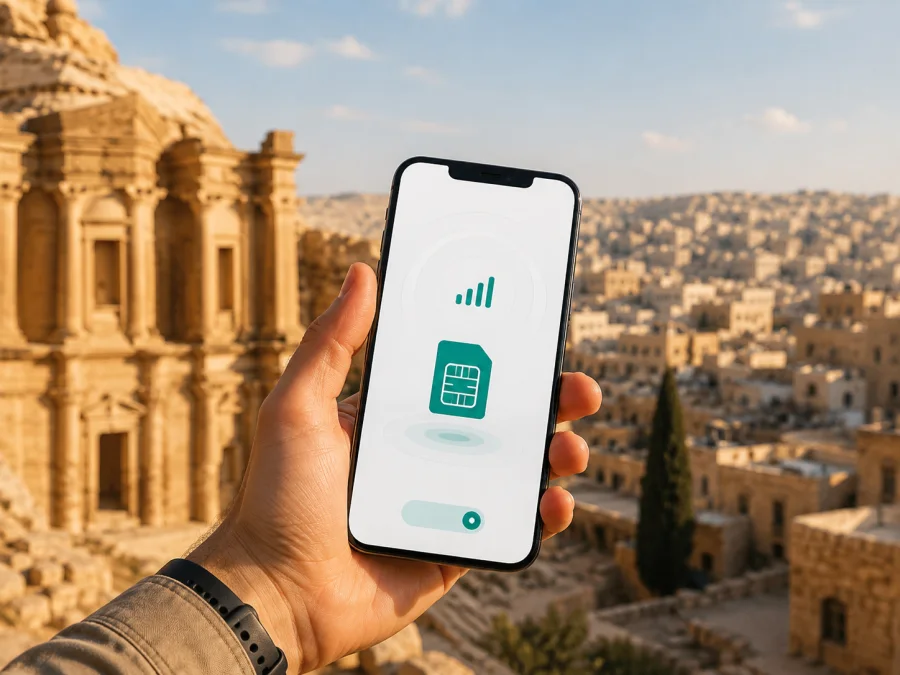
Orange Jordan eSIM in Jordan: activation, coverage, and travel options
For a trip to Jordan, an eSIM can help you prepare mobile internet without changing a physical SIM card. Orange Jordan supports eSIM activation and publishes QR-code setup for compatible devices. This suits travelers seeking a local mobile line, subject to the current line type, channel, device, and requirements.
This guide covers Orange Jordan eSIM availability, activation, compatibility, visitor considerations, technologies, and coverage, then explains how a Kaspersky eSIM Store travel eSIM differs.
Verification date: September 5, 2026. The review checked Orange Jordan’s public “eSIM Services” page, its prepaid service terms, the current jood Orange listing in Google Play, Orange’s public 5G announcement, Apple Support’s Jordan carrier list, and the public Kaspersky eSIM Store site and installation guides. Conditions can change, so confirm current details before ordering or traveling.
Is Orange Jordan eSIM available?
Yes. Orange Jordan’s current “eSIM Services” page documents the service and says activation requires an eSIM-enabled device. For a physical-SIM replacement, it directs customers to an Orange Smart Store. The page describes connecting to the internet, opening network settings, scanning a QR code, following the prompts, and waiting for the device to connect.
Apple Support’s current Jordan carrier list identifies Orange for iPhone eSIM activation by QR code or carrier app, and for prepaid eSIM activation for international travelers. Eligibility for a specific visitor, line, phone version, or channel still needs confirmation.
The current jood Orange listing in Google Play describes new prepaid lines with an eSIM option, and Orange Jordan’s online channels expose visitor-oriented and prepaid categories. These references support routes worth investigating, not a promise that every traveler can use every route. Ask Orange Jordan support which process applies to you.
The public materials reviewed do not provide one document list for every nationality or visit. Before going to a store, confirm the identification, registration, and visitor-line rules for your case.
What to prepare before activation
Orange Jordan’s instructions identify an eSIM-capable phone, compatible current software, an internet connection, and a QR code for the profile. Check them while you still have dependable Wi-Fi and access to support.
- Confirm the exact phone model and regional version support eSIM.
- Check that the phone is not restricted by a network lock.
- Install appropriate system updates before the trip.
- Keep the Orange Jordan QR code or activation details available separately from the line that has not connected.
- Prepare the identity or registration information requested by the current sales channel.
- Decide which line should provide mobile data and which should remain available for calls or messages.
Compatibility must be model-specific. Orange Jordan’s page lists examples of iPhone and Samsung devices, but a list is not a promise that every later model, imported handset, or regional version behaves identically. Apple says eSIM setup depends on the iPhone model and carrier method; Android menus vary by manufacturer and software version.
How Orange Jordan eSIM activation works
1. Confirm the line and route
Ask whether you are starting a new line or replacing a physical SIM. Confirm whether the transaction must be completed in a Smart Store or through a current digital channel. If you are a visitor, ask which registration checks apply.
2. Connect to the internet
Use Wi-Fi or another dependable connection before scanning. Internet access is required for activation. Installing the profile is different from receiving mobile service: the phone first registers the eSIM information, then attempts to connect.
3. Open network settings and scan
On iPhone, the path generally uses Settings, Cellular or Mobile Data, Add eSIM, and a QR-code option. On Android, labels can include Connections, SIM manager, Add eSIM, or Add mobile plan. Follow your handset’s wording and scan the Orange Jordan code.
4. Wait and select the data line
After the profile is added, the phone needs to register it on the available Orange Jordan network. Turn on the profile and select it for mobile data. If it does not connect immediately, check the profile status, allow a few minutes, and use operator support.
5. Treat the code as single-use
Orange Jordan states that the QR code on the eSIM voucher is for one-time use. Keep it private and do not repeatedly delete the profile while troubleshooting. After deletion, loss, theft, or a device change, the operator says that a new code and Smart Store support are required.
Coverage and supported technologies
An eSIM is a provisioning format; it does not improve radio coverage by itself. After activation, the phone uses the technologies and coverage available to Orange Jordan in that location. Buildings, terrain, device bands, software, local conditions, and maintenance can affect registration and data access.
Orange’s public announcement about Orange Jordan’s 5G service describes mobile internet through 4G and 4G+ networks and the introduction of 5G. It identifies Amman and Irbid as initial 5G locations and says expansion would continue. This is itinerary context, not a promise of 5G in every neighborhood or along every road. The phone must support relevant bands, and current local coverage remains decisive.
Orange Jordan’s prepaid service terms state that service is available within the geographic territory shown on the operator’s coverage map and within applicable service conditions. For a trip inside Jordan, consult current coverage information for the places you plan to visit instead of inferring coverage from a 4G, 4G+, or 5G label. International roaming, where relevant, depends on the availability of partner networks and the applicable service conditions.
An itinerary may include Amman, Irbid, the Dead Sea, Petra, Wadi Rum, Aqaba, and smaller communities. City centers, indoor rooms, open roads, and canyons can present different radio conditions. Download maps, bookings, tickets, and important contacts before leaving dependable connectivity.
Prepaid and visitor routes
Orange Jordan’s current digital channels expose prepaid and visitor-oriented categories, while the jood Orange listing describes prepaid lines with an eSIM option. Apple’s Jordan carrier reference also lists Orange for prepaid eSIM activation for international travelers. Investigate these routes, but do not assume that one process is available to every visitor.
Ask before you commit:
- Is eSIM issuance available for a visitor or only for a particular customer category?
- Can the profile be issued digitally, or is a Smart Store visit required?
- What identification and registration information is required?
- Can an existing physical Orange Jordan SIM be converted, or is a new line needed?
- Which device models and regional versions are accepted?
- When does the line become usable after the QR code is scanned?
- What should you do if the profile is deleted or the phone is replaced?
- Which support channel should a traveler use if activation stops at registration?
These questions separate general eSIM support from eligibility for a particular service. If a public page does not explain a visitor rule, ask Orange Jordan directly instead of guessing.
Orange Jordan eSIM or a travel eSIM?
A local Orange Jordan eSIM may suit a traveler who wants the Jordanian operator’s own line and is ready to follow its registration and activation process. That route can involve a Smart Store, identity checks, local service conditions, and support through the domestic operator. Those factors may matter for a longer stay or when you need a local line rather than only travel data.
A travel eSIM follows a different model. Kaspersky eSIM Store is an app and website that helps users choose, arrange, and activate an eSIM data plan for an international trip. It is not a mobile operator, does not own Orange Jordan’s network, and does not provide coverage itself. Its public Jordan page describes service as supplied by local telecommunications providers and focuses on checking the device, choosing Jordan, installing the profile, and managing the travel connection.
If you prefer to prepare before departure and avoid looking for a local shop during the first hours after landing, choose an eSIM plan for Jordan through the Kaspersky eSIM Store flow. Review the live conditions shown there before purchase. The travel option is designed for mobile data and is not a replacement for every function of a local mobile line.
Installing a travel eSIM from Kaspersky eSIM Store
The public Kaspersky eSIM Store guides give a separate path. Check compatibility and connect the phone to good internet. After purchase, the eSIM can appear in the website or app profile, and the confirmation email can contain a QR code.
On iPhone, the guide uses Settings, Cellular, Add eSIM, and Use QR Code. On its Samsung-focused Android guide, the path uses Connections, SIM manager, Add eSIM, and Scan QR code; other Android models may use different labels. After scanning, choose the travel eSIM as the mobile-data line when ready to use it.
Some phones require data roaming for the travel eSIM. This is different from leaving the home line selected for data. Review automatic data switching and confirm the selected profile. Android setup can also require the APN shown in the app. Connection may take several minutes.
If data is not working, check the active profile, mobile-data selection, data roaming, APN details, and local signal. If the problem continues, use the service’s support instructions. Kaspersky eSIM Store positions its travel eSIM for mobile data, not as a local phone number for ordinary calls and SMS. Keep your regular line or use internet messaging when needed.
A practical setup for Jordan
Before leaving, check the exact phone model, regional version, software, and network-lock status. Confirm visitor registration requirements, arrange the eSIM on dependable Wi-Fi, and save setup instructions offline. Keep the QR code private.
During installation, open mobile-network settings, select Add eSIM, scan the code or use the supported app method, select the intended line for mobile data, and enable data roaming for a travel profile only when instructed. After arrival, check the active profile, test a webpage or message, review local coverage if needed, and contact the correct support channel.
This separates receiving a credential, installing the profile, and connecting to a local network. A QR code can scan even when the phone is locked, the data line is wrong, or the signal is unavailable.
Common problems and FAQ
The profile is visible but there is no data. Make sure it is active and selected for mobile data. Check data roaming, APN instructions on Android, local signal, and the coverage map.
Can Orange Jordan eSIM be activated before arrival? The public instructions require internet access and describe QR-code activation, while issuing a local line is connected to the operator’s customer process. Ask Orange Jordan whether your specific prepaid or visitor route can be issued before arrival. Do not infer remote availability only because your phone can scan a QR code.
Is a Smart Store visit required? For a physical-SIM replacement, Orange Jordan directs customers to a Smart Store. The jood Orange listing describes a digital prepaid eSIM option, so the route can depend on the line and channel. Confirm the current process before visiting.
Is every eSIM phone compatible with Orange Jordan? No universal guarantee should be assumed. The exact device, regional version, software, network-lock status, and supported local bands matter. Check the phone settings and current Orange Jordan guidance.
Does 5G work automatically after adding an eSIM? No. The eSIM format does not force a radio technology. The phone, service, local coverage, and current network conditions determine whether it registers on 4G, 4G+, 5G, or another available technology.
Can I keep my home SIM active? A compatible dual-SIM phone may keep more than one profile available, but behavior varies. Set the intended data line manually and review automatic data switching.
Final checklist and next step
- Confirm eSIM support for the exact regional phone version.
- Confirm that the phone is not network-locked.
- Check whether Orange Jordan requires a Smart Store visit and what visitor documents apply.
- Install with dependable internet access and keep the QR code private.
- Select the intended profile for mobile data; enable travel-profile roaming only when instructed.
- Check current coverage and keep key maps or bookings available offline.
For a travel-data route, review the current Jordan eSIM options in Kaspersky eSIM Store and read the conditions shown at the time of purchase. For an Orange Jordan route, confirm current availability, identity requirements, store process, and device compatibility with Orange Jordan before proceeding.
Orange Jordan, Kaspersky eSIM Store, and related product names belong to their respective rights holders. Kaspersky eSIM Store is not affiliated with Orange Jordan and is not its official partner, reseller, or distributor. This article describes the market neutrally and does not represent Orange Jordan or speak on its behalf.
Information notice — checked September 5, 2026. eSIM availability, visitor eligibility, registration rules, device support, activation methods, coverage, network rollout, service conditions, and travel eSIM terms may change. Verify current details with Orange Jordan or Kaspersky eSIM Store before purchase, installation, or travel.


