Travel connectivity guide
Orange eSIM in Madagascar: what to check
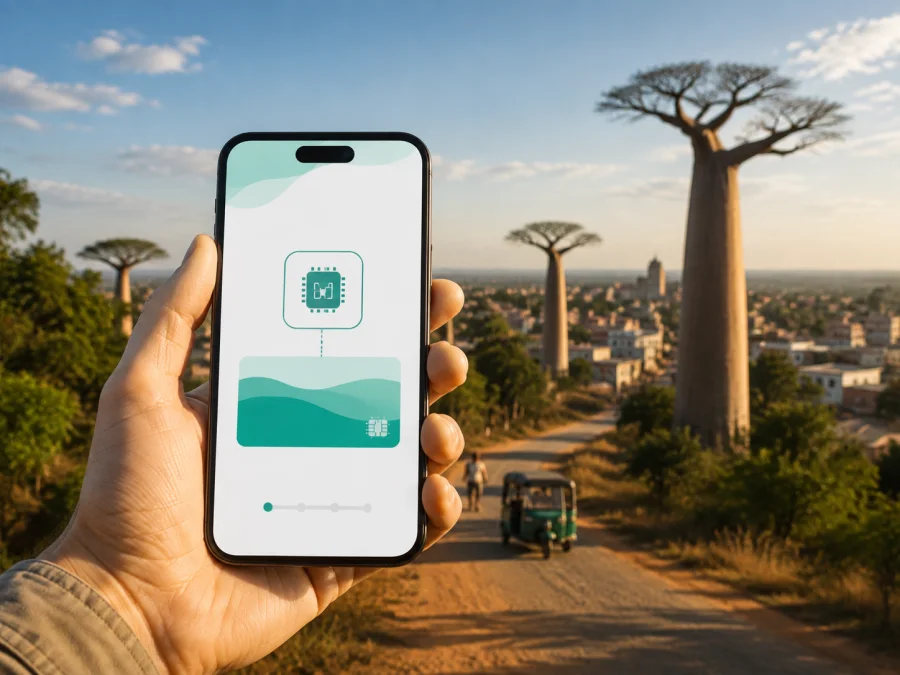
Orange eSIM in Madagascar: what travelers should check
If you are planning a trip to Madagascar and considering an Orange eSIM, check phone compatibility, activation, the intended data line and route coverage. Orange is a local mobile operator in Madagascar. Its public information describes eSIM activation alongside physical SIM, prepaid and rechargeable mobile services. Conditions can change, so check the operator’s current information before you travel.
Orange in Madagascar: local service context
Orange Madagascar’s public site presents a local mobile offer with SIM services, eSIM activation, mobile internet, recharging and customer assistance. Its agency directory lists eSIM activation among mobile services at some locations, while the site also documents prepaid and rechargeable services in general. This makes Orange relevant to visitors who want a local operator relationship or potentially a local number, but it does not establish one universal tourist eSIM for every visitor.
Orange Madagascar’s eSIM page, checked on September 8, 2026, says a compatible smartphone can use an eSIM instead of a physical SIM and describes selecting an eSIM option through Orange Shop. Its eSIM assistance page, checked on the same date, adds an agency route and QR-based activation after an eligible online order. These direct public statements confirm a local eSIM process, not eligibility for every phone or visitor. Ask Orange which route and documents apply.
Is Orange eSIM available in Madagascar?
Yes. Orange Madagascar’s current public eSIM pages describe an Orange eSIM service. The eSIM assistance page says you can visit an Orange agency for activation or subscribe through Orange Shop where an eSIM option is available. It also says that, after an online order is paid, a QR code is sent by email and scanned to activate the mobile service.
Compatibility and traveler requirements
Check the device
Orange Madagascar’s eSIM assistance page gives a direct compatibility check: dial *#06# and look for an EID. Orange says an EID indicates eSIM compatibility. Use this with the manufacturer’s specifications and the phone’s mobile-network settings, because regional versions can differ.
On iPhone and Android, look for the option to add an eSIM under mobile-network settings. Menu names vary, so also confirm that the phone is not locked to the operator that supplied it.
Check for an operator lock
A carrier-locked phone can refuse a new eSIM even when its hardware supports it. Check the unlock status with the original seller or operator and do not delete your primary profile while testing.
Check the device type
The Orange Madagascar assistance page states that, at the time it was checked, smartwatches and tablets were not supported for its eSIM offer. General eSIM capability on a tablet or wearable therefore does not prove that Orange Madagascar supports that device. A compatible smartphone is the safe assumption unless Orange confirms otherwise.
Check identification and visitor rules
The Orange pages reviewed explain activation routes and the EID check, but do not provide one universal visitor checklist. Registration requirements can apply to a mobile line, and the process may differ between an agency, online order and existing account. Ask Orange what a foreign traveler must present and whether activation can be completed online.
If the answer is unclear, contact Orange before arrival rather than assuming a prepaid or tourist-style purchase follows the same rules as an established local customer.
How Orange eSIM activation works
Orange Madagascar describes two broad paths: an agency visit and an online purchase through Orange Shop when the eSIM option is offered. Use the current instructions shown by Orange, because screens and eligibility can change.
Agency path
An agency can help with identity checks, conversion from a physical SIM, account questions or replacement. Orange’s assistance page says to go to an Orange agency for eSIM activation, and the agency directory lists this service at some locations. Verify the location and opening hours before setting out.
Bring the compatible phone and complete any requested identification through the official process. Ask which line is active and what to do if you change phones; Orange says a new QR code scanned at an Orange agency is required for a new device.
Online path and QR code
According to Orange Madagascar’s eSIM assistance page, an eligible online order produces a QR code by email after payment. You scan it to activate the mobile service, which the page says is then activated automatically. Install the profile on the intended phone while it has a stable internet connection and sufficient battery.
Keep the order email until the profile has connected. If the QR code fails, check the internet connection and contact Orange rather than using an unofficial replacement.
Setup sequence for a trip
1. Confirm compatibility
Use *#06# to look for the EID. Check the regional model, carrier-unlock status and Orange’s current supported-device information.
2. Decide how the lines will work
If you keep a physical SIM and add Orange eSIM, label the profiles clearly. Select the line for mobile data and review the primary line’s data-roaming setting.
3. Complete Orange’s official process
Use the agency route or an eligible Orange Shop route. Complete required registration, save the confirmation and verify a QR code before scanning it.
4. Add the profile
Open the phone’s mobile-network settings, choose the option to add an eSIM, and scan the QR code or follow the displayed Orange instructions. Give the profile a clear name. When the phone asks which line should provide data, select the intended line.
5. Enable data at the right time
Turn on the Orange eSIM and select it for data when you are ready. If the line is used outside its home market, data roaming may be required. Orange Madagascar’s assistance page says its eSIM can be used while travelling through roaming like a physical SIM; check the current destination conditions rather than assuming roaming is automatic.
6. Test the connection
Turn off Wi-Fi briefly and open a simple page or map. Check the selected data line, wait a few minutes and restart the phone if needed. Do not remove the eSIM during troubleshooting unless Orange tells you to.
Technologies and coverage
Orange’s public materials refer to several mobile technologies. The current Max it terms page on Orange Madagascar’s site, checked on September 8, 2026, lists compatible connections using the labels 3G, 4G, 4G+ and 5G, as well as Wi-Fi access. These labels are not a promise that every location, handset or line will use every technology.
Coverage must be considered geographically. Madagascar includes cities, coastal areas, rural roads, parks and islands with different terrain and infrastructure. Orange’s roaming help page tells users to check whether they are in a coverage area when service is unavailable. Orange’s public responsibility report discusses expansion of 3G and 4G coverage, but its figures describe an earlier reporting period and should not be treated as a live guarantee.
For a current trip, consult Orange’s latest coverage information for the places you will visit and download essential maps, reservations and contacts for remote sections. A temporary loss of service can result from terrain, buildings, maintenance or settings.
Local Orange eSIM or travel eSIM?
Orange Madagascar may fit you when you want a local operator relationship, can complete the local process, and may need a local number or in-person support. An agency route can help with activation and account questions, but it adds a timing and location requirement.
A travel eSIM may fit better when you want to arrange mobile data online before departure, avoid searching for a shop after landing, or keep your regular SIM in the phone. A travel eSIM is not automatically a replacement for local operator functions. Many travel eSIMs are data-only and do not provide a local number, ordinary voice calling or SMS. Check the selected service rather than assuming every eSIM works alike.
| Question | Why it matters |
|---|---|
| Do you need a local number? | A local operator line and a data-only travel eSIM serve different needs. |
| Can you visit an agency? | Orange support may be useful, but the local route requires time and a suitable location. |
| Will you visit remote areas? | Check route-specific coverage and prepare offline information. |
Do not compare specific plans or prices in this decision. Check current Orange and travel-service conditions on the date you intend to purchase.
Kaspersky eSIM Store as a travel-data alternative
Kaspersky eSIM Store is an app and website that helps a traveler choose, arrange and activate an eSIM with a mobile-data plan for an overseas trip. It is not a mobile operator, does not own Orange’s network and does not provide Orange coverage. Connectivity depends on available local network partners and the selected destination’s conditions.
The Kaspersky official blog article “Internet on the go with Kaspersky eSIM Store”, published June 17, 2025 and checked on September 8, 2026, describes selecting a travel country or region, installing the eSIM and activating it through the app or website. It says installation needs a stable internet connection and that travelers should enable roaming and select the eSIM for mobile data when required. Follow the current in-app instructions for Madagascar.
This option can be useful if you want to prepare before the flight or keep your primary SIM in place. Check that the phone is compatible and unlocked, select Madagascar in Kaspersky eSIM Store, review the current conditions, and follow the installation instructions. At the destination, select the travel eSIM for data and keep the primary line’s data roaming off if needed.
You can choose an eSIM option for Madagascar after checking compatibility and reviewing the current conditions. This is a Kaspersky eSIM Store destination page; it does not represent Orange Madagascar or turn Kaspersky into a network operator.
Restrictions and troubleshooting
An eSIM does not guarantee signal in every place, repair an unsupported phone or bypass a carrier lock, and it does not remove local registration requirements. Orange says a physical SIM and eSIM can be combined, subject to the phone’s active-line limit. Moving an eSIM to a new device requires a new QR code scanned at an Orange agency, according to the assistance page.
If the Orange eSIM does not connect, check the following in order:
- Confirm that the profile is installed, Orange is selected for data, and roaming is enabled if required.
- Turn off Wi-Fi briefly, move to another location and restart the phone.
- Review current Orange help information and contact Orange support or the activating agency.
Orange Madagascar’s roaming help page, checked on September 8, 2026, recommends checking roaming activation, coverage, network settings and restarting the phone when calls or messages fail abroad. These checks are also useful for data problems. If the phone shows “No SIM” or does not show the profile, return to the compatibility and QR-installation checks.
Frequently asked questions
Can I use Orange eSIM while travelling?
Orange Madagascar’s assistance page says its eSIM can be used while travelling through roaming like a physical SIM. Check destination conditions and phone settings; a line from another country is not automatically the same as the Madagascar local service.
Does an eSIM include calls and SMS?
An eSIM is a format, not one universal service type. Confirm the voice, SMS and number features of the Orange line issued to you. A travel eSIM may be data-only.
Is a tourist eSIM definitely available?
Orange’s public pages confirm a local eSIM process and general prepaid or rechargeable services, but do not establish one universal tourist product for every visitor. Ask Orange about the current route, documents and eligibility.
Is Kaspersky eSIM Store an Orange service?
No. Kaspersky eSIM Store is a separate app and website that helps users arrange a travel eSIM for mobile data. It is not Orange Madagascar, does not own Orange’s network and is not Orange’s official partner or distributor. Kaspersky eSIM Store has no affiliation with Orange Madagascar.
Final recommendation
Orange Madagascar is worth considering when you want a local Orange relationship and can complete the current activation and registration process. Check the EID, confirm that the phone is unlocked, ask about visitor requirements, and review coverage for your itinerary. If you prefer to prepare mobile data online before departure or keep the local setup separate from your primary SIM, a travel eSIM may be a more convenient workflow.
The Orange Madagascar eSIM, eSIM assistance, agency, Max it and roaming help pages cited here were checked on September 8, 2026. The Kaspersky official blog article about Kaspersky eSIM Store was checked on the same date. This records when public pages were reviewed, not a guarantee that offers, requirements, coverage or technical behavior will remain unchanged. Confirm current details before travelling.
If a travel-data eSIM is right for your route, you can review the current Madagascar destination page in Kaspersky eSIM Store and follow the compatibility and installation steps shown for your device.
Orange is a trademark of its respective owner. This article is informational and does not imply affiliation with, endorsement by or partnership with Orange Madagascar. Kaspersky eSIM Store is a separate app and website for arranging travel eSIM data services and is not a mobile operator, network owner or provider of Orange connectivity.


