Travel connectivity guide
Orange eSIM in Moldova: what to check
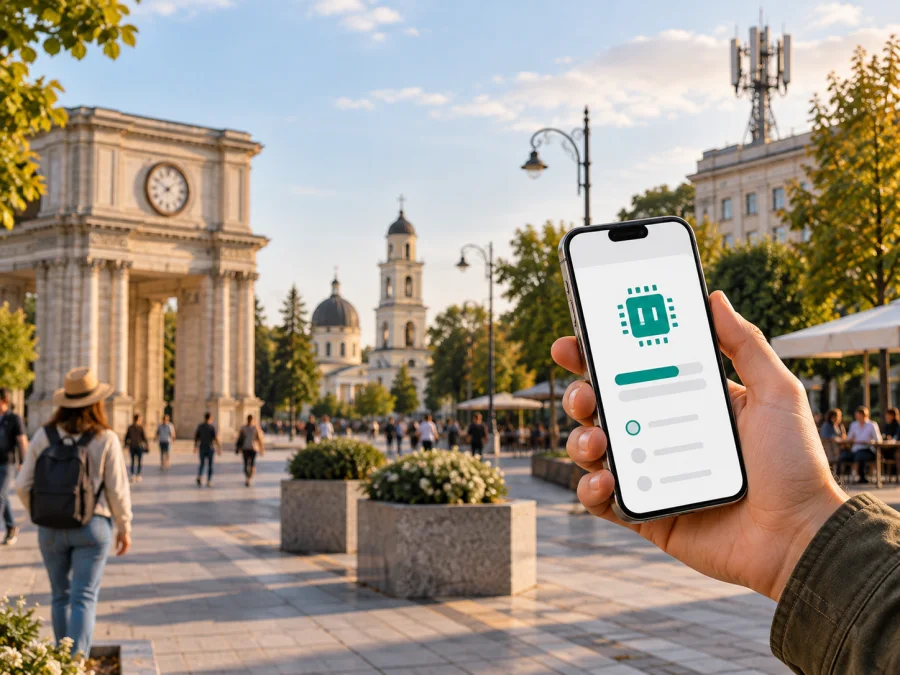
Orange eSIM in Moldova: connection, activation, and travel use
Updated: September 19, 2026
If you are travelling to Moldova and searching for an Orange eSIM, first decide whether you need a local Orange number or only mobile data for the journey. Current Orange Moldova pages confirm eSIM routes for new and existing customers, including a PrePay route and an online option for customers who are abroad. The exact process depends on your account, device, and the current conditions shown by Orange.
This guide covers Orange’s position in Moldova, eSIM availability, activation, traveller requirements, device compatibility, network technologies, and the difference between a local operator eSIM and a travel eSIM. Orange pages and the regulator’s published network data were checked on September 19, 2026. Conditions can change, so confirm the current details with Orange before starting. Kaspersky eSIM Store is not affiliated with Orange and is not Orange’s official partner or distributor.
Orange in Moldova: the traveller’s view
Orange is a mobile network provider operating in Moldova. Its local eSIM can be connected with a Moldovan mobile account and, depending on the route, may involve a new number, migration from a physical SIM, or replacement of an existing eSIM profile. These are different customer situations even though they use the same embedded-SIM technology.
Orange’s current “Orange eSIM” page describes a digital SIM that can be obtained through My Orange, including a new PrePay number, a number intended for people abroad, or a move from a physical SIM to eSIM. It also explains that a compatible smartphone may hold more than one mobile number. Whether several lines can be active at the same time depends on the phone and its operating system.
For a visitor, the key distinction is between an existing Orange customer and someone applying for a new local connection. An existing customer may be able to migrate an active line in My Orange or through an Orange shop. A new customer may need an account, number selection, online verification, or a shop visit. Someone outside Moldova should read the current online instructions for customers abroad rather than assume that every eSIM route has the same requirements.
Orange’s public pages confirm eSIM availability for general mobile services and PrePay. They also present a travel-oriented option for people abroad. This is a general availability statement, not a recommendation of one plan. Names, eligibility, identity checks, payment methods, and activation conditions can change; this article deliberately does not reproduce plan names or detailed commercial conditions.
Is Orange eSIM available in Moldova?
Yes. Orange Moldova’s eSIM page confirms digital SIM support, while its current migration page explains how an existing Orange line can be moved from a physical SIM or an old eSIM. The PrePay page describes a new eSIM number, and the English page for customers abroad describes online activation from outside Moldova.
The confirmation does not mean that every device or customer can use every route. A phone may support eSIM but be locked to another network. An existing account may require an active number for security confirmation. A QR activation code may be single-use, so deleting a profile does not necessarily allow it to be installed again. Use the current Orange page that matches your case as the final authority.
Local Orange eSIM and travel eSIM are different
A local Orange eSIM is connected with Orange’s customer relationship in Moldova. It may be the better fit when you need a Moldovan number, local voice or messaging functions, or an account you expect to use beyond one trip. The activation process can involve My Orange, an Orange web account, or a shop, depending on the connection type.
A travel eSIM is usually prepared for mobile data during a trip. It does not automatically provide a Moldovan phone number. It can suit a visitor whose main tasks are maps, translation, messaging apps, email, bookings, and transport. Kaspersky eSIM Store belongs to this travel category: it is an app and website for choosing, arranging, and activating an eSIM for mobile internet abroad. It is not a mobile operator, does not own a Moldovan network, and should not be described as Orange service.
This is a model distinction, not a comparison of specific plans. Decide whether you need a local number before selecting a route. If you keep your home SIM active, check which line is assigned to calls, messages, and mobile data.
Orange eSIM activation routes
New eSIM through My Orange
Orange’s public PrePay instructions describe an online process for a new eSIM number. In broad terms, the user needs an eSIM-compatible phone, My Orange, an Orange account, an accepted online payment method, and a stable internet connection. The user opens the eSIM area, follows the route for a new number, completes the current steps, and confirms installation on the device.
Moving an existing Orange line
Orange’s “Schimb SIM pe eSIM” page describes migration from a physical SIM or an existing eSIM through My Orange or the web account, with a shop route when online generation is not possible. The number normally needs to be active, and the current line may be needed for a security confirmation. Keep the old phone or line available until the new profile has been tested.
Orange warns that the new phone must be connected to the internet and must not be locked to another network. If a profile is deleted or the device is lost, a new activation code may be required. Treat the QR code as private setup information and do not post it publicly or share it with another person.
Activating while abroad
Orange’s English page for customers abroad confirms that an eSIM number can be arranged online from outside Moldova. The broad flow is to install My Orange, create or access an Orange account, open the eSIM area, complete the current payment step, and follow the on-screen installation instructions. Orange lists a compatible smartphone and stable internet among the requirements.
Visiting an Orange shop
Orange’s FAQ says a shop can help when the app or web route fails and can provide a QR code for activation. A shop visit may require an identity document, and the procedure can differ between a new connection and a replacement. This route is useful if the phone cannot complete the digital process or if the account needs assistance.
Device compatibility and installation
<a id="kesim-device-compatibility"></a>
Check the exact phone model and regional version for eSIM support. The same product family can have different capabilities in different markets. On iPhone, look in the mobile or cellular settings for an option to add an eSIM. On Android, the menu may be under Connections, SIM manager, or a similar heading; the label varies by manufacturer.
The phone must also be unlocked for the intended network. Orange’s migration guidance warns that a device locked to another network may refuse an Orange eSIM. If the phone has many saved profiles, available profile capacity can matter.
Installation usually needs an active internet connection. Wi-Fi is useful when replacing the line that normally supplies mobile data. Charge the phone, keep access to the account and installation message, and do not delete the old profile until the new one works. If an error appears, record its wording and use Orange support rather than scanning a possibly single-use QR code repeatedly.
After installation, open the SIM settings, give the line a clear label, choose the SIM for mobile data, and check whether data roaming is required for that service. If your home SIM remains active, review its roaming settings too. A profile can be installed successfully while mobile data is still assigned to the other line.
Network technologies and coverage in Moldova
An eSIM does not create a separate radio network. The phone connects according to the service, handset bands, local availability, and radio conditions. Orange Moldova’s network page presents coverage information and 4G and 5G services. The regulator’s 2025 statistical yearbook lists Orange Moldova as operating 2G, 3G, 4G, and 5G technologies. It reports about 99% territorial 4G coverage for Orange in 2025 and describes 5G as an early-stage rollout with a smaller territorial footprint than 4G.
Those figures describe reported coverage, not a guarantee for every room, road, village, or border area. Terrain, indoor walls, congestion, handset bands, weather, and maintenance can affect the result. A coverage map helps with planning but cannot promise a particular speed or uninterrupted service at a specific address. For rural travel, check the current Orange map and allow for local variation.
2G and 3G may matter for legacy voice or fallback situations, 4G is a common reference for mobile data, and 5G availability is more location-dependent while deployment continues. Two phones in the same place can show different indicators because of model support, software settings, indoor signal, or the active SIM’s configuration.
Kaspersky eSIM Store as a travel-data alternative
If your main need is mobile internet in Moldova rather than a Moldovan phone number, Kaspersky eSIM Store can be considered as an alternative preparation route. It is an app and website where a traveller can choose a destination, arrange an eSIM for the trip, and follow installation and activation instructions. It is intended to help prepare travel data; it is not Orange, a mobile operator, a network owner, or Orange customer support.
Kaspersky’s public travel guidance describes a data-focused eSIM model. Keep your normal SIM if you need its number for calls, SMS, or authentication messages, and use the travel profile for mobile data when appropriate. Depending on the phone, you may need to enable data roaming for the travel line and set that line as the mobile-data SIM. Check the current destination availability, network selection, hotspot behavior, and activation instructions in the Kaspersky eSIM Store flow.
The practical sequence is:
- Check the exact phone model for eSIM support and confirm that it is not carrier-locked.
- Decide whether you need a local Orange number or travel data.
- Read the current Moldova conditions in the chosen service’s app or website.
- Install the profile on reliable internet and follow the supplied instructions.
- Label the lines and choose the intended SIM for mobile data.
- Test a webpage or message before leaving Wi-Fi, then review roaming and hotspot settings.
Kaspersky eSIM Store can reduce the need to find a physical SIM point immediately after arrival, but it does not guarantee coverage at every location. Connectivity depends on the travel service, its local network arrangements, the device, and radio conditions. Questions about an Orange number, Orange account, Orange QR code, or Orange network service should go to Orange.
Check eSIM options for Moldova in Kaspersky eSIM Store
Common questions
Can a visitor use Orange eSIM in Moldova?
Current Orange Moldova pages confirm routes for new and existing customers, including PrePay and an online option for people abroad. A visitor must still meet the current eligibility, account, payment, identity, device, and network-unlock requirements.
Can I activate Orange eSIM outside Moldova?
Orange’s English page for customers abroad describes online activation from outside the country. It lists a compatible smartphone, My Orange, account access, online payment, and stable internet. Verify the live flow before relying on it for arrival-day service.
Can I move an Orange physical SIM to eSIM?
Yes, Orange’s migration page describes moving an active line through My Orange or the web account, with a shop option when needed. Keep access to the existing number for verification and do not delete the old line until the new one works.
Will Orange eSIM work on any smartphone?
No. The phone must support eSIM and must not be locked to another network. Support can vary by model, software, and market version.
Does a travel eSIM replace my normal number?
Usually it should be treated as a mobile-data option unless the provider explicitly says otherwise. Keep your regular SIM for calls, SMS, or authentication when needed.
Is Kaspersky eSIM Store an Orange service?
No. It is a separate app and website for arranging and activating travel eSIM data. It is not a mobile operator, network owner, or official Orange partner.
Final takeaways
Orange eSIM in Moldova is a confirmed current option, with routes for new numbers, existing customers, PrePay users, and people preparing a connection from abroad. The useful decision is whether you need a local Orange number, whether the exact phone is compatible and unlocked, whether you can complete the account and payment steps, and which line should carry mobile data after installation.
For a local-number requirement, start with Orange’s current Moldova instructions and choose the route that matches your status. For a data-focused trip, compare that process with a travel eSIM workflow such as Kaspersky eSIM Store while keeping the roles separate. Kaspersky eSIM Store helps users choose, arrange, and activate travel eSIM data; it does not operate Orange’s network or provide Orange customer service.
Orange’s eSIM, PrePay, migration, and abroad-customer pages, together with the ARCOM/ANRCETI 2025 statistical yearbook, were checked on September 19, 2026. Network availability, device support, activation steps, identity requirements, and commercial conditions may change. Before purchase or installation, verify current information with Orange or with the travel eSIM service you choose.


