Travel connectivity guide
Orange eSIM in Tunisia: availability and setup
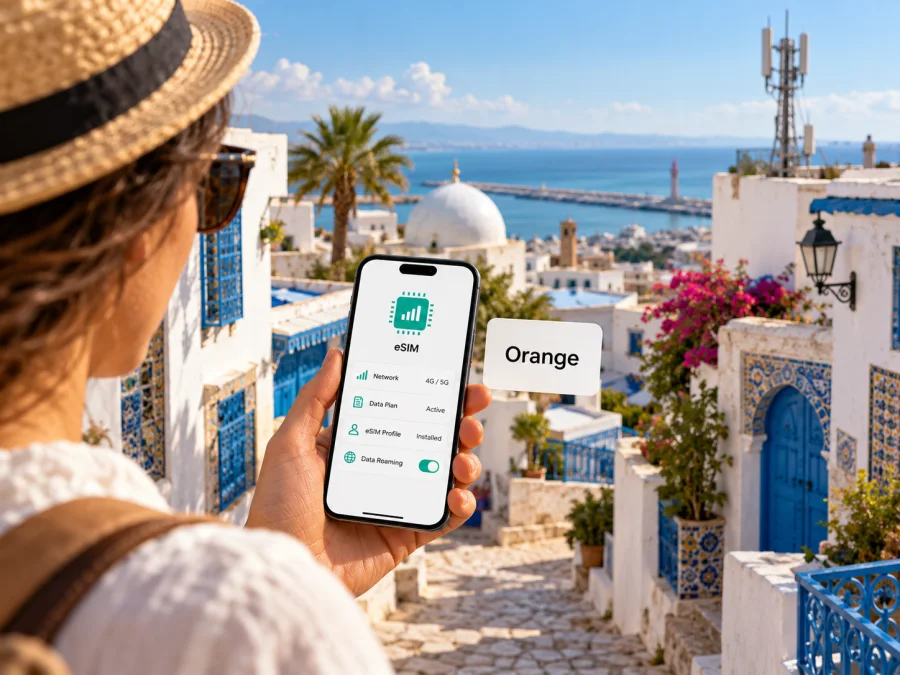
Orange eSIM in Tunisia: availability, activation and travel tips
If you are travelling to Tunisia and looking for an Orange eSIM, the key question is whether you need a Tunisian Orange mobile line or a separate data connection for your trip. Orange Tunisia publicly describes eSIM service for compatible devices, with activation by scanning a QR code obtained at an Orange point of sale. Its Tunisia visitor information also mentions SIM and eSIM options for tourists. Availability is therefore confirmed, but the exact offer, eligibility and steps can depend on the type of customer and the current sales channel.
This guide explains what Orange’s published information means in practice, what to check before arrival and how to prepare a phone. It does not reproduce Orange’s plan catalogue: plan names, amounts, prices, allowances, validity periods and included services can change and should be checked directly with Orange before you order. If you only need mobile data while travelling, a travel eSIM is another option, but it is not the same thing as taking out a local Orange line.
Orange in Tunisia: what a visitor should know
Orange is one of the public mobile network operators in Tunisia. The country’s National Telecommunications Authority, the Instance Nationale des Télécommunications (INT), lists Orange Tunisie among the country’s public mobile network operators. That identifies Orange as a local carrier with its own customer service and retail channels; it does not, by itself, say anything about reception at a particular hotel, road or destination.
Orange’s public pages describe mobile service and eSIM in Tunisia. On its “e-SIM Orange Tunisie” page, Orange explains that an eSIM profile can access the mobile network and the services attached to the customer’s mobile offer without inserting a plastic SIM card. The same page describes QR-code profile download. A certified answer from Orange’s customer-assistance site also says that a customer choosing a prepaid offer can select a number and then choose either a physical SIM or eSIM. Those pages make clear that an eSIM is a SIM format for an Orange mobile line, not a separate network or a guarantee that every Orange offer can be issued to every visitor as an eSIM.
Orange’s Tunisia visitor page promotes both SIM and eSIM for tourists and points readers to Orange sales locations. It identifies Tunis-Carthage airport and several border locations among the places where a visitor can find sales points. This is useful if you prefer to speak with staff, but it does not guarantee a particular product is in stock, that eSIM issuance is available at every counter, or that every traveller is eligible. Check the latest details and required documents with Orange before relying on a specific location.
The official eSIM information is not fully aligned across every Orange page. The general eSIM page describes QR activation at a shop, while a newer support answer describes selecting eSIM during a prepaid online order. Orange’s visitor page also highlights tourist SIM and eSIM options. These details may reflect different purchase journeys. Ask Orange which route applies to you and whether the profile can be issued before your trip.
Is Orange eSIM available for visitors?
Orange Tunisia has publicly confirmed eSIM support and its tourist information refers to eSIM alongside physical SIM. That supports a careful answer: Orange eSIM is available in Tunisia, while access to a particular eSIM offer depends on current eligibility and ordering conditions. The public pages reviewed for this article do not provide a complete, stable checklist for all non-resident visitors, so do not assume that every tourist can complete the same online application or obtain a profile at every shop.
Before travelling, ask Orange these questions:
- Can a non-resident visitor open or activate an Orange mobile line as an eSIM?
- Can the order be completed online, or must the customer visit an Orange shop or an authorized point of sale?
- Which identity document is accepted, and must it be shown in person?
- Can the eSIM be issued at the arrival airport, and are staff available when your flight lands?
- Will the profile be installed at the point of sale, or will you receive a QR code to scan yourself?
- Is the offer voice-and-text capable, data-focused, or dependent on the selected line?
- What support channel should you use if the QR code is already used, lost or fails to install?
Orange’s visitor page shows that it advertises tourist connectivity, and its support material points to prepaid ordering as a possible eSIM route. Neither fact removes the need to confirm the current process. Keep any order confirmation and activation instructions available offline, and do not leave a shop until the profile appears in the phone’s cellular settings and you understand which line is selected for data.
Local Orange eSIM or travel eSIM?
A local Orange eSIM is an Orange mobile subscription or prepaid line provisioned digitally. Depending on the specific Orange offer, a local line may provide mobile data and the calling or messaging services attached to that offer. Orange’s general eSIM page describes access to the services of the customer’s mobile offer, but the available features should be confirmed for the offer you choose. A local number can be useful when you need to receive ordinary calls or SMS on a Tunisian line, or when you want to manage service directly through the local operator.
A travel eSIM is commonly designed for visitors who mainly want data while away from home. Kaspersky eSIM Store is an app and website that lets travellers choose, arrange and activate an eSIM data plan for an international trip. It is not a mobile operator, does not own a Tunisian network and does not itself provide mobile internet coverage. The available destination and service details are shown during the selection process; check them before purchase. This kind of travel plan may suit navigation, email, browsing and internet-based calls, while your existing number remains on a separate SIM if your phone supports dual SIM use.
The two choices solve different needs. Consider a local Orange line if you need a local mobile subscription and Orange confirms you can register for one. Consider a travel eSIM if your main need is mobile data and you want to arrange the connection before departure. A travel eSIM should not be assumed to include an ordinary Tunisian phone number, voice calls or SMS; check the actual plan terms. Likewise, a travel eSIM is not automatically an Orange Tunisia subscription just because it connects through a mobile network in Tunisia.
If you want to explore a travel-data option for the destination, review the current eSIM options for Tunisia. This page is for checking current Kaspersky eSIM Store availability and terms; it is not an Orange tariff page or a claim that a particular Orange local offer is included.
Coverage and mobile network technology
Orange’s network-coverage checker lets users search by address and inspect mobile coverage indicators for 2G, 3G, 4G and 5G. It invites customers to enter a location and assess reception in a specific neighbourhood. Use that checker for the places you expect to visit rather than relying on a country-wide statement. Even a published coverage area cannot guarantee an indoor signal, a particular data rate or uninterrupted service during a journey.
Coverage can vary with the exact location, building materials, terrain, congestion, handset capabilities and local network conditions. A result for a city centre should not be treated as a result for a rural road, a hotel room or a coastal excursion. If connectivity matters for a transfer or a remote activity, download maps and booking details in advance and ask your accommodation or guide about mobile reception in the precise area.
Before ordering an Orange eSIM
A few checks can prevent common problems at the airport or after landing. Complete them before choosing a purchase channel:
- Confirm eSIM support on the exact phone. Open the manufacturer’s specifications for the precise regional variant, not just the family name printed on the box. You can also look in the phone settings for an option to add a mobile plan. A menu entry is a useful clue, but it does not prove that the handset is unlocked or that it can use every local network.
- Check carrier lock status. If the phone was sold through a carrier or with a payment plan, ask that carrier whether it is unlocked for a Tunisian SIM. An eSIM profile may fail to activate on a network-locked phone even when its hardware supports eSIM.
- Ask Orange about visitor eligibility. Confirm the accepted identification, whether registration must happen in person and whether your preferred sales point can issue an eSIM. Do not infer document rules from another country or another Orange market.
- Confirm the purchase and activation path. Orange’s public information includes in-store QR-code activation and an assistance answer describing eSIM selection during prepaid online ordering. Ask which flow is available to you, whether you need an internet connection to download the profile, and whether the QR code can only be scanned once.
- Clarify what the service includes. Ask whether your selected Orange offer has data, a local number, voice, SMS, or a combination. These features vary by offer; the word “eSIM” only describes the digital SIM profile.
- Check the places where you need coverage. Search your accommodation, arrival point and planned routes in Orange’s coverage checker. Treat the result as a planning aid rather than a guarantee of indoor or continuous reception.
- Keep your home line available if needed. If you plan to receive calls or verification messages on your regular number, check that your phone supports the desired dual-SIM arrangement and decide which line handles mobile data. Ask your home operator about roaming charges before leaving its data line enabled abroad.
- Save the instructions. Keep the QR code, purchase confirmation and Orange support details accessible without mobile data. Avoid deleting an eSIM profile unless Orange confirms it can be reissued.
How Orange eSIM activation works
Orange describes downloading an eSIM by scanning a QR code supplied through a sales channel. Its support response also describes choosing eSIM as the SIM type after selecting a prepaid offer. These descriptions indicate the general sequence, but Orange’s current instructions for the route you use take priority. Activation usually requires the phone to connect to Wi-Fi or another working internet connection while it downloads the profile.
If you buy directly from Orange
- Confirm the route with Orange. Ask whether your customer type can use online ordering, a shop, or another authorized point of sale.
- Complete the required registration. Provide only the identification and account details Orange requests through its official channel.
- Request the eSIM format. If the order process offers a choice, select eSIM and verify that this is shown on the confirmation.
- Connect to Wi-Fi. Keep the phone online while adding the mobile plan.
- Scan the QR code or follow the on-screen flow. Use the device’s cellular settings and the instructions supplied by Orange. Avoid scanning a QR code that was intended for another phone or has already been used.
- Label the line. Give the profile a clear label such as “Orange Tunisia” so that it is easy to distinguish from your home SIM.
- Choose the default lines. Select which SIM handles mobile data, voice calls and text messages. Your choices can be adjusted later in the phone settings.
- Test the connection. With Wi-Fi turned off, check that the Orange line registers and that the service you purchased works. If it does not, follow Orange’s support instructions before deleting or reinstalling the profile.
If you use a separate travel eSIM
For a travel eSIM arranged through Kaspersky eSIM Store, follow the installation steps shown in the app or website for that eSIM. The product’s Tunisia destination page explains that its travel service is intended for data use; it should not be treated as an Orange subscription. Check the displayed destination, service description, device compatibility and activation instructions before ordering. Keep your regular line active for calls or messages if needed, but set the travel eSIM as the mobile-data line only when you are ready to use it.
You can find general steps for installing eSIM on supported iPhone and Android devices in the device instructions provided by the relevant service. For Kaspersky eSIM Store users, first check that your device is compatible with eSIM, then follow the installation flow shown after purchase. Android menu names differ between manufacturers and software versions; Apple menu labels can change with iOS updates. Use the on-screen instructions for your model rather than relying on a generic path if the menus differ.
Common questions
Does Orange Tunisia support eSIM?
Yes. Orange Tunisia’s public eSIM information describes eSIM service and QR-code activation. Orange’s tourist page also refers to SIM and eSIM for visitors. The ordering route and eligibility can depend on the current offer and customer type, so confirm them directly with Orange.
Can I get an Orange eSIM as a tourist?
Orange advertises tourist SIM and eSIM options in Tunisia and lists sales points that include Tunis-Carthage airport. Its public pages do not provide one complete set of eligibility and document rules for every visitor. Ask Orange whether your nationality and customer status are eligible, which identification to bring and whether the specific point can issue an eSIM on arrival.
Will the eSIM work on every phone that supports eSIM?
Not necessarily. Check the exact regional device variant, carrier lock status, current software and relevant network support. Orange’s published examples are not a comprehensive compatibility guarantee for every device currently sold.
Is Orange eSIM the same as a travel eSIM?
No. Orange eSIM is a digital SIM format for an Orange mobile line in Tunisia. A travel eSIM is arranged for use while travelling and may be focused on mobile data. Review each service’s terms and included features; one should not be assumed to substitute for the other.
Where should I check the current offer?
Use Orange Tunisia’s own website, customer assistance or an Orange point of sale for local-line eligibility, documents, current offers and activation. For a separate travel-data option, use the destination page to review what is currently available and read its terms before you choose.
Sources and verification date
This article was checked on 18 October 2026 against Orange Tunisia’s public “e-SIM Orange Tunisie” page, the Orange Tunisia visitor page, the “Carte esim” answer from Orange customer assistance, Orange’s network-coverage checker and the INT’s public information about licensed network operators. The pages support the general statements made here about eSIM availability, published activation routes, tourist connectivity and the presence of a location-based coverage checker. They do not establish eligibility for every visitor, a universal document requirement, or reception at every address.
Kaspersky eSIM Store’s public Tunisia destination page and English homepage were also reviewed for the description of its travel eSIM service. Its role here is limited to helping a traveller choose, arrange and activate an eSIM data plan for travel. Kaspersky eSIM Store is not affiliated with Orange Tunisia. Orange is mentioned solely to identify the operator discussed in this article; this page is not sponsored by, approved by or endorsed by Orange Tunisia.
Plan your connection before departure
If you want a local Orange line, check with Orange about current visitor eligibility, the available purchase route, identification, eSIM issuance and coverage at the places you plan to visit. If mobile data is your main need and you prefer to arrange a travel eSIM before leaving, check the current Tunisia destination options and review the service terms and device requirements. Either way, confirm compatibility, save activation details and decide which SIM should handle data before you travel.


