
Travel connectivity guide
Oranjestad eSIM for Mobile Internet in Aruba
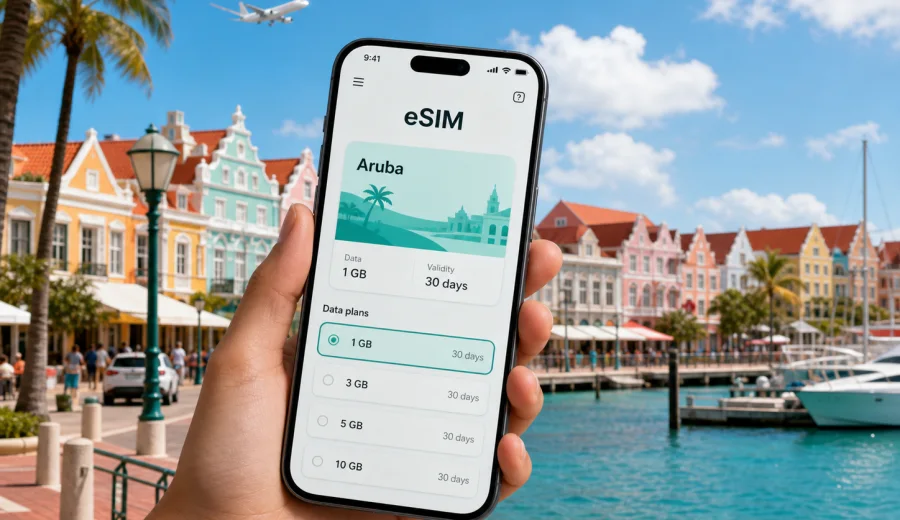
Oranjestad eSIM: mobile connection and internet for your Aruba trip
Oranjestad is often the first real stop in Aruba: the airport is close, hotels are spread between the harbor, Eagle Beach, Palm Beach, and quieter residential areas, and many short trips start with a taxi, rental car, or shuttle rather than a long train or metro ride. Mobile internet matters from the first minutes because maps, booking confirmations, ride messages, restaurant reservations, and hotel check-in details are usually on your phone.
An eSIM can make this part of the trip simpler. Instead of looking for a physical SIM card after landing or depending on public Wi-Fi in the terminal, you can prepare a digital SIM profile before the flight and switch mobile data to it when you are ready. For Oranjestad, that means less friction when you need directions from Queen Beatrix International Airport, a message to your hotel, or a map for the colorful streets around the waterfront.
This guide focuses on practical city scenarios: arrival, moving around Oranjestad, staying connected near beaches and hotels, planning business days, handling a short stopover, and choosing the right data allowance for Aruba.
Why mobile internet is useful in Oranjestad
Oranjestad is compact, but travel tasks are not always concentrated in one place. You may land at Queen Beatrix International Airport, stay near the city center, meet someone at a resort area, visit Eagle Beach, then return to the harbor for dinner. Even a short day can include several separate routes.
Mobile internet is useful in Oranjestad for:
- checking hotel transfer instructions after arrival;
- opening maps when street names and landmarks are easier than memory;
- messaging a taxi driver, host, colleague, or tour operator;
- checking opening hours before walking to a museum, shop, or restaurant;
- using translation tools if you need help with local details;
- keeping boarding passes, travel insurance, and booking documents accessible;
- sharing a hotspot with a laptop for light work when your tariff allows tethering.
Wi-Fi can be available in hotels, restaurants, and some public places, but it does not help much while you are between locations. A prepared eSIM gives you a mobile-data option for those in-between moments: outside the terminal, on the way to the hotel, walking near the marina, or comparing routes to a beach area.
Arrival at Queen Beatrix International Airport
Most visitors to Oranjestad arrive through Queen Beatrix International Airport. The airport is close to the city, but the first hour can still be busy: immigration, luggage, messages from your accommodation, taxi or transfer instructions, and the need to confirm where you are going.
If you prepare an eSIM before departure, the arrival routine can be simple:
1. Keep your primary SIM active for calls or SMS if you need it.
2. Install the eSIM profile while you still have a stable connection.
3. After landing, select the eSIM for mobile data.
4. Enable data roaming for the eSIM profile if the tariff instructions require it.
5. Open your maps, messenger, and booking apps before leaving the terminal.
The airport-to-city ride is short, but a working data connection helps if your driver asks for a hotel name, a resort entrance, or a pin location. It is also useful if your first stop is not central Oranjestad but Palm Beach, Eagle Beach, Noord, or a vacation rental outside the main hotel zone.
Local movement: downtown, beaches, hotels, and routes
Oranjestad travel is often a mix of walking, taxis, rental cars, buses, and hotel shuttles. The city center works well for short walks around the harbor, Renaissance Marketplace, Wilhelminastraat, Fort Zoutman, shops, cafes, and waterfront photo stops. For beaches, meetings, and resort areas, you will usually need a ride.
The table below shows where mobile internet tends to help during a typical stay.
| City scenario | Why data helps | Practical tip |
|---|---|---|
| Airport arrival | Transfer messages, hotel address, maps | Save the hotel name and address offline as a backup. |
| Downtown Oranjestad | Walking routes, restaurant searches, opening hours | Pin your hotel and the waterfront before you start walking. |
| Eagle Beach or Palm Beach | Ride coordination, return route, group messaging | Check pickup points before leaving the beach. |
| Rental car day | Navigation, fuel stops, parking, route changes | Download offline maps, then use mobile data for live updates. |
| Business trip | Video calls, email, calendar changes | Choose more data if you will tether a laptop. |
| Cruise or stopover | Limited time, fast route decisions | Keep key documents and maps ready before disembarking. |
Because Aruba is an island destination, your route may look easy on a map but still depend on timing, traffic, heat, and the exact pickup point. Mobile data is less about streaming all day and more about keeping small decisions smooth.
How much data may you need in Oranjestad?
The right eSIM tariff depends on your habits and trip length. A traveler who mainly uses maps and messaging for a long weekend has very different needs from someone who joins video calls or backs up photos over mobile data.
Use this simple planning guide:
| Trip style | Typical use | Data approach |
|---|---|---|
| One-day stop or cruise visit | Maps, messages, tickets, ride coordination | A small short-validity package may be enough. |
| Weekend in Oranjestad | Navigation, restaurant searches, messaging, light social media | Choose enough data for daily maps and casual browsing. |
| Beach holiday | Photos, group chats, transport apps, occasional browsing | Consider a medium package if you use data outside the hotel often. |
| Business stay | Email, document access, calendar, hotspot for laptop | Choose more data and check whether tethering is allowed. |
| Multi-stop Aruba route | Oranjestad plus beaches, San Nicolas, Arikok, Noord | Pick a tariff that covers the country and the full length of your stay. |
To keep usage predictable, connect to trusted hotel Wi-Fi for large app updates, cloud backups, and long video calls when practical. Use mobile data for navigation, communication, bookings, payments, and time-sensitive tasks while you are moving.
Choosing an eSIM tariff for Aruba when you stay in Oranjestad
For a city article, the correct destination is still the country where the city is located. If your trip is centered on Oranjestad, choose an eSIM tariff for Aruba rather than searching for a separate city-only plan. Check three things before you decide:
- Coverage destination: the tariff should include Aruba.
- Validity period: the tariff should match your arrival and departure dates.
- Data volume: the package should fit your expected use, especially if you need hotspot or work apps.
In Kaspersky eSIM Store, you can choose the destination, compare available data volumes and validity periods, and prepare the eSIM before your trip. If Oranjestad is your base for Aruba, you can choose a mobile internet option for your Aruba trip and then use it for city movement, beach transfers, and short routes around the island, subject to the conditions of the selected tariff.
Do not choose only by the lowest visible price. A small package can be fine for a stopover, but it may be frustrating if you plan to use maps, messaging, photo sharing, ride coordination, and a laptop hotspot for several days. A larger package can be more practical if you prefer not to monitor every megabyte during the trip.
Before you buy: device compatibility and setup checks
An eSIM works only on compatible devices, and some phones can be locked to a mobile operator. Before paying for a tariff, check whether your device supports eSIM and make sure it is not restricted from adding another mobile profile.
Checklist before your Oranjestad trip:
- Your phone or tablet supports eSIM.
- The device is not carrier-locked.
- You can access email or your Kaspersky eSIM Store profile to retrieve installation details.
- You know which SIM will handle calls and SMS, if you still need them.
- You understand when the tariff validity period starts.
- You know whether data roaming must be enabled for the eSIM profile.
- You have saved important addresses offline in case you need a backup.
Remember that travel eSIM tariffs usually focus on mobile data. They may not include a local phone number, voice calls, or SMS unless those features are clearly stated in the selected tariff conditions. For calls and messages, many travelers use internet-based apps over mobile data.
How to install and activate an eSIM for Oranjestad
Install the eSIM while you have a stable internet connection, ideally before you leave or while you are still on trusted Wi-Fi. After purchase, follow the instructions in your profile, app, or email. If you need platform-specific steps, use the Android installation guide or the iOS installation guide.
A practical setup flow looks like this:
1. Choose Aruba as the destination.
2. Select a tariff by data volume and validity period.
3. Install the eSIM profile on your compatible device.
4. Keep your primary SIM for calls or messages if needed.
5. On arrival in Aruba, set the eSIM as the mobile-data line.
6. Enable data roaming for the eSIM if the instructions say it is required.
7. Test maps or a browser before leaving the airport.
Do not delete the eSIM profile after installation unless you are sure you no longer need it. Some eSIM profiles cannot be moved or reinstalled on another device after activation, depending on tariff conditions.
Oranjestad scenarios where eSIM helps
First evening in the city
After checking in, many visitors go straight to the waterfront, the marina area, or a restaurant. Mobile data helps with walking routes, menus, booking confirmations, and ride coordination after dark. If your hotel is outside the center, save the return route before you leave.
Resort and beach days
Eagle Beach and Palm Beach are close enough for easy outings, but you may still need data for pickup points, group messages, and weather checks. If you spend most of the day outside your hotel Wi-Fi, avoid unnecessary automatic uploads and keep mobile data for the tasks that matter.
Business travel
Oranjestad business trips can include meetings at hotels, government offices, port-related locations, or regional company branches. For business use, check whether your tariff allows tethering, estimate how much data your video calls need, and keep a charger or power bank with you. A reliable mobile-data fallback can be useful if venue Wi-Fi is slow or requires a complicated login.
Cruise calls and short stopovers
If you arrive by cruise or have only a short window in the city, time is the main constraint. Install the eSIM before you disembark, confirm that mobile data is working, and keep a short list of stops. In this scenario, mobile internet is mostly about fast decisions: where to walk, how long the ride takes, and when to head back.
Trips beyond Oranjestad
Many Aruba itineraries include San Nicolas, Arikok National Park, Noord, beaches on the west coast, or viewpoints outside the capital. A country-level Aruba eSIM tariff is better suited to this kind of movement than a city mindset. Check maps and route details before driving into quieter areas, and keep offline backups where possible.
Practical ways to control data use
You do not need to be offline to manage your data carefully. A few settings can make the tariff last longer:
- Turn off automatic app updates on mobile data.
- Pause cloud photo and video backup until Wi-Fi is available.
- Download playlists, maps, and entertainment before the flight.
- Use lower video quality if you must stream over mobile data.
- Disable background data for apps you do not need during the trip.
- Track usage in your phone settings and in the relevant app profile when available.
For most Oranjestad trips, the biggest data spikes come from video, social media uploads, cloud sync, and laptop hotspot use. Maps and messaging are usually lighter, although live navigation throughout the day can still add up.
Quick comparison: eSIM, roaming, local SIM, and Wi-Fi
| Option | Useful when | Things to check |
|---|---|---|
| Travel eSIM | You want mobile data prepared before or soon after arrival | Device compatibility, destination, validity, data volume |
| Standard roaming | You need your home number active and your operator has acceptable terms | Daily fees, data limits, speed policy |
| Physical local SIM | You prefer a physical card and have time to buy one | Store hours, documents, SIM slot, setup time |
| Public or hotel Wi-Fi | You are staying in one place and do not need data while moving | Login quality, security, coverage outside the venue |
An eSIM is not the only possible way to get online in Oranjestad, but it is often convenient when you want to prepare mobile data in advance and avoid spending arrival time on a physical SIM card search.
Frequently asked questions
Is there a separate Oranjestad eSIM tariff?
For city travel, you normally choose a tariff for the country. Since Oranjestad is in Aruba, choose an Aruba tariff and check the details of the selected package.
Can I install the eSIM before I fly?
Yes, in many cases you can install the eSIM before departure while you have stable internet. Check the activation and validity rules of the selected tariff so you know when usage begins.
Will the eSIM include calls and SMS?
Travel eSIM tariffs usually focus on mobile data. Calls, SMS, and a local number are not included unless the tariff conditions clearly say so. You can use internet-based calling and messaging apps over mobile data.
Should I keep my physical SIM active?
You can keep your primary SIM active if you need your usual number for calls, SMS, or banking messages. Set the travel eSIM as the mobile-data line to use its data package.
What if my phone does not support eSIM?
If your device does not support eSIM or is locked by an operator, you will need another option, such as standard roaming, Wi-Fi, or a physical SIM if your device supports it.
Final preparation before Oranjestad
Before you leave for Aruba, decide how you will use your phone during the trip. A light traveler may need only maps, messages, and booking apps. A business traveler may need email, hotspot, and video calls. A beach holiday can sit somewhere in the middle, especially if you share photos and coordinate rides outside hotel Wi-Fi.
Kaspersky eSIM Store helps you choose, order, and activate an eSIM with a suitable data tariff for international travel. For a trip based in Oranjestad, prepare an eSIM tariff for Aruba before departure, check your device compatibility, install the profile on a stable connection, and keep mobile internet ready for arrival, local movement, and routes around the island.