
Travel connectivity guide
Orlando eSIM for mobile internet
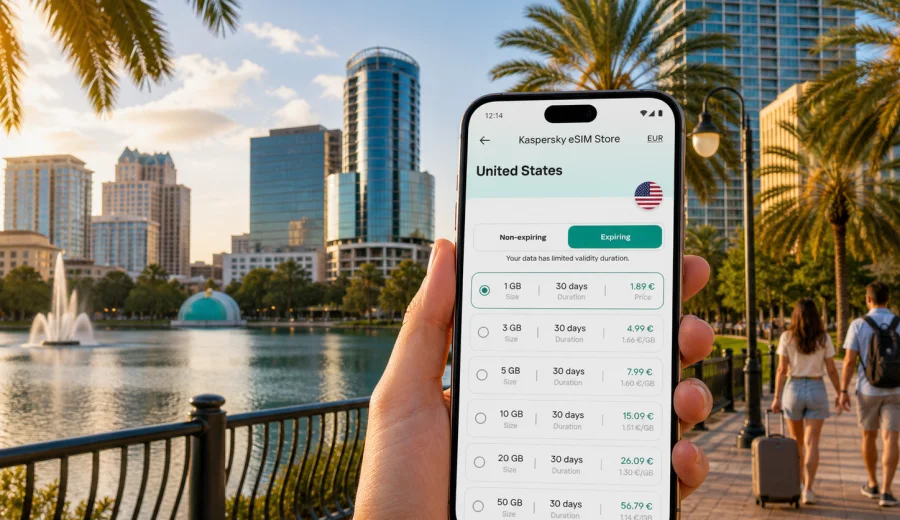
Orlando eSIM: mobile connection and internet for your city trip
Orlando is a city where mobile internet quickly becomes part of the travel plan. You may land at Orlando International Airport, check a ride-share pickup zone, message your hotel, scan a restaurant menu, open a theme-park app, find a conference shuttle, or compare routes from International Drive to downtown. In each of those moments, a working data connection is more useful than a stack of printed confirmations.
An eSIM helps you prepare mobile internet before you start moving through Orlando. Instead of looking for a physical SIM card after arrival, you can keep your usual SIM in place and add a digital data plan to a compatible phone. For many visitors, that means less dependence on airport Wi-Fi, hotel lobby networks, and public hotspots during the first hours of the trip.
This guide focuses on Orlando, not the United States in general. It covers the local arrival routine, movement around the city, hotels, business trips, stopovers, nearby day trips, and practical choices that affect how much data you may need.
Why Orlando is a city where connection planning matters
Orlando looks simple on a map, but the visitor experience is spread across several zones. Downtown Orlando, Lake Eola, Winter Park, International Drive, the convention district, Lake Buena Vista, Kissimmee, and the airport are not one compact walking area. Many trips involve ride-share apps, rental cars, shuttles, toll roads, hotel transfers, and timed bookings.
That creates three practical requirements for mobile internet:
- navigation must be available outside hotel Wi-Fi;
- messaging should work while you move between pickup points and entrances;
- travel apps need data at the exact moment you check bookings, tickets, maps, or delays.
Orlando is also a city of long days. A typical visitor may leave the hotel in the morning, spend hours away from reliable Wi-Fi, and return late. If you are here for a trade show, a family vacation, a sports event, or a short stop before a Florida road trip, your phone often becomes the trip organizer.
Arrival at Orlando International Airport
Most international visitors arrive through Orlando International Airport, often referred to as MCO. The airport is large, busy, and connected to the city by rental cars, taxis, ride-share services, hotel shuttles, buses, and private transfers. Mobile internet is useful before you even leave the terminal.
Common arrival tasks include:
- checking whether baggage has moved to a different carousel;
- contacting a hotel or private transfer driver;
- opening a ride-share app and confirming the pickup area;
- finding the correct rental car counter or shuttle;
- downloading a map for the first drive;
- messaging family, colleagues, or hosts after passport control.
Airport Wi-Fi can help, but it is not a complete travel plan. You may lose it when you move toward the garage, shuttle area, curbside pickup, or road network. If you install an eSIM before the trip and activate it according to the plan conditions, you can reduce the gap between landing and getting online.
Orlando travel zones and how they affect data use
Orlando is easier to plan when you divide it into travel zones. Each zone creates a different pattern of mobile internet use.
| Orlando area | Why travelers go there | Mobile internet tasks |
|---|---|---|
| MCO airport area | Arrivals, departures, airport hotels, transfers | Ride-share pickup, flight updates, hotel messages |
| Downtown Orlando and Lake Eola | Business, dining, events, city walks | Maps, parking apps, restaurant bookings, messaging |
| International Drive | Hotels, restaurants, attractions, convention access | Shuttle timing, walking navigation, ticket apps |
| Convention district | Trade shows, meetings, conferences | Email, calendar updates, badge apps, team chats |
| Lake Buena Vista and Kissimmee | Resort stays, family trips, vacation rentals | Group coordination, route planning, delivery apps |
| Winter Park | Day trips, dining, museums, local shopping | Train or ride-share planning, maps, photo sharing |
How much data may you need in Orlando?
Data use depends on your habits, trip length, and whether you rely on hotel Wi-Fi for heavier tasks. The table below is a practical starting point, not a guarantee.
| Trip style | Typical data needs | Planning note |
|---|---|---|
| Overnight stopover | 1-3 GB | Enough for maps, messaging, ride-share, flight checks |
| 3-4 day city break | 3-5 GB | Good for navigation, booking apps, light browsing |
| One-week family trip | 5-10 GB | Useful if several days are spent away from hotel Wi-Fi |
| Business conference | 5-10 GB | Email, calendar changes, messaging, hotspot use may raise demand |
| Road trip starting in Orlando | 10 GB or more | Navigation and route changes outside the city can add usage |
Video streaming, cloud photo backup, large file downloads, and hotspot sharing can consume data quickly, so leave extra room if your phone will be your main travel tool.
Before you travel: a practical eSIM checklist
Prepare your phone before you are standing in a crowded arrival hall. A few minutes of checking can prevent avoidable problems.
- Confirm that your smartphone supports eSIM.
- Check that the device is not locked to one mobile operator.
- Keep your primary SIM active if you need your usual number for banking codes or calls.
- Save your hotel address, first meeting address, and return flight details offline.
- Install key travel apps before departure, while you still have stable home internet.
- Read the selected plan conditions, especially data volume, validity period, and activation rules.
- Keep the QR code or installation details available in a safe place.
eSIM is mainly useful for mobile internet. It does not automatically include a regular phone number, voice calls, or SMS unless a specific plan says so. For calls and messages, many travelers use internet-based messaging and calling apps over mobile data.
Orlando use cases where eSIM is especially practical
| Situation | Why mobile internet helps |
|---|---|
| First hour after landing | Confirm pickup zones, hotel messages, shuttle details, and first-route navigation |
| Hotel-to-attraction movement | Compare routes, coordinate meeting points, and avoid relying only on lobby Wi-Fi |
| Business and conventions | Keep email, calendars, venue apps, and team chats available between meetings |
| Family travel | Share locations, check menus, adjust timings, and keep group plans synchronized |
| Stopovers and road trips | Manage flight alerts, airport hotels, rental cars, and routes beyond Orlando |
The common pattern is timing. Orlando travelers often need data at entrances, curbside areas, parking lots, shuttle stops, and road junctions, not only while sitting in a hotel room.
Choosing an eSIM plan for Orlando
When comparing data plans, look at the trip you are actually taking. A short stopover does not need the same data volume as a convention week or a family vacation with daily navigation.
Use these questions:
1. How many days will you be in Orlando and the surrounding area?
2. Will you use hotel Wi-Fi for video calls, backups, and streaming?
3. Do you need mobile data only on one phone, or will another traveler rely on hotspot sharing?
4. Will the trip continue to another U.S. city or a Florida road route?
5. Do you need the plan active immediately after landing?
For Orlando city travel, you can use Kaspersky eSIM Store to choose a data plan for your United States trip before arrival or once you are ready to set up mobile internet for the route. The site and app help you select the destination, review available plan conditions, arrange the eSIM, and activate it on a compatible device.
Match the plan to your itinerary and leave a buffer for delays or route changes.
How to install and activate an eSIM for Orlando
The exact steps depend on your device and the selected plan, but the general sequence is straightforward:
1. Choose the United States as your destination.
2. Select a plan by data volume and validity period.
3. Complete the purchase flow in the site or app.
4. Install the eSIM profile on your compatible smartphone.
5. Set the eSIM as the line for mobile data when you need it.
6. Follow the plan instructions for activation and data roaming settings.
If you need detailed setup steps, use the Kaspersky eSIM Store instructions for Android or instructions for iOS. Install the profile while you have stable internet, and read the activation timing carefully. Some plans start counting validity only after activation or network connection, while others may have different conditions.
Before buying, check your device for eSIM support and make sure it is not restricted by an operator lock. Compatibility is especially important if you are using an older phone, a device bought through a carrier contract, or a tablet model with regional differences.
Using mobile internet around Orlando
Once your eSIM is installed and ready, treat mobile data as a travel resource. You can make it last longer without making the trip inconvenient.
Good habits:
- download offline maps for Orlando and your first route;
- pause automatic cloud photo backup on mobile data;
- use hotel Wi-Fi for system updates and large downloads;
- close navigation when the route is finished;
- check whether hotspot sharing is allowed and necessary before using it;
- keep battery-saving mode in mind, because navigation and mobile data together can drain the phone.
Orlando transport notes for connected travelers
Orlando is not a city where every visitor can rely only on walking. Mobile internet helps with ride-share pickup zones at MCO, rental-car routes, toll-road navigation, hotel shuttle timing, bus stops, SunRail connections, and walking directions in downtown or Winter Park. Traffic can change quickly around I-4, the airport, convention venues, and resort corridors.
Hotels, business trips, stopovers, and day trips
Hotel Wi-Fi is useful for heavier tasks, but it may not help in parking areas, outdoor corridors, shuttle queues, elevators, or large resort-style properties. Mobile internet fills those small gaps: room-ready messages, digital keys, food delivery, live location sharing, and the route back to MCO.
For business travelers, the same logic applies to conference days. Keep offline copies of your agenda, venue address, and hotel confirmation, then use mobile data for calendar changes, team chats, email, and navigation between halls, dinners, and transfers. If you may tether a laptop, choose a larger data buffer and check plan conditions first.
For stopovers, prioritize simple setup, maps, ride-share access, flight alerts, and enough validity to cover arrival and departure. For trips beyond Orlando, such as Winter Park, Kennedy Space Center area, Tampa, Clearwater, Miami, or St. Augustine, choose a plan for the wider United States route and download key maps before long drives.
Common mistakes to avoid
Avoid these Orlando connectivity mistakes:
- waiting until arrival to learn whether your phone supports eSIM;
- assuming hotel Wi-Fi will cover transport, pickup zones, and outdoor areas;
- using mobile data for automatic video backup;
- forgetting that an eSIM data plan may not include voice calls or SMS;
- installing the profile only when you are already in a hurry;
- deleting an eSIM profile before the trip is finished.
Read the plan conditions before activation. If you are unsure whether you need more data, think through the first full day in Orlando: airport transfer, maps, messages, tickets, dining, transport, and photos.
FAQ: Orlando eSIM, mobile connection, and internet
Is eSIM useful for Orlando if my hotel has Wi-Fi?
Yes. Hotel Wi-Fi helps with heavy downloads, but mobile internet is useful at the airport, pickup areas, restaurants, venues, parking areas, and day-trip routes.
Should I install the eSIM before flying to Orlando?
It is often more convenient to install it before departure while you have stable internet. Read the activation rules before switching it on for mobile data.
Can I keep my usual SIM active?
On many compatible phones, yes. You can often keep your usual SIM for calls or messages and use the eSIM for mobile data, depending on device settings and restrictions.
Does an eSIM include a U.S. phone number?
Usually, travel eSIM data plans focus on mobile internet. Voice calls and SMS are not included unless the plan conditions say so.
Is eSIM enough for navigation around Orlando?
It can be practical if the phone is compatible, the plan is active, and local network conditions are available. Download offline maps as a backup.
What should I do before buying?
Check device compatibility, operator lock status, data volume, validity period, and whether your route covers only Orlando or a wider United States trip.
Final preparation before your Orlando trip
Before you leave, make mobile internet part of the same checklist as flights, hotel bookings, and transport. Orlando is easier to navigate when your phone is ready for arrival, movement between districts, hotel coordination, business schedules, and day trips from the city.
Kaspersky eSIM Store helps you choose, arrange, install, and activate an eSIM with a suitable data plan for travel. For an Orlando itinerary, you can prepare an eSIM data plan for the United States and keep your first route, hotel messages, maps, and booking apps available when you need them.