
Travel connectivity guide
Otavalo eSIM: Mobile Internet for Your Trip
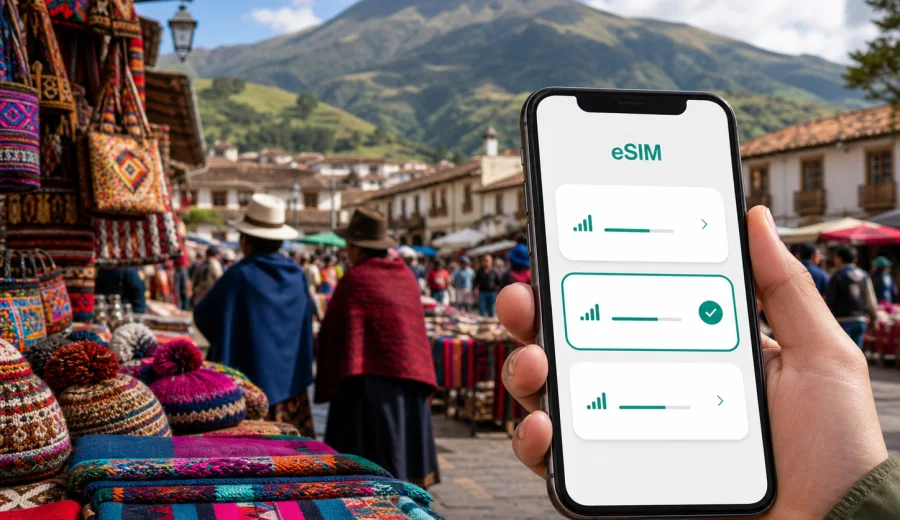
Otavalo eSIM: mobile connection and internet for your Ecuador trip
Otavalo is a compact city, but a trip there can depend heavily on mobile internet. You may arrive from Quito, continue toward Ibarra, visit the Saturday market, look for a hotel near Plaza de Ponchos, arrange a taxi to Peguche Waterfall, or check the route to Cuicocha Lagoon. In each case, eSIM can make the practical side of the journey easier: maps, messages, hotel details, translation, banking alerts, and ride coordination are all simpler when your phone is online.
This guide focuses on Otavalo as a real travel base in northern Ecuador, not on Ecuador in general. You will find out when mobile data matters most, how to choose a data allowance for a short or longer stay, what to check before buying an eSIM plan, and how to prepare your phone before you leave home or after you arrive.
Why mobile internet matters in Otavalo
Otavalo is known for its textile market, crafts, Andean scenery, nearby lakes, and day trips into Imbabura Province. The city is walkable in the center, but many useful places are spread out: bus terminals, guesthouses, viewpoints, artisan workshops, food markets, and routes toward surrounding villages. A reliable mobile connection helps with the small decisions that shape the day.
Typical online tasks in Otavalo include:
- finding your hotel or guesthouse after arriving by bus from Quito;
- checking walking routes between Plaza de Ponchos, the bus terminal, restaurants, and banks;
- messaging a host, driver, guide, or travel companion;
- using translation when buying crafts or arranging local transport;
- checking opening hours and recent reviews before you cross town;
- saving photos and travel documents to cloud storage when Wi-Fi is available;
- checking weather before trips to Cuicocha, Mojanda Lakes, or Peguche Waterfall;
- following maps when buses, taxis, or shared transport do not run on a fixed tourist schedule.
Public Wi-Fi can be useful in hotels, cafes, and some restaurants, but it is not a complete plan for the city. You may need data while walking, changing transport, confirming a booking, or paying attention to a map in an unfamiliar neighborhood. eSIM gives you a way to prepare mobile internet without visiting a local shop for a physical SIM card.
Arrival scenarios: Quito to Otavalo
Many travelers reach Otavalo from Quito rather than by flying directly into the city. That means your first connection problem may happen before you see Otavalo itself. You may need to check a bus route, confirm where to change transport, message your accommodation about arrival time, or follow navigation from the bus terminal to your hotel.
If you land at Quito's international airport and continue north, mobile data can help you manage the transfer more calmly. You can compare taxi or shuttle options, check whether you need to go through Quito before taking a bus, and keep your accommodation informed if the road journey takes longer than planned. If you arrive late, having internet before you leave the airport can matter more than having it later in the hotel lobby.
If you are already in Ecuador and take an intercity bus, eSIM is useful in a different way. You can track your location along the Pan-American Highway, check the distance to Otavalo, and avoid missing the right stop. On arrival, you can open a map immediately instead of waiting to connect to Wi-Fi or asking for directions with luggage in hand.
Where eSIM helps inside the city
Otavalo's center is easy to explore on foot, but mobile internet still supports everyday movement. Street names, market entrances, small museums, cafes, ATMs, and pickup points can be easier to find with live maps. During market days, the streets around Plaza de Ponchos and nearby blocks can feel busier than usual, so messaging and navigation become more important.
Practical city moments where eSIM helps:
| City situation | Why mobile data helps |
|---|---|
| Arriving at the bus terminal | Find the walking route or arrange a taxi to your hotel. |
| Visiting Plaza de Ponchos | Share location, translate product details, and compare photos or notes. |
| Moving between hotels and cafes | Check reviews, opening times, menus, and card payment notes. |
| Planning Peguche Waterfall | Confirm route options, travel time, and return transport. |
| Day trip to Cuicocha Lagoon | Use maps and weather checks before leaving Otavalo. |
| Working remotely | Use mobile data as a backup when hotel or cafe Wi-Fi is unstable. |
The goal is not to stay glued to your phone. It is to avoid losing time when you need one specific answer quickly: where you are, how to get back, who is waiting, or whether your plan for the next hour still works.
How much data to plan for Otavalo
Your data needs depend on how you travel. Otavalo is not a city where most visitors need constant video streaming, but maps, messaging, calls through apps, translation, and photo sharing can still add up. A light user may need only a small data package for a short stay. A traveler who works remotely, uploads photos, or uses navigation for several regional trips will need more.
Use this planning guide as a practical starting point:
| Trip style | Likely mobile internet use | Data planning tip |
|---|---|---|
| One-day stop from Quito | Maps, messages, transport checks, light browsing | Choose a small short-term package if Otavalo is the main online need. |
| Weekend market trip | Maps, translation, restaurant searches, photos, messaging | Pick enough data for two or three active days, especially if hotel Wi-Fi is uncertain. |
| Slow travel base | Daily maps, bookings, video calls, cloud sync, regional trips | Consider a larger allowance and monitor usage in your phone settings. |
| Business visit | Messaging, email, document checks, taxi coordination | Leave extra data for unexpected calls and hotspot use. |
| Ecuador route | Quito, Otavalo, Ibarra, Cuenca, Galapagos or coast planning | Select a plan that matches Ecuador as the destination, not just one city. |
For video calls, uploads, and hotspot use, build in a buffer. A single long video meeting can use more data than a full day of maps and messaging. If you plan to rely on mobile data for work, treat hotel Wi-Fi as helpful but not guaranteed.
Choosing an eSIM plan for Otavalo
For a city trip, the most important detail is the destination covered by the plan. Otavalo is in Ecuador, so a city article should point you toward a plan for Ecuador or a regional plan that explicitly includes the country. The city name may not appear in the plan title, and that is normal: eSIM plans are usually organized by country or region.
Before you choose, check:
- destination coverage: Ecuador should be included in the plan conditions;
- data allowance: choose enough GB for maps, messages, browsing, and any work use;
- validity period: match the plan duration to your full stay, including arrival and departure days;
- activation rules: some plans start when installed, while others start after connecting to a supported local network;
- hotspot support: important if you want to share data with a laptop or another device;
- top-up options: useful for longer stays or changing routes.
This is also the point in the trip plan where it makes sense to prepare your mobile data before you are busy with transport and check-in. In Kaspersky eSIM Store, you can choose a data plan for your Ecuador trip and review the available data volume, validity period, destination, and price before you install the eSIM on a compatible phone.
Otavalo routes where mobile data is especially useful
Otavalo is often part of a wider northern Ecuador route. Even if your hotel is in the city, you may spend much of the day outside the center. Mobile internet helps because route information, weather, and return transport can change how you use your time.
Common Otavalo-based routes include:
- Plaza de Ponchos and central Otavalo: useful for maps, translation, messaging, and payment notifications.
- Peguche Waterfall: useful for checking walking routes, taxi pickup points, and weather.
- Cuicocha Lagoon: useful for navigation, weather checks, and confirming the return journey.
- Mojanda Lakes: useful for maps and coordination, especially because rural routes may be less straightforward.
- Cotacachi: useful for finding leather shops, restaurants, and the route back to Otavalo.
- Ibarra: useful when continuing north or changing hotels after Otavalo.
If your itinerary includes rural roads, remember that mobile coverage can vary by local network, terrain, and weather conditions. Download offline map areas before you leave the city, keep key addresses saved, and avoid assuming that every viewpoint or lakeside road will have the same signal quality as the center.
A simple preparation checklist
Use this checklist before you travel to Otavalo:
- Save your hotel address in English and Spanish.
- Download offline maps for Quito, Otavalo, and nearby places you plan to visit.
- Keep your passport, booking confirmations, and insurance details accessible offline.
- Check whether your phone supports eSIM and is not locked to one carrier.
- Decide whether you need data only for Otavalo or for the whole Ecuador route.
- Choose a plan with enough validity for the entire trip, including transfer days.
- Install the eSIM while you still have a stable Wi-Fi connection.
- Keep your primary SIM active only if you need banking SMS or calls from your usual number.
- Learn where to switch mobile data between your primary SIM and eSIM in phone settings.
The most common mistake is waiting until the first stressful moment to solve the connection problem. It is easier to install and check the eSIM while you are still at home, at the hotel, or connected to a stable Wi-Fi network.
Device compatibility and locked phones
Not every phone supports eSIM, and some phones may be locked by a mobile carrier. Before choosing a plan, check your device and confirm that eSIM is available in your phone settings. If the device is locked, it may not accept a new mobile data profile for travel.
Also check whether your phone supports dual SIM use. Many travelers keep their regular SIM for calls, SMS, or banking messages while using the eSIM for mobile data in Ecuador. In that setup, you should carefully choose which SIM handles data roaming and which number is used for calls and messages.
If you use a work phone, confirm your company's device rules before travel. Some managed devices restrict adding cellular plans, changing roaming settings, or using hotspot mode. It is better to discover that before you are trying to join a meeting from a hotel room in Otavalo.
How to install and activate eSIM for the trip
Installation is usually easier when you have stable Wi-Fi and a few quiet minutes. After selecting a suitable plan, follow the instructions shown on your device or in your account. If you need platform-specific guidance, use the Android installation guide or the iOS installation guide.
A practical setup flow looks like this:
1. Check that your phone supports eSIM and is not carrier locked.
2. Choose a plan for Ecuador or a regional plan that includes Ecuador.
3. Install the eSIM using the QR code or in-app instructions.
4. Label the profile clearly, for example "Ecuador data".
5. Keep your usual SIM for calls or SMS if you need it.
6. Set the eSIM as the mobile data line when you are ready to use it.
7. Turn on data roaming for the eSIM if the plan instructions require it.
8. Test mobile data after arrival or when the plan is ready to connect.
Do not delete the eSIM profile unless you are sure you no longer need it. In many cases, an installed eSIM cannot simply be moved to another device after activation. If something does not work, check the plan instructions first and contact support rather than removing the profile immediately.
Otavalo for business travelers and remote workers
Otavalo can be a quiet base for work between travel days, but connection planning deserves attention. Hotel Wi-Fi quality can vary by room location, building layout, and how many guests are online. Mobile data can act as a backup for email, chat, documents, maps, and short calls when Wi-Fi is unstable.
For remote work, plan more data than you would for sightseeing only. Messaging and maps are light; cloud backups, video meetings, operating system updates, and file sync can use a lot more. Turn off automatic cloud photo uploads on mobile data if you do not need them. Download presentations, tickets, and meeting files on Wi-Fi before you leave the hotel.
If you need to use your laptop, check whether the selected plan allows hotspot use. Hotspot can be helpful in a cafe or guesthouse, but it can also drain your phone battery quickly. Carry a power bank if you expect to rely on mobile data for a long day.
Short stopovers and market-day visits
Some travelers visit Otavalo only for the market and return to Quito the same day. In that case, the value of eSIM is not about long-term data management. It is about saving time during a short window: finding the right bus, sharing a meeting point, checking a route to the market, comparing return options, and messaging if the plan changes.
For a day trip, prepare these items before departure:
- pin the bus terminal, Plaza de Ponchos, and your return pickup point;
- save your accommodation or Quito address for the evening;
- keep enough battery for maps and messaging;
- download an offline map in case signal is weaker on the road;
- avoid large downloads and streaming on mobile data;
- keep local cash and card options separate from your phone in case the battery runs low.
If you travel on a busy market day, set a clear meeting point with your group. Messaging apps are helpful, but crowded streets and low battery can still complicate coordination. A pinned location and a simple time agreement are often more reliable than a long chat thread.
Common mistakes to avoid
Avoid these issues when preparing eSIM for Otavalo:
| Mistake | Better approach |
|---|---|
| Buying a plan without checking destination coverage | Confirm that Ecuador is included in the plan conditions. |
| Installing eSIM on an unsupported phone | Check eSIM compatibility before purchase. |
| Waiting until the bus terminal to install eSIM | Install on stable Wi-Fi before travel or at your hotel. |
| Deleting the eSIM profile after a setup issue | Read the instructions and contact support before removing it. |
| Using mobile data for automatic backups | Save large uploads for Wi-Fi. |
| Forgetting data roaming settings | Follow the plan instructions for the eSIM profile. |
| Choosing too little data for work | Add a buffer for video calls, hotspot, and document sync. |
The safest approach is simple: check the phone, choose the correct destination, install calmly, and keep essential information available offline as a backup.
FAQ: eSIM and mobile internet in Otavalo
Do I need a separate eSIM just for Otavalo?
Usually no. Otavalo is in Ecuador, so you should look for an eSIM plan that covers Ecuador or a regional plan that includes Ecuador. The plan does not need to be named after the city.
Can I install eSIM before arriving in Ecuador?
In many cases, yes. Installation can often be done before travel while you have Wi-Fi. Check the activation rules of the selected plan so you understand when the validity period and data use begin.
Will eSIM give me a local phone number?
Most travel eSIM data plans are for mobile internet. Voice calls and SMS are not included unless the specific plan says otherwise. You can usually use internet-based calling and messaging apps over mobile data.
Can I use eSIM for taxis and maps in Otavalo?
Yes, mobile data is useful for maps, messaging, route checks, and coordinating pickups. Availability and speed still depend on the local network and the place where you are using the phone.
Is public Wi-Fi enough for Otavalo?
It may be enough for light use inside a hotel, but it is less convenient when you are walking, changing transport, visiting nearby towns, or confirming plans away from Wi-Fi. eSIM reduces dependence on public networks.
Can I keep my regular SIM active?
On many compatible phones, yes. You can keep your usual SIM for calls or SMS and use eSIM for mobile data. Check your device settings carefully so you know which line is using data.
Choose mobile internet for your Otavalo trip
Otavalo is easier to enjoy when your phone is ready for the practical parts of travel: arrival from Quito, navigation around the market, hotel messages, day trips to nearby lakes and waterfalls, and route changes across northern Ecuador. eSIM helps you prepare mobile internet without a physical SIM card, while still keeping control over the plan's data volume, validity period, destination, and price.
Before you leave, check that your device supports eSIM, choose a plan that covers Ecuador, install the profile on stable Wi-Fi, and keep offline backups for maps and documents. When you are ready to prepare mobile data for the trip, open Kaspersky eSIM Store and select an eSIM plan for Ecuador that matches your Otavalo itinerary.