Travel connectivity guide
Ouesso eSIM for Mobile Internet and Travel
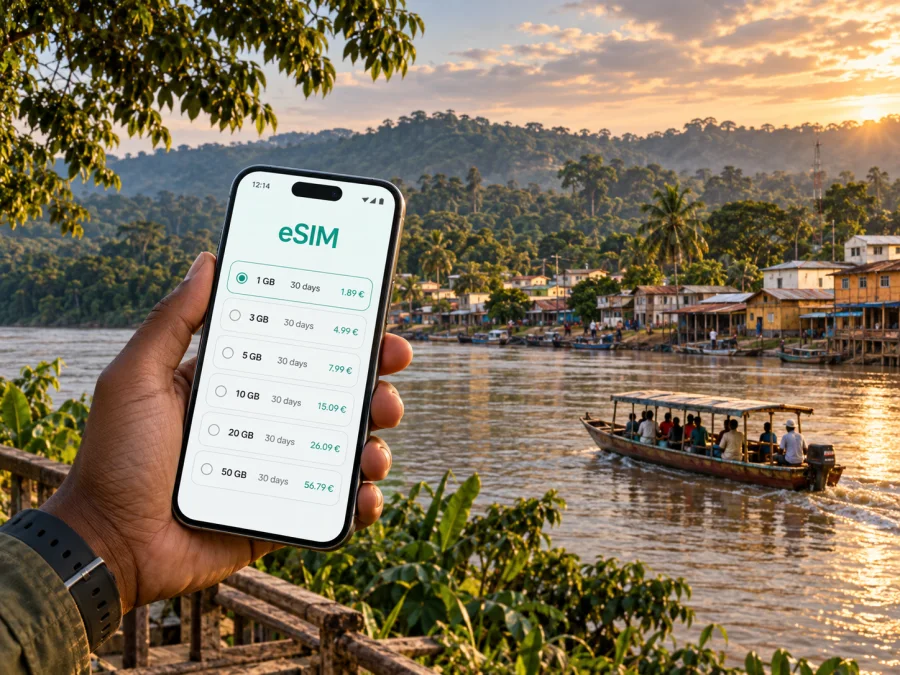
Ouesso eSIM: Mobile Connection and Internet for a Sangha River Journey
Ouesso is a practical arrival point in the northern Republic of the Congo, set beside the Sangha River and surrounded by rainforest. A visit here may be a work trip, a stop before a river journey, or the start of a longer stay in the Sangha region. In each case, mobile internet is most useful for the small decisions that shape a day: confirming a pickup, sharing your arrival time, checking an address, messaging a host, or keeping travel details available while plans change.
An eSIM can give a compatible phone a separate mobile data profile for a trip. Kaspersky eSIM Store is an app and website where you can choose, arrange, and activate an eSIM with a suitable data plan for travel abroad. Before choosing, read the destination, network, data allowance, validity period, and activation conditions shown for the specific plan. Availability and service depend on the plan and local network conditions; a city name alone is not a promise of coverage at every address or along every route.
What mobile internet helps you do in Ouesso
Ouesso is not a large city built around a dense, signposted visitor district. The Sangha waterfront, the airport, accommodation, offices, and departure points may be separate stops, and a visitor’s schedule often depends on a host, driver, colleague, or river operator. A working data connection can help you coordinate these arrangements, but it does not replace confirming them with the person responsible for your transfer or excursion.
Useful tasks to prepare for include:
- sending your flight or arrival update to the person meeting you;
- keeping a hotel or guesthouse address and contact details close at hand;
- checking a route between your lodging, the town centre, and the airport;
- exchanging messages with colleagues before a meeting or site visit;
- saving directions and reservation details for periods when a signal may be weak or absent;
- checking current arrangements with a park or river-trip operator before leaving town.
Treat mobile data as one part of your travel setup. Keep essential addresses, booking references, and agreed pickup details available offline as well. A map may load before departure and then fail to refresh in a low-signal area; a downloaded map or a written address gives you another way to orient yourself.
Arriving and getting oriented
Ouesso has an airport serving the town, but schedules and operating arrangements can change. Confirm your flight and pickup directly with the airline or local contact. Do not assume that a connection from Brazzaville operates every day or that late arrivals have the same ground-transport options as daytime arrivals.
Before boarding, save your accommodation’s name and location, the contact meeting you, and a fallback plan if the flight is delayed. Agree on a meeting point. Airport Wi-Fi is not guaranteed, and mobile data does not replace confirming a pickup.
Once in Ouesso, ask your host or driver for locally understood landmarks and the correct road or riverside access point. Directions may refer to a market, office, junction, hotel, or landing place rather than a street number. Save a shared map pin, but keep the verbal description and a contact who can clarify it too.
First-hour checklist
- Confirm mobile data is enabled on the intended travel line.
- Message your host or driver with your arrival status.
- Check the destination and pickup plan.
- Save the accommodation address and map area for offline use.
- Ask which transport is arranged for your next stop.
Moving around the town
For many visitors, Ouesso is easiest to navigate as a sequence of confirmed destinations: lodging, a workplace or office, a market, the airport, and the river. Ask someone local for the route and realistic timing. Weather, road surfaces, and vehicle condition can affect even a short journey.
Taxis are reported as available in Ouesso, but availability, fares, and pickup practices vary. Ask your accommodation or local contact to arrange a ride, and agree on the destination and fare before leaving. Mention luggage, work equipment, or group size when booking.
| Travel need | Prepare in advance | What data may help with |
|---|---|---|
| Airport transfer | Confirm driver, destination, and fallback | Arrival updates and messages |
| Town meeting | Agree on a landmark and arrival buffer | Open a saved pin or report a delay |
| River departure | Confirm landing point and operator | Coordinate final meeting details |
| Work outside town | Confirm vehicle, route, and return plan | Send updates where service is available |
A map app supports orientation but may not show every road, path, landing point, or current access condition. Ask whether the destination is reached by road, river, or both, and whether a driver or guide is expected.
Choosing where to stay
For a short business visit, choose a base that makes appointments and the airport transfer manageable. For a nature-focused itinerary, a stay in town may be a staging point for a separately arranged journey. Confirm the property’s exact location, check-in, payment and meal arrangements, and whether it can help organize local transport.
Ask the host:
- What landmark should I give a driver?
- Can someone meet my flight, and how will we identify each other?
- How can I reach the property if my arrival changes?
- Can you help confirm a taxi or river departure?
- Is guest Wi-Fi available, and is mobile signal generally usable at the property?
Treat the last answer as guidance, not a promise of continuous service. Connectivity can vary between buildings, and Wi-Fi may be limited to shared spaces. Save contact details and arrival instructions before you travel.
When Ouesso is a stopover or a work base
A stopover may leave little time between arrival, check-in, and the next departure. Keep flight details, host contact, onward transport, accommodation, and departure point in one note. For work, send your arrival time early, confirm the meeting place with your colleague, and download documents before leaving a dependable connection. Mobile data is useful for messages and small updates, while large uploads may take longer when signal quality is limited.
If plans change, update the person coordinating your transport before choosing a new route. A river landing or a departure outside town needs direct confirmation; do not assume that a navigation estimate or booking result reflects local availability in real time.
Planning a trip from Ouesso
The Sangha River shapes travel in this part of the country. Some visitors use Ouesso as a starting point for a guided visit towards Nouabalé-Ndoki National Park. The park’s visitor information describes the route to its headquarters at Bomassa as about three hours by road or two hours by boat from Ouesso. Treat these as planning references, not guaranteed journey times: confirm the route, departure point, transport, permissions, and timing with the park or your operator.
Road and river services to other settlements in the Sangha region differ by direction and season. Confirm the vehicle or boat, who is responsible for the trip, the return or overnight plan, and how to make contact if timing changes. Before leaving town, save:
- destination and agreed meeting point;
- host, driver, guide, and accommodation contacts;
- departure and return window;
- route and transport confirmed by the local organizer;
- any requested permit or booking details;
- a fallback plan for road or river delays.
Expect service to become limited on some remote routes. Tell someone in town where you are going and when you expect to check in. Follow your operator’s safety instructions, and do not rely on a phone as your only navigation or emergency resource.
For the mobile-data side of your itinerary, review eSIM plans for the Republic of the Congo and compare the conditions shown for each option.
Selecting a data plan for this itinerary
The right plan depends on how long you will stay, how often you expect to use maps and messaging, and whether your travel includes areas beyond the town. Start with the plan’s stated destination and network information. Then compare its data allowance and validity with your schedule. If you will use video calls, upload work files, or share photos, your data use will be higher than if you mostly send text messages and occasional map checks.
Kaspersky eSIM Store lets you review available eSIM options for a destination, choose a plan, and complete setup through its app or website. For a trip to Ouesso, select the country that matches your itinerary and read the plan details carefully. The country page is the right place to begin for a city trip; it does not imply that every plan has identical conditions throughout the Republic of the Congo.
Coverage depends on the local network and the route you take. Where you need consistent contact outside town, confirm arrangements with your local organiser and consider a backup communication plan.
Estimate how much data you may need
Estimate use from your own habits: light use means messages and occasional map checks; regular use adds frequent navigation and web searches; data-heavy use includes video calls, photo uploads, and large work files. These are patterns, not fixed allowances. Apps may update in the background, and maps or media can use more data than expected.
Download maps, tickets, documents, and media over Wi-Fi if available. Disable automatic photo backup or app updates over mobile data if you need to conserve your allowance. Check whether validity begins at purchase, installation, or first connection; the rule is plan-specific. If your trip crosses a border, confirm that the selected plan includes the other destination.
Prepare your phone before departure
Verify that your phone supports eSIM and is not carrier-locked. Check eSIM support for your device before selecting a plan; model support can vary by market or device version.
Decide which line will use mobile data. A travel eSIM is for data and may not include a standard phone number, voice calls, or SMS unless its plan says otherwise. If you keep your primary line active for calls, check its roaming charges with your provider.
Installation and activation
Complete setup while you have a stable connection and follow the selected plan’s instructions. Installation may use an in-app flow or QR code; keep the installation details available on another screen or securely printed if needed. Do not delete an installed profile unless instructions tell you to, as it may not be possible to install it again.
Use the Android eSIM installation instructions or iOS eSIM installation instructions for device-specific steps. Menu names vary by operating-system version. Check which line is selected for data and whether data roaming must be enabled for the plan. Activation timing also depends on the plan.
Before departure, confirm compatibility and unlock status, plan destination and dates, activation rules, saved installation details, and offline copies of your accommodation and pickup information.
Keep navigation useful when the signal changes
Download the map area, save key pins, and screenshot transport instructions while online. If the live map fails, ask your host or driver to confirm the route. Check directions before leaving, especially near traffic, with luggage, or before boarding a boat. Keep offline details and tell a trusted contact before travelling beyond town.
Frequently asked questions
Is an eSIM useful for a visit focused on Ouesso?
It can help with messages, map checks, and transport coordination on a compatible, unlocked phone. Review the selected plan’s conditions for the Republic of the Congo and plan for limited service on some routes.
Can I rely on mobile data on a trip to a park or river destination?
No plan guarantees uninterrupted service. Coverage changes with terrain and local network conditions. Confirm the trip with your operator, download essentials, and agree on a check-in plan.
Will a travel eSIM replace my normal phone service?
A data eSIM is intended for mobile internet and may not include a local number, voice calls, or SMS. Check the plan and keep another way to make essential calls if needed.
When should I install it?
Setup is often easier before travel, while you have a stable connection. Follow the plan’s activation instructions; validity may begin at different points depending on the offer.
What if maps do not load?
Use an offline map or saved screenshot, then confirm the route with your host or driver. Keep the destination description and contact details available without data.
Make the connection part of the plan
Ouesso is a place where a clear arrival message, a saved address, and a confirmed driver can matter as much as a live map. Prepare those basics before landing, use mobile data for updates when the local network is available, and keep an offline version of every detail you may need on a remote leg.
Before you travel, choose a data plan that fits your dates and intended route, confirm the conditions for the Republic of the Congo, and complete the setup on a compatible phone. Use Kaspersky eSIM Store on its app or website to choose an eSIM plan for your trip to the Republic of the Congo, then follow the plan’s installation and activation steps. That preparation makes it easier to coordinate your time in Ouesso while keeping realistic expectations about service beyond town.


