Travel connectivity guide
Oui Móvil eSIM in Mexico: visitor guide
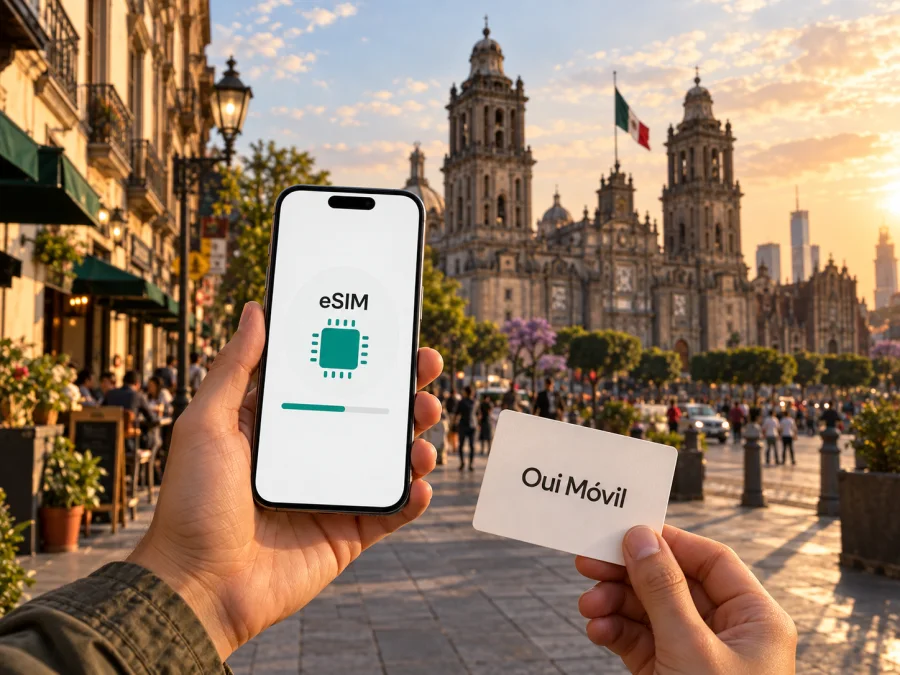
Oui Móvil eSIM in Mexico: what travelers should know
Oui Móvil and other names used here belong to their respective owners. Kaspersky eSIM Store is not affiliated with Oui Móvil and is not its official partner or distributor.
If you are travelling to Mexico and considering an eSIM from Oui Móvil, the key questions are practical: whether your phone can use eSIM, how to acquire and activate the line, what identity registration applies, and whether coverage matches the places on your itinerary. Oui’s official website currently advertises a new eSIM and provides an eSIM purchase page, so eSIM availability is publicly confirmed. The details of an order, supported devices, activation steps and current eligibility should still be checked directly with Oui before you travel.
Mobile offers and registration processes can change, so treat the operator’s current instructions as authoritative at the time you apply.
What Oui Móvil offers in Mexico
Oui Móvil is a mobile service brand in Mexico. Its website describes mobile voice and internet service, prepaid service in general terms, and pages for eSIM and coverage. Mexico’s telecommunications regulator, the Instituto Federal de Telecomunicaciones (IFT), names OUI Móvil among the country’s mobile virtual network operators in its 2025 overview of the OMV market. In practical terms, Oui serves customers under its own retail brand; its name alone does not identify all radio infrastructure carrying service.
Oui’s official homepage and “eSIM Oui” page advertise an eSIM option, confirming that an eSIM offering exists. The pages do not establish that every visitor can purchase it, that every handset is accepted, or that tourists follow the same registration flow as residents. Oui’s website also provides a dedicated “eSIM Oui” purchase page. These pages were checked on 27 September 2026. Confirm current eligibility and the exact steps with Oui before travel.
Is Oui Móvil eSIM suitable for a visitor?
It may suit a visitor seeking a Mexican mobile line who can complete Oui’s current identity, payment and activation steps. Ask whether its eSIM is available for new connections, existing customers, or both. A public eSIM offer does not answer every account-specific eligibility question.
A local operator eSIM and a travel eSIM can serve different needs. A local line may be useful if you need a Mexican number or local voice and messaging functions. A travel eSIM is often focused on mobile data and may not provide a phone number or ordinary calls and SMS. Review the product description rather than assuming that all eSIMs work alike.
Oui’s website describes eSIM and prepaid service in general terms; it does not establish that every prepaid offer is available through eSIM or that a tourist-specific product exists. Ask whether a foreign visitor can buy a new eSIM, how payment works, whether voice and SMS are supported, and whether any local document or address is required. For a short trip, the registration process and availability of support may matter more than the choice of offer. For a longer stay, consider whether a local number and continuing service are important.
Identity registration and visitor requirements
Mexico’s line-registration requirements matter when planning a local connection. On “Vincula tu línea Oui,” Oui says mobile lines must be linked to identity information under a rule effective 9 January 2026. Its page describes the process using an official identity document, gives separate guidance for Mexican and foreign nationals, and names a valid passport from the visitor’s country of origin for foreign nationals. The page also refers to CURP in its general requirements. Because the instructions may differ by customer, ask Oui whether a passport is sufficient in your case, whether additional information is needed and when registration must be completed. This page was checked on 27 September 2026.
Confirm these points before departure: which documents the online flow accepts; whether the document name must match the order; whether you need access to another SMS-capable line for verification; and what happens if registration is rejected. Use only Oui’s official support and submission channels. Its page describes restrictions on service until registration is complete, so do not leave the process until you urgently need maps or transport information.
“Activation” can refer to separate steps: installing the eSIM profile, linking the line to identity information, and connecting to a local network. Completing one does not necessarily complete the others. Follow the current purchase instructions and retain the confirmation. If visitor eligibility is unclear, arrange a backup way to get online after landing.
Check your phone before ordering
The exact phone needs eSIM hardware and suitable software. Support differs between model variants and sales regions, even when the commercial model name is the same. A phone may also be locked to another provider. Check the exact model with its manufacturer and ask Oui to confirm compatibility before ordering.
Use this pre-purchase checklist:
- Verify eSIM support for the exact handset variant and confirm it is unlocked.
- Update the operating system and make sure you can unlock the phone during setup.
- Check the device’s supported bands and technologies against service where you will travel.
- Arrange a stable internet connection for downloading the profile and keep access to the purchase email.
- Ask whether installation uses the app or a QR code, whether a code can be used only once, and how to get help if installation is interrupted.
On iPhone, use the system settings to add an eSIM or mobile plan and follow the device prompts. On Android, menu wording varies by manufacturer; look in SIM or network settings for an option to add an eSIM. Oui may provide an app-based or QR-assisted flow, so use the method shown for your order. Do not scan a code until you are ready to install it on the intended phone. Avoid deleting an installed profile to retry unless Oui support advises you to.
After installation, label the line so it is easy to identify in dual-SIM settings. Select which line handles mobile data, calls and messages. Review roaming settings for your home SIM separately; the correct setting for the new line depends on Oui’s instructions. If setup fails, note the error and stage, check Wi-Fi and the line selection, then use official support rather than repeatedly removing and reinstalling the profile.
Coverage and network technologies
Oui’s “Cobertura” page provides a map for Mexico with layers for 2G, 3G, 4G LTE and 5G. It distinguishes guaranteed from non-guaranteed coverage and explains that the maps correspond to coverage information submitted to the regulator under quality guidelines. The same notice says mapped UMTS and LTE service can be affected by the device, indoor or underground use, elevators, unusual user concentrations and other local conditions. The map was checked on 27 September 2026.
Oui’s homepage says the service is present in more than 200,000 population centres. This is the operator’s statement about its overall footprint, not a promise of indoor reception or a prediction for a specific address. Check the map around your destinations and along travel routes, while allowing for gaps in remote areas and differences between indoor and outdoor conditions.
A 5G map layer does not mean 5G is available at every point or that every Oui eSIM and handset can use it. The public map lists technologies but does not guarantee consistent speed or uninterrupted service. Check your phone’s supported bands and the map for the actual route. Terrain, walls, congestion, settings and maintenance can affect service.
Local operator eSIM or travel eSIM?
A local operator eSIM is part of the operator’s own mobile service. Depending on the specific product, it may support a local number, voice or messaging as well as data. It may also involve identity registration, local payment or eligibility requirements. Oui’s public pages confirm eSIM and prepaid service generally, but the exact functions and visitor requirements should be checked for the product you intend to buy.
A travel eSIM is usually arranged for connectivity while away from home and often focuses on mobile data. Kaspersky eSIM Store is an app and website that helps travellers choose, purchase and activate an eSIM with a suitable plan for mobile internet abroad. It is not a mobile operator, does not own a cellular network and does not itself provide the mobile data connection. Kaspersky eSIM Store’s Mexico destination page, checked on 27 September 2026, describes its eSIM setup flow; review it for current network, supported functions, compatibility and activation instructions.
A travel eSIM can help you prepare data access before departure; a local line may be useful if you need a domestic number. The right choice depends on your phone use, trip, identity eligibility and whether your handset supports two lines at once. If you keep your home SIM for calls while using another eSIM for data, check roaming and dual-SIM behaviour with your provider and device maker.
To explore a travel data option, view eSIM options for Mexico. Check device compatibility, network details, whether the product is data-only, and its current installation and activation instructions before purchase.
Before you travel: quick checklist
- Confirm eSIM availability, visitor eligibility, identity documents and registration timing with Oui.
- Check the exact phone model, unlock status, eSIM support and relevant network compatibility.
- Review Oui’s coverage map for your destinations and routes.
- Ask which installation method applies and whether you need Wi-Fi.
- Save support details and download essential maps for offline use.
- Decide which line will handle data, calls and messages, and review roaming settings for your existing SIM.
After landing, complete any outstanding registration, select the intended data line and test a basic connection before relying on it for navigation. Signal bars alone do not show which profile is carrying data. If service does not work, check line selection and network settings, then contact Oui through an official channel.
Frequently asked questions
Does Oui Móvil offer eSIM in Mexico?
Yes. Oui’s official website advertises a new eSIM and links to an eSIM purchase page. This confirms that an eSIM offering is publicly available, but you should ask the operator whether your device and visitor status are eligible and which purchase steps currently apply.
Can a tourist buy Oui Móvil eSIM?
The public pages reviewed confirm eSIM availability, but do not clearly describe every tourist’s eligibility. Oui’s line-linking page identifies a passport for foreign nationals and also discusses identity registration requirements. Contact the operator before relying on the eSIM, and ask whether a passport alone is sufficient in your case.
Which network technologies appear on Oui’s coverage map?
Oui’s “Cobertura” page displays 2G, 3G, 4G LTE and 5G layers. The presence of a layer is not a guarantee of service at every location or on every device. Check the map and the handset’s compatibility for your itinerary.
Does eSIM activation happen as soon as I scan a code?
Not necessarily. Installing an eSIM profile, linking the line to identity information and connecting to the network are separate steps. Follow the exact instructions in the purchase flow and ask Oui when the line becomes usable and what confirmation to expect.
Is Kaspersky eSIM Store the same as Oui Móvil?
No. Kaspersky eSIM Store is a travel eSIM app and website that helps users choose, purchase and activate an eSIM plan for mobile internet abroad. Oui Móvil is a separate mobile service brand in Mexico. Kaspersky eSIM Store is not affiliated with Oui Móvil and is not its official partner or distributor.
Final checklist
Before you depend on Oui Móvil eSIM in Mexico, verify the accepted identity documents, tourist eligibility, device compatibility, installation method, registration steps and coverage for your route. Keep a backup means of getting online until the new line has completed registration and you have confirmed that it works. The official operator pages checked for this guide were Oui’s homepage, “eSIM Oui,” “Vincula tu línea Oui” and “Cobertura”; the IFT’s 2025 overview of mobile virtual network operators was also reviewed. These public pages were checked on 27 September 2026, and their terms or maps may change. Confirm current eSIM availability, prepaid options, registration requirements, activation instructions and coverage with Oui before purchase.


