Travel connectivity guide
Oyem eSIM: Mobile Internet Guide for Gabon
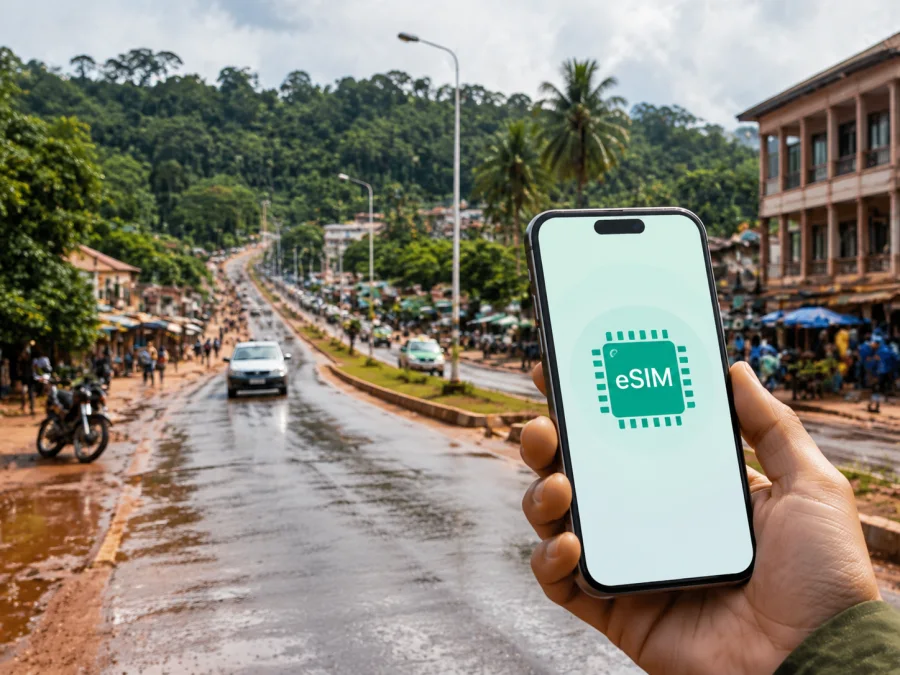
Oyem eSIM: a practical mobile connection and internet guide for Gabon
Oyem is a useful base for exploring northern Gabon, working in Woleu-Ntem, or pausing on a longer journey toward the Cameroon and Equatorial Guinea border areas. It is a working regional centre where offices, markets, road travel, and everyday errands shape the rhythm of a stay. Mobile internet can help you confirm a driver, find a guesthouse, share a location, translate a message, check a route, or update colleagues about a delayed journey.
An eSIM is a digital SIM profile for a compatible, unlocked smartphone. On a foreign trip it is normally used for mobile data, not as a replacement for a regular local phone number. Kaspersky eSIM Store lets the user choose a destination and suitable eSIM tariff, complete the order, and activate it through the app or website. Check the selected tariff’s data volume, validity, activation rules, and destination before confirming.
Why mobile internet matters in Oyem
Oyem lies in the northern interior of Gabon and is the capital of Woleu-Ntem Province and Woleu Department. Its position on the N2 corridor connects the city with routes toward other parts of the country and the northern border. A data connection is therefore not only for sightseeing; it can coordinate a transfer, meeting point, or next leg of a route.
The most useful tasks tend to be simple and frequent:
- checking a route before leaving a hotel or guesthouse;
- sending a pin when a street name is difficult to communicate;
- confirming a meeting time with a local contact;
- using translation, currency, weather, or messaging tools;
- keeping a road itinerary available when plans change;
- calling a transport contact through an internet messenger;
- downloading a map area or saving essential details for weak-signal moments.
Oyem has an inland, humid climate, and rain can affect a road day. Keep the phone charged, save key information offline, and use mobile data for decisions that cannot wait until Wi-Fi.
Arriving in Oyem: prepare the first hour
The first hour after arrival is often when a visitor has the most questions and the fewest points of reference. After a flight and transfer, or a long road trip from another Gabonese city, you may need to contact accommodation before reaching the centre. A ready data connection reduces those unknowns.
Before leaving for Oyem, save the following on your phone:
- The name, address, and phone number of your accommodation.
- The name of the person meeting you, if a transfer has been arranged.
- A screenshot of your booking and any check-in instructions.
- The next destination and an alternative meeting point in the city.
- A short note with the French spelling of names and places you may need to show.
When you arrive, send a short message with your location, luggage status, and expected arrival time. For a stopover, focus on reaching the accommodation, confirming the next departure, and finding basic supplies. For business, add the meeting address, contact name, and an offline agenda.
Choosing a data plan for an Oyem trip
There is no single correct data allowance for every visit. A traveller who mainly exchanges messages and checks directions uses data differently from someone who joins video meetings, uploads photographs, or shares a connection with another device. Choose by the shape of your day in Oyem rather than by a headline number.
| Travel pattern | Typical use in the city | What to consider |
|---|---|---|
| Short stopover | Messages, route checks, one or two bookings | A small package may be enough if maps and documents are saved in advance. |
| Work visit | Navigation, email, documents, messaging, occasional calls | Allow extra capacity for attachments and a backup connection for a meeting. |
| Market and town errands | Pins, translation, mobile search, payment-related messages | Keep data available throughout the day instead of depending on one Wi-Fi location. |
| Road journey from Oyem | Route changes, driver coordination, weather checks, messages | Leave room for a longer journey and avoid using the phone as a constant video stream. |
| Several-day stay | Daily navigation, messages, photographs, practical searches | Compare the validity period with the full itinerary, including travel days. |
Plan around Oyem’s working geography. A morning meeting in the centre, a market errand, and an evening transfer may use different routes and different amounts of data. If the itinerary includes a road leg out of Oyem, treat it as part of the same connectivity plan: save the departure point, keep a reserve for messages, and check the next destination before leaving. This matters when rain or a late vehicle changes the schedule.
For a multi-stage route, compare the tariff with every travel day, not just the time spent in the city. A short visit still needs data for arrival and departure. Plan every leg. Kaspersky eSIM Store helps you review the destination and choose an eSIM tariff for a foreign trip. When your route is confirmed, you can choose an eSIM tariff for a trip to Oyem and review the current conditions for Gabon. Check what is included, how long the data remains available, and whether the package suits the whole route.
Device checks before you travel
An eSIM works only on a compatible, unlocked phone. Regional versions can differ, so check your device compatibility before the final choice.
Your phone should have enough free storage and battery for installation. Know which line is used for mobile data and how to switch data between the primary SIM and travel eSIM.
If you keep your home SIM active, set the travel eSIM as the data line and check whether roaming must be enabled for it. Consider disabling roaming on the home line to avoid unintended charges. Settings differ by model.
A simple pre-departure checklist
- Confirm eSIM support and the absence of an operator lock.
- Charge the phone and carry a power bank for a long road transfer.
- Keep the QR code or installation details accessible on another screen or in your account.
- Save accommodation information and essential map areas for offline use.
- Decide which SIM will handle mobile data after arrival.
- Check the tariff’s destination, data volume, validity, and activation conditions.
- Keep your primary number available only if you understand how both lines will behave.
Configure the phone with stable internet before a multi-stage journey, while following the tariff’s activation rule.
How to install and activate an eSIM
Use a stable internet connection for setup, keep the eSIM information private, and do not delete a profile while troubleshooting unless the instructions tell you to.
1. Confirm the conditions
Check that the phone is compatible, unlocked, charged, and online. Confirm the Gabon destination and travel dates.
2. Open the mobile connection settings
Find the option for adding a mobile plan or eSIM. The wording depends on the operating system and device model. If you need a device-specific walkthrough, use the Android installation instructions or the iOS installation instructions.
3. Add the eSIM profile
Scan the QR code or follow the activation method. If the code is on the same phone, open it on another screen or use the supplied method.
4. Choose the data line
After the profile is added, select the travel eSIM for mobile data when you are ready to use it. Keep the home line for calls or messages only if that matches your plan and settings.
5. Test the connection
Open a webpage or send a short message. If it does not connect, check the data line, travel eSIM roaming setting, signal, and airplane mode. Connection may take a few minutes.
Installation and activation are not always the same event. A tariff may begin its validity under a specific condition, so keep the order details until the trip is over.
Getting around the city
Oyem is a working city with a busy centre, residential areas, market activity, and roads toward other settlements. A landmark, market entrance, office, hotel, or junction may be more useful than a road name. Ask your contact for a pin and short description, then compare them before leaving.
For short urban movements, combine the route on your phone with local confirmation. In a car or taxi, show the destination and keep the phone available for clarification. When walking, use daylight, secure the device, save the final destination, and avoid staring at the map at every turn. In the centre, shopping or waiting for transport can extend a short errand, so keep a reserve of data and battery.
Markets, accommodation, and everyday errands
The market is both a shopping area and a useful reference point for arranging a meeting. Crowds, stalls, weather, and changing access can make a precise lane difficult to identify, so agree on an entrance or another visible landmark before separating. If you are travelling with a group, keep one person responsible for the shared location and the next appointment.
For accommodation, save the address, host contact, arrival instructions, and a map pin before leaving the main road. Ask for a recognizable landmark and keep it offline. Hotel Wi-Fi can help with large downloads, but mobile data remains useful during transfers and errands. For business, download documents in advance and postpone large uploads.
Short trips from Oyem
Oyem is a practical starting point for journeys toward Bitam, other settlements in Woleu-Ntem, northern border routes, or larger urban centres. Vehicle availability, road conditions, border procedures, and departure times can change, so confirm current details locally. Save the departure point, itinerary, and contacts; share your route; and carry enough battery for a delay.
Use data selectively on a long road day. A map is valuable at decision points, while video, automatic photo backup, and app updates can quietly consume the allowance. If the route crosses into Cameroon or Equatorial Guinea, check that the selected tariff covers every country on the itinerary rather than assuming that Gabon coverage extends across a border.
Managing data without surprises
Check remaining data and validity each morning, confirm the data line, charge the phone, save the next address, and pack a power bank. Disable automatic downloads and background sync. A laptop used as a hotspot may download updates without warning.
If the phone shows a signal but the internet does not work, check the data line, eSIM roaming setting, airplane mode, remaining allowance, and validity period. Move to an open location or restart the phone if needed. If the issue continues, consult the installation guidance and contact support with the order details. Avoid repeatedly deleting and reinstalling the profile.
Common Oyem travel scenarios
First-night arrival
Use the eSIM for a short message and route check, contact the host if needed, then save the next day’s addresses offline.
One-day business visit
Keep documents offline, reserve data for navigation and messages, and confirm departure before the meeting ends.
Market and town-centre day
Save a return point, agree on a visible landmark, and send an update when plans change. Keep a power bank and data reserve.
Onward road journey
Screenshot the itinerary, share the route, check destination coverage, and keep the phone available for weather or traffic changes.
FAQ about eSIM and mobile internet in Oyem
Is an eSIM useful for a short stay in Oyem?
Yes, for arrival messages, navigation, accommodation, and a road transfer. Match the validity and allowance to the itinerary.
Does an eSIM give me a regular local phone number?
Not necessarily. A travel eSIM tariff is intended for mobile data unless its conditions say otherwise; ordinary calls and SMS are not automatically included. Messaging apps can work over the internet.
Can I install it after arriving?
Prepare it with stable internet and enough battery when possible. If you install after arrival, follow the order instructions; activation rules depend on the tariff.
Should I keep my primary SIM active?
You may if the phone supports dual SIM use and you understand the settings. Select the travel eSIM for data and review roaming on the primary line.
What if the route continues outside Gabon?
Check every country covered by the tariff before leaving Oyem. Gabon coverage should not be assumed to include a neighbouring country.
What if data stops working?
Check the data line, eSIM roaming setting, airplane mode, allowance, and validity. Move to a clearer location or restart the phone, then consult the guidance or support.
A calm digital plan for Oyem
Oyem rewards practical preparation. A traveller may combine a market visit, office appointment, hotel check-in, and road transfer. Mobile data helps with each decision, but it works best with offline notes, a charged phone, clear meeting points, and realistic travel time.
Before departure, check the phone, select a tariff whose destination and validity match your route, and install the eSIM according to the instructions. In Oyem, use data for navigation, messages, translation, and coordination, while keeping key addresses offline. For trips beyond the city, confirm route and border details locally.
When you are ready, review the available option for Gabon and choose a suitable eSIM tariff. Install it on a compatible, unlocked device and activate it according to the selected tariff’s conditions. Then concentrate on Oyem and the people you came to meet.


